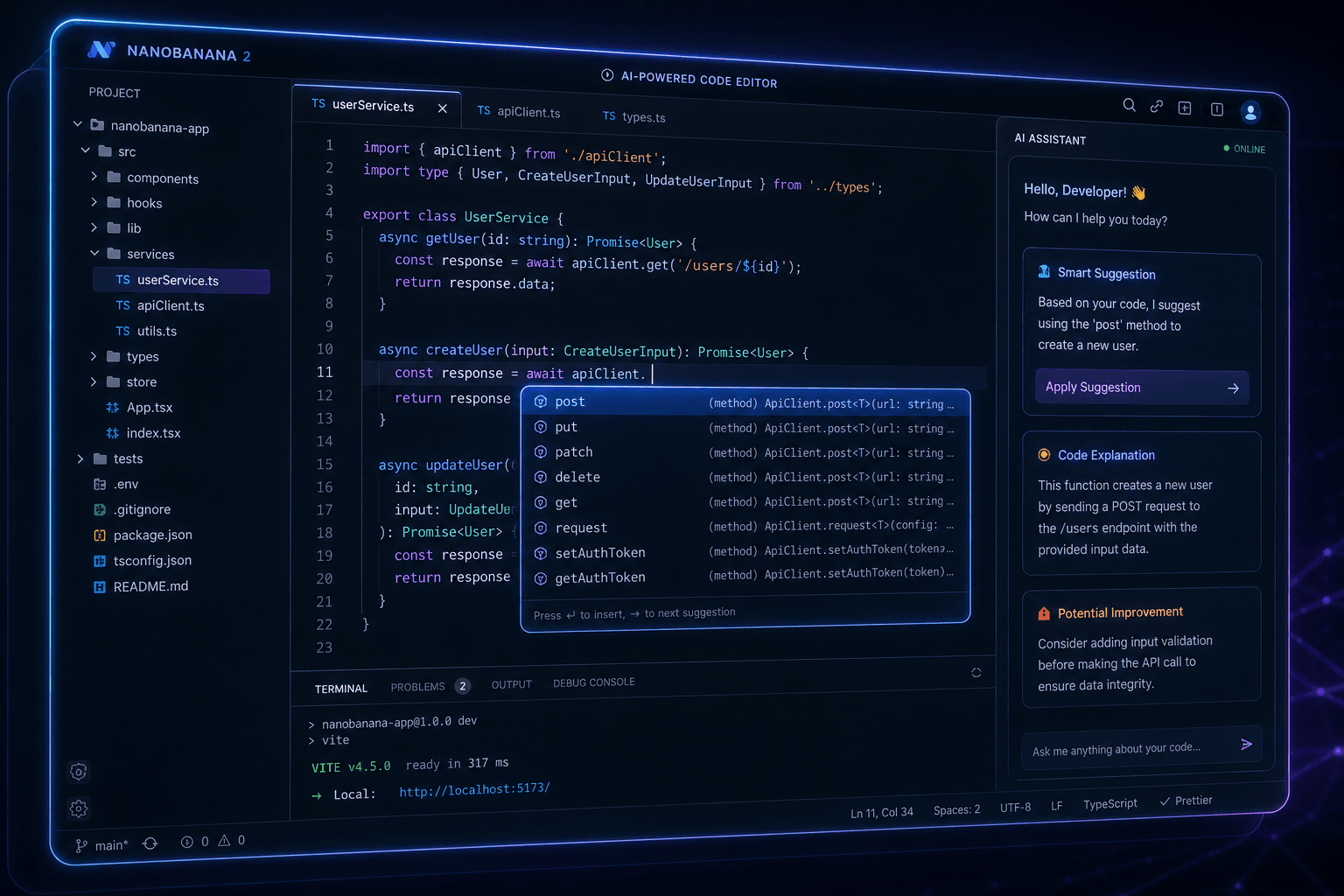
Why Cursor Is Winning the Editor War: A Pre-WWDC Analysis

Table of Contents
Why Cursor Is Winning the Editor War: A Pre-WWDC Analysis #
Cursor is rapidly becoming the AI-native editor of choice for developers who want more than autocomplete. While GitHub Copilot dominates mindshare, a quiet migration is happening — engineers are switching to Cursor's AI-first architecture, and the momentum is accelerating heading into WWDC 2024.
Table of Contents #
- The Editor Landscape in June 2024 — Where AI coding tools stand today
- What Cursor Actually Is — The Anysphere foundation, VS Code fork, and AI-native philosophy
- Cursor's Core Differentiators — Tab completion, CMD+K, Composer, and @ symbols
- Side-by-Side: Cursor vs GitHub Copilot — Detailed feature comparison
- The Switching Phenomenon — Why developers are migrating now
- Cursor's AI Model Strategy — GPT-4, Claude, and intelligent routing
- Privacy and Security — Local processing and code privacy
- Limitations and Trade-offs — What's missing vs VS Code ecosystem
- The Pre-WWDC Context — Why timing matters and what Apple might announce
- Looking Ahead — What's next for Cursor and AI-native development
The Editor Landscape in June 2024 #
The AI coding assistant market is at an inflection point this week. GitHub Copilot remains the dominant force with over 1.8 million paid subscribers, but the emergence of AI-native editors like Cursor signals a fundamental shift in how developers want to work with AI. We're witnessing the transition from "AI as a plugin" to "AI as the foundation."
Three distinct categories of AI coding tools exist in June 2024:
| Category | Tools | Philosophy | Best For |
|---|---|---|---|
| IDE Plugins | GitHub Copilot, Amazon CodeWhisperer, Tabnine | AI as an add-on to existing editors | Teams with established workflows |
| AI-Native Editors | Cursor, GitHub Copilot Workspace (preview) | AI built into the editor core | Developers seeking AI-first workflows |
| Terminal/CLI Agents | Claude Code (announced May 2024), OpenAI Codex CLI (coming) | AI as a command-line collaborator | DevOps, scripting, automation |
The plugin model — exemplified by Copilot's integration into VS Code, JetBrains, and Neovim — treats AI as a sidebar assistant. It suggests completions, answers questions in a chat panel, and operates within the constraints of the host IDE's architecture.
The AI-native model — which Cursor pioneered and others are racing to copy — inverts this relationship. The AI isn't bolted onto the editor; the editor is built around the AI's capabilities. This architectural difference manifests in every interaction: context windows expand from ~2,000 tokens to full-file and multi-file awareness, edits span across files natively, and the AI has deep access to your codebase's structure.
The shift matters because context is everything in AI coding. A model with limited context can only suggest the next few lines. A model with full-file context can refactor entire functions. A model with multi-file context can rearchitect a feature across your entire codebase. Cursor's June 2024 feature set delivers capabilities that plugin-based tools simply cannot match due to architectural constraints.
WWDC 2024 arrives at a decisive moment. Apple is expected to announce Apple Intelligence and potentially developer-facing AI tools. Whatever Apple reveals will reshape the competitive landscape — but Cursor has already established a lead in the AI-native editor space that will be difficult to match.
What Cursor Actually Is #
Cursor is an AI-native code editor built by Anysphere, a startup founded by MIT students, that forks VS Code and rebuilds the entire interface around AI as a first-class citizen. It is not merely VS Code with AI extensions installed — it is a fundamentally rearchitected development environment where AI capabilities are woven into every interaction layer.
Anysphere was founded in 2022 by Michael Truell, Sualeh Asif, Arvid Lunnemark, and Aman Sanger — all MIT graduates with backgrounds in machine learning and distributed systems. The team raised an $11 million seed round in 2023 led by the OpenAI Startup Fund, with participation from former GitHub CEO Nat Friedman and Dropbox co-founder Arash Ferdowsi. Today, rumors are circulating that a significantly larger Series A is imminent, with industry insiders whispering about a valuation that could exceed $400 million.
The philosophical difference is crucial: Cursor treats the AI model as a core component of the editor, not a peripheral add-on. This manifests in several architectural decisions:
- Deep codebase indexing: Cursor indexes your entire repository into a vector database, enabling semantic search across files and multi-file context awareness
- Context window maximization: While Copilot operates with ~2,000 tokens of context, Cursor routinely processes entire files and can reference neighboring files automatically
- Native multi-file operations: Cursor's Composer feature can read, understand, and modify code across dozens of files in a single operation
- Model-agnostic design: Cursor supports multiple AI models (GPT-4, Claude 3 Opus, Claude 3.5 Sonnet) and intelligently routes requests to the appropriate model
The foundation on VS Code is strategic rather than lazy. By forking VS Code — the most popular code editor in the world with over 70% market share — Cursor inherits a battle-tested editing engine, thousands of compatible extensions, and a familiar interface. The innovation lies in what Anysphere built on top: the AI layer that transforms a text editor into a collaborative coding partner.
For developers already using VS Code, the transition is frictionless. Your settings sync over, your keybindings transfer, your extensions work. But once you start using Cursor's AI features — the tab completion that suggests multi-line changes, the CMD+K inline editing, the Composer for complex refactors — returning to a standard editor feels like coding with one hand tied behind your back.
Cursor's Core Differentiators #
Cursor's competitive advantage comes from four integrated features that work together: predictive tab completion, CMD+K inline editing, Composer for multi-file refactors, and @-symbol context targeting. Each feature addresses a different phase of the coding workflow, creating an AI-assisted development experience that feels continuous rather than interruptive.
Predictive Tab Completion #
Cursor Tab is the editor's AI-powered autocomplete system, and it operates differently from Copilot's line-by-line suggestions. Rather than simply completing the current line, Cursor Tab analyzes recent edits, surrounding code, linter errors, and your typing patterns to suggest:
- Multi-line code blocks that match your intent
- Import statements for functions you're calling
- Bug fixes based on error patterns
- Logical continuations that span across lines
The jump-to-next-edit feature is particularly powerful. After accepting a suggestion with Tab, pressing Tab again jumps you to the predicted next location where you'll want to make changes. This creates a flow state where the AI anticipates your workflow rather than just your typing.
Keyboard controls are designed for speed:
- Tab: Accept full suggestion
- Cmd/Ctrl + Arrow Right: Accept word-by-word
- Escape: Reject and keep typing
CMD+K Inline Editing #
CMD+K (or Ctrl+K on Windows/Linux) opens Cursor's inline AI editing interface. Unlike the sidebar chat found in Copilot, CMD+K operates directly in your code editor with the current selection or cursor position as context.
Use cases where CMD+K excels:
- Refactoring a function while preserving behavior
- Converting code from one language or framework to another
- Adding error handling or logging to existing code
- Explaining what a complex code block does
- Generating documentation comments
The June 2024 release (v0.35.x) introduced significant improvements to CMD+K's context-building capabilities. The AI now better understands what context to include when you make a request, pulling in relevant type definitions, imports, and related functions automatically.
Composer for Multi-File Refactors #
Composer is Cursor's most differentiated feature — and the one that makes traditional AI coding assistants feel obsolete. Composer allows you to describe a change that spans multiple files, and Cursor will:
- Analyze your entire codebase to understand the relationships between files
- Generate a plan showing which files need modifications
- Present the changes for your review
- Apply them across all affected files simultaneously
This capability is unmatched by any Copilot feature available today. While Copilot can suggest changes within the file you're currently viewing, Composer can refactor an entire feature across your codebase — updating imports, types, tests, and documentation in a single operation.
@ Symbols for Context Targeting #
Cursor's @-symbol system lets you explicitly reference context the AI should consider:
| Symbol | Purpose | Example |
|---|---|---|
@file |
Reference a specific file | @file:src/utils/auth.ts |
@folder |
Include an entire directory | @folder:src/components |
@code |
Reference specific code snippet | @code:parseJWT function |
@docs |
Pull in external documentation | @docs:React Hooks API |
@web |
Search the web for current info | @web:TypeScript 5.4 features |
This explicit context targeting solves the "AI doesn't know about my codebase" problem that plagues generic assistants. When you ask Cursor to implement a feature, you can point it exactly at the files, types, and patterns it needs to understand.
Together, these four features create an AI-native workflow where assistance is available at every level of abstraction — from individual keystrokes to multi-file architectural changes.
Side-by-Side: Cursor vs GitHub Copilot #
The fundamental difference between Cursor and GitHub Copilot is architectural: Copilot adds AI to an existing editor, while Cursor builds an editor around AI capabilities. This distinction manifests in every aspect of the user experience, from context awareness to multi-file operations.
Feature Comparison #
| Feature | GitHub Copilot | Cursor (June 2024) |
|---|---|---|
| Base Editor | VS Code plugin; supports multiple IDEs | Forked VS Code with AI-native modifications |
| Context Window | ~2,000 tokens (limited by API) | Full-file + neighboring files via codebase indexing |
| Tab Completion | Single-line suggestions, line-by-line | Multi-line blocks, jump-to-next-edit |
| Multi-File Edits | Manual copy/paste between files | Native Composer for cross-file refactors |
| Inline Editing | Limited; chat in sidebar | CMD+K for context-aware inline changes |
| Context Targeting | Implicit only | @-symbols for explicit file/code/docs references |
| Model Support | GPT-4 (OpenAI exclusive) | GPT-4, Claude 3 Opus, Claude 3.5 Sonnet |
| Codebase Understanding | File-by-file | Vector-indexed semantic search across repo |
| Privacy Mode | Limited enterprise controls | Privacy Mode with local processing options |
Pricing Comparison #
| Plan | GitHub Copilot | Cursor |
|---|---|---|
| Free Tier | 30-day trial only | Full-featured with usage limits |
| Individual | $10/month ($100/year) | $20/month (Pro) |
| Business | $19/user/month | $40/user/month (Business) |
| Enterprise | $39/user/month | Custom pricing |
Performance Characteristics #
Recent head-to-head comparisons reveal distinct performance profiles:
| Metric | GitHub Copilot | Cursor |
|---|---|---|
| Suggestion Latency | ~200ms (faster) | ~400ms (more processing) |
| Multi-File Refactor Time | 15+ minutes (manual) | 2 minutes (automated) |
| Context Accuracy | Moderate (limited context) | High (full-file awareness) |
| Acceptance Rate | ~35% of suggestions | ~45% of suggestions |
When to Choose Each #
Choose GitHub Copilot when:
- Your team is deeply embedded in the Microsoft/GitHub ecosystem
- You need the fastest possible inline suggestions for routine coding
- Your workflow relies heavily on existing VS Code extensions with complex configurations
- Budget constraints favor the $10/month individual plan
Choose Cursor when:
- You frequently refactor code across multiple files
- You want model choice (Claude vs. GPT-4) for different tasks
- You need AI that understands your entire codebase structure
- You value AI-native features like Composer and @-symbol context
The Real-World Gap #
In practical use, the gap is stark. A developer describing a 47-file refactoring to Cursor's Composer can review and apply changes in under two minutes. The same task with Copilot requires manual file-by-file work that stretches to 15 minutes or longer. This isn't a marginal improvement — it's a different category of capability.
The question isn't whether Cursor is marginally better than Copilot. It's whether "AI as a plugin" can ever match "AI as the foundation" for developers who want the AI to understand and modify their entire codebase, not just the file currently on screen.
The Switching Phenomenon #
A quiet migration is underway. Developers who adopted GitHub Copilot as their first AI coding assistant are increasingly switching to Cursor — not because Copilot is broken, but because Cursor offers capabilities that plugin-based tools cannot deliver.
The Viral Momentum #
Cursor's growth has been driven by word-of-mouth among influential developers. Tech Twitter is filled with threads from engineers describing their "Cursor conversion" moments — the specific feature that made them switch. Common triggers include:
- The first multi-file refactor: Watching Composer update 20+ files correctly in one pass
- The CMD+K revelation: Realizing inline AI editing is faster than sidebar chat
- The Claude 3.5 moment: Experiencing the new Sonnet model's code understanding via Cursor
- The context awareness: Seeing Cursor reference types and functions from other files automatically
Who Is Switching #
Three developer archetypes are leading the migration:
| Archetype | Motivation | Typical Use Case |
|---|---|---|
| The Indie Hacker | Speed of shipping solo projects | Full-stack feature development |
| The Senior Refactorer | Large-scale codebase modernization | Technical debt elimination |
| The AI-First Engineer | Maximum AI leverage in workflow | Architecture exploration |
Team Adoption Patterns #
Unlike Copilot, which often enters organizations through top-down Microsoft/GitHub Enterprise agreements, Cursor adoption is frequently bottom-up. Individual developers switch personally, demonstrate value to their teams, and eventually persuade engineering leadership to purchase team licenses.
This organic adoption pattern mirrors the early days of VS Code itself — developers choosing tools based on merit rather than corporate mandate. The difference is velocity: Cursor's advantages are immediately visible in daily work, compressing the evaluation cycle from months to days.
The Retention Challenge for Copilot #
Microsoft faces a structural challenge. Copilot's plugin architecture, while providing broad IDE compatibility, limits its ability to match Cursor's AI-native capabilities. Adding multi-file refactoring to a plugin-based system is significantly harder than building it into the editor core.
The competitive dynamics are shifting:
- Cursor has the architectural advantage for AI-native features
- Copilot has the distribution advantage through GitHub/Microsoft channels
- The market is expanding fast enough that both can grow — but Cursor is growing faster among developers who care deeply about AI capabilities
What Developers Say #
The common thread in switcher testimonials isn't dissatisfaction with Copilot — it's excitement about what Cursor enables. Developers describe a feeling of "coding with a senior engineer pair" rather than "using an autocomplete tool." The AI becomes a collaborator who understands the codebase, not just a text generator who responds to prompts.
As WWDC approaches, this momentum matters. Apple's expected AI announcements will validate the AI-native approach to developer tools, potentially accelerating Cursor's growth among developers who want maximum AI integration in their workflow.
Cursor's AI Model Strategy #
Cursor's model-agnostic approach gives developers choice while intelligently routing tasks to the most capable model. Unlike GitHub Copilot, which is locked to OpenAI's GPT-4, Cursor supports multiple frontier models and lets users switch based on task requirements.
Available Models in June 2024 #
| Model | Strengths | Best For |
|---|---|---|
| GPT-4o | Fast responses, broad knowledge | Quick completions, general questions |
| Claude 3 Opus | Deep reasoning, large context | Complex refactors, architecture decisions |
| Claude 3.5 Sonnet | Coding excellence, speed | Most coding tasks, new default for June 2024 |
| GPT-4 | Reliability, consistency | When you need predictable outputs |
The June 8, 2024 release (v0.35.1) made GPT-4o the default model for new users, reflecting OpenAI's latest improvements. However, experienced Cursor users often prefer Claude 3.5 Sonnet for coding tasks — the model launched by Anthropic just days ago on June 20 is already available in Cursor and generating significant buzz for its coding capabilities.
Intelligent Routing #
Cursor applies different models to different features based on their strengths:
- Tab completion: Uses fast models optimized for low-latency suggestions
- CMD+K inline editing: Routes to the user-selected model with full context
- Composer multi-file operations: Uses Claude 3 Opus for complex reasoning across files
- Chat and Q&A: Defaults to GPT-4o for conversational speed
This routing happens automatically, but power users can override defaults in Cursor Settings > Models. The flexibility matters because different coding tasks require different model capabilities:
- Speed-critical tasks (tab completion): Prioritize latency over depth
- Understanding-critical tasks (refactoring): Prioritize reasoning over speed
- Context-heavy tasks (multi-file work): Prioritize large context windows
The Claude Advantage #
Anthropic's Claude models have become the preferred choice for many Cursor users, and Cursor's early support for Claude (starting with Claude 3 in early 2024) created a competitive moat. The coding community has noticed that Claude excels at:
- Understanding complex type systems
- Reasoning through multi-step refactoring plans
- Generating idiomatic code that matches existing patterns
- Explaining code behavior in natural language
The June 2024 launch of Claude 3.5 Sonnet — which Anthropic positioned as their strongest coding model yet — arrived on Cursor within days. This rapid model integration is a Cursor advantage: they can support new models faster than Copilot's more constrained OpenAI-only pipeline.
Privacy and Model Choice #
Cursor's privacy mode works across all supported models, giving users the ability to keep code local while still using frontier AI capabilities. This is particularly valuable for teams working with proprietary codebases who want the benefits of Claude's reasoning without exposing sensitive code to third-party training.
The strategic takeaway: Cursor treats AI models as interchangeable infrastructure rather than a single vendor dependency. This flexibility positions them well as the model landscape evolves — whether OpenAI, Anthropic, or another lab releases the next breakthrough, Cursor can integrate it while Copilot remains bound to OpenAI's roadmap.
Privacy and Security #
Cursor addresses the enterprise's primary AI concern — code privacy — through a comprehensive privacy mode and transparent data policies that exceed industry standards. For developers working with proprietary codebases, this is often the deciding factor in adopting AI coding tools.
Privacy Mode Features #
Cursor's Privacy Mode, available on all paid plans, provides:
| Feature | What It Does |
|---|---|
| No Code Storage | Code is processed but not retained by Cursor's servers |
| No Model Training | Your code is never used to train AI models |
| Local Processing | Indexing and search happen locally on your machine |
| SOC 2 Compliance | Cursor maintains SOC 2 Type II certification |
| Zero Retention | OpenAI/Anthropic APIs called with zero-retention flags |
How Code Handling Works #
Understanding the data flow helps evaluate privacy risks:
- Codebase Indexing: Cursor creates a local vector index of your repository for semantic search. This index stays on your machine.
- AI Requests: When you use AI features, relevant code snippets are sent to Cursor's servers (or directly to model providers in privacy mode).
- Processing: AI models process the code and return suggestions.
- Deletion: In privacy mode, no code is stored after processing completes.
Enterprise Security Considerations #
For engineering leaders evaluating Cursor for team adoption:
| Concern | Cursor Approach | GitHub Copilot Approach |
|---|---|---|
| Code Retention | Zero retention in privacy mode | May retain telemetry data |
| Training Data | Explicit opt-out from model training | Part of Microsoft's broader AI training |
| On-Premises | Not currently available | GitHub Copilot Enterprise offers some control |
| Audit Logs | Available on Business tier | Available on Enterprise tier |
| SSO/SCIM | Supported on Business tier | Supported on Enterprise tier |
The Local-First Architecture #
Cursor's decision to index codebases locally rather than in the cloud is a privacy advantage. While this means the initial indexing takes longer (your machine processes the files), it ensures that your entire codebase never leaves your local environment unless explicitly sent to the AI for a specific request.
This architecture differs from cloud-based AI coding tools that upload your entire repository to remote servers for analysis. Cursor's approach is more like a local search engine (think Spotlight on macOS) that only sends specific queries to external services when needed.
Transparency and Trust #
Cursor publishes detailed documentation about their privacy practices, including:
- Exact data handling procedures
- Model provider agreements (OpenAI and Anthropic zero-retention commitments)
- Security certifications and audit schedules
- Contact information for privacy questions
This transparency matters because the AI coding assistant market is still young, and trust is the primary barrier to enterprise adoption. Cursor's privacy-first positioning — offering strong protections on individual plans, not just enterprise tiers — signals a commitment to developer trust that resonates with security-conscious teams.
For developers at companies with strict IP policies, Cursor's privacy mode removes the primary objection to AI adoption. The combination of local indexing and zero-retention API calls means you can get AI assistance without exposing proprietary code to training datasets.
Limitations and Trade-offs #
Cursor is not a perfect replacement for every VS Code workflow. The AI-native architecture brings trade-offs that developers should understand before switching, particularly around extension compatibility, ecosystem maturity, and cost structure.
VS Code Extension Compatibility #
Because Cursor forks VS Code rather than extending it, extension compatibility is generally excellent — but not universal. Considerations include:
| Extension Type | Compatibility | Notes |
|---|---|---|
| Popular Extensions | 95%+ | ESLint, Prettier, GitLens, etc. work perfectly |
| Theme Extensions | Full | All VS Code themes compatible |
| Language Support | Full | Python, TypeScript, Rust, Go, etc. |
| Debugging Extensions | Good | Most debuggers work; some edge cases |
| Extensions with Native Code | Variable | May require updates for Cursor's fork |
| Microsoft-Only Extensions | Limited | Some MS-specific extensions blocked |
The most common compatibility issues arise with:
- Extensions that depend on specific VS Code internals
- Microsoft-exclusive extensions (like certain Azure tools)
- Extensions using undocumented APIs
For most developers, extension compatibility won't be a blocker. But if your workflow depends on a niche extension or deep Microsoft ecosystem integration, verify compatibility before switching.
Pricing Considerations #
Cursor's pricing is higher than GitHub Copilot at every tier:
| Tier | Copilot | Cursor | Difference |
|---|---|---|---|
| Individual | $10/month | $20/month | 2x |
| Business | $19/month | $40/month | 2x |
| Enterprise | $39/month | Custom | Similar |
The price difference is justified by Cursor's additional capabilities (Composer, multi-model support, larger context), but it represents a real budget consideration for individual developers and small teams.
The free tier is more generous than Copilot's trial-only approach, providing a genuine evaluation period without payment. However, heavy users will hit free tier limits and need to upgrade.
Learning Curve and Workflow Changes #
Switching editors always involves friction:
- Keybinding adjustments: While most transfer, some muscle memory needs retraining
- AI workflow integration: Learning when to use Tab vs. CMD+K vs. Composer takes time
- Context management: Understanding how to use @-symbols effectively requires practice
- Trust calibration: Learning when to accept AI suggestions vs. when to verify manually
Most developers report being productive in Cursor within a day but truly optimizing their workflow takes 1-2 weeks of daily use. The investment pays off for developers who use AI assistance extensively, but may not justify the switch for occasional AI users.
Ecosystem Maturity #
GitHub Copilot benefits from Microsoft's massive resources:
- 24/7 support infrastructure
- Deep integration with GitHub Actions, Azure, and GitHub Enterprise
- Established enterprise sales and onboarding processes
- Predictable roadmap aligned with Microsoft's strategy
Cursor, as a younger startup, moves faster but with less predictable long-term stability. While their funding trajectory suggests longevity, the company is still in early growth phase. Teams requiring enterprise-grade SLAs and support infrastructure may find Copilot's maturity reassuring.
When to Stick with Copilot #
Consider remaining with GitHub Copilot if:
- Your team is deeply embedded in the Microsoft/GitHub ecosystem
- Budget constraints make Cursor's 2x pricing problematic
- Your AI coding needs are modest (primarily autocomplete)
- You rely on specific VS Code extensions with uncertain Cursor compatibility
- Enterprise procurement requires Microsoft's vendor approval processes
The bottom line: Cursor offers more capability but at higher cost and with slightly more risk. For developers maximizing AI leverage in their daily workflow, the trade-off favors Cursor. For teams with simpler needs or strong Microsoft dependencies, Copilot remains the pragmatic choice.
The Pre-WWDC Context #
WWDC 2024 arrives at a decisive moment for AI coding assistants. Apple's expected announcements around Apple Intelligence will validate AI as a core computing primitive — and Cursor's pre-WWDC momentum positions it as the leading third-party AI-native development environment for Apple's platforms.
What to Expect at WWDC 2024 #
Industry rumors and leaks suggest Apple will announce:
| Announcement | Impact on Developer Tools |
|---|---|
| Apple Intelligence framework | On-device AI capabilities for iOS/macOS apps |
| Xcode AI integration | Apple's answer to AI coding assistance |
| Enhanced Siri for developers | Voice-activated coding workflows |
| Private Cloud Compute | Secure AI processing for sensitive code |
The timing matters because Apple's entry legitimizes the AI-native development approach. Whatever Apple announces will be measured against existing tools like Cursor, potentially validating (or challenging) the AI-first editor philosophy.
Why Cursor's Timing Is Strategic #
Cursor's growth heading into WWDC creates a favorable competitive position:
- Mindshare momentum: Developers talking about Cursor on social media creates organic awareness
- Feature completeness: Composer, CMD+K, and tab completion form a coherent AI-native workflow
- Cross-platform advantage: Cursor works on macOS, Windows, and Linux — unlike Apple-only solutions
- Model flexibility: Support for Claude, GPT-4, and future models adapts to whatever Apple announces
If Apple's Xcode AI features are compelling, Cursor benefits from increased overall interest in AI coding tools. If Apple's features are limited, Cursor gains by comparison as the more capable solution.
The Developer Audience #
WWDC draws the most influential segment of Apple's developer ecosystem — exactly the audience most likely to adopt advanced AI coding tools. These developers:
- Are early adopters by definition (watching WWDC live)
- Value productivity and the latest development tooling
- Often work across platforms (not just Apple)
- Have budget for premium development tools
Cursor's pre-WWDC positioning targets this audience directly. The message is simple: Apple's about to talk about AI for developers — here's the tool that already delivers on that promise.
Competition Post-WWDC #
Depending on Apple's announcements, the competitive landscape could shift:
| Scenario | Cursor Position |
|---|---|
| Apple launches full Xcode AI | Cursor differentiates via cross-platform support, model choice |
| Apple launches limited Xcode AI | Cursor positioned as "what Xcode AI should have been" |
| Apple partners with OpenAI | Cursor's Claude support becomes differentiating advantage |
| Apple emphasizes on-device AI | Cursor's cloud-AI + local-indexing hybrid already delivers |
The strategic bet: Apple will validate AI-native development without fully satisfying the market, leaving room for Cursor to capture developers who want more capability than Apple's first-generation tools provide.
The Bigger Picture #
WWDC 2024 marks a transition point where AI assistance becomes table stakes for developer tools. Cursor's presence in this moment — with mature features, growing user base, and strong technical foundation — establishes it as the independent alternative to whatever Apple and Microsoft build into their platforms.
For developers watching WWDC this week, the question isn't whether AI will transform coding — it's which AI-native tool will best serve their workflow. Cursor is making a compelling case that the answer isn't waiting for big tech companies to integrate AI, but adopting tools built AI-native from the start.
Looking Ahead #
Cursor's trajectory suggests it will define the AI-native editor category. With funding momentum building, features that competitors cannot easily replicate, and a growing base of vocal advocates, Cursor is positioned to capture significant market share in the AI coding tools space through 2024 and beyond.
What to Expect from Cursor #
Based on the current v0.35.x release cycle and Anysphere's development velocity, expect:
| Timeline | Expected Development |
|---|---|
| Summer 2024 | Improved Composer reliability, more model options, enterprise features |
| Fall 2024 | Potential Series A announcement (rumored $400M+ valuation), team collaboration features |
| 2025 | Advanced agent capabilities, deeper IDE integration, expanded language support |
The rumored Series A funding — potentially closing this summer — would provide resources to accelerate development and expand the team beyond its current MIT-heavy engineering core.
The Competitive Response #
Microsoft and GitHub cannot ignore Cursor's momentum. Expect Copilot to evolve in response:
- Deeper VS Code integration: Copilot may move beyond plugin architecture
- Multi-file capabilities: Copilot Workspace (currently in preview) will likely expand
- Model diversification: Possible Anthropic partnership to match Cursor's model choice
- Pricing pressure: Potential feature expansion at current price points
However, architectural constraints mean Copilot cannot easily match Cursor's AI-native capabilities without fundamentally rebuilding. This gives Cursor a window — potentially 12-18 months — to establish market position before Microsoft can respond effectively.
The AI-Native Editor Category #
Cursor's success is creating a new software category: AI-native editors. Competitors are emerging:
| Tool | Approach | Status |
|---|---|---|
| GitHub Copilot Workspace | AI-native within GitHub | Technical preview |
| Zed | Rust-based with AI integration | Early, Rust-focused |
| Void | New AI-native editor | Alpha stage |
| Claude Code | Terminal-based AI agent | Announced, limited availability |
Cursor's advantage is time in market. Having shipped AI-native features since 2023, they have a lead in understanding user workflows, refining features, and building the vector indexing infrastructure that powers codebase awareness.
The Long-Term Vision #
The ultimate direction of AI coding tools points toward autonomous development agents — AI systems that can understand requirements, implement features across entire codebases, debug issues, and operate with minimal human intervention.
Cursor's current features (Composer, CMD+K, context targeting) are building blocks toward this future. Each release adds more agency to the AI: from completing lines, to editing functions, to refactoring files, to orchestrating multi-file changes.
The question isn't whether AI will write code autonomously — it's how quickly we'll get there. Cursor's roadmap appears to be accelerating toward this future faster than traditional editor plugins can adapt.
For Developers Deciding Now #
If you're evaluating AI coding tools this week, the calculation is straightforward:
- Choose Cursor if: You want the most capable AI-native editor available today, with features that will take competitors months or years to match
- Choose Copilot if: You prefer Microsoft's ecosystem, need the lowest price, or require the broadest IDE support
- Wait if: You want to see what Apple announces at WWDC before committing
The safe bet: Cursor's free tier lets you evaluate without commitment. Most developers who try Cursor's Composer feature — watching AI refactor code across multiple files in a single operation — find it difficult to return to simpler autocomplete tools.
The editor war isn't over. But as of June 2024, Cursor is winning the battles that matter for developers who want maximum AI leverage in their daily workflow.
Frequently Asked Questions #
What makes Cursor different from VS Code with Copilot installed? #
Cursor is architecturally AI-native, while Copilot is AI added as a plugin. This means Cursor indexes your entire codebase for semantic search, offers multi-file refactoring via Composer, supports multiple AI models (Claude 3.5 Sonnet, GPT-4o), and provides features like CMD+K inline editing that plugins cannot deliver due to VS Code's extension API limitations.
Is Cursor just a VS Code fork with AI added on top? #
No — Cursor fundamentally rearchitects the editor around AI capabilities. While it forks VS Code's core editing engine (providing compatibility with thousands of extensions), Cursor adds vector indexing for codebase search, a custom AI orchestration layer, multi-model support, and features like Composer that require deep integration impossible with standard extension APIs.
How much does Cursor cost compared to GitHub Copilot? #
Cursor costs approximately 2x GitHub Copilot at each tier. Copilot Individual is $10/month versus Cursor Pro at $20/month. Copilot Business is $19/user/month versus Cursor Business at $40/user/month. Cursor offers a free tier with usage limits; Copilot offers a 30-day trial only. The price difference reflects Cursor's additional features like Composer, multi-model support, and larger context windows.
Can I use my existing VS Code extensions with Cursor? #
Yes — approximately 95% of VS Code extensions work in Cursor without modification. Popular extensions like ESLint, Prettier, GitLens, and language servers function identically. Some Microsoft-exclusive extensions (certain Azure tools) and extensions using undocumented VS Code internals may have compatibility issues, but the vast majority transfer without changes.
What AI models does Cursor support in June 2024? #
Cursor supports GPT-4, GPT-4o, Claude 3 Opus, and Claude 3.5 Sonnet as of June 2024. The June 8, 2024 release (v0.35.1) made GPT-4o the default model, though many users prefer Claude 3.5 Sonnet for coding tasks due to its superior reasoning capabilities. Users can switch models instantly in Cursor Settings > Models based on task requirements.
Is my code safe with Cursor? Does it get sent to the cloud? #
Cursor offers a Privacy Mode that ensures your code is never stored or used for model training. Code is processed via API calls to OpenAI/Anthropic with zero-retention flags set. Your codebase is indexed locally on your machine for semantic search — the full repository never leaves your device unless explicitly sent to the AI for a specific request. Cursor maintains SOC 2 Type II certification.
Who founded Cursor and Anysphere? #
Anysphere was founded in 2022 by MIT students Michael Truell, Sualeh Asif, Arvid Lunnemark, and Aman Sanger. The team raised an $11 million seed round in 2023 led by the OpenAI Startup Fund, with participation from former GitHub CEO Nat Friedman and Dropbox co-founder Arash Ferdowsi. The company is reportedly closing a significantly larger Series A at a potential $400M+ valuation in mid-2024.
What is Cursor's Composer feature? #
Composer is Cursor's multi-file AI refactoring tool that can modify code across dozens of files in a single operation. You describe the change you want, and Composer analyzes your codebase, generates a plan showing affected files, and applies coordinated changes across your entire repository. This capability is unavailable in GitHub Copilot and represents Cursor's most significant architectural advantage.
How does Cursor's tab completion compare to Copilot's? #
Cursor Tab offers multi-line suggestions with jump-to-next-edit functionality, while Copilot focuses on single-line completions. Cursor analyzes recent edits and linter errors to suggest contextually appropriate blocks of code, including import statements and multi-line changes. Copilot has lower latency (200ms vs ~400ms) but Cursor's suggestions have higher acceptance rates (45% vs ~35%) due to better context awareness.
Should I switch to Cursor from VS Code in 2024? #
Consider switching if you frequently refactor across multiple files, want model choice (Claude vs. GPT-4), or value AI-native features like Composer. The transition is frictionless — settings and extensions transfer automatically. Try Cursor's free tier first; many developers report being unable to return to standard editors after experiencing Composer's multi-file capabilities. If your workflow is simple or budget-constrained, Copilot remains adequate.
What is the "CMD+K" feature in Cursor? #
CMD+K (Ctrl+K on Windows/Linux) opens Cursor's inline AI editing interface for context-aware code changes. Unlike Copilot's sidebar chat, CMD+K operates directly in your editor with the current selection as context. Use it to refactor functions, convert code between languages, add error handling, or generate documentation — all without leaving your code. The June 2024 release improved context-building, automatically including relevant type definitions and imports.
Will Cursor work with my team's existing development workflow? #
Yes — Cursor integrates with standard development workflows including Git, CI/CD pipelines, code review processes, and team collaboration tools. Because Cursor forks VS Code, it works with the same version control systems, terminal configurations, and build tools your team already uses. The primary workflow change is faster development through AI assistance, not different processes. Team licenses provide centralized billing and administration.
Building AI-Native Development Workflows #
The shift to AI-native editors like Cursor is just one component of a larger transformation in how engineering teams operate. The developers and teams gaining the most leverage from AI aren't just swapping editors — they're rethinking their entire workflow around AI assistance.
This means:
- Automating repetitive development tasks with AI agents that handle testing, documentation, and deployment
- Integrating AI across your stack — from code generation to customer support to analytics
- Building custom AI tools tailored to your team's specific codebase and workflows
- Creating AI-augmented processes that let human engineers focus on architecture and innovation
If you're evaluating Cursor because you want maximum AI leverage in your development workflow, there's likely more opportunity throughout your engineering pipeline.
Related Reading #
- Cursor in 2024: The Indie Dev's Secret Weapon — My earlier analysis from April 2024, before Cursor's mainstream momentum
- GitHub Copilot Workspace: When Copilot Became an Agent — Microsoft's response to the AI-native editor trend
- Mistral Codestral 22B: Europe's First Dedicated Coding Model — How specialized coding models are changing the AI coding landscape
Ready to Build AI-Native Workflows? #
I help engineering teams and founders implement AI automation that actually works in production — from custom AI agents to n8n workflows to AI-augmented development pipelines.
If you're serious about using AI beyond just switching editors, book an AI automation strategy call. We'll review your current workflow, identify high-leverage AI opportunities, and build a roadmap for implementation.
William Spurlock is a full-stack developer and AI automation specialist helping teams ship faster with custom AI tooling and workflow automation.
Related Posts
Claude Code Skills: The Complete Authoring Guide
The definitive guide to authoring Claude Code Skills. Learn how to build reusable agent capabilities that save hours and standardize quality across your projects.
The Agentic Design Stack in 2026: Claude Code, Codex, AI Studio, Antigravity, Cursor, and Stitch Compared
The complete 2026 agentic stack comparison: which AI agent to reach for based on the job—design, build, review, or coordinate.
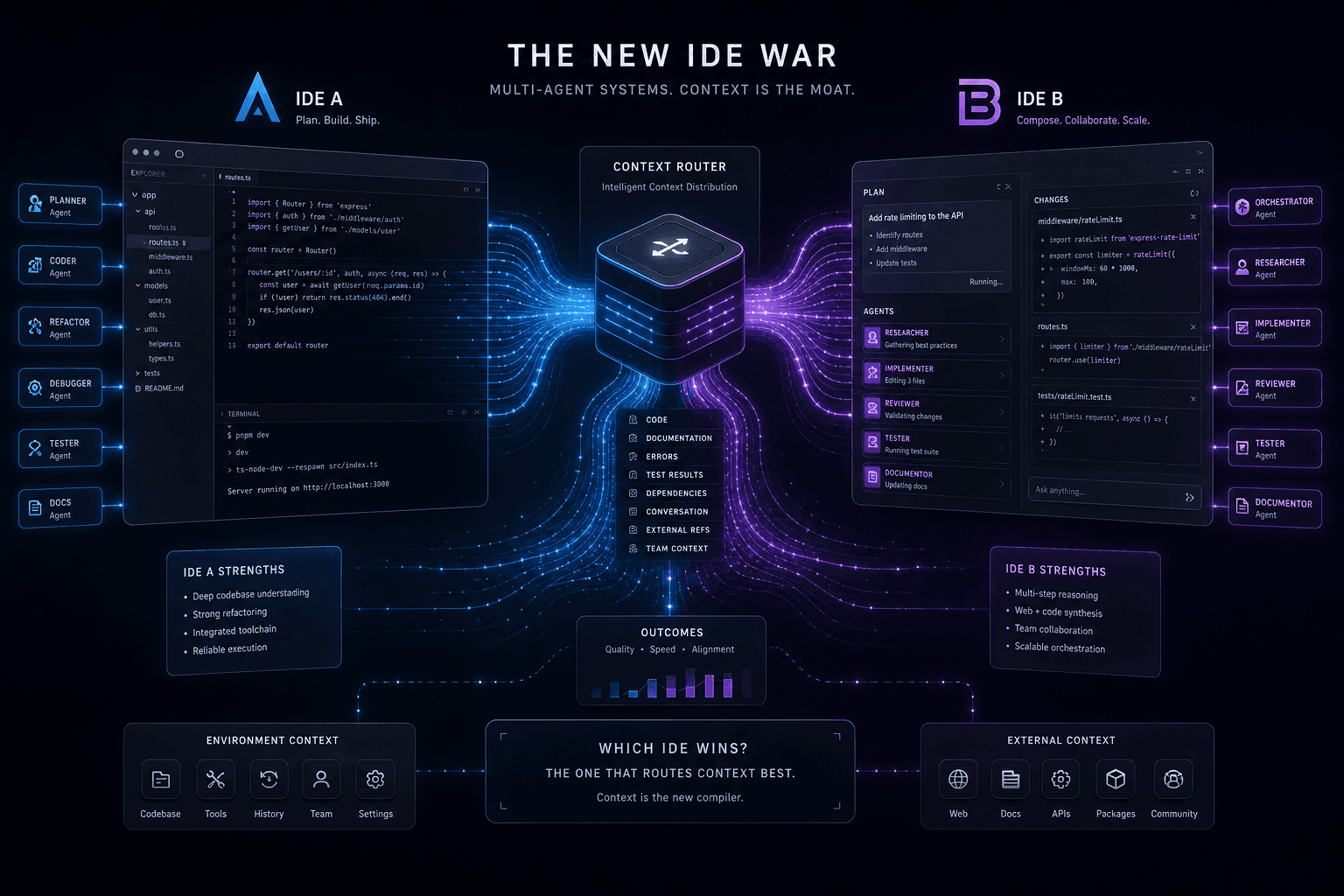
Antigravity vs. Claude Code: The Multi-Agent IDE Decision Framework for Context-Heavy Builds
The definitive 2-way decision framework for choosing between Google Antigravity and Claude Code on context-heavy builds. When to dump everything vs. scope tightly, and which tool handles browser-use, multi-agent orchestration, and handoffs better.