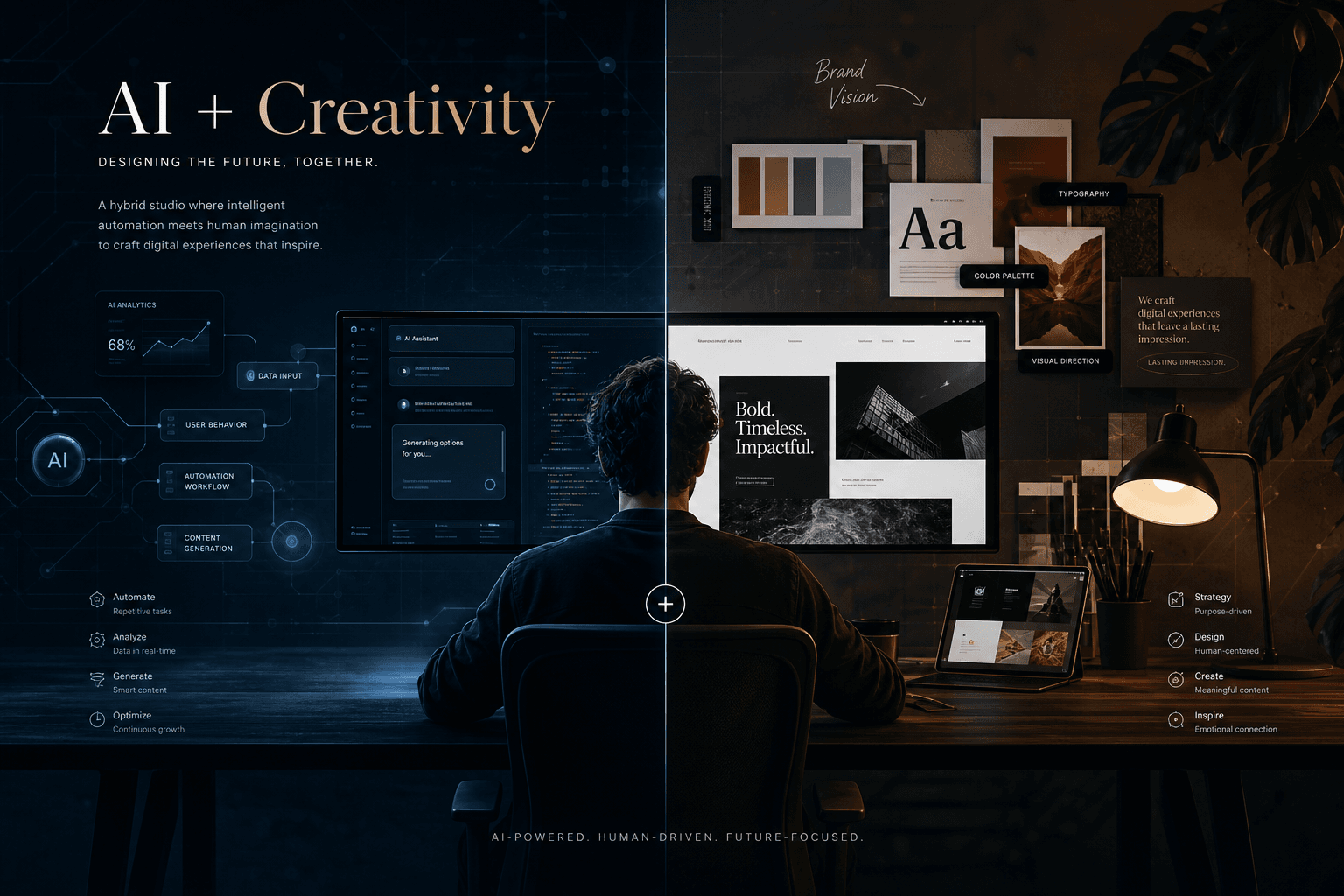
The Hybrid Studio Stack: Running an AI + Web Design Practice Solo

Table of Contents
The Hybrid Studio Stack: Running an AI + Web Design Practice Solo #
Why I chose the hybrid model instead of specializing in just one discipline, and how the two service lines actually reinforce each other.
Why Run a Hybrid Practice Instead of Specializing? #
Hybrid practices capture more value per client while maintaining technical depth — if the systems are designed correctly.
Three years ago, I made a deliberate decision to stop choosing between "AI engineer" and "web designer." Every advisor suggested specialization: pick a lane, own a niche, become the go-to expert for one thing. The logic is sound for generalists. But I kept encountering the same friction — clients who needed a flagship website also needed the automation systems to make that website actually perform. They needed the immersive scroll experience and the lead capture pipeline. The brand presence and the operational backend.
Running a hybrid practice means positioning at the intersection of AI-powered growth systems and premium digital experiences. The combination creates compounding advantages:
| Advantage | Hybrid Approach | Pure Play Alternative |
|---|---|---|
| Client LTV | Higher — automation retainers follow design projects | Lower — single-transaction or retainer-only |
| Technical Depth | Cross-pollination: web skills improve automation UI; automation skills improve web functionality | Deep but narrow — siloed expertise |
| Market Position | Unique — few competitors span both disciplines | Crowded — many specialists in each lane |
| Pricing Power | Premium — clients pay for integrated thinking | Commodity pressure — hourly rate competition |
| Revenue Stability | Blended — project fees + recurring automation | Lumpy — feast-or-famine project cycles |
The key insight: web design establishes trust and demonstrates taste; automation monetizes that relationship over time. A client who invests $25K–$75K in a flagship website is the same profile that will invest $3K–$8K/month in automation systems to drive traffic, capture leads, and optimize conversions. The design work creates the asset; the automation work optimizes its performance.
This isn't about being a jack-of-all-trades. It's about recognizing that the modern digital presence has two equally critical dimensions — the experience layer (what users see and feel) and the systems layer (what happens behind the scenes). Studios that can deliver both capture the full value chain. Studios that can't are leaving money on the table and forcing clients to manage multiple vendors.
The Daily Tool Stack: What I Actually Use Every Day #
A curated, integrated toolset that spans design, development, automation, and operations — with specific pricing tiers and use cases for each.
The following table represents my actual monthly tool spend as of May 2026. This is the minimum viable stack for delivering both AI automation systems and premium web design at a professional level. Each tool earns its place through daily use, not occasional convenience.
| Tool | Monthly Cost | Role in Stack | Upgrade Trigger |
|---|---|---|---|
| Cursor Pro | $20 | Primary code editor — AI pair programming, tab completion, multi-file refactoring | Upgrade to Pro+ ($60) when hitting API limits on large refactors |
| Claude Code (Max) | $100–$200 | Terminal-based AI agent for complex architectural moves, subagent orchestration | Scale usage based on client project complexity; typical spend is $150/month |
| n8n Cloud Pro | ~$55 (€50) | Workflow automation platform — client integrations, data pipelines, scheduled jobs | Upgrade to Business (€667) when hitting 10K executions or needing SSO |
| Figma Professional | $16 | UI/UX design, prototyping, design systems, client presentation | Upgrade to Organization ($60) when needing advanced branching/version control |
| Linear Basic | $10 | Project management, issue tracking, cycles, GitHub integration | Free tier works until 250 issues; most solo founders upgrade within weeks |
| Vercel Pro | $20 | Next.js deployment, preview environments, edge functions, analytics | Credits cover most solo studio usage; overages rare under 10M requests |
| Netlify Pro | $20 | Static site hosting, form handling, edge functions, backup deployment | Used for non-Next.js projects and client sites needing form backends |
| GitHub Pro | $4 | Code repository, Actions for CI/CD, Codespaces for remote dev | Essential for private repos and workflow automation |
Total fixed monthly stack cost: ~$245–$345
This assumes moderate Claude Code usage ($100 tier) and moderate Vercel/Netlify overages. Your actual spend will vary based on client volume and project complexity. The key is that each tool solves a specific problem that would otherwise cost more in time or labor.
Tool selection philosophy: I optimize for integration density — tools that talk to each other reduce friction. Linear connects to GitHub. Figma connects to Linear. n8n connects to everything via API. This isn't about having the "best" individual tools; it's about having the tightest operational mesh.
The self-hosting consideration: I run n8n in cloud rather than self-hosted despite having the technical ability. Why? The operational overhead — security patches, updates, backup management — costs an estimated $300–$700/month in implicit labor time. Cloud pricing is a bargain by comparison until you hit enterprise scale.
Project Management Flow: Figma to Linear to GitHub #
A repeatable pipeline that moves work from concept → design → development → deployment without friction or status ambiguity.
Every project, regardless of whether it's an AI automation system or a web design build, follows the same five-phase pipeline. This standardization is critical for a solo operator — it eliminates decision fatigue about "what's next" and creates predictable checkpoints for client communication.
Phase 1: Discovery & Architecture (Linear + Notion) #
All projects start in Linear as an "Initiative" — the highest-level container. I use a standardized discovery template that captures:
- Business objectives and success metrics
- Technical constraints and integration requirements
- User personas and journey maps (for web) / workflow triggers (for automation)
- Competitive references and aesthetic direction
- Timeline and milestone definitions
This phase outputs a Project Brief document in Notion that becomes the single source of truth. Every subsequent decision references back to this brief. If a client asks for scope changes mid-project, the brief is the anchor for the conversation.
Phase 2: Design & Prototyping (Figma) #
Web projects move into Figma for high-fidelity design and prototyping. AI automation projects skip this phase or use lightweight wireframes if there's a user-facing dashboard component.
Figma workflow structure:
- Page 1: Design system (colors, typography, components, spacing tokens)
- Page 2: Wireframes / low-fidelity explorations
- Page 3: High-fidelity screens, desktop and mobile
- Page 4: Prototype flows (interactive click-throughs)
- Page 5: Developer handoff (annotations, measurements, assets)
Each Figma page is linked to a Linear issue, creating bidirectional traceability. When a design is ready for review, the Figma URL is pasted into the Linear issue, and the issue status moves to "In Review."
Phase 3: Development & Implementation (Cursor + Claude Code + GitHub) #
Code lives in GitHub repositories with a consistent branch naming convention:
feature/WS-123-responsive-hero
fix/WS-145-navigation-scroll
automation/WS-201-lead-scoring-webhook
Linear issues are tagged with the GitHub branch name, creating automatic traceability. I use Cursor for 80% of development work — component creation, styling, integration wiring. Claude Code handles the 20% that requires architectural thinking: database schema design, complex API integrations, multi-file refactors.
Commit frequency rule: Minimum one commit per day, pushed to GitHub. This isn't just for backup — it creates a visible work trail for clients who have repository access and prevents the "black hole" syndrome where clients wonder if anything is happening.
Phase 4: Testing & QA (n8n + Manual) #
Automation projects get the heaviest QA focus. Each workflow is tested against:
- Happy path (expected input → expected output)
- Error paths (invalid input, API failures, timeouts)
- Edge cases (empty data, malformed responses, rate limiting)
Web projects get cross-browser testing, responsive breakpoint verification, and performance profiling (Lighthouse scores must exceed 90 across all metrics before launch).
Phase 5: Deployment & Handoff (Vercel + Netlify + Linear) #
Production deployments are tagged in GitHub and linked to Linear issues. The final Linear issue in every project is "Post-Launch Review" — a 30-minute client call to verify everything is working, capture feedback, and discuss next phases (automation for web clients, optimization for automation clients).
The integration payoff: Linear's GitHub integration means closing a GitHub pull request automatically updates the Linear issue status. This saves approximately 5–10 minutes per issue in manual status updates — trivial for a single project, significant across 20+ active issues.
AI Tools in Client Work: Cursor, Claude Code, and n8n #
AI isn't a replacement for craft — it's a multiplier for delivery speed and system complexity.
I use AI tools at three distinct layers in client work: the editor layer (Cursor), the architectural layer (Claude Code), and the systems layer (n8n). Each serves a different purpose, and understanding when to use which tool is the difference between amateur and professional AI-augmented delivery.
Cursor: The Editor Layer #
Cursor is my primary IDE for all client development. I use it in two modes:
Tab Mode (Autocomplete): Active during 80% of coding time. Cursor's tab completion — especially for React/TypeScript/Next.js patterns — reduces typing friction and catches syntax errors before they compile. This isn't revolutionary; it's evolutionary. Tab mode saves roughly 20–30% of keystrokes.
Agent Mode (Composer): Used for multi-file refactors, feature implementation, and boilerplate generation. I typically start an Agent session with a detailed prompt file (.cursor/rules/*.mdc files in the repo) that defines the component patterns, styling approach, and naming conventions for the project. This context seeding dramatically improves output quality.
Cursor pricing reality: At $20/month for Pro, the ROI is immediate. A single 2-hour refactor that Cursor completes in 30 minutes pays for three months of subscription. The Pro+ tier at $60/month is worth considering if you're hitting the 500-fast-requests limit regularly — which happens on larger TypeScript/React projects with complex type inference.
Claude Code: The Architectural Layer #
When projects require thinking across multiple files, systems, or APIs, I switch to Claude Code. Its terminal-first interface and subagent capabilities make it ideal for:
- Database schema design: "Design a PostgreSQL schema for an e-commerce site with product variants, inventory tracking, and order history. Include migrations and TypeScript interfaces."
- API integration architecture: "Wire up Stripe webhook handling with idempotency keys, database persistence, and failure retry logic."
- Complex refactors: "Migrate this React component library from styled-components to Tailwind CSS, preserving all existing props and behavior."
Claude Code's /usage command provides real-time cost visibility. Typical sessions:
- Quick bug fix (15 min): ~$0.05
- Feature implementation (1 hour): ~$0.54
- Large refactor (2–3 hours): ~$1.80
Monthly spend typically ranges $40–$150 depending on project complexity. This is trivial compared to the engineering time saved.
n8n: The Systems Layer #
n8n is the backbone of my automation practice. For hybrid studio work, it serves two purposes:
Client-Facing Automation: Lead scoring pipelines, CRM integrations, notification systems, data synchronization workflows. These are billed as monthly retainers ($2K–$8K/month depending on complexity).
Internal Studio Automation: Content pipelines (blog post workflows), proposal generation, invoice reminders, project status reporting. These run silently in the background, freeing cognitive load for creative work.
n8n execution math: A workflow running hourly uses ~720 executions per month. At n8n Cloud Pro (€50/month for 10,000 executions), you can run 13 hourly workflows continuously. Most client projects need 3–5 active workflows, leaving substantial headroom.
Tool selection decision tree:
- Component-level work → Cursor Tab Mode
- Multi-file implementation → Cursor Agent Mode
- Architectural design, schema design → Claude Code
- Recurring workflows, integrations → n8n
- One-off scripts, data processing → Claude Code subagents
Web Design Delivery Pipeline: From Discovery to Deploy #
Premium web design requires a structured process that protects creative exploration while guaranteeing technical execution.
Five-figure web projects don't happen by accident. They require a repeatable delivery pipeline with clear phase gates, client checkpoints, and technical guardrails. Here's the exact process I use for custom website builds:
Phase 1: Discovery & Strategy (Week 1) #
Goal: Align on business objectives, user needs, and technical constraints before any design work begins.
Deliverables:
- Stakeholder interview notes (minimum 3 interviews: founder, marketing lead, technical contact)
- Competitive analysis matrix (5–7 competitor sites audited for UX, performance, and messaging)
- User journey maps (2–3 primary personas with entry points, goals, and friction points)
- Technical requirements document (CMS needs, integrations, performance targets)
- Project timeline with milestone dates
AI acceleration: I use Claude Code to generate interview question frameworks, analyze competitor sites (scraping + summarization), and draft technical requirements based on project inputs. This cuts discovery time from 2 weeks to 1 week without sacrificing depth.
Phase 2: Design System & Wireframes (Weeks 2–3) #
Goal: Establish the visual and interaction foundation before diving into page designs.
Deliverables:
- Figma design system file (colors, typography, spacing tokens, base components)
- Low-fidelity wireframes for all major page templates (homepage, about, services, contact, etc.)
- Responsive breakpoint strategy (mobile, tablet, desktop, widescreen)
- Motion/animation specifications (scroll triggers, hover states, page transitions)
Checkpoint: Design system review call with client. Get approval on colors, typography, and component direction before proceeding to high-fidelity work. This prevents costly rework later.
Phase 3: High-Fidelity Design & Prototyping (Weeks 4–5) #
Goal: Create pixel-perfect designs that demonstrate the final experience and get client sign-off.
Deliverables:
- High-fidelity designs for all page templates (desktop and mobile)
- Interactive Figma prototype with click-through flows
- Animation timing specifications (for GSAP/Framer Motion implementation)
- Asset inventory (images, icons, videos needed for development)
AI acceleration: Cursor helps generate component boilerplate during this phase, even before final designs are locked. I often start a parallel development branch with base components (Button, Card, Section) styled according to the design system, so development can begin immediately after client approval.
Phase 4: Development & Integration (Weeks 6–9) #
Goal: Build the production site with all functionality, animations, and integrations.
Tech stack: Next.js 14+, TypeScript, Tailwind CSS, GSAP for scroll animations, shadcn/ui for base components, Sanity or Contentful for CMS (when needed), Vercel for deployment.
Deliverables:
- Fully functional site matching approved designs (pixel-perfect is the standard)
- All animations implemented per specifications
- CMS integration and content migration (if applicable)
- Form handling, analytics, and SEO meta tags
- Performance optimization (Lighthouse scores 90+ across all metrics)
Checkpoint: Mid-development demo at Week 7. Show live progress on Vercel preview URLs. Collect feedback and adjust before final QA.
Phase 5: QA, Launch & Handoff (Week 10) #
Goal: Verify everything works across devices and browsers, launch to production, and hand off to client.
Deliverables:
- Cross-browser testing report (Chrome, Safari, Firefox, Edge)
- Mobile responsiveness verification (iOS Safari, Android Chrome)
- Performance audit report (Lighthouse scores, Core Web Vitals)
- SEO audit (meta tags, Open Graph, sitemap, robots.txt)
- CMS training session (if applicable)
- Launch to production domain
- 30-day post-launch support period
The automation bridge: For clients who engaged for web design only, this phase includes a proposal for ongoing automation services — lead capture workflows, analytics dashboards, content pipelines. The web project creates the asset; the automation project optimizes its performance.
Pricing reality check: This 10-week process scales from $15K for simpler marketing sites to $75K+ for complex builds with custom CMS, e-commerce, or advanced animations. The key is scope definition in Phase 1. Every undefined requirement becomes a change order later.
Pricing Two Different Service Lines #
Different services require different pricing models — value-based for automation, project-based for design.
The hybrid model requires two distinct pricing philosophies. Mixing them up creates scope creep, margin erosion, and frustrated clients. Here's how I structure each service line:
Web Design: Fixed-Project Pricing #
Web projects are priced as fixed engagements with defined scope. The client knows exactly what they'll pay, and I know exactly what I'll deliver. No hourly tracking, no surprise invoices.
| Project Tier | Price Range | Scope | Timeline |
|---|---|---|---|
| Essential | $8K–$15K | 3–5 pages, template-based architecture, light customization | 4–6 weeks |
| Professional | $15K–$35K | 5–10 pages, custom design system, GSAP animations, CMS integration | 8–10 weeks |
| Flagship | $35K–$75K+ | 10+ pages, immersive scroll experience, complex integrations, custom CMS | 10–16 weeks |
Pricing methodology: I estimate based on design complexity × page count × animation density × integration complexity. A 5-page site with heavy scroll animations and a headless CMS costs more than a 10-page site with simple layouts and static content.
Payment terms: 50% deposit to begin, 25% at design approval, 25% at launch. This cash flow structure covers tool costs, contractor fees (if any), and living expenses without dipping into reserves.
AI Automation: Value-Based Retainers #
Automation projects are priced based on business value created, not hours worked. A workflow that saves a client 20 hours/week of manual data entry is worth $3K–$5K/month regardless of whether it took me 10 hours or 40 hours to build.
| Retainer Tier | Monthly Price | Typical Scope |
|---|---|---|
| Foundation | $1.5K–$3K | 2–3 active workflows, basic integrations, monthly maintenance |
| Growth | $3K–$6K | 5–8 workflows, lead scoring, CRM automation, reporting dashboards |
| Enterprise | $6K–$15K+ | Complex multi-system orchestration, AI agents, custom tooling, priority support |
Value calculation framework:
- Identify the manual process being automated
- Quantify time saved (hours/week × hourly cost of employee doing the work)
- Add error reduction value (cost of manual mistakes × frequency)
- Add speed-to-lead or speed-to-action value (faster response times = higher conversion)
- Price at 20–40% of the annual value created
Example: A lead qualification workflow saves a sales team 15 hours/week at $50/hour = $3,000/month in labor cost. Add 10% error reduction and 15% faster lead response = ~$4,200/month total value. A $1,500/month retainer is a clear ROI for the client.
Hybrid Engagements: The Bridge Model #
When a client needs both services, I structure a bridge proposal — design project first, automation retainer second. The web project establishes the relationship and delivers immediate value. The automation retainer starts 30 days post-launch, once the site is live and traffic patterns are visible.
Example bridge engagement:
- Month 1–3: Flagship web design project ($45K fixed)
- Month 4+: Growth tier automation retainer ($5K/month)
This model creates a $105K first-year relationship instead of a one-time $45K transaction. The automation work also keeps me connected to the client for ongoing optimization, referrals, and future design iterations.
The pricing trap to avoid: Don't discount the web project hoping to make it up on automation. Price each service line fairly based on its standalone value. Clients respect transparent pricing more than bundled confusion.
Time Allocation: Splitting Focus Without Splitting Results #
The calendar system that keeps both service lines moving without context-destroying multitasking.
The biggest risk in a hybrid practice is context switching. Jumping between a creative design task and a technical automation task in the same hour destroys productivity in both domains. I solve this through themed days — assigning specific days of the week to specific types of work.
Weekly Structure Template #
| Day | Theme | Primary Work | Client Touchpoints |
|---|---|---|---|
| Monday | Planning & Admin | Linear issue triage, weekly planning, invoicing, proposals | Async updates only |
| Tuesday | Automation Deep Work | n8n workflow development, API integrations, automation QA | Automation client calls |
| Wednesday | Design Deep Work | Figma exploration, high-fidelity design, animation specs | Design client calls |
| Thursday | Development Deep Work | Cursor/Claude coding, component building, integration wiring | Dev handoff calls |
| Friday | Review & Learning | Code review, documentation, skill development, writing | Retrospective with self |
The rules:
- No mixing themes within a day. If it's Tuesday, I'm not touching Figma.
- Client calls are batched by theme — automation clients on Tuesdays, design clients on Wednesdays.
- Emergencies (production bugs) override the theme, but must be true emergencies.
- Fridays are sacrosanct for learning. AI tooling evolves weekly; staying current is a competitive advantage.
Daily Structure: Deep Work Blocks #
Within each themed day, I use 90-minute deep work blocks with 20-minute breaks in between. This is a modified Pomodoro that respects the reality of knowledge work — 25-minute intervals are too short for meaningful progress on complex tasks.
Example Tuesday (Automation Day):
- 08:00–09:30: Block 1 — Complex workflow architecture (Claude Code + n8n)
- 09:30–09:50: Break — Walk, coffee, no screens
- 09:50–11:20: Block 2 — Workflow implementation (n8n node configuration)
- 11:20–11:40: Break
- 11:40–13:10: Block 3 — Integration testing and error handling
- 13:10–14:00: Lunch — Away from desk
- 14:00–15:30: Block 4 — Client call + documentation
- 15:30–15:50: Break
- 15:50–17:20: Block 5 — Refinement and tomorrow's prep
Communication boundaries:
- Email/Slack checked 3x daily: 9 AM, 1 PM, 5 PM
- No notifications during deep work blocks (phone on Do Not Disturb, Slack paused)
- Client expectation setting: "I check messages at 9 AM, 1 PM, and 5 PM. For emergencies, call my cell."
Time Allocation by Service Line #
Over a typical month, time splits roughly:
- Web design: 50% (phases vary — heavy design weeks vs. heavy dev weeks)
- AI automation: 35% (workflow building, maintenance, client calls)
- Business operations: 10% (proposals, invoicing, marketing, writing)
- Learning/R&D: 5% (new tools, skill development, experimentation)
This allocation shifts based on project pipeline. During heavy design delivery periods, automation work might drop to 20% with clear communication to automation clients about response times. The key is proactive communication about availability, not reactive apologies about delays.
The solo founder's time is the studio's scarcest resource. Protecting it through ruthless calendar management is what makes the hybrid model sustainable.
Scaling From Solo to Studio: When to Hire and What to Automate #
Growth doesn't always mean headcount — sometimes it means better systems, better clients, or better margins.
The default assumption is that scaling means hiring. But in a hybrid AI + design practice, the first scaling moves should be systems, not people. Automation can handle volume; contractors can handle spikes; employees are the last resort — expensive, complex, and permanent.
The Scaling Hierarchy #
When demand exceeds capacity, evaluate options in this order:
| Option | Cost | Speed | Flexibility | Best For |
|---|---|---|---|---|
| Systematize | Low | Fast | High | Repetitive workflows, client onboarding, reporting |
| Automate | Medium | Medium | High | Data pipelines, notifications, content workflows |
| Contractor | Medium | Fast | High | Design overflow, dev capacity spikes, specialized skills |
| Employee | High | Slow | Low | Sustained 40%+ over-capacity, strategic growth |
My scaling sequence to date:
- Year 1: Pure solo. All design, all code, all automation. Proved the model works.
- Year 2: Added n8n automation for my own studio operations — proposals, invoicing, project status reports. Freed ~10 hours/week.
- Year 3: Added a design contractor for overflow (20–40 hours/month). Kept development and automation in-house.
- Year 4: Considering a junior automation specialist contractor to handle n8n maintenance while I focus on architecture.
The principle: Every hour I spend managing someone else is an hour I'm not delivering client value. Contractors need minimal management; employees need significant management. Default to the lowest-management option that solves the capacity constraint.
When to Hire Your First Contractor #
Contractors are the right answer when:
- You have predictable overflow in a specific skill area (design, development, copywriting)
- The work is project-based with clear deliverables and timelines
- You need specialized skills you don't want to develop (e.g., 3D animation, complex backend architecture)
- Your capacity constraint is temporary (3–6 month spike)
Contractor selection criteria:
- Demonstrated portfolio in the exact skill needed
- Experience working with solo founders or small studios
- Clear communication style (you'll be coordinating, not managing)
- Reasonable rates that preserve your margin ($50–$100/hour for mid-level, $100–$200/hour for senior)
I found my current design contractor through Dribbble — reached out to someone whose aesthetic matched mine, negotiated a monthly retainer for 20–40 hours of overflow capacity. No benefits, no equipment, no long-term commitment. When my pipeline thins, the contractor hours reduce. When it spikes, they increase.
When to Hire Your First Employee #
Employees are the right answer only when:
- You've sustained 40%+ over-capacity for 6+ months
- The work requires institutional knowledge that contractors can't access
- You need someone to own a function (e.g., "all client communication") rather than deliver tasks
- You're prepared for the administrative overhead (payroll, benefits, legal compliance)
The employee cost reality: A $80K/year employee costs ~$110K after taxes, benefits, and overhead. They need equipment, software licenses, training time, and management attention. They can quit with two weeks notice. The bar for "worth it" is high.
My current stance: I don't plan to hire a full-time employee until the studio hits $500K+ annual revenue with predictable pipeline visibility 6+ months out. Until then, the contractor + automation model provides the flexibility and margin preservation that make solo practice sustainable.
The Automation-First Mindset #
Before hiring anyone for any capacity constraint, ask: "Can I automate this instead?"
Examples of what I've automated instead of hiring:
- Client onboarding: Automated Notion workspace setup, contract signature, and invoice generation via n8n
- Project status reports: Weekly Linear issue summaries emailed to clients automatically
- Content pipelines: Blog post workflows that move from idea → outline → draft → published with minimal human intervention
- Lead qualification: Pre-call questionnaires that score leads and route hot prospects to my calendar
Each automation that replaces 5–10 hours/week of manual work is equivalent to adding 0.25 FTE at essentially zero marginal cost (just the n8n execution credits).
The hybrid studio advantage: Because I build automation systems for clients, I have the skills to build them for myself. This creates a compounding effect — every client project teaches me new patterns I can apply to my own operations.
For a deeper dive on the automation architecture that powers this scaling approach, see my MCP Architecture Guide — it covers the Model Context Protocol patterns I use for building agentic systems that handle work without human intervention.
FAQ: Running a Hybrid AI + Web Design Studio #
What is a hybrid creative studio? #
A hybrid creative studio combines AI-powered automation services with premium web design and digital experience work. Unlike traditional agencies that specialize in one discipline, hybrid studios deliver both the experience layer (what users see) and the systems layer (what happens behind the scenes). This integration creates more value per client relationship and establishes a unique market position that few competitors can match.
How much does it cost to run a solo studio with this tool stack? #
The minimum viable tool stack costs approximately $245–$345 per month depending on AI usage intensity. Core fixed costs include: Cursor Pro ($20), Figma Professional ($16), Linear Basic ($10), Vercel Pro ($20), Netlify Pro ($20), GitHub Pro ($4), and n8n Cloud Pro (~$55). Claude Code ranges from $40–$150/month based on project complexity. This investment enables delivery of services priced at $15K–$75K+ for web design and $1.5K–$15K/month for automation retainers.
Can one person actually deliver both AI automation and web design at a high level? #
Yes — if the systems, workflows, and calendar boundaries are designed intentionally. The hybrid model works because the two disciplines reinforce each other: web design skills improve automation UI quality, while automation skills enable complex web functionality. The key is ruthless calendar management (themed days for each service line) and standardizing processes so you're not reinventing workflows for every project. AI tools like Cursor and Claude Code multiply solo capacity by handling implementation details while you focus on architecture and creative direction.
What is the best project management tool for a hybrid studio? #
Linear is the optimal choice for technical solo founders and small studios. Its keyboard-driven interface, GitHub integration, and cycle-based workflow align naturally with how developers and designers actually work. The free tier supports up to 250 issues, and the Basic plan at $10/month removes that limit. For hybrid studios specifically, Linear's ability to track both software development issues (automation projects) and creative design work in the same system eliminates the need for separate tools like Jira + Asana.
How do you price AI automation work vs. web design work? #
Web design uses fixed-project pricing based on scope complexity, while AI automation uses value-based retainers based on business impact created. Web projects range from $8K–$75K+ depending on page count, animation complexity, and integrations. Automation retainers range from $1.5K–$15K+/month based on time saved, error reduction, and speed-to-lead improvements delivered to the client. Never mix the pricing models — it creates confusion and margin pressure.
How do you handle context switching between automation projects and design work? #
Context switching is eliminated through themed days, not managed. I assign specific days to specific service lines: Tuesdays for automation deep work, Wednesdays for design deep work, Thursdays for development. Client calls are batched by theme. This creates 6–8 hour blocks of focused work instead of destructive hourly switching. Emergency overrides are allowed, but must be true emergencies, not convenience requests.
What are the best AI tools for solo web designers in 2026? #
Cursor ($20/month) and Claude Code ($40–$150/month) form the essential AI coding pair for web designers. Cursor handles component-level work and multi-file refactors through its Agent mode. Claude Code manages architectural decisions, database design, and complex API integrations. For content workflows, n8n (~$55/month) automates publishing pipelines. Figma's native AI features (as of 2026) assist with wireframe generation and design variations. The combination of these tools enables a solo designer to deliver at the speed and complexity level previously requiring a 3–4 person team.
Should I use n8n or Make for client automation projects? #
n8n wins for serious AI workflows and technical founders; Make wins for simple, no-code automations. n8n offers deeper JavaScript/TypeScript integration, self-hosting options, and substantially lower costs at scale (€50/month for 10,000 workflow executions vs. Make's operation-based pricing). Make is faster to learn and has a more polished visual interface. For hybrid studios building client automation systems, n8n's power and pricing make it the professional choice. For personal simple automations, Make's speed may justify the cost.
How do you manage client communication as a solo founder? #
Batch communication into three daily checkpoints with clear expectation setting. I check email and Slack at 9 AM, 1 PM, and 5 PM only. Clients know async responses arrive within 4–8 hours; true emergencies require a phone call. Weekly themed days mean automation clients know Tuesdays are their call days, and design clients know Wednesdays are theirs. This structure protects deep work blocks while maintaining responsiveness. n8n automations handle status updates and reporting, reducing manual communication overhead by approximately 60%.
What is the minimum viable stack to start a hybrid studio? #
The absolute minimum stack costs under $100/month and includes: Cursor Pro ($20) for AI-assisted coding, Figma Professional ($16) for design work, Linear Basic ($10) for project management, Vercel Hobby (free) for initial deployments, n8n Cloud Starter (€20/~$22) for basic automations, and GitHub free tier for repositories. This enables delivery of $8K–$15K web projects and $1.5K–$3K/month automation retainers. Upgrade individual tools as revenue justifies the expense — never buy enterprise tiers before you have enterprise clients.
How do you deliver web design projects faster with AI? #
AI acceleration happens at three phases: discovery, design, and development. In discovery, Claude Code scrapes and analyzes competitor sites, generates interview frameworks, and drafts technical requirements — cutting research time by 50%. In design, Cursor generates component boilerplate in parallel with Figma work, enabling development to start before final approval. In development, Cursor's Agent mode handles component creation, styling implementation, and integration wiring — reducing coding time by 30–50%. The combined effect compresses a 16-week web project into 10 weeks without quality sacrifice.
When should a solo studio hire its first contractor? #
Hire your first contractor when you have sustained 20+ hours/week of overflow in a specific skill area for 6–8 weeks. Before hiring, attempt to systematize or automate the overflow work — many capacity constraints dissolve with better workflows. If the work requires human judgment (design, complex development), find a contractor with demonstrated portfolio match and negotiate a flexible monthly retainer ($1K–$4K/month for 20–40 hours). Never hire an employee until you've sustained 40%+ over-capacity for 6+ months and have clear 6-month pipeline visibility. Employees cost 3–4x more than contractors when you include overhead, benefits, and management time.
What's Next: Building Your Hybrid Practice #
The hybrid studio model — combining AI automation with premium web design — is still early. Most agencies are either/or: they build websites OR they build automations. The intersection creates genuine competitive advantage: higher client LTV, differentiated positioning, and technical depth that compounds over time.
The operational blueprint in this post is exactly what I use today. The tool stack costs ~$300/month. The workflows have been refined across dozens of client projects. The calendar system preserves sanity. And the scaling framework prioritizes automation over headcount — because in 2026, systems scale better than people.
If you're running a solo practice and wondering whether to specialize or hybridize, my advice: try the bridge. Take one web design client through to launch, then propose the automation follow-up. See if the combination resonates. See if your skills transfer. See if the economics work for your situation.
Related reading:
- MCP Architecture Guide — The Model Context Protocol patterns powering the automation layer
- The Immersive Web Design Manual — Advanced techniques for scroll-driven experiences and motion design
If you're building a hybrid practice and want to accelerate with the right systems from day one, book a strategy call. I'll audit your current stack, identify the highest-leverage automation opportunities, and design the operational foundation that lets you deliver both service lines without burning out.
Related Posts
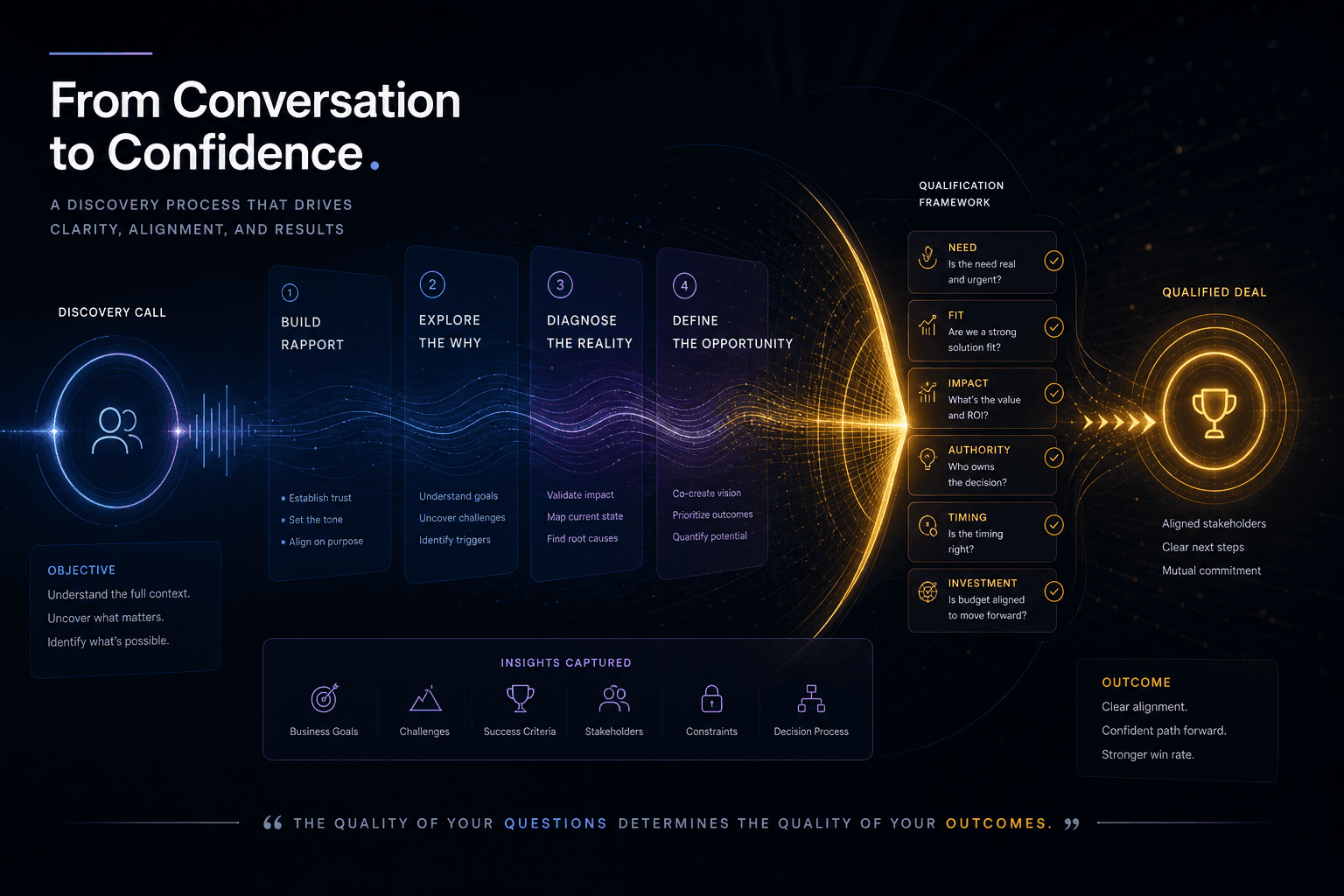
The Discovery Call Template I Use to Close High-Value Custom Web Projects
The exact discovery-call structure I run to close high-value custom web projects — opening, qualifying questions, budget surfacing, and the close.
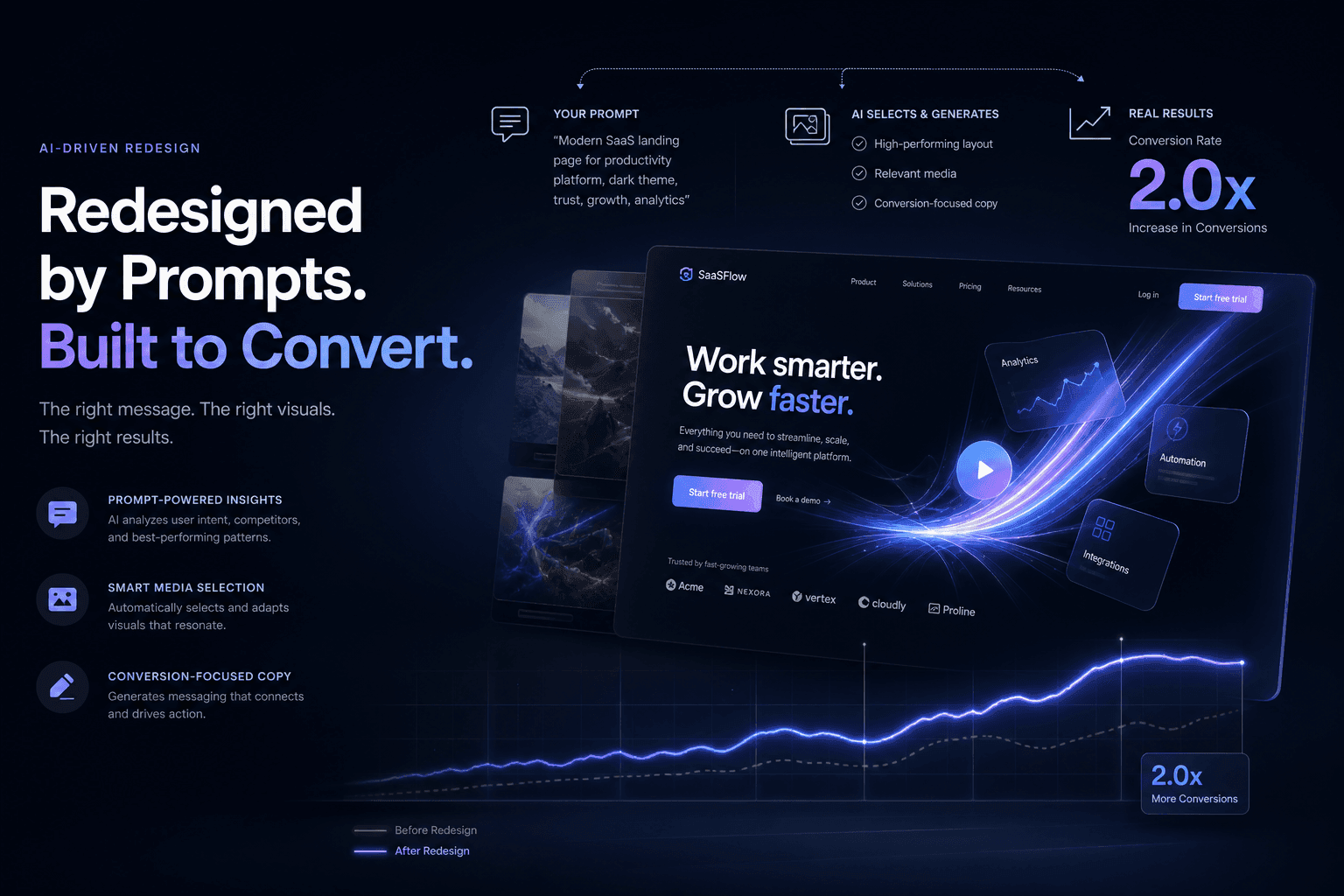
A SaaS Landing Page Redesign That Doubled Trial Signups — Directed Entirely Through Prompts and Reference Media
How I directed a complete SaaS landing page redesign using only prompts, screenshots, and brand context—no manual coding—and doubled trial signups in 30 days.

AutoSEO: How I Prompted an Autonomous SEO Agent Loop with Lighthouse Audits
Point an AI agent at a deployed site, give it a single Lighthouse scalar to maximize, and let it ratchet validated SEO wins into git overnight. Here is the full AutoSEO architecture.