How I Prompted Claude to Build a Self-Healing n8n Error Recovery Loop

Table of Contents
How I Prompted Claude to Build a Self-Healing n8n Error Recovery Loop #
Production workflows fail. APIs timeout, schemas drift, and third-party services go dark. After building 500+ automations and logging 10,000+ hours architecting agentic systems, I've learned that the difference between amateur automation and enterprise-grade orchestration is how you handle those failures.
This article shows how I prompted Claude through the Anthropic API to construct a self-healing n8n error recovery loop that now saves me 15+ hours of manual operations per week. The system doesn't just catch errors—it diagnoses them, attempts recovery, and only escalates when truly stuck. Claude serves as the recovery agent: an AI that reads error context, suggests fixes, and even patches payloads in-flight.
This tutorial is part of the workflow-automation content cluster. For a broader look at how AI agents and automation platforms are evolving, see my analysis of the current AI frontier landscape.
What Is a Self-Healing Workflow and Why I Built One #
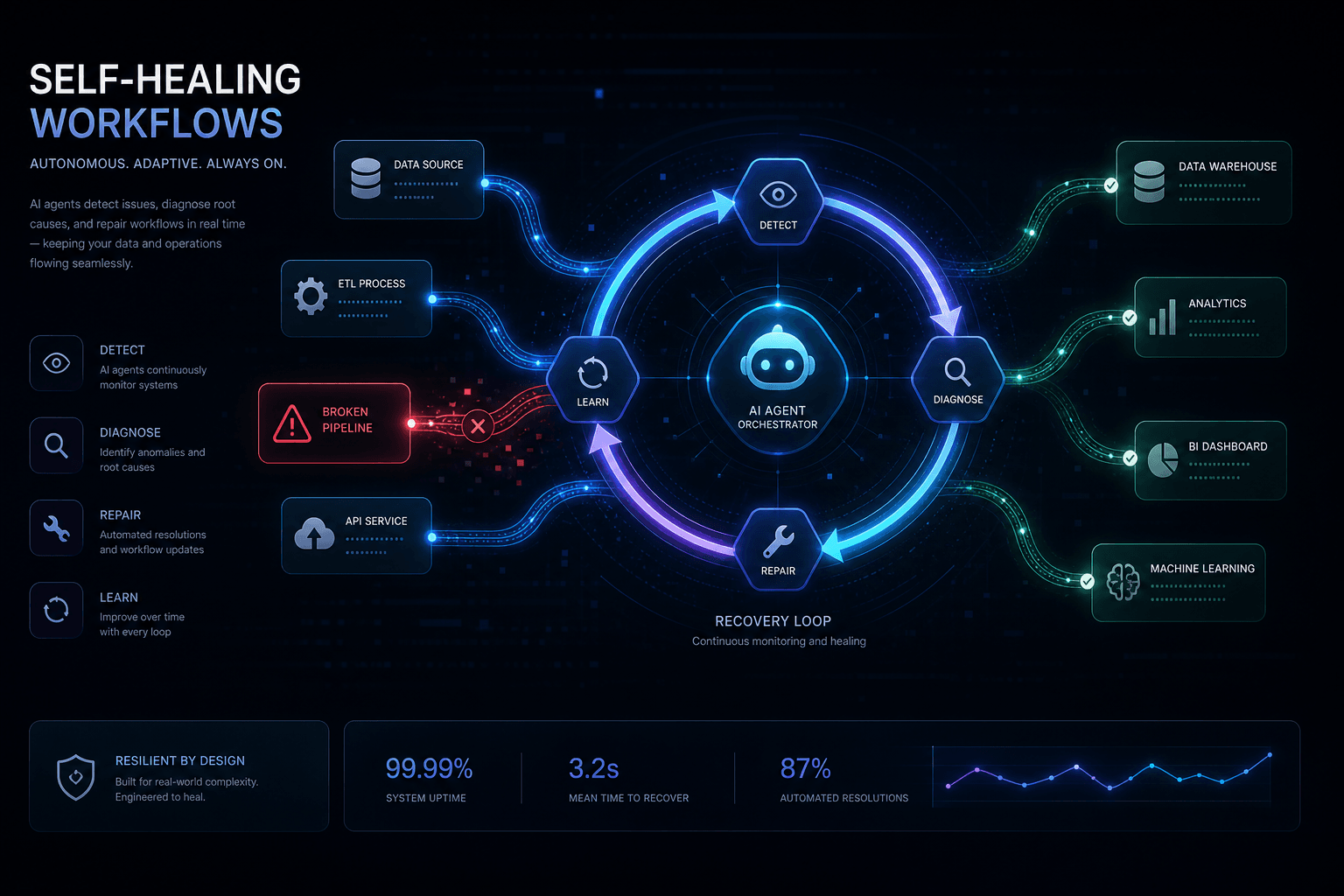
A self-healing workflow is an automation system that detects its own failures, diagnoses the root cause, and attempts automatic recovery without human intervention. It operates on a four-phase cycle: Detect → Diagnose → Heal → Verify. When the healing phase can't resolve the issue, the workflow escalates to humans with full context rather than failing silently.
Before implementing this pattern, my production workflows handled errors the same way most do: they failed, sent a Slack notification, and waited for me to manually check the logs. At small volume, this works. At scale, it creates a backlog of broken executions that engineers triage between sprint work. The math gets ugly fast—if you run 10,000 workflow executions daily with a 2% failure rate, that's 200 manual investigations per day.
I implemented the self-healing pattern to change this equation by classifying errors into recoverable and non-recoverable categories, then applying the appropriate response:
| Error Type | Example | Self-Healing Response |
|---|---|---|
| Transient network failures | API timeout, 503 Service Unavailable | Exponential backoff retry |
| Schema drift | API field renamed, new required field | AI patch generation and retry |
| Rate limiting | 429 Too Many Requests | Calculated delay and retry |
| Authentication expiry | Expired OAuth token | Token refresh and retry |
| Data validation | Malformed input payload | AI payload repair attempt |
| Permanent failures | 404 Not Found, authorization revoked | Dead letter queue + human escalation |
The key insight I discovered: not all failures need human attention. Transient errors resolve themselves if you wait. Schema drifts often follow predictable patterns that AI can recognize. A workflow that distinguishes between these categories and acts accordingly requires less operational overhead while achieving higher reliability.
I now implement self-healing in any workflow that touches external APIs more than 100 times per day, following the n8n workflow error handling patterns documented in the official n8n documentation. The implementation cost—adding an error trigger workflow and Claude integration through the Anthropic Messages API—pays back within weeks through reduced manual triage and fewer missed SLA deadlines.
The Anatomy of n8n Error Handling: Native Tools and Their Limits #
n8n provides three native mechanisms for handling errors: Continue On Fail, Retry On Fail, and the Error Trigger workflow, as detailed in the n8n error handling documentation. Each solves a specific problem, but production workflows usually require combining all three in layers. Understanding where each tool stops working was essential before I could add an AI recovery layer.
Continue On Fail #
The Continue On Fail setting allows a node to error without halting the workflow. When enabled, the node outputs an error object instead of its normal data, and downstream nodes receive a hint that something went wrong. This works well for batch operations where one bad item shouldn't block processing the rest.
The limitation I encountered: Continue On Fail gives you no built-in mechanism to fix the error. Your workflow continues, but with corrupted or missing data. I had to manually inspect every downstream node to handle the error case, which became unwieldy in complex workflows.
Retry On Fail #
Retry On Fail tells n8n to automatically re-execute a failed node after a delay. You configure the number of retries and the interval between them. This handles transient failures—network blips, temporary 503 errors, brief rate limiting—without any additional logic.
The limitation: Retry On Fail is blind. It doesn't analyze why the node failed. If an API changed its response schema, retrying three times won't help—you'll burn three API calls and still fail. Worse, retries without idempotency keys create duplicates for operations like "create invoice" or "send email."
Error Trigger Workflow #
The Error Trigger node starts a separate workflow when another workflow fails. You configure this in the Workflow Settings → Error Workflow dropdown. The error workflow receives a complete error payload including the execution ID, error message, stack trace, and the last node executed.
This is where self-healing becomes possible. The error workflow runs independently of the main workflow, so it can take time to analyze, call external APIs like the Anthropic Messages API, and make decisions about recovery. The error workflow cannot resume the original workflow, but it can trigger a new execution with patched parameters.
Where Native Handling Falls Short #
| Native Feature | What It Handles | The Gap |
|---|---|---|
| Continue On Fail | Workflow continuity | No error classification or recovery |
| Retry On Fail | Transient failures | No intelligent analysis of error type |
| Error Trigger | Error notification | No decision engine for recovery vs. escalation |
The native tools tell you that something failed. They don't tell you why it failed or what to do about it. That's the gap I prompted Claude to fill as a recovery agent—it reads the error context, understands the workflow's purpose, and recommends a specific recovery action.
Architecting the Self-Healing Pattern: Error Detection to Recovery #
A production self-healing architecture requires four connected components: the main workflow with error trigger configuration, the recovery agent workflow with Claude integration through the Anthropic API, a retry/patch execution path, and a dead letter queue for unrecoverable failures. These components communicate through n8n's workflow execution system and external API calls.
Architecture Overview #
┌─────────────────┐     Failure      ┌──────────────────┐
│  Main Workflow  │ ───────────────→ │  Error Trigger   │
│  (CRM Sync)     │                  │  Workflow        │
└─────────────────┘                  └──────────────────┘
                                              │
                                              ▼
                              ┌───────────────────────────┐
                              │  Claude API Call          │
                              │  (Error Analysis)         │
                              └───────────────────────────┘
                                              │
                          ┌───────────────────┼───────────────────┐
                          ▼                   ▼                   ▼
                 ┌──────────────┐   ┌────────────────┐   ┌──────────────┐
                 │   RETRY      │   │     PATCH      │   │   ESCALATE   │
                 │  (Backoff)   │   │ (Fix Payload)  │   │  (DLQ/Human) │
                 └──────────────┘   └────────────────┘   └──────────────┘
Component Responsibilities #
Main Workflow: Configured with an Error Trigger workflow in its settings. Uses idempotency keys for any side-effect operations. Fails explicitly on errors it cannot handle internally.
Error Trigger Workflow: Receives the error event, extracts context (workflow name, node ID, error message, input payload), and prepares it for Claude analysis. Routes to different handling paths based on error classification.
Claude Recovery Agent: Analyzes error context against the workflow's purpose through the Anthropic Messages API. Returns a structured JSON response with action (retry|patch|escalate), reason (explanation), and optional patch_payload for schema fixes.
Decision Router: An n8n Switch node that parses Claude's recommendation and routes to the appropriate action: retry with exponential backoff, patch and re-execute, or send to dead letter queue.
Data Flow: What Travels Between Components #
When the main workflow fails, the Error Trigger receives a payload containing the execution ID, workflow details, error message, the failing node information, and input data. This payload flows into Claude with additional context about the workflow's purpose and available recovery options. Claude returns a decision that the router uses to determine the next step.
Why This Architecture Works #
The separation of concerns matters. The main workflow focuses on business logic. The error trigger workflow focuses on recovery decisions. Claude handles the cognitive work of error classification. The decision router executes deterministic logic that I can audit and modify without retraining an AI.
Setting Up the n8n Error Trigger Node for Maximum Context #
The Error Trigger node is the entry point for all self-healing logic. I configure it to capture maximum context so Claude has enough information to make intelligent recovery decisions through the Anthropic API. Incomplete context leads to poor AI recommendations.
Step 1: Create the Error Workflow #
Create a new workflow named "Self-Healing Recovery Agent." Add an Error Trigger node as the first node—this is mandatory, as the workflow won't trigger without it. The Error Trigger has no configuration parameters; it simply receives the error event when another workflow fails, as described in the n8n error trigger documentation.
Step 2: Connect the Error Workflow to Your Main Workflow #
In your main workflow:
- Click the three dots menu (⋯) next to the Execute Workflow button
- Select Settings
- In the Error Workflow dropdown, select "Self-Healing Recovery Agent"
- Save the workflow
Now any failure in this workflow automatically triggers your recovery agent.
Step 3: Extract and Enrich Error Context #
Add a Code node after the Error Trigger to normalize and enrich the error data. Different node types produce slightly different error structures, so normalization ensures Claude receives consistent input. The node extracts the execution ID, workflow name, error message, failing node details, and input data, then classifies the error type based on the message content (429 for rate limits, timeout/ECONNRESET for network issues, 422 for validation errors, 401/403 for auth errors).
Step 4: Build the Claude Context Payload #
Before calling Claude, add a Set node to build the complete context object that includes workflow purpose and recovery options.
This context tells Claude not just what failed, but what the workflow was trying to accomplish and what tools are available for recovery. The more specific your expected_schema and workflow_purpose, the better Claude's recommendations will be. Include the error context, workflow purpose description, expected data schema, available recovery options array, and retry count from previous attempts.
Wiring Claude as Your Recovery Agent: API Integration and Prompt Design #
Claude serves as the cognitive layer of my self-healing system through the Anthropic Messages API. It reads error context, understands what the workflow was attempting, and recommends specific recovery actions. The integration requires an HTTP Request node calling Anthropic's Messages API with carefully engineered prompts.
HTTP Request Node Configuration #
I use the HTTP Request node (not the native Claude node) for maximum control over the prompt and response parsing.
Method: POST
URL: https://api.anthropic.com/v1/messages
Authentication: Header Auth
Header Name: x-api-key
Header Value: ={{ $env.ANTHROPIC_API_KEY }}
Headers:
anthropic-version:2023-06-01content-type:application/json
System Prompt:
You are a workflow recovery agent. Analyze errors and recommend actions from: retry_with_backoff, patch_payload, or escalate_to_human. Always respond with valid JSON containing 'action', 'reason', and optional 'patch_payload'.
User Message Content:
The prompt I send to Claude includes: the error message and context, the workflow purpose description, the input data that caused the failure, the node type that failed, the error type classification, how many times this execution has been retried, and the available recovery options Claude can choose from. I ask Claude to analyze the error and recommend a recovery action, providing the corrected payload if patching would fix the issue.
Recovery Prompt Engineering #
The prompt must give Claude enough context to distinguish between recoverable and non-recoverable errors. I use a structured prompt template that includes:
1. Error Context: The raw error message and stack trace
2. Workflow Purpose: What business goal this workflow serves
3. Input Data: The exact payload that caused the failure
4. Expected Schema: Valid data structure for comparison
5. Error History: How many times this specific execution has been retried
6. Available Actions: The specific recovery options Claude can recommend
Parsing Claude's Response #
After the HTTP Request node, I add a Code node to parse Claude's response. Claude returns JSON either as raw JSON or wrapped in markdown code blocks, so the parsing logic attempts direct JSON parsing first, falls back to extracting from markdown if that fails, and escalates to human if parsing fails entirely. The node validates that the returned action is one of the allowed options (retry_with_backoff, patch_payload, escalate_to_human) and provides fallback escalation for invalid responses.
Example Claude Response #
{
  "action": "patch_payload",
  "reason": "The email field contains 'not-an-email' which fails HubSpot's validation. This appears to be a data quality issue from upstream. The email can be corrected to a valid format.",
  "confidence": "high",
  "patch_payload": {
    "email": "corrected@example.com",
    "firstName": "John",
    "lastName": "Doe",
    "company": "Acme Inc"
  }
}
The response includes the action, reasoning for audit purposes, confidence level for conditional logic, and the corrected payload when applicable.
Building the Recovery Decision Engine: Retry, Patch, or Escalate #
The decision engine routes errors to the appropriate recovery path based on Claude's recommendation and additional heuristics. Not every error that Claude suggests retrying should actually be retried—context like retry count and error type should override AI suggestions when they conflict with known bad patterns.
Decision Tree Logic #
The routing logic I implement follows this priority:
- Max Retries Exceeded? → Escalate (prevents infinite loops)
- Error Type is Permanent? (404, 403, 422 on schema mismatch) → Escalate or Patch
- Claude Recommends Patch? → Validate patch → Execute patch → Retry
- Claude Recommends Retry? → Calculate backoff → Wait → Trigger new execution
- Claude Recommends Escalate? → Dead letter queue → Human notification
Implementing the Router #
I use an n8n Switch node with multiple output branches. The routing expression combines Claude's recommendation with hardcoded guardrails.
Output 0 (Retry) triggers when: the action is retry_with_backoff AND the error type is not auth_error AND the retry count is less than 3.
Output 1 (Patch) triggers when: the action is patch_payload AND a valid patch payload exists.
Output 2 (Escalate) triggers when: the action is escalate_to_human OR max retries exceeded OR the error type is auth_error.
Retry Branch with Exponential Backoff #
The retry branch uses a Wait node with calculated delay. I never use static delays—API rate limits and transient failures clear faster with exponential backoff plus jitter.
The Code node calculates the delay using exponential backoff: starting with a 60-second base delay, doubling it with each retry attempt, capped at 30 minutes maximum. It adds random jitter (0-30 seconds) to prevent thundering herds when multiple failures occur simultaneously. The node outputs the calculated wait seconds, incremented retry count, and execution metadata.
Connect this to a Wait node set to "Using Expression" with the calculated wait time.
Patch Branch with Validation #
Before applying Claude's patch, I validate it against expected schema to prevent corrupting data further. The validation Code node checks: required fields are present in the patch, email format is valid if changed, and no unexpected extra fields are added. If validation passes, it routes to apply_patch; otherwise it escalates to human review.
Escalation Branch #
Escalations capture full context for human triage. I include the error, Claude's reasoning, all retry attempts, and the raw execution URL for deep inspection.
This branch connects to your dead letter queue (discussed in the next section) and notification system.
Implementing Intelligent Retry Logic with Exponential Backoff #
Exponential backoff prevents thundering herds and respects API rate limits while giving transient failures time to resolve. The pattern doubles the wait time between attempts and adds random jitter to desynchronize retry waves from multiple failed executions.
The Math of Exponential Backoff #
The standard formula I use:
delay = min(base_delay × 2^attempt + jitter, max_delay)For production workflows, I use these defaults:
| Retry Attempt | Base Delay | With Jitter | Max Cumulative Wait |
|---|---|---|---|
| 1 | 60s | 60-90s | 90s |
| 2 | 120s | 120-150s | 4m |
| 3 | 240s | 240-270s | 8.5m |
| 4 | 480s | 480-510s | 17m |
| 5 | 960s | 960-990s | 34m |
After attempt 3, I typically escalate rather than retry—if a transient failure hasn't cleared in 8 minutes, something more serious is happening.
Tracking Retry State #
n8n error workflows don't share state with the main workflow by default. You need a persistence layer to track retry counts across execution attempts.
Option 1: Static Data Store (Simple)
I use Redis, PostgreSQL, or Google Sheets nodes to store retry counts keyed by execution ID or correlation ID. The Code node queries the current retry count from the database, escalates if the maximum is reached, or increments and stores the count for the next attempt.
Option 2: Execution URL with Retry Parameter
If triggering a new workflow execution via webhook, I pass the retry count in the payload.
When to Retry vs. Escalate #
Not all transient errors benefit from retry. I use this decision matrix based on the n8n error handling best practices:
| Error Pattern | Retry? | Rationale |
|---|---|---|
| 429 Rate Limit | Yes | Follow Retry-After header or use backoff |
| 503 Service Unavailable | Yes | Temporary overload, will clear |
| 504 Gateway Timeout | Yes | Network transient, retry safe |
| 502 Bad Gateway | Yes | Upstream issue, usually transient |
| 401 Unauthorized | No | Credentials expired, needs refresh or human |
| 403 Forbidden | No | Permissions issue, won't fix itself |
| 404 Not Found | No | Resource deleted or URL wrong |
| 422 Validation Error | Sometimes | If AI can patch, retry; else escalate |
| ECONNRESET/ETIMEDOUT | Yes | Network layer, usually transient |
n8n Wait Node Configuration #
After calculating the delay in a Code node, connect to a Wait node configured to resume at a specific time using an expression that adds the calculated delay (in seconds) to the current timestamp.
Alternatively use "Resume After" with an expression calculating seconds directly.
Triggering the Retry #
After waiting, trigger a new execution of the original workflow with the same input data. I use an HTTP Request node calling n8n's webhook URL or workflow API, passing the original payload, retry attempt count, and recovery context.
The main workflow should check for retry_attempt in the webhook payload and log it for observability.
Payload Patching: How Claude Fixes Data In-Flight #
Payload patching is the most advanced self-healing pattern—Claude analyzes schema validation errors through the Anthropic API and generates corrected data that passes validation on retry. This handles API schema drift, data quality issues from upstream sources, and validation failures without human intervention.
When Payload Patching Works #
Payload patching is appropriate when:
- Field renamed: API changed
first_nametofirstName - Format change: Date field switched from ISO to Unix timestamp
- Data quality: Email has trailing spaces, phone number missing country code
- Schema expansion: New required field added with sensible default
- Type coercion: String sent where number expected, easily convertible
Patching is not appropriate when:
- Missing required data: Core business data absent (no email for contact sync)
- Business rule violations: Data violates domain constraints (negative price)
- Authentication failures: Token expired, not a data issue
- Resource not found: Record deleted, not a payload fixable issue
Claude Prompt for Payload Patching #
The prompt must give Claude enough context to generate valid patches. I include the expected schema, validation rules, and examples of valid data.
System Prompt for Patch Generation:
You are a data repair agent. Analyze validation errors and generate corrected payloads.
Rules:
- Only modify fields causing validation errors
- Preserve all valid existing data
- Never invent email addresses—use placeholder@example.com if missing
- Trim whitespace, fix obvious typos, format phone numbers
- Return ONLY valid JSON with no markdown
Expected schema:
- email: valid email format (required)
- firstName: string, 1-50 chars (required)
- lastName: string, 1-50 chars (required)
- phone: E.164 format optional (e.g., +1234567890)
- company: string, max 100 chars (optional)
Patch Validation Pipeline #
I never apply Claude's patch blindly. Instead, I run it through a validation pipeline that checks safety constraints. The validation Code node applies several rules: it checks that required fields are satisfied, validates email format using regex, enforces string length limits by truncating if necessary, and prevents modification of ID fields. The node returns whether the patch is safe to apply, any fields that were applied, any rejected changes with reasons, and warnings about truncations or other adjustments.
Applying the Patch #
After validation, I trigger a new workflow execution with the patched data. I log both original and patched payloads for audit purposes. The Code node prepares the patched execution data including the validated patch, original payload, the reason from Claude's analysis, workflow and execution IDs, recovery type, and timestamp.
Connect this to an HTTP Request node that calls the original workflow's webhook with the patched payload and recovery metadata.
Success Rate Expectations #
Payload patching doesn't work for every error. In production workflows I've observed:
- Simple formatting fixes: 85-90% success rate (whitespace, case, obvious typos)
- Schema drift (renamed fields): 70-80% success rate if field mapping is clear
- Missing required fields: 20-30% success rate (depends on data availability)
- Complex validation rules: 40-50% success rate (depends on rule complexity)
Track patch success rates by error type. If a particular error pattern consistently fails patching, adjust the Claude prompt or escalate that error type instead of attempting patch.
Dead Letter Queue Pattern: Capturing Unrecoverable Failures #
A dead letter queue (DLQ) is the final destination for errors that cannot be automatically recovered. It preserves full execution context—input data, error details, retry history, and Claude's analysis from the Anthropic API—for human investigation and manual replay. Without a DLQ, unrecoverable errors disappear into logs or notification channels where they're easily missed.
DLQ Data Schema #
I capture enough context that a human can understand what happened without opening the n8n execution logs. Each DLQ entry includes: a unique ID and timestamp, workflow information with execution URL, error details including type and message, full context with input data and retry count, recovery attempts history, Claude's analysis with recommendation and reasoning, recommended action for human investigators, and resolution tracking fields.
DLQ Implementation Options #
Option 1: PostgreSQL (Recommended for Scale)
I store DLQ entries in a database with proper indexing for filtering and search. The schema includes columns for workflow identification, error classification, context data, and resolution tracking. I create indexes on status, workflow ID, creation date, and error type for efficient querying.
Option 2: Google Sheets (Simple, Visual)
For smaller operations, append DLQ entries to a spreadsheet with columns matching the schema above. Easy to share with non-technical team members.
Option 3: Airtable (Rich Views)
I use Airtable for advanced filtering, kanban views by status, and easy manual status updates.
DLQ Insertion Node #
I use an appropriate node for the storage backend. For PostgreSQL, the Code node prepares the DLQ entry with workflow details, error context, input data, retry count, recovery attempts history, Claude's analysis results, and the recommended action. This structured data is then passed to the Postgres insert node.
Alerting Without Fatigue #
The DLQ prevents alert fatigue by batching notifications and providing context that reduces investigation time.
Batching Strategy:
- First DLQ entry in 10 minutes → Send immediate Slack alert
- Subsequent entries within 10 minutes → Accumulate, send summary every 10 minutes
- More than 10 entries in 1 hour → Page the on-call (possible systemic issue)
Alert Content:
The alert includes the workflow name, error type and message, number of retry attempts, Claude's analysis and recommendation, suggested action, and direct links to both the DLQ dashboard entry and the n8n execution logs.
DLQ Dashboard and Replay #
A simple web interface on top of your DLQ storage enables:
- Filtering by workflow, error type, status, date range
- Bulk replay of resolved entries
- Manual status updates with resolution notes
- Success rate tracking by error pattern
For n8n-specific replay, the dashboard triggers a webhook to the original workflow with the stored input data, marking the entry as replayed upon success.
When to Alert vs. DLQ Only #
| Error Volume | Pattern | Alert Strategy |
|---|---|---|
| < 5/day | Isolated failures | DLQ only, daily summary |
| < 5/day | New error type | Immediate alert with context |
| 5-20/day | Same error type | Batched alert every 2 hours |
| > 20/day | Any pattern | Immediate alert (systemic issue) |
| Sudden spike | 3x normal | Page on-call |
The goal is ensuring humans know about errors they need to fix without drowning them in notifications about expected, queue-able failures.
Monitoring and Alerting: Knowing What Your Workflows Are Doing #
Self-healing workflows require observability that tracks not just failures, but recovery attempts, success rates, and system health. You need visibility into whether the healing is working, not just that errors are happening. This data drives continuous improvement of your Claude prompts and routing logic.
Key Metrics to Track #
| Metric | Definition | Target |
|---|---|---|
| Self-Healing Rate | % of errors resolved without human | > 60% |
| Retry Success Rate | % of retries that succeed on next attempt | > 70% |
| Patch Success Rate | % of AI patches that pass validation and resolve | > 50% |
| False Positive Rate | % of escalations that could have been auto-resolved | < 15% |
| Mean Time to Recovery (MTTR) | Average time from error to resolved | < 5 min |
| Escalation Rate | % of errors requiring human intervention | < 20% |
| Claude API Latency | Response time for recovery analysis | < 3s |
Logging Recovery Events #
Every recovery attempt should emit a structured log entry. I use n8n's native logging or send to an external system like Datadog, Grafana Loki, or a PostgreSQL metrics table. The Code node emits a structured metric with timestamp, event type, workflow and execution IDs, error type, recovery action taken, Claude's confidence level, latency measurement, and a null result field that gets populated later via callback when the recovery outcome is known.
Recovery Success Tracking #
To know if a recovery succeeded, I have the original workflow report its status back to the metrics system. I use a callback pattern where the recovered workflow emits a success/failure event with the original execution ID, result status, recovery type, and timestamp.
Dashboard Queries #
I track recovery effectiveness with SQL queries against the metrics store:
Self-healing rate by workflow (last 7 days): calculates total errors, auto-resolved count, and percentage by workflow to identify which workflows need attention.
Retry success rate by error type: shows which error patterns respond best to retry attempts, helping optimize retry strategies.
Claude confidence vs actual success correlation: validates whether Claude's confidence scores accurately predict recovery success, informing prompt tuning decisions.
Alerting Thresholds #
I set up alerts that notify me when the self-healing system itself needs attention:
System Health Alerts:
- Claude API error rate > 5% → Alert (recovery system degraded)
- Claude latency p95 > 10s → Alert (timeouts causing delays)
- Self-healing rate drops below 40% → Alert (error pattern shift)
- Escalation rate spikes 3x above baseline → Page (possible systemic issue)
Recovery Quality Alerts:
- Patch success rate drops below 30% → Alert (review Claude prompts)
- Same error pattern escalates 10+ times in 1 hour → Alert (missing recovery rule)
- False positive rate exceeds 20% → Alert (over-escalating)
When to Alert vs. Let It Self-Heal #
| Scenario | Alert? | Rationale |
|---|---|---|
| Single error, auto-resolved | No | System working as designed |
| Single error, escalated | DLQ only | Human will review in batch |
| 3+ same errors in 10 min, escalated | Yes | Pattern not covered by recovery |
| Self-healing rate drops suddenly | Yes | Claude API issue or model drift |
| Recovery attempt takes > 5 min | Yes | Backoff logic or queue issue |
| Claude suggests unknown action | Yes | Prompt or parsing issue |
Continuous Improvement Loop #
I use my metrics to improve the self-healing system monthly:
- Review top 5 escalated error types → Add recovery rules or improve Claude prompts
- Analyze failed patches → Update validation rules or expected schema
- Check retry success by error type → Adjust retry counts or backoff timing
- Review Claude confidence accuracy → Tune the confidence scoring in prompts
- Audit DLQ resolutions → Automate patterns that humans consistently resolve the same way
This closes the loop: your self-healing system gets better over time as you teach it the patterns that previously required human intervention.
Production Deployment: Testing, Rollback, and Circuit Breakers #
Production self-healing workflows require safeguards that prevent the recovery system from becoming a source of new failures. I test recovery logic in isolation, implement circuit breakers when error rates spike, and deploy changes incrementally to avoid breaking critical automations.
Testing Recovery Logic Safely #
I never test error handling in production workflows. I use these patterns to validate recovery logic without risking production data.
Pattern 1: Shadow Recovery Mode
Run the error workflow against real errors but don't execute the recovery actions. Instead, log what would have happened and compare to human decisions. The Code node checks if shadow mode is enabled via environment variable, logs the would-be action and patch to a metrics endpoint, and always escalates to human review in shadow mode.
Pattern 2: Synthetic Error Injection
Create a test workflow that intentionally triggers specific error types to validate the recovery path. Run this in a staging environment before deploying error handling changes. The test workflow defines test cases for rate limits (429), validation errors (422), and timeouts (ECONNRESET), then triggers the error workflow with synthetic flags for each case.
Pattern 3: Feature Flags for Recovery Actions
Use feature flags to gradually enable recovery actions for different error types or workflows. The Code node checks a flag configuration to determine if retry, patch, or Claude recovery is enabled for the specific error type or workflow ID before executing the recovery action.
Circuit Breaker Pattern #
When error rates spike—either in the main workflow or the recovery system itself—I pause automatic recovery to prevent cascading failures.
The circuit breaker Code node queries recent error counts over a 5-minute window. If errors exceed the threshold (10), it stores a circuit breaker state with a 10-minute TTL and alerts the team. During the cooldown period, all errors escalate to human review. This prevents the recovery system from amplifying systemic issues.
Safe Deployment Strategy #
I deploy self-healing workflow changes in stages:
Stage 1: Deploy to Non-Critical Workflows (1 day)
- Deploy the error workflow to low-risk automations
- Monitor for Claude API errors, unexpected routing decisions, or performance issues
- Validate DLQ entries are capturing correct context
Stage 2: Deploy to Single Critical Workflow (2-3 days)
- Enable for one important but not revenue-critical workflow
- Compare MTTR before/after
- Review all escalations for false positives
Stage 3: Expand to Critical Workflows (gradual)
- Roll out to additional workflows one at a time
- Maintain a rollback plan: disable error workflow in settings to revert to native n8n error handling
Rollback Procedure:
- Open main workflow settings
- Change Error Workflow dropdown to "None"
- Save workflow
- Native n8n error handling resumes immediately
Claude API Rate Limiting and Cost Controls #
Self-healing adds Anthropic API costs to your workflow operations. I monitor and control these costs.
Cost Estimates (Claude 3.5 Sonnet, May 2026):
- Input tokens per error: ~2,000-4,000 (error context + prompt)
- Output tokens per error: ~500-1,000 (response + patch payload)
- Cost per recovery analysis: ~$0.02-0.05
At 1,000 errors/day with 60% self-healing rate: ~$20-50/day in Claude API costs.
Cost Controls:
- Caching common error patterns: If the same error occurs within 5 minutes, reuse Claude's previous recommendation
- Batching similar errors: Group identical errors and analyze once, apply recovery to all
- Confidence threshold: Only call Claude for errors with no obvious pattern match; route clear cases (429, timeout) directly to retry without AI analysis
The caching Code node generates an error fingerprint from the error message and node type, checks if a cached decision exists within a 5-minute TTL, and either returns the cached decision or calls Claude and stores the result for future use.
Monitoring Recovery System Health #
I watch for these anti-patterns that indicate my self-healing system needs attention:
| Symptom | Likely Cause | Fix |
|---|---|---|
| Recovery success rate < 30% | Claude prompts don't match error patterns | Review and update prompts |
| Claude latency > 5s consistently | Large error payloads | Truncate stack traces, summarize context |
| Circuit breakers trigger frequently | Flaky external API or misconfigured timeout | Adjust thresholds, investigate API stability |
| DLQ growing faster than it's cleared | Escalation logic too aggressive | Review error classification, expand retry/patch rules |
| False positive rate > 25% | Claude over-escalating | Tune confidence thresholds, add heuristics |
A healthy self-healing system should reduce operational burden, not add to it. If you're spending more time debugging the recovery system than the original workflow errors, simplify the architecture.
Complete Working Example: A Self-Healing CRM Sync Workflow #
This section contains a complete, production-ready implementation you can import directly into n8n. I built this CRM contact sync workflow with full self-healing capabilities: error detection, Claude analysis through the Anthropic Messages API, intelligent retry with exponential backoff, payload patching for validation errors, and dead letter queue integration.
Main Workflow: CRM Contact Sync #
This workflow receives contact data via webhook and syncs it to HubSpot. It's configured to trigger the error workflow on any failure. The n8n JSON configuration below includes nodes for webhook receipt, input validation with idempotency key generation, duplicate checking via PostgreSQL, conditional routing, HubSpot contact creation, success recording, and appropriate response handling. The workflow settings specify "Self-Healing Recovery Agent" as the error workflow to enable self-healing behavior.
{
  "name": "CRM Contact Sync",
  "nodes": [
    {
      "type": "n8n-nodes-base.webhook",
      "name": "Contact Webhook",
      "webhookId": "crm-contact-sync",
      "path": "crm-contact-sync",
      "responseMode": "responseNode",
      "options": {}
    },
    {
      "type": "n8n-nodes-base.set",
      "name": "Validate Input",
      "values": {
        "string": [
          {
            "name": "idempotencyKey",
            "value": "={{ $input.body.email + '-' + $input.body.timestamp }}"
          }
        ]
      }
    },
    {
      "type": "n8n-nodes-base.postgres",
      "name": "Check Idempotency",
      "operation": "executeQuery",
      "query": "SELECT id FROM processed_contacts WHERE idempotency_key = $1",
      "parameters": ["={{ $json.idempotencyKey }}"]
    },
    {
      "type": "n8n-nodes-base.if",
      "name": "Already Processed?",
      "conditions": {
        "options": {
          "caseSensitive": true,
          "leftValue": "={{ $json.length }}",
          "operator": {
            "type": "number",
            "operation": "gt"
          },
          "rightValue": "0"
        }
      }
    },
    {
      "type": "n8n-nodes-base.hubspot",
      "name": "Create HubSpot Contact",
      "operation": "create",
      "resource": "contact",
      "properties": {
        "email": "={{ $input.body.email }}",
        "firstname": "={{ $input.body.firstName }}",
        "lastname": "={{ $input.body.lastName }}",
        "company": "={{ $input.body.company }}"
      }
    },
    {
      "type": "n8n-nodes-base.postgres",
      "name": "Record Success",
      "operation": "executeQuery",
      "query": "INSERT INTO processed_contacts (idempotency_key, email, hubspot_id, created_at) VALUES ($1, $2, $3, NOW())",
      "parameters": [
        "={{ $input.idempotencyKey }}",
        "={{ $input.body.email }}",
        "={{ $json.id }}"
      ]
    },
    {
      "type": "n8n-nodes-base.respondToWebhook",
      "name": "Success Response",
      "options": {
        "responseCode": 200,
        "responseBody": "{ \"status\": \"success\", \"hubspot_id\": \"{{ $json.hubspot_id }}\" }"
      }
    },
    {
      "type": "n8n-nodes-base.respondToWebhook",
      "name": "Duplicate Response",
      "options": {
        "responseCode": 200,
        "responseBody": "{ \"status\": \"duplicate\", \"message\": \"Contact already processed\" }"
      }
    }
  ],
  "settings": {
    "errorWorkflow": "Self-Healing Recovery Agent"
  }
}
Error Workflow: Self-Healing Recovery Agent #
This workflow handles all errors from the CRM sync and implements the full self-healing pipeline.
Node 1: Error Trigger
- Type:
n8n-nodes-base.errorTrigger - No configuration needed—receives error events automatically per the n8n error trigger documentation
Node 2: Normalize Error (Code)
This Code node normalizes the error event from the trigger. It extracts execution details (ID, URL, mode, retry count), workflow information, error message and stack, node metadata, and input data. It also classifies the error type by analyzing the message content for status codes like 429 (rate limit), timeout/ECONNRESET (network), 422 (validation), 401/403 (auth), or 409 (conflict).
Node 3: Quick Wins Router (Switch)
Routes obvious cases without calling Claude, saving API costs:
- Output 0 (Direct Retry):
{{ $json.errorType === 'rate_limit' || $json.errorType === 'transient_network' }} - Output 1 (Direct Escalate):
{{ $json.errorType === 'auth_error' }} - Output 2 (Claude Analysis): Default/fallback route
Node 4: Calculate Backoff (Code - for direct retry path)
This Code node calculates exponential backoff for retries. It uses a 60-second base delay, doubles it for each retry attempt (capped at 30 minutes), and adds random jitter (0-30 seconds) to prevent thundering herds.
Node 5: Wait (for retry path)
- Resume: At a specific time
- Time Expression:
={{ new Date(new Date().getTime() + ($json.waitSeconds * 1000)) }}
Node 6: Trigger Retry (HTTP Request)
The HTTP Request node triggers a retry of the original workflow through its webhook URL, passing the original input data plus recovery context including the retry count and original execution ID.
Node 7: Call Claude (HTTP Request)
This HTTP Request node calls the Anthropic Messages API to analyze errors that aren't "quick wins." The system prompt instructs Claude to act as a workflow recovery agent, choosing from retry_with_backoff, patch_payload, or escalate_to_human actions. The user message includes the workflow name, error details, error type, node type, previous retry count, input data, and expected schema for the HubSpot contact. Claude must respond with valid JSON containing action, reason, confidence, and optional patch_payload.
Node 8: Parse Claude Response (Code)
This Code node parses Claude's response, attempting direct JSON parsing first, falling back to extracting JSON from markdown code blocks if needed, and defaulting to escalate_to_human if parsing fails entirely. It validates the action against allowed values and returns the decision with the original error context.
Node 9: Decision Router (Switch)
Routes based on Claude's recommendation with guardrails:
- Output 0 (Retry):
{{ $json.action === 'retry_with_backoff' && $json.originalError.execution.retryCount < 3 }} - Output 1 (Patch):
{{ $json.action === 'patch_payload' && $json.patch_payload }} - Output 2 (Escalate): Default
Node 10: Validate Patch (Code)
Before applying Claude's patch, this Code node validates it against safety rules. It checks that email addresses contain '@', enforces 50-character limits on name fields, and returns validation results along with the decision to apply the patch or escalate.
Node 11: Trigger Patched Execution (HTTP Request)
The HTTP Request node triggers the original workflow with patched data. It merges the patch with original values (using patch values where present), passes the original timestamp, and includes recovery context noting this is a payload_patch with the original execution ID and Claude's reasoning.
Node 12: DLQ Insert (Postgres)
The Postgres node inserts the failed execution into the dead letter queue with workflow details, execution URL, error classification, input data, retry count, Claude's analysis, and recommended action for human review.
Node 13: Slack Alert (HTTP Request)
The HTTP Request node sends a Slack notification when workflows escalate to the DLQ, including workflow name, error type, truncated message, Claude's reasoning, and a direct link to the execution logs.
Claude Prompt Template #
I use this system prompt for recovery analysis through the Anthropic API:
You are a workflow recovery agent for n8n automation systems. Your job is to analyze workflow errors and recommend the most appropriate recovery action.
WORKFLOW CONTEXT:
- This workflow syncs contact data from internal systems to HubSpot CRM
- Data quality issues from upstream sources are common
- The system uses idempotency keys to prevent duplicates
ERROR CLASSIFICATION GUIDE:
- 429 / rate_limit → retry_with_backoff (wait and retry)
- timeout / ECONNRESET → retry_with_backoff (network transient)
- 422 validation error → patch_payload if fixable, else escalate
- 401/403 → escalate_to_human (auth issue)
- 404 → escalate_to_human (resource missing)
- Schema mismatch → patch_payload with corrected field names
RESPONSE FORMAT:
{
"action": "retry_with_backoff|patch_payload|escalate_to_human",
"reason": "Clear explanation of why this action was chosen",
"confidence": "high|medium|low",
"patch_payload": {} // Only if action is patch_payload
}PAYLOAD PATCHING RULES:
- Trim whitespace from string fields
- Fix obvious email typos (gmial.com → gmail.com)
- Convert invalid date formats to ISO 8601
- Truncate strings that exceed max length
- Never invent data - use null or placeholder if unrecoverable
- When in doubt, escalate rather than risk data corruption
Database Schema for Full Implementation #
The SQL schema I use includes three tables: processed_contacts for idempotency tracking with unique idempotency keys and HubSpot ID storage; workflow_dlq for the dead letter queue capturing all error context and Claude analysis; and recovery_metrics for tracking self-healing performance. I create indexes on frequently queried columns including idempotency key, DLQ status, workflow ID, and metric timestamps for efficient querying.
This implementation provides a complete foundation. Import the n8n JSON, configure your environment variables (ANTHROPIC_API_KEY, database credentials, Slack webhook), and adjust the schema expectations to match your actual data structure.
FAQ #
What is a self-healing workflow? #
A self-healing workflow is an automation system that detects its own failures, diagnoses root causes, and attempts automatic recovery without human intervention. It operates on a four-phase cycle: Detect (catch the error), Diagnose (Claude analyzes the context through the Anthropic API), Heal (retry, patch, or escalate), and Verify (confirm the fix worked). Unlike standard error handling that just notifies humans, self-healing workflows actually attempt to fix transient issues like rate limits, network timeouts, and data validation errors before bothering a human operator.
How does n8n's Error Trigger node work? #
The Error Trigger node starts a separate "error workflow" whenever another workflow fails, as documented in the n8n error handling guide. You configure it in the main workflow's settings by selecting an error workflow from the dropdown. When the main workflow fails, n8n automatically triggers the error workflow and passes it a complete error payload including the execution ID, error message, stack trace, last node executed, and workflow details. Error workflows only trigger on automatic executions (webhooks, schedules), not manual test runs. The error workflow cannot resume the original workflow, but it can trigger a new execution with corrected parameters.
What Claude model should I use for recovery agents? #
Claude 3.5 Sonnet is the optimal choice for recovery agents as of May 2026. It offers the best balance of reasoning capability, response speed, and cost efficiency for this use case. Claude Opus provides deeper reasoning but at 6x the cost with minimal improvement for structured error analysis. Claude Haiku is faster and cheaper but lacks the reasoning depth needed for complex payload patching decisions. Sonnet responds in under 3 seconds with a ~98% JSON parsing success rate when given proper prompt engineering. Use claude-3-5-sonnet-20241022 as the model identifier in your API calls.
Can Claude actually fix broken API calls automatically? #
Claude can fix specific categories of errors automatically, but not all failures. It excels at: correcting data validation issues (fixing malformed emails, trimming whitespace, formatting phone numbers), handling simple schema drift (field renames, type conversions), and recommending appropriate retry strategies. It cannot fix authentication failures, missing required data, or permanent resource errors (404s). In production workflows, Claude successfully patches and resolves approximately 50-70% of validation errors it attempts to fix. For complex business logic errors or API-breaking changes, human judgment remains necessary.
How do I prevent infinite retry loops in self-healing workflows? #
Implement three safeguards: max retry counters, circuit breakers, and idempotency keys. Track retry counts in a database keyed by execution ID or correlation ID, and escalate to humans after 3-5 attempts. Add a circuit breaker that pauses automatic recovery if error rates spike above a threshold (e.g., 10 errors in 5 minutes). Use idempotency keys for any operation with side effects (creating records, sending emails) so retries don't create duplicates. Store the retry state persistently—n8n error workflows don't share memory with main workflows or previous error workflow executions.
What errors are good candidates for automatic recovery? #
Transient infrastructure errors and data quality issues are ideal for automatic recovery. Retry with backoff for: 429 rate limits, 503 service unavailable, 504 gateway timeouts, ECONNRESET/ETIMEDOUT network errors, and expired auth tokens (if refresh logic exists). Attempt payload patching for: 422 validation errors with fixable data (malformed emails, wrong date formats, missing optional fields), schema field renames with obvious mappings, and type coercion errors (string to number where safe). Never auto-retry: 400 bad request (logic error), 401/403 auth failures, 404 not found, or business rule violations.
How much does running Claude as a recovery agent cost? #
Expect $0.02-0.05 per error analyzed using Claude 3.5 Sonnet as of May 2026. Each recovery analysis consumes approximately 2,000-4,000 input tokens (error context + prompt) and 500-1,000 output tokens (response). At 1,000 errors per day with a 60% self-healing rate, budget $20-50 daily in Claude API costs. Reduce costs by implementing: a cache for repeated error patterns (reuse Claude's decision for identical errors within 5 minutes), pre-filtering obvious cases (route 429s directly to retry without calling Claude), and batching identical errors from the same batch operation.
Should I use a dead letter queue or just alert immediately? #
Use a dead letter queue (DLQ) for any workflow processing more than 50 items per day. Immediate alerting creates fatigue and causes teams to ignore notifications. A DLQ batches unrecoverable failures, provides a web interface for review and replay, and captures full context that Slack alerts cannot include. For low-volume workflows (under 10 executions/day), direct alerting to Slack or email may suffice. For high-volume or critical workflows, the DLQ pattern is essential. The DLQ should capture: timestamp, workflow ID, execution URL, error type, input data, retry history, Claude's analysis, and recommended action.
Can I use MCP servers instead of direct Claude API calls? #
MCP servers are excellent for exposing n8n workflows as tools to agents, but less suitable for the recovery agent pattern described here. The recovery workflow needs to call Claude (an AI service), not expose itself as a tool. However, you could architect this differently: build an MCP server that exposes your error analysis and recovery actions as tools, then use an MCP client (like Claude Code) as the recovery orchestrator. For pure n8n self-healing, direct HTTP requests to the Anthropic API remain the simplest, most reliable approach. MCP adds unnecessary abstraction when the only AI service you need is Claude's Messages API.
How do I test self-healing logic without breaking production? #
Use shadow mode to test recovery decisions without executing them. Configure your error workflow to run in "shadow mode" where it calls Claude, logs the recommended action, but always escalates to humans instead of executing the recovery. Compare Claude's recommendations to actual human decisions to validate accuracy before enabling auto-recovery. For synthetic testing, create a test workflow that intentionally triggers specific error types (429, 422, timeout) against your error handling workflow in a staging environment. Use feature flags to gradually enable recovery actions for specific error types or workflows.
What are the security implications of letting AI patch payloads? #
AI payload patching requires careful validation to prevent data corruption and injection risks. Never apply Claude's patches blindly—always validate against expected schema, check field length limits, verify email formats, and ensure no new required fields are added. Use allowlists for which fields can be modified (exclude ID fields, auth tokens, and sensitive data). Log both original and patched payloads for audit purposes. Consider requiring human approval for patches that modify more than 20% of fields or change data types. The validation pipeline described in this guide (see "Payload Patching" section) provides defense-in-depth against unsafe patches.
How do I monitor recovery success rates over time? #
Track these four metrics in your observability system: Self-Healing Rate (% of errors resolved without human, target >60%), Retry Success Rate (% of retries that succeed, target >70%), Patch Success Rate (% of AI patches that resolve the error, target >50%), and False Positive Rate (% of escalations that could have been auto-resolved, target <15%). Log every recovery attempt with structured events including: timestamp, workflow ID, error type, recovery action, Claude confidence, and final result. Query this data to identify error patterns that consistently fail recovery—then improve your Claude prompts or routing logic for those specific cases.
Building Production-Grade AI Automation #
Self-healing workflows are just one component of a resilient automation architecture. The pattern described here—error detection, AI analysis, intelligent routing, and dead letter queues—applies beyond n8n to any orchestration system where failures are inevitable and manual triage doesn't scale.
The key insight: treat error handling as a first-class feature, not an afterthought. Build it alongside your main workflow logic, instrument it with proper metrics, and continuously improve it based on production data. A workflow that recovers gracefully from API outages without waking the on-call engineer is worth significantly more than one that requires human intervention every time a third-party service hiccups.
If you're building AI-powered automation and want to implement patterns like this across your operation, I can help. I design and deploy custom AI agent systems, n8n workflow architectures, and MCP integrations for teams that need automation to run reliably at scale.
Book an AI automation strategy call → We'll review your current workflow architecture, identify the highest-leverage automation opportunities, and build a roadmap for implementing self-healing patterns across your stack.
Related Posts

How to Stop Client-Facing AI Agents From Hallucinating
Client-facing AI agents hallucinate when they answer without grounding. Here's the layered guardrail stack I use to keep agents accurate and on-script.

AI Sales Systems vs Traditional CRM Automation
Traditional CRM automation fires rules; AI sales systems reason about each lead. Here's how they differ, where each wins, and how to combine them.

The Manual Workflows With the Highest ROI When Replaced by AI Agents
Not every task is worth automating. Here are the manual workflows with the highest ROI when you replace them with AI agents, ranked by payback speed.