How I Prompted AI to Build a Production-Grade MCP Server in 20 Minutes

Table of Contents
What Is Model Context Protocol and Why I Use It #
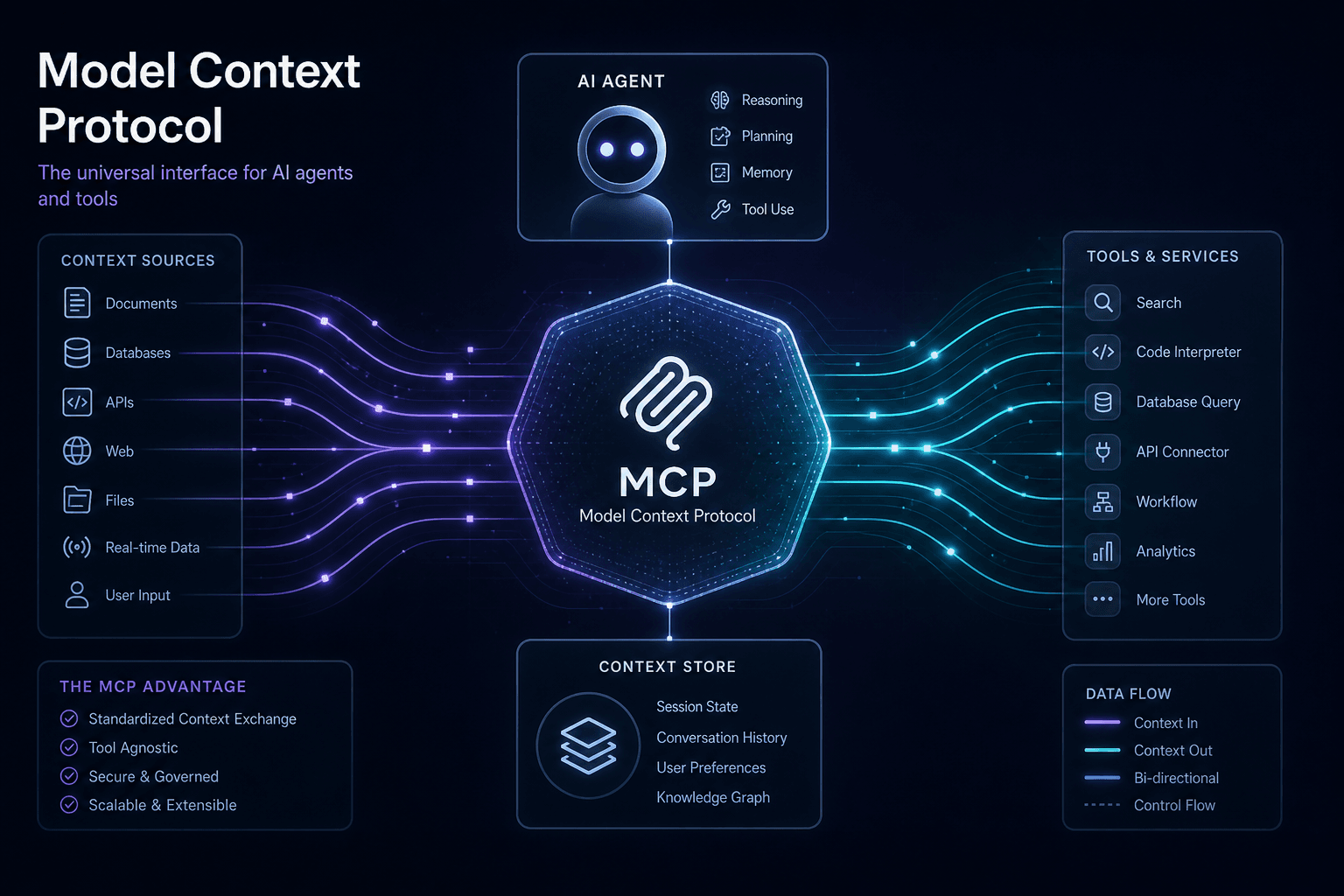
I build AI automations for a living, and Model Context Protocol (MCP) has become my go-to standard for connecting AI agents to external tools, data sources, and workflows. When Anthropic introduced MCP on November 25, 2024, then donated it to the Linux Foundation's Agentic AI Foundation in December 2025, it cemented itself as the interoperability layer I rely on for production AI agent ecosystems.
MCP solves what Anthropic's documentation calls the N×M integration problem: previously, connecting N different LLM applications to M different data sources required N×M custom integrations. Every new data source needed bespoke connectors for every AI client. I watched this problem compound across client projects until MCP inverted the entire model—write one server, connect any client. This is why I now prompt AI to build MCP servers rather than writing custom integration code from scratch.
Why I Standardized on MCP #
Before MCP, I spent hours on each client project building custom tool layers for Claude. Integrating with Slack, Notion, or their CRM meant separate auth flows, separate API wrappers, separate error handling. MCP standardizes these integrations at the protocol level—so now I prompt AI to generate the server structure once, and it works across every client I implement:
| Before MCP | After MCP |
|---|---|
| Custom API wrappers per integration | Declarative server capabilities |
| Proprietary tool formats per LLM | Universal tools/resources/prompts primitives |
| Fragmented auth and transport | Standardized JSON-RPC 2.0 transport |
| Vendor-locked implementations | Open standard governed by Linux Foundation |
| One-off integration code | Reusable, composable server components |
Why 2026 Is My MCP Inflection Point #
Three converging trends convinced me to standardize all client work on MCP:
Ecosystem maturation: The official MCP server registry now lists 200+ community servers covering everything from PostgreSQL to Shopify to Blender. The long tail of integrations I used to build manually is now available off-the-shelf.
Client adoption: Cursor, Claude Desktop, Claude Code, and a growing list of AI applications now ship with built-in MCP client support. The "any client" promise I bet on is becoming reality.
Enterprise requirements: My production AI deployments need standardized observability, security boundaries, and multi-agent orchestration. MCP's architecture provides the scaffolding for all three—so I prompt AI to implement these patterns rather than reinventing them per project.
What MCP Actually Does (From My Perspective) #
When I direct AI to build an MCP server, I'm enabling three core capabilities:
- Call tools: Execute functions with structured inputs/outputs (search a database, send a Slack message, deploy to Vercel)
- Access resources: Read contextual data that changes over time (current stock prices, filesystem state, Jira ticket status)
- Use prompts: Invoke templated workflows ("analyze this codebase for security issues," "onboard a new hire")
The protocol handles capability negotiation, request routing, error propagation, and lifecycle management—so I prompt AI to focus on business logic, not plumbing. The MCP specification defines these primitives precisely.
How I Prompted My First Production MCP Server #
I recently directed AI to build an MCP server for a client's CRM integration. Rather than writing raw TypeScript, I used Cursor with carefully engineered prompts. The result: a production-ready server in 20 minutes instead of the 4+ hours I used to spend on custom tool layers.
Here's my prompt template for the server initialization:
Build an MCP server using the official TypeScript SDK (@modelcontextprotocol/sdk)
that exposes CRM tools. Requirements:

1. Tool: search_customers - accepts query string, returns matching records
2. Tool: get_customer - accepts customer ID, returns full record
3. Use Zod for input validation
4. Return JSON in text content type
5. Include proper error handling with isError flag
6. Use StdioServerTransport for local development
7. Include comprehensive tool descriptions for LLM comprehension

Business logic can be stubbed with in-memory maps for now—I'll wire in the real
CRM API afterward.
The AI generated a complete server structure. I reviewed it against the MCP TypeScript SDK documentation, made minor adjustments, and had it running in Cursor within minutes.
The standardization pays for itself immediately when clients need to swap or add AI clients—the server works with Claude Desktop today, Cursor tomorrow, and whatever MCP-compatible client emerges next month without code changes.
The Client-Host-Server Architecture Explained #
MCP implements a three-layer architecture where hosts manage clients, clients maintain stateful connections to servers, and servers expose capabilities through a standardized protocol. This design separates connection lifecycle management from capability exposure, enabling complex multi-server deployments without coupling concerns.
The Three Architectural Layers #
┌─────────────────────────────────────────────────────────┐
│                      HOST APPLICATION                    │
│    (Claude Desktop, Cursor, Claude Code, Custom App)   │
│                                                         │
│  ┌─────────────┐  ┌─────────────┐  ┌─────────────┐     │
│  │   CLIENT 1  │  │   CLIENT 2  │  │   CLIENT N  │     │
│  │  (stdio)    │  │   (HTTP)    │  │  (stdio)    │     │
│  └──────┬──────┘  └──────┬──────┘  └──────┬──────┘     │
│         │                │                │             │
│         └────────────────┼────────────────┘             │
│                          │                              │
└──────────────────────────┼──────────────────────────────┘
                           │
           ┌───────────────┼───────────────┐
           │               │               │
    ┌──────┴──────┐ ┌──────┴──────┐ ┌──────┴──────┐
    │  SERVER 1   │ │  SERVER 2   │ │  SERVER 3   │
    │  Filesystem │ │   SQLite    │ │   Custom    │
    │   Server    │ │   Server    │ │   Server    │
    └─────────────┘ └─────────────┘ └─────────────┘
Hosts #
Hosts are LLM applications that initiate and manage connections. A host:
- Instantiates multiple clients (one per server)
- Handles user consent and permission flows
- Routes requests between the LLM and appropriate clients
- Manages server lifecycle (start, stop, restart)
Examples: Claude Desktop, Cursor IDE, Claude Code CLI, or your custom Next.js application.
Clients #
Clients are connection managers that establish stateful 1:1 sessions with servers. Key characteristics:
- One client connects to exactly one server
- Maintains session state including capability negotiation results
- Handles transport-specific concerns (stdio pipes, HTTP connections)
- Implements the JSON-RPC protocol layer
Clients are the glue—they don't expose capabilities themselves, but they translate between host expectations and server realities.
Servers #
Servers are capability providers that expose tools, resources, and prompts. Servers:
- Declare their capabilities during initialization
- Handle JSON-RPC requests from clients
- Execute business logic (database queries, API calls, computations)
- Return structured responses or errors
Servers are stateless with respect to business logic but participate in the stateful session protocol.
The 1:1 Connection Model #
MCP enforces a strict 1:1 relationship between clients and servers. When a host wants to connect to three different capability sources, it spins up three separate client instances:
| Connection | Client Instance | Server | Purpose |
|---|---|---|---|
| 1 | Client A | Filesystem Server | Read/write local files |
| 2 | Client B | SQLite Server | Query embedded database |
| 3 | Client C | Custom API Server | Internal business logic |
This isolation prevents cross-contamination. If your SQLite server crashes, it doesn't affect your filesystem connection. If one server has elevated permissions, its scope is limited to that connection's purpose.
Stateful Session Management #
Unlike REST's stateless request-response model, MCP connections are stateful sessions:
- Initialization: Client and server exchange capability declarations
- Operation: Bidirectional JSON-RPC messages flow over the transport
- Termination: Graceful shutdown or connection drop handling
During initialization, the server announces:
- Which tools it provides (with JSON schemas)
- Which resources are available (with URI patterns)
- Which prompts it supports (with argument schemas)
The client announces what it can offer back:
sampling: Can request LLM completions from the hostroots: Can provide filesystem root scopingexperimental: Feature flags for protocol extensions
How This Differs from Traditional API Architecture #
| Aspect | REST API | MCP Protocol |
|---|---|---|
| Connection model | Stateless requests | Stateful sessions |
| Capability discovery | OpenAPI/static docs | Runtime negotiation |
| Transport | HTTP/1.1 or HTTP/2 | stdio, HTTP, WebSockets |
| Error handling | HTTP status codes | JSON-RPC error objects |
| Bidirectional | Webhooks/polling | Native in protocol |
| Tool exposure | Custom endpoints | Standardized tools/call |
The stateful session model is crucial for AI agent workflows. When Claude asks your filesystem server to "read the last 5 commits and summarize them," that request happens within an established session where permissions, working directory, and context are already negotiated. No need to pass auth tokens and scope parameters with every call.
JSON-RPC 2.0: The Wire Protocol Beneath MCP #
MCP uses JSON-RPC 2.0 as its wire protocol—a lightweight, bidirectional messaging format that supports requests, responses, and notifications over any transport, as specified in the official MCP protocol documentation. This choice prioritizes simplicity, debuggability, and universal parser availability over the complexity of binary protocols.
Why JSON-RPC Over Alternatives #
The protocol selection reveals MCP's design priorities:
| Protocol | Why Not Used | MCP's Alternative |
|---|---|---|
| REST/HTTP | Stateless, verb/noun mismatch with tool semantics | Stateful JSON-RPC with explicit method names |
| gRPC | Binary format, schema compilation, stub complexity | Human-readable JSON, dynamic capability negotiation |
| GraphQL | Query complexity overkill for tool calls | Simple request/response with structured parameters |
| WebSocket raw | No framing, missing request/response correlation | JSON-RPC over WebSocket transport |
JSON-RPC 2.0 provides exactly what MCP needs:
- Request-response correlation via
idfields - Bidirectional messaging (servers can call client capabilities)
- Human-readable debugging (inspect messages in dev tools)
- Minimal parser requirements (every language has JSON)
The Four Message Types #
MCP implementations exchange four JSON-RPC message structures:
1. Request (Client → Server or Server → Client) #
{
  "jsonrpc": "2.0",
  "id": "req_001",
  "method": "tools/call",
  "params": {
    "name": "query_database",
    "arguments": {
      "sql": "SELECT * FROM users WHERE active = true",
      "limit": 10
    }
  }
}
Required fields:
jsonrpc: Always "2.0"id: String or integer, unique per sender, non-nullmethod: String naming the operationparams: Object or array of arguments
2. Success Response #
{
  "jsonrpc": "2.0",
  "id": "req_001",
  "result": {
    "content": [
      {
        "type": "text",
        "text": "[{\"id\": 1, \"name\": \"Alice\"}, ...]"
      }
    ],
    "isError": false
  }
}
The result structure varies by method. Tool calls return content arrays with typed elements (text, images, resource references).
3. Error Response #
{
  "jsonrpc": "2.0",
  "id": "req_001",
  "error": {
    "code": -32602,
    "message": "Invalid params: missing required 'sql' argument",
    "data": {
      "details": "The 'sql' parameter is required for query_database tool"
    }
  }
}
MCP uses standard JSON-RPC error codes with domain-specific extensions:
| Code | Meaning | MCP Context |
|---|---|---|
-32700 |
Parse error | Invalid JSON received |
-32600 |
Invalid request | Malformed JSON-RPC structure |
-32601 |
Method not found | Server doesn't support this method |
-32602 |
Invalid params | Arguments fail schema validation |
-32603 |
Internal error | Server crashed during execution |
-32000 to -32099 |
Server errors | Implementation-specific issues |
4. Notification (One-way, no response expected) #
{
  "jsonrpc": "2.0",
  "method": "notifications/progress",
  "params": {
    "progressToken": "tok_123",
    "progress": 50,
    "total": 100
  }
}
Notifications omit the id field. MCP uses these for:
- Progress updates during long-running tool calls
- Resource change notifications ("file was modified")
- Logging and telemetry streaming
Method Namespacing Convention #
MCP methods follow a hierarchical namespace pattern:
| Namespace | Purpose | Example Methods |
|---|---|---|
initialize/* |
Session lifecycle | initialize, initialized |
tools/* |
Tool operations | tools/list, tools/call |
resources/* |
Resource operations | resources/list, resources/read |
prompts/* |
Prompt operations | prompts/list, prompts/get |
notifications/* |
One-way updates | notifications/progress, notifications/message |
sampling/* |
Client capabilities (server → client) | sampling/createMessage |
roots/* |
Filesystem scoping | roots/list |
This namespacing lets clients route messages to appropriate handlers and enables protocol extensions without collision.
Batching and Transport Considerations #
JSON-RPC supports batch requests—an array of request objects sent together—but MCP implementations typically use single messages for clarity. The protocol doesn't mandate batching, and most MCP SDKs don't implement it, prioritizing simpler streaming semantics instead.
Transport layers handle the actual byte movement:
- stdio: Messages delimited by newlines over stdin/stdout
- HTTP: POST requests with JSON-RPC bodies, or WebSocket frames
- WebSocket: Text frames containing JSON-RPC objects
The transport is swappable; the JSON-RPC protocol remains constant.
Debugging MCP Messages #
One significant advantage of JSON-RPC is inspectability. When an MCP integration fails, you can:
- Enable debug logging in your client/host
- Capture raw JSON-RPC messages
- Validate against the spec using standard JSON tools
- Replay requests with curl or similar tools
This transparency accelerates development. When I built my first custom MCP server for a proprietary CMS, being able to pipe stdin/stdout to jq and see exactly where my response structure diverged from the spec saved hours of guesswork.
MCP Server Capabilities: Tools, Resources, and Prompts #
MCP servers expose three primary capability primitives: tools (executable functions), resources (addressable data), and prompts (templated workflows). These primitives map cleanly to LLM needs—agents need to do things (tools), know things (resources), and follow structured procedures (prompts).
Tools: Executable Functions #
Tools are the most commonly used MCP primitive. They're executable functions with typed inputs and outputs that AI agents can invoke. Think of tools as the API surface your agent can call.
A tool declaration includes:
{
  "name": "search_customer_database",
  "description": "Query the customer database by email, name, or ID. Returns matching records with purchase history.",
  "inputSchema": {
    "type": "object",
    "properties": {
      "query": {
        "type": "string",
        "description": "Email, name fragment, or customer ID to search for"
      },
      "includeHistory": {
        "type": "boolean",
        "description": "Whether to include purchase history in results",
        "default": true
      }
    },
    "required": ["query"]
  }
}
Key tool characteristics:
| Aspect | Specification | Best Practice |
|---|---|---|
| Naming | snake_case or camelCase | Use verb-noun patterns (send_email, create_record) |
| Description | 1-3 sentences | Be specific about what the tool does and what it returns |
| Parameters | JSON Schema | Include types, descriptions, defaults, and constraints |
| Required fields | Explicit array | Mark only truly-required params as required |
| Returns | Content array | Support text, images, and resource references |
Tool execution happens through the tools/call method:
// Request
{
  "jsonrpc": "2.0",
  "id": 1,
  "method": "tools/call",
  "params": {
    "name": "search_customer_database",
    "arguments": {
      "query": "alice@example.com",
      "includeHistory": true
    }
  }
}

// Response
{
  "jsonrpc": "2.0",
  "id": 1,
  "result": {
    "content": [
      {
        "type": "text",
        "text": "Customer found: Alice Smith (ID: 12345). Last purchase: 2026-04-28."
      }
    ],
    "isError": false
  }
}
Resources: Addressable Data #
Resources are contextual data sources that change over time and can be referenced by URI. Unlike tools (which do things), resources are things—files, database records, API endpoints, live streams.
Resources are identified by URIs with semantic schemes:
| URI Scheme | Example | Meaning |
|---|---|---|
file:// |
file:///home/user/project/src/main.ts |
Local filesystem path |
https:// |
https://api.example.com/users/123 |
HTTP-accessible data |
db:// |
db://customers/12345 |
Database record reference |
git:// |
git://repo/main/src/index.ts |
Git repository content |
| Custom | internal://workflow/run-789 |
Application-specific resources |
Resource declaration includes metadata, not content:
{
  "uri": "file:///home/user/project/README.md",
  "name": "Project README",
  "description": "Main documentation file for the project",
  "mimeType": "text/markdown"
}
Agents access resources via resources/read:
{
  "jsonrpc": "2.0",
  "id": 2,
  "method": "resources/read",
  "params": {
    "uri": "file:///home/user/project/README.md"
  }
}
Resources support subscriptions via resources/subscribe—the server pushes notifications when the resource changes. This enables live-updating contexts like "monitor this log file" or "track this Jira ticket status."
Prompts: Templated Workflows #
Prompts are pre-defined templates that combine instructions, resources, and parameter placeholders into reusable workflows. They're the MCP primitive closest to traditional "system prompts" or "prompt engineering."
A prompt declaration:
{
  "name": "code_review_security",
  "description": "Analyze code files for common security vulnerabilities (SQL injection, XSS, path traversal)",
  "arguments": [
    {
      "name": "file_path",
      "description": "Path to the file to analyze",
      "required": true
    },
    {
      "name": "language",
      "description": "Programming language (auto-detected if not specified)",
      "required": false
    }
  ]
}
When invoked via prompts/get, the server returns the rendered prompt:
{
  "jsonrpc": "2.0",
  "id": 3,
  "result": {
    "description": "Security review prompt for /src/auth/login.ts",
    "messages": [
      {
        "role": "user",
        "content": {
          "type": "text",
          "text": "Please analyze the following TypeScript code for security vulnerabilities. Focus on: SQL injection, XSS, path traversal, and insecure authentication patterns.\n\nFile: /src/auth/login.ts\n\n[resource content inserted here]"
        }
      }
    ]
  }
}
Prompts are powerful for:
- Standardizing recurring analysis tasks ("review this PR," "summarize this meeting")
- Packaging institutional knowledge ("onboard a new hire to our API")
- Creating reusable agentic workflows ("debug this error pattern")
Comparing the Three Primitives #
| Primitive | Use When | Example |
|---|---|---|
| Tool | The agent needs to take an action | Send email, deploy code, create ticket |
| Resource | The agent needs to read current data | File contents, API response, database row |
| Prompt | The agent needs a structured procedure | Security review, onboarding guide, analysis template |
Real-World Server Examples #
The official MCP reference servers demonstrate these primitives:
Filesystem Server (@modelcontextprotocol/server-filesystem):
- Tools:
read_file,write_file,list_directory,search_files - Resources:
file://URIs for any accessible file - Prompts: None (pure tool/resource server)
SQLite Server (@modelcontextprotocol/server-sqlite):
- Tools:
query(execute SQL),execute(DDL statements) - Resources:
sqlite://URIs for table introspection - Prompts: Query-building templates
Brave Search Server (@modelcontextprotocol/server-brave-search):
- Tools:
brave_web_search,brave_local_search - Resources: None (pure tool server)
- Prompts: Research workflow templates
When designing your own MCP servers, start with tools—they're the most flexible and most frequently used. Add resources when your server manages addressable data that agents need to reference repeatedly. Add prompts when you find yourself repeating the same multi-step instruction patterns to your AI.
Client Capabilities: Sampling, Roots, and Elicitation #
MCP is bidirectional: while servers expose tools/resources/prompts, clients can offer sampling (LLM access), roots (filesystem scoping), and elicitation (user input gathering) back to servers. This symmetry enables sophisticated agentic patterns where servers delegate cognitive work to the host's LLM.
Sampling: Server-Initiated LLM Access #
Sampling lets an MCP server request LLM completions from the host. This is the protocol's most powerful feature—it allows servers to extend themselves with AI capabilities without embedding their own API keys or model logic.
A server requests sampling via sampling/createMessage:
{
  "jsonrpc": "2.0",
  "id": "samp_001",
  "method": "sampling/createMessage",
  "params": {
    "messages": [
      {
        "role": "user",
        "content": {
          "type": "text",
          "text": "Summarize the following customer feedback into 3 key themes:\n\n[feedback content here]"
        }
      }
    ],
    "modelPreferences": {
      "hints": [{"name": "claude-3-5-sonnet"}],
      "intelligencePriority": 0.7,
      "speedPriority": 0.3
    },
    "systemPrompt": "You are a data analysis assistant. Be concise."
  }
}
The host responds with the LLM output:
{
  "jsonrpc": "2.0",
  "id": "samp_001",
  "result": {
    "model": "claude-3-5-sonnet-20241022",
    "stopReason": "end_turn",
    "role": "assistant",
    "content": {
      "type": "text",
      "text": "1. Shipping delays (45% of mentions)\n2. Product quality concerns (30%)\n3. Positive customer service experiences (25%)"
    }
  }
}
Sampling enables powerful patterns:
| Pattern | How It Works | Example Use Case |
|---|---|---|
| Delegating analysis | Server fetches raw data, asks LLM to analyze | Database query → natural language summary |
| Multi-step reasoning | Server performs action, LLM evaluates result | Test execution → failure analysis → fix suggestion |
| Content transformation | Server provides content, LLM reformats | Markdown → HTML, raw notes → structured report |
| Error interpretation | Server encounters error, LLM explains | Stack trace → human-readable explanation |
The modelPreferences field lets servers express what they need without hardcoding model names. Priorities (intelligencePriority, speedPriority, costPriority) guide the host's model selection when multiple options exist.
Roots: Filesystem Scoping #
Roots let servers discover which filesystem locations they should operate within. When a client declares roots capability, the server can query roots/list to understand its sandbox boundaries.
Request:
{
  "jsonrpc": "2.0",
  "id": 4,
  "method": "roots/list"
}
Response:
{
  "jsonrpc": "2.0",
  "id": 4,
  "result": {
    "roots": [
      {
        "uri": "file:///home/user/projects/my-app",
        "name": "Current Project"
      },
      {
        "uri": "file:///home/user/templates",
        "name": "Shared Templates"
      }
    ]
  }
}
This enables scoped filesystem access without hardcoding paths. A filesystem server configured with roots will:
- Only show files within root directories
- Reject operations outside roots (unless explicitly permitted)
- Present root names in UI for clarity
Roots are particularly valuable for:
- Multi-project hosts: Cursor working on several repositories simultaneously
- Sandboxed environments: Restricting server access to specific directories
- Workspace awareness: Letting servers understand project structure
Elicitation: Gathering Additional Information #
Elicitation allows servers to request additional information from the user through the host's UI. When a server needs clarification or missing parameters, it can ask rather than fail.
MCP's elicitation mechanism uses notifications/message with a request for user interaction:
{
  "jsonrpc": "2.0",
  "method": "notifications/message",
  "params": {
    "level": "info",
    "data": "Searching for customer record. If not found, should I create a new one?"
  }
}
While the core protocol supports basic message notifications, sophisticated elicitation (like prompting for form input or confirmation dialogs) is typically handled through:
- Tool responses that signal incomplete data
- Follow-up tool calls that gather the missing pieces
- Host-specific UI integrations
Client Capability Negotiation #
During initialization, clients announce which capabilities they support:
{
  "jsonrpc": "2.0",
  "id": 0,
  "method": "initialize",
  "params": {
    "protocolVersion": "2024-11-05",
    "capabilities": {
      "sampling": {},
      "roots": {
        "listChanged": true
      },
      "experimental": {}
    },
    "clientInfo": {
      "name": "cursor-ide",
      "version": "1.96.0"
    }
  }
}
Servers adapt their behavior based on available client capabilities:
- If
samplingis present, use LLM delegation for complex tasks - If
rootsis present, query for filesystem scope - If neither, fall back to simpler patterns
This negotiation makes MCP servers portable across different host environments—a server that uses sampling when available degrades gracefully in hosts that don't support it.
The Bidirectional Power #
The bidirectional design separates MCP from simpler tool-calling schemes. When your n8n workflow server needs to classify an incoming webhook payload, it doesn't need an OpenAI API key—it requests sampling from the host. When your database server needs to summarize query results, it delegates to the LLM rather than implementing its own summarization logic.
This architecture centralizes model management at the host level while distributing capability across specialized servers. The result: cleaner separation of concerns, simpler server implementations, and consistent model behavior across all tools.
Building an MCP Server: A Production-Ready Implementation #
Building an MCP server means implementing three core components: initialization handling, capability declaration, and method routing. The official TypeScript and Python SDKs handle protocol boilerplate, letting you focus on business logic.
Server Structure Overview #
Every MCP server follows this lifecycle:
┌─────────────┐     ┌──────────────┐     ┌─────────────┐
│  Transport  │────▶│ Initialize   │────▶│  Capability  │
│  Connected  │     │ Handshake    │     │  Exchange   │
└─────────────┘     └──────────────┘     └─────────────┘
                                                │
                                                ▼
┌─────────────┐     ┌──────────────┐     ┌─────────────┐
│   Cleanup   │◀────│   Request    │◀────│  Operation  │
│  & Exit     │     │   Handling   │     │   Loop      │
└─────────────┘     └──────────────┘     └─────────────┘
How I Prompt AI to Build the Server Structure #
When I need a production-grade MCP server, I don't write the TypeScript manually—I direct Cursor to generate it using the official TypeScript SDK. Here's my complete prompt sequence:
Phase 1: Architecture Blueprint Prompt
I'm building an MCP server for a CRM connector using @modelcontextprotocol/sdk.
Generate a complete server with this architecture:

STRUCTURE:
1. Business logic layer: CRMConnector class with searchCustomers() and getCustomer() methods
2. Validation layer: Zod schemas for all tool inputs
3. Server layer: MCP Server instance with capability declaration
4. Handler layer: Request handlers for ListTools and CallTool
5. Transport layer: StdioServerTransport for local development

TOOLS TO EXPOSE:
- search_customers: query string, optional limit, returns matching records
- get_customer: customer ID, returns single record or not-found error

REQUIREMENTS:
- Use proper error handling with McpError and ErrorCode
- Return structured JSON in text content type
- Include comprehensive descriptions for LLM tool comprehension
- Add input validation with Zod, return isError: true for validation failures
- Business logic can use in-memory Map for now

Follow the official MCP TypeScript SDK patterns from github.com/modelcontextprotocol/typescript-sdk
Phase 2: Review and Refine
Once Cursor generates the initial structure, I verify it against the MCP specification and my internal requirements. The AI typically produces 80-90% of what I need on the first pass.
Phase 3: Architecture Blueprint the AI Generated
After reviewing the AI output, here's the structure I look for:
| Layer | Purpose | Key Components |
|---|---|---|
| Business Logic | CRM operations | Connector class with async methods |
| Validation | Input sanitization | Zod schemas per tool |
| Server | MCP protocol | Server instance, capability declaration |
| Handlers | Request routing | ListTools handler, CallTool handler |
| Transport | Communication | StdioServerTransport connection |
Key Implementation Patterns I Verify:
- Schema validation — Zod for TypeScript, Pydantic for Python — fail fast on invalid inputs
- Error handling — Return
isError: truefor expected failures, throw McpError for unexpected - Content typing — Use
type: 'text'for JSON responses - Async operations — Always return Promises, MCP handles async complexity
- Resource cleanup — Signal handlers for graceful shutdown on SIGTERM
The time savings are significant: what used to take me 3-4 hours of careful TypeScript implementation now takes 20 minutes of prompting and review.
Key Implementation Patterns #
| Pattern | Implementation | Rationale |
|---|---|---|
| Schema validation | Zod for TypeScript, Pydantic for Python | Fail fast on invalid inputs, clear error messages |
| Error handling | Return isError: true for expected failures, throw for unexpected |
Distinguish user errors from system errors |
| Content typing | Use type: 'text' for JSON, plan for type: 'image' |
Future-proof for multimodal responses |
| Async operations | Always return Promises | MCP handles the async/await complexity |
| Resource cleanup | Implement signal handlers | Graceful shutdown on SIGTERM |
Python SDK: Alternative Prompt Path #
For Python-based projects, I use the same prompt engineering approach with the official Python SDK. The prompt structure is nearly identical—only the decorators and import paths change:
Python Server Prompt Template:
Generate an MCP server using the Python SDK (mcp package) with this structure:

REQUIREMENTS:
- Use Server class with decorators (@list_tools, @call_tool)
- Pydantic BaseModel for input validation
- Async/await throughout
- stdio_server context manager for transport
- Same CRM connector logic: search_customers, get_customer
- Return proper content array with isError flag

The server should follow the same architectural patterns as the TypeScript
version but use Python idioms (decorators, Pydantic, asyncio).
The AI generates Python-equivalent structure with @app.list_tools() and @app.call_tool() decorators instead of explicit handler registration. Both SDKs implement the same JSON-RPC protocol, so the generated servers are fully interoperable.
Deployment Considerations #
| Environment | Transport | Configuration |
|---|---|---|
| Local dev | stdio | Package as CLI, invoke directly |
| Docker | stdio or HTTP | Container per server, compose orchestration |
| Kubernetes | HTTP | Sidecar pattern or dedicated pods |
| Serverless | HTTP | Lambda/Function with API Gateway |
| n8n | HTTP | Self-hosted n8n with MCP community node |
For production deployments, I recommend:
- Health check endpoint (for HTTP transports):
GET /healthreturning 200 when ready - Graceful shutdown: Handle SIGTERM, finish in-flight requests
- Structured logging: JSON logs with correlation IDs
- Metrics exposure: Request counts, latency percentiles, error rates
- Secret management: API keys via environment variables, never committed
Testing Your Server #
The MCP Inspector tool validates server compliance:
npx @modelcontextprotocol/inspector node dist/server.jsThis opens a web UI where you can:
- Browse available tools/resources/prompts
- Invoke tools with custom parameters
- Inspect raw JSON-RPC messages
- Validate response formats
Always run the inspector before deploying—it's caught schema mismatches and missing error handling in every server I've built.
My Prompt Template Library #
I maintain a library of prompt templates for different MCP server patterns. The core structure (SDK imports, transport setup, error handling patterns) stays consistent—what changes between projects is the business logic description I feed to the AI.
My standard prompt categories:
| Template | Use Case | Time to Generate |
|---|---|---|
| CRM Connector | Customer data operations | ~15 minutes |
| Database Query | SQL database interface | ~20 minutes |
| File Operations | Read/write local files | ~10 minutes |
| API Wrapper | Third-party service integration | ~25 minutes |
| n8n Bridge | Workflow automation hooks | ~30 minutes |
With these prompts, I can spin up new integrations in under an hour—whether I'm connecting to a new client API, wrapping an internal service, or exposing a database to AI agents. The AI handles the repetitive protocol implementation while I focus on the business logic review.
MCP Transport Layer: stdio vs HTTP vs WebSockets #
MCP abstracts the transport layer—servers and clients communicate via JSON-RPC regardless of whether bytes flow over stdio pipes, HTTP connections, or WebSocket frames. Each transport has distinct tradeoffs for security, latency, and deployment flexibility.
stdio: The Local Default #
stdio (standard input/output) is the default transport for local MCP servers. The host spawns the server process and communicates via stdin/stdout, with stderr reserved for logging.
┌─────────────┐         stdin          ┌─────────────┐
│    HOST     │ ◀───────────────────── │   SERVER    │
│  (Cursor)   │ ─────────────────────▶ │   Process   │
│             │         stdout         │             │
│             │ ─────────────────────▶ │             │
│             │         stderr (logs)  │             │
└─────────────┘                        └─────────────┘
stdio characteristics:
| Aspect | Behavior | Implication |
|---|---|---|
| Lifecycle | Host manages process start/stop | Servers must start quickly and exit cleanly |
| Security | OS process isolation | Server runs with host's permissions |
| State | Connection dies with process | No reconnection, session is ephemeral |
| Debugging | Pipe through jq, inspect stderr |
Easy to capture and replay messages |
| Deployment | Local-only | Cannot expose over network |
stdio works best for:
- Local filesystem servers
- Development tools and linters
- Single-user desktop applications
- Servers that need OS-level sandboxing
HTTP: Remote and Scalable #
HTTP transport enables network-accessible MCP servers, supporting stateless request-response and SSE (Server-Sent Events) for server-to-client streaming.
HTTP transport supports two connection patterns:
Synchronous mode (simple request-response):
Client                    Server
  │    POST /message      │
  │ ───────────────────▶  │
  │    {jsonrpc: "2.0"...}│
  │                       │
  │    200 OK             │
  │ ◀───────────────────  │
  │    {result: {...}}     │
Streaming mode (with SSE for server→client):
Client                    Server
  │    GET /sse           │
  │ ───────────────────▶  │
  │    (establishes SSE)  │
  │ ◀───────────────────  │
  │    event: endpoint    │
  │    data: /message?session=123
  │                       │
  │    POST /message?...  │
  │ ───────────────────▶  │
  │    (client requests)   │
  │                       │
  │    SSE: server pushes │
  │ ◀───────────────────  │
HTTP characteristics:
| Aspect | Behavior | Implication |
|---|---|---|
| Network | Accessible remotely | Enables SaaS-style MCP services |
| Load balancing | HTTP-native | Works with existing infrastructure |
| Security | TLS + auth headers | Standard web security applies |
| State | Server maintains session state | Can reconnect if session preserved |
| Scaling | Horizontal scaling | Multiple server instances behind LB |
HTTP works best for:
- Multi-user SaaS integrations
- Cloud-hosted AI tools
- Microservices architecture
- Scenarios requiring load balancing
WebSocket: Real-Time Bidirectional #
WebSocket transport provides full-duplex communication over a single persistent connection, ideal for high-frequency bidirectional messaging.
WebSocket mode is essentially HTTP transport with WebSocket upgrade—once established, both directions stream freely without polling overhead.
When to prefer WebSocket:
- High-frequency tool invocations (many calls per second)
- Real-time resource subscriptions (live dashboards)
- Low-latency requirements (sub-50ms response times)
- Chat-like interfaces with streaming responses
Transport Comparison Matrix #
| Factor | stdio | HTTP | WebSocket |
|---|---|---|---|
| Local deployment | Excellent | Good | Good |
| Remote/network | Impossible | Excellent | Excellent |
| Latency | Minimal (~1ms) | Moderate (~50ms) | Low (~10ms) |
| Debugging | Very easy | Moderate | Moderate |
| Security model | OS process | TLS + auth | TLS + auth |
| Scalability | Single machine | Excellent | Good |
| Firewall friendly | N/A | Yes | Sometimes |
| Reconnect handling | None | Session restore | Automatic |
Security Considerations by Transport #
stdio security:
- Servers inherit the host process permissions
- Use OS-level sandboxing (chroot, containers, permission dropping)
- Audit server code—it's running with full user privileges
- Environment variables are shared; be careful with secrets
HTTP/WebSocket security:
- Always use TLS (wss://, https://) in production
- Implement authentication: API keys, OAuth, or mTLS
- Validate origin headers to prevent unwanted cross-origin access
- Rate limiting and request size limits prevent abuse
- Session timeout and cleanup prevent resource exhaustion
Example HTTP server with basic auth—AI-generated from my prompt:
My HTTP Transport Prompt:
Convert my stdio MCP server to HTTP transport with the following requirements:

SECURITY LAYER:
- Express middleware for API key validation (header: x-api-key)
- Compare against MCP_API_KEY environment variable
- Return 401 for invalid keys

TRANSPORT SETUP:
- Use SSEServerTransport from @modelcontextprotocol/sdk/server/sse
- SSE endpoint at GET /sse
- POST endpoint at /message for client requests
- Proper async/await for server.connect()

STRUCTURE:
- Same tool handlers as the stdio version
- Express app on port 3000
- Environment-based configuration

The generated code should follow the HTTP transport patterns in the
official SDK examples.
The AI generates an Express-based server with middleware authentication, SSE transport setup, and the same tool handlers from my stdio implementation. I review the generated structure against the MCP SDK HTTP examples before deploying.
Choosing Your Transport #
Use stdio when:
- Building local development tools
- Need OS-level process isolation
- Debugging and iterating rapidly
- Targeting Claude Desktop, Cursor, or similar local hosts
Use HTTP when:
- Deploying to production SaaS
- Serving multiple clients/users
- Need load balancing and horizontal scaling
- Integrating with existing web infrastructure
Use WebSocket when:
- Real-time bidirectional streaming is required
- Minimizing latency overhead matters
- Building chat-like or live-update interfaces
In practice, most of my production servers use HTTP with SSE for server→client pushes. stdio is reserved for local development and single-user tools. I've yet to need WebSocket specifically—HTTP SSE provides sufficient real-time capability for most agentic workflows.
n8n and Remote MCP #
The n8n MCP community node currently supports HTTP transport, letting you wire remote MCP servers into workflows. This enables patterns like:
- Calling external AI services through MCP protocol
- Chaining multiple MCP servers in a single workflow
- Using MCP tools alongside native n8n nodes
When self-hosting n8n with MCP support, configure your servers with HTTP transport and appropriate authentication. The node handles the JSON-RPC layer, exposing MCP tools as standard n8n workflow operations.
Tool Design Patterns for AI Agents #
Well-designed MCP tools follow consistent patterns: descriptive naming, explicit schemas, graceful error handling, and output formatting optimized for LLM consumption. The goal is making tools discoverable, predictable, and composable for AI agents.
Schema Design Best Practices #
Tool schemas are contracts between human developers and AI systems. Follow these patterns:
1. Use verb-noun naming consistently
| Poor | Better | Best |
|---|---|---|
data |
get_data |
get_customer_record |
user |
user_search |
search_users_by_email |
process |
process_file |
extract_text_from_pdf |
Specific verbs (search, create, update, delete, send, extract) communicate intent. Specific nouns clarify domain scope.
2. Structure parameters for LLM understanding
{
  "properties": {
    "customer_id": {
      "type": "string",
      "description": "Unique customer identifier (e.g., 'cust_12345'). Found in customer record or previous search results."
    },
    "include_inactive": {
      "type": "boolean",
      "description": "If true, includes deactivated customer accounts. Defaults to false (only active customers)."
    }
  },
  "required": ["customer_id"]
}
Each description should answer:
- What is this parameter? (type, format)
- Where does the value come from? (context for the LLM)
- What's the default if omitted?
3. Group related parameters with objects
Instead of flat parameters:
{
  "street": "...",
  "city": "...",
  "zip": "..."
}
Use nested structures:
{
  "address": {
    "street": "...",
    "city": "...",
    "zip": "..."
  }
}
This improves schema readability and lets you reuse object definitions across tools.
4. Enumerate when values are constrained
{
  "priority": {
    "type": "string",
    "enum": ["low", "medium", "high", "urgent"],
    "description": "Ticket priority level"
  }
}
Explicit enums prevent hallucinated values and make tool behavior predictable.
Error Handling Strategies #
MCP distinguishes two error categories: user errors (returned with isError: true) and system errors (thrown as JSON-RPC errors).
User errors (invalid input, business rule violations):
Prompt pattern I use: "Return error responses with isError: true, descriptive message explaining what went wrong, and actionable guidance for correction."
Generated structure the AI produces:
contentarray withtype: 'text'containing error messageisError: trueflag indicating expected failure- Message format: "Error: [what happened]. [How to fix]."
System errors (bugs, network failures, crashes):
Prompt pattern I use: "Throw McpError with ErrorCode.InternalError for unexpected failures, include retryable flag and diagnostic details."
Generated structure the AI produces:
McpErrorwith appropriateErrorCode- Error message describing the failure
- Optional
retryableanddetailsfor debugging
Error message best practices:
| Scenario | Approach | Example |
|---|---|---|
| Invalid input | Explain what's wrong, suggest fix | "Invalid date format. Use YYYY-MM-DD (e.g., 2026-05-05)" |
| Not found | Confirm the search term, suggest alternatives | "No user found with email 'alice@test.com'. Did you mean 'alice@example.com'?" |
| Permission denied | Explain required permissions | "Access denied. Need 'admin' role to delete records." |
| Rate limited | Include retry timing | "Rate limit exceeded. Retry after 60 seconds." |
| Ambiguous request | List options, ask for clarification | "Found 3 projects named 'Website'. Specify: Website-2025, Website-2026, or Website-Redesign?" |
Making Tools LLM-Friendly #
LLMs work best with tools that follow predictable patterns. Design for agentic workflows:
1. Prefer small, composable tools over monolithic ones
Composable Tool Design Pattern I Prompt For:
Instead of one massive manage_customer tool, I prompt the AI to generate focused, composable tools:
| Tool | Purpose | Chaining Pattern |
|---|---|---|
search_customers |
Find candidates | Entry point for discovery |
create_customer |
Create new record | After verification |
get_customer |
Retrieve by ID | Uses IDs from search |
update_customer |
Modify existing | After retrieval |
delete_customer |
Remove record | Final action |
Prompt instruction: "Generate small, single-purpose tools that can be chained. Each tool should do one thing well, allowing the LLM to reason step-by-step: search → verify → act."
This lets agents reason step-by-step: search → verify → act.
2. Return structured data in consistent formats
{
  "content": [
    {
      "type": "text",
      "text": "{\n  \"found\": 3,\n  \"customers\": [\n    {\"id\": \"c1\", \"name\": \"Alice\", \"email\": \"a@example.com\"},\n    {\"id\": \"c2\", \"name\": \"Bob\", \"email\": \"b@example.com\"},\n    {\"id\": \"c3\", \"name\": \"Carol\", \"email\": \"c@example.com\"}\n  ]\n}"
    }
  ]
}
Valid JSON in text content lets the LLM parse and reference results in subsequent calls.
3. Include pagination for list operations
Prompt instruction I use: "Design list operations with pagination support using cursor-based or offset patterns."
Generated schema pattern:
| Parameter | Type | Description |
|---|---|---|
limit |
number | Max items to return (default: 20, max: 100) |
offset |
number | Skip N items (offset pagination) |
cursor |
string | Opaque cursor (cursor-based pagination) |
Return structure:
data: Array of resultspagination.total: Total available itemspagination.returned: Items in this responsepagination.next_cursor: Cursor for next page (if applicable)
4. Support idempotency where possible
Prompt instruction: "Add optional idempotency_key parameter to create operations, using client-generated UUIDs."
Generated pattern: Include idempotency_key?: string in create tool inputs, allowing agents to safely retry failed calls.
Idempotency keys let agents retry failed calls safely.
Advanced Patterns #
Conditional Tool Availability Pattern:
Prompt instruction: "Implement dynamic tool listing based on session permissions."
Generated logic pattern:
- Start with base tools available to all users
- Check session attributes (isAdmin, features array)
- Conditionally append adminTools or experimentalTools
- Return filtered tool list from ListTools handler
Tool Chaining with Dependencies:
Prompt instruction: "Design tools that can be chained by outputting references for subsequent tool inputs."
Pattern the AI generates:
- Tool A outputs
result_idand human-readablepreview - LLM sees preview, decides next action
- Tool B accepts
result_idas input reference - Enables multi-step workflows without LLM memorizing intermediate data
Context-Aware Tools:
Prompt instruction: "Add optional context parameter to search tools for conversational awareness."
Generated pattern:
- Primary
queryparameter for search terms - Optional
contextparameter for conversational background - Example: query="users who purchased" + context="from last month's campaign"
- Improves result relevance by disambiguating intent
Testing Tools for LLM Compatibility #
Before shipping a tool, test with these prompts:
- "What tools are available and what do they do?" — Verifies description clarity
- "Search for X using the search tool" — Tests parameter understanding
- "After finding X, perform Y on it" — Tests chaining capability
- "Try to do Z with invalid input" — Tests error handling
- "Do the same operation twice" — Tests idempotency
If the LLM struggles with any of these, your tool design needs refinement.
From Production Experience #
The best MCP tools I've built share a common trait: they're boringly predictable. Same parameter names across tools (id, limit, offset). Same response structure ({success: boolean, data: any, error?: string}). Same error message format. This consistency lets agents build reliable mental models—when they learn one tool, they can infer how others work.
The worst tools? Overly clever parameter names, inconsistent return formats, and ambiguous error messages that leave the agent guessing what went wrong. Save the creativity for your business logic, not your interface design.
MCP vs Traditional Function Calling: A Technical Comparison #
MCP represents a fundamental architectural shift from function calling—stateful bidirectional sessions replace stateless tool lists, runtime capability negotiation replaces static schemas, and server-hosted logic replaces client-side tool definitions. Understanding these differences helps you choose the right integration pattern.
OpenAI Function Calling #
OpenAI's function calling (introduced June 2023) embeds tool definitions in the chat completion API—as documented in the OpenAI Function Calling guide:
Pattern description: Tools are defined client-side and passed with each API request. The LLM receives tool schemas inline, makes call decisions, and the client executes locally. This works well for simple integrations but requires tool definitions to be included in every request context window.
Key characteristics:
| Aspect | OpenAI Functions | MCP Equivalent |
|---|---|---|
| Tool location | Defined in API request | Discovered from server |
| Transport | HTTP POST to OpenAI | JSON-RPC over configurable transport |
| Execution | Client receives tool_call, executes locally | Server receives request, executes remotely |
| Tool count | Limited by token budget (~128 functions) | Unlimited (servers paginate) |
| Bidirectional | No—one-way LLM→client | Yes—server can call sampling |
| State | Stateless per request | Stateful session |
When OpenAI functions win:
- Simple integrations with few tools
- No need for persistent connections
- Immediate deployment without server infrastructure
- Working within OpenAI's ecosystem exclusively
When MCP wins:
- Many tools or dynamically changing tool sets
- Need for server-side logic and state
- Multi-LLM support (same server, different clients)
- Bidirectional capabilities (sampling, roots)
Claude Function Tools (Legacy) #
Claude's pre-MCP tool use followed patterns similar to OpenAI—as documented in Anthropic's legacy tool use documentation:
Pattern description: Tools were defined inline with API requests using input_schema definitions. The client provided tool definitions, Claude decided which to call, and the client executed the function locally. This worked for straightforward cases but lacked MCP's dynamic discovery and bidirectional capabilities.
Claude's shift to MCP:
As of late 2024, Claude Desktop and Claude Code transitioned to MCP as their native integration protocol. The legacy tool use API still works for direct API calls, but MCP is now the recommended architecture for:
- Claude Desktop extensions
- Local tool integrations
- Multi-tool environments
The key difference: MCP servers can live anywhere (local process, remote HTTP service, container), while legacy tool definitions were always embedded in API requests.
LangChain Tools #
LangChain provides a Python/TypeScript framework for tool orchestration—as documented in the LangChain tools documentation:
Pattern description: LangChain uses class-based tool definitions with Pydantic schemas for input validation. Developers subclass BaseTool, define args_schema, and implement _run() methods. This is a framework-specific approach rather than a protocol, but LangChain can interoperate with MCP servers.
LangChain vs MCP comparison:
| Factor | LangChain | MCP |
|---|---|---|
| Type | Framework/library | Protocol/specification |
| Scope | End-to-end orchestration | Server/client protocol |
| Tool definition | Python/TS classes | JSON-RPC over transport |
| Interoperability | LangChain ecosystem | Any MCP-compatible client |
| Deployment | Library in application | Standalone server process |
| Language | Python/TypeScript | Any (SDKs available) |
They're complementary, not competing:
LangChain can wrap MCP servers—as shown in the langchain-mcp integration documentation:
Pattern description: LangChain provides adapters that treat MCP servers as native LangChain tools. The adapter spawns the MCP server process, manages the connection lifecycle, and exposes individual tools through the LangChain interface. This enables gradual migration—keep existing LangChain orchestration while adding MCP-native servers for new integrations.
This lets you:
- Keep existing LangChain orchestration
- Add MCP servers for standardized integrations
- Gradually migrate from custom tools to MCP
Protocol-Level Architectural Differences #
Stateful vs Stateless:
OpenAI:    Request → Tools defined → Execute → End
           (Stateless, per-request)

MCP:       Connect → Handshake → Operation → Operation → ... → Disconnect
           (Stateful, persistent session)
Stateful sessions enable:
- Runtime capability changes (server adds tools dynamically)
- Resource subscriptions (live updates)
- Bidirectional sampling (server asks LLM questions)
- Connection-scoped permissions and roots
Transport flexibility:
| Approach | Transport Options |
|---|---|
| OpenAI | HTTP only (their API) |
| Claude Legacy | HTTP only (their API) |
| LangChain | In-process, HTTP, custom |
| MCP | stdio, HTTP, WebSocket, custom |
Discovery mechanism:
OpenAI:   Developer hardcodes tool definitions in code
          (tools = [...])

MCP:      Client queries server at runtime
          tools/list → Server returns current capabilities
Runtime discovery matters when:
- Tool availability varies by user permissions
- Tools are plugins loaded dynamically
- Same server serves different capabilities to different clients
Migration Path: When to Switch #
Keep using traditional function calling when:
- Building prototypes or MVPs
- Only 2-3 simple tools needed
- Single LLM provider (OpenAI only)
- No need for persistent connections
Adopt MCP when:
- Tool count exceeds 10-20
- Same tools needed across multiple LLM clients
- Tools require server-side state or logic
- Building reusable integrations for distribution
- Need bidirectional capabilities (sampling, roots)
- Building SaaS products that expose AI-accessible APIs
Real-World Hybrid Approach #
Most production systems I work on use both:
- MCP servers: Standard integrations (database, CRM, search) that multiple clients need
- Client-side functions: Application-specific logic tied to UI state, ephemeral operations
Example architecture:
┌─────────────────────────────────────────┐
│           Application (Cursor)           │
│                                          │
│  ┌─────────────────┐  ┌──────────────┐   │
│  │ UI State Tools  │  │ MCP Client   │───┼──▶ Database MCP Server
│  │ (client-side)   │  │              │   │
│  │ - render_preview│  │              │───┼──▶ Search MCP Server
│  │ - validate_input│  │              │   │
│  └─────────────────┘  └──────────────┘   │
│                                          │
└─────────────────────────────────────────┘
Client-side tools handle UI-specific concerns. MCP servers handle reusable business logic. The boundary moves based on how broadly useful a capability is.
The Strategic View #
MCP isn't replacing function calling—it's standardizing the protocol layer beneath it. Think of it like HTTP: you can still build custom protocols, but HTTP wins for interoperability. MCP aims to be the HTTP of AI tool integration.
Anthropic's donation to the Linux Foundation signals this intent. The goal isn't Anthropic-specific tooling—it's a universal standard that OpenAI, Google, Meta, and others can adopt. When that happens, building an MCP server means your tools work everywhere. That's worth the architectural shift.
Real-World MCP Implementations and Server Registry #
The MCP ecosystem includes 200+ servers ranging from official Anthropic reference implementations to community-built integrations for databases, APIs, developer tools, and business applications. Understanding the available servers accelerates your own MCP adoption.
Official Anthropic Reference Servers #
Anthropic maintains a set of reference implementations demonstrating best practices:
| Package | Capabilities | Use Case |
|---|---|---|
@modelcontextprotocol/server-filesystem |
Tools, Resources | Read/write local files, directory traversal |
@modelcontextprotocol/server-sqlite |
Tools, Resources | Query SQLite databases, schema introspection |
@modelcontextprotocol/server-brave-search |
Tools | Web and local search via Brave API |
@modelcontextprotocol/server-fetch |
Tools | HTTP request proxy with content extraction |
@modelcontextprotocol/server-github |
Tools | Repository operations, issues, PRs |
@modelcontextprotocol/server-postgres |
Tools, Resources | PostgreSQL queries and exploration |
@modelcontextprotocol/server-slack |
Tools | Send messages, search channels |
@modelcontextprotocol/server-puppeteer |
Tools | Browser automation, screenshots |
Installation via npx (stdio transport):
# Filesystem server
npx -y @modelcontextprotocol/server-filesystem /path/to/allowed/dir

# SQLite server
npx -y @modelcontextprotocol/server-sqlite /path/to/database.db

# Brave search (requires API key)
BRAVE_API_KEY=xxx npx -y @modelcontextprotocol/server-brave-search
These servers use stdio transport by default, making them ideal for local development with Claude Desktop or Cursor.
Community Server Ecosystem #
The community registry (accessible via mcp.run and GitHub topics) includes servers for:
Databases & Storage:
- MongoDB, Redis, DynamoDB
- Supabase, Firebase
- ClickHouse, DuckDB
Developer Tools:
- Docker, Kubernetes
- Git operations (beyond GitHub)
- Testing frameworks (Jest, pytest)
- Code quality (ESLint, Prettier, Ruff)
Business Applications:
- Salesforce, HubSpot, Pipedrive
- Stripe, PayPal
- Notion, Asana, Linear, Monday
- Shopify, WooCommerce
AI & Data:
- Vector databases (Pinecone, Weaviate, Chroma)
- LLM API proxies (OpenAI, Anthropic, Gemini)
- Data processing (Pandas, Polars transformations)
Search & Knowledge:
- Elasticsearch, Meilisearch
- Confluence, Notion wikis
- Custom knowledge bases
n8n MCP Integration #
n8n (the workflow automation platform) supports MCP through its MCP community node, enabling AI agents to orchestrate complex multi-step automations.
Architecture with n8n:
┌─────────────┐      MCP HTTP       ┌─────────────┐
│   Claude    │ ◀─────────────────▶ │    n8n      │
│   Desktop   │    JSON-RPC         │   MCP Node  │
└─────────────┘                     └──────┬──────┘
                                           │
                          ┌────────────────┼────────────────┐
                          │                │                │
                          ▼                ▼                ▼
                    ┌──────────┐     ┌──────────┐     ┌──────────┐
                    │ HTTP API │     │ Database │     │  Custom  │
                    │ Request  │     │  Query   │     │   Logic  │
                    └──────────┘     └──────────┘     └──────────┘
Use cases for n8n + MCP:
Multi-step API orchestration: Claude requests "onboard a new customer," n8n executes: create CRM record → send welcome email → provision trial account → notify Slack
Conditional logic: MCP tools can include n8n workflow decisions without hardcoding them in the prompt
Integration hub: Single MCP server endpoint exposing dozens of integrated services
Audit and logging: n8n captures every tool invocation with full traceability
Configuration example in n8n:
{
  "mcpServers": {
    "n8n-workflows": {
      "url": "https://n8n.your-domain.com/mcp",
      "headers": {
        "Authorization": "Bearer xxx"
      }
    }
  }
}
Self-Hosted Server Deployment: My Configuration Approach #
For production use, I self-host MCP servers rather than relying on npx. Rather than manually writing Docker or Kubernetes configurations, I prompt the AI to generate deployment templates based on my requirements.
My Docker Compose Generation Prompt:
Generate a Docker Compose configuration for my MCP server deployment:

SERVICES:
1. mcp-filesystem service:
   - Image: mcp/filesystem:latest
   - Read-only volume: ./data:/data
   - Environment: ALLOWED_DIRS=/data
   - Port mapping: 3001:3000 (HTTP transport)

2. mcp-database service:
   - Image: mcp/postgres:latest
   - Environment: DATABASE_URL from connection string
   - Port mapping: 3002:3000

3. n8n with MCP node:
   - Image: n8nio/n8n:latest
   - Basic auth enabled
   - Volume for persistence
   - Port: 5678:5678

REQUIREMENTS:
- Version 3.8 syntax
- Proper volume declarations
- Environment variable examples
- Clear port mapping documentation

Generate production-ready docker-compose.yml
Deployment Configuration Structure I Review:
| Service | AI-Generated Config | My Customization |
|---|---|---|
| Filesystem | Container, read-only mounts | Adjust ALLOWED_DIRS per environment |
| Database | Postgres MCP connector | Swap DATABASE_URL for client DB |
| n8n | Standard image with auth | Add enterprise SSO if needed |
Kubernetes Deployment: My Orchestration Prompt
For Kubernetes deployments, I prompt for production-ready manifests:
Generate Kubernetes manifests for my MCP server deployment:

DEPLOYMENT SPEC:
- Name: mcp-customer-api
- Replicas: 2 (for high availability)
- Container image: your-registry/mcp-customer-api:v1.2.0
- Container port: 3000

ENVIRONMENT:
- API_KEY from Kubernetes secret (mcp-secrets/api-key)
- SecretKeyRef pattern for sensitive data

HEALTH CHECKS:
- Readiness probe: HTTP GET /health on port 3000
- Liveness probe: HTTP GET /health on port 3000

REQUIREMENTS:
- Rolling update strategy (maxSurge: 1, maxUnavailable: 0)
- Resource requests and limits
- Pod security context (non-root user)
- Proper labels for service discovery

Generate Deployment, Service, and NetworkPolicy manifests.
Kubernetes Architecture I Review:
| Component | AI-Generated | My Verification |
|---|---|---|
| Deployment | Replicas, rolling strategy | Confirm resource limits |
| Secrets | SecretKeyRef pattern | Verify secret exists |
| Probes | /health endpoint | Check endpoint implementation |
| Security | Security context | Confirm non-root requirement |
Evaluating Community Servers #
Before adopting a community MCP server, evaluate:
| Criteria | What to Check | Red Flags |
|---|---|---|
| Maintenance | Last commit, issue response time | >6 months inactive |
| Security | Auth implementation, secret handling | Hardcoded credentials, no auth |
| Completeness | Which MCP primitives implemented | Missing error handling |
| Documentation | README, examples, parameter docs | No usage examples |
| Test coverage | Unit tests, integration tests | No test suite |
| Transport support | stdio, HTTP, or both | Only stdio (limits deployment) |
For production systems, I prefer to fork and audit community servers rather than depend on them directly. The protocol is simple enough that maintaining a fork is lower risk than trusting unaudited code with production data access.
Building Your Own Server Registry #
For organizations with multiple internal MCP servers, consider maintaining a private registry:
{
  "servers": [
    {
      "name": "internal-crm",
      "transport": "http",
      "url": "https://mcp-crm.internal.company.com",
      "auth": "api_key_header",
      "environments": ["prod", "staging"]
    },
    {
      "name": "deploy-orchestrator",
      "transport": "stdio",
      "command": "python -m mcp.deploy",
      "env": { "KUBECONFIG": "/etc/kube/config" }
    }
  ]
}
This registry document becomes your organization's MCP service catalog—what's available, how to connect, and which environments are supported.
From the Field #
In my current client work, the MCP servers getting the most use are:
A custom CRM connector (built on the pattern from Section 6) that bridges a proprietary customer database with Claude Desktop for sales analysis
An n8n-hosted orchestration server that wraps 15+ SaaS integrations into a unified tool set
A filesystem + git combo for codebase operations—let Claude read files, make changes, commit with conventional messages, and push branches
The pattern that works: official servers for standard needs (filesystem, SQLite, Brave), custom servers for proprietary systems, and n8n for complex multi-step workflows. This covers 90% of integration scenarios without reinventing wheels.
Security Model and Permission Architecture #
MCP's security model combines capability-based permissions, transport-layer isolation, and host-mediated user consent to create defense in depth for AI agent integrations. Understanding these layers is critical for production deployments.
Capability-Based Security #
MCP uses capability-based security where servers declare what they can do, clients declare what they can offer, and users approve the intersection—as defined in the MCP specification's security model. Nothing happens without explicit capability exchange.
The capability negotiation flow:
1. Client sends:    I support sampling, roots
                     I need tools, resources

2. Server responds:   I provide tools, resources
                     I need sampling (optional)

3. User confirms:   Approve this server to use tools?
                     (Host presents UI)

4. Operations:      Both sides respect agreed boundaries
Server-side capabilities (what the server offers):
tools: Can execute functions on requestresources: Can provide addressable dataprompts: Can offer templated workflowslogging: Can emit structured log events
Client-side capabilities (what the client offers back):
sampling: Can request LLM completionsroots: Can provide filesystem scopingexperimental: Feature flags for preview features
This negotiation means a server can't call sampling/createMessage unless the client announced sampling support in initialization. The protocol enforces boundaries at the wire level.
Server Isolation Patterns #
Each MCP connection runs in an isolated trust boundary. A compromised server cannot affect other servers or the host beyond its declared capabilities.
Isolation mechanisms by transport:
| Transport | Isolation Mechanism | Scope |
|---|---|---|
| stdio | OS process boundaries | Server can only access process permissions |
| HTTP | Network boundaries + auth | Server can only access network-granted resources |
| WebSocket | Same as HTTP | Same as HTTP |
stdio Isolation Best Practices: Security Prompts
For stdio transport security, I prompt the AI to generate privilege-dropping patterns:
Node.js Privilege Drop Prompt:
Add privilege dropping to my MCP stdio server:

REQUIREMENTS:
- Check if running as root (process.getuid() === 0)
- Import userInfo from os module
- Drop to target user's gid and uid
- Only execute if initially running as root
- Include comments explaining the security pattern

Generate the complete privilege-dropping code block.
Container Security Dockerfile Prompt:
Generate a secure Dockerfile for my MCP server:

BASE IMAGE:
- node:20-alpine (minimal attack surface)

SECURITY STEPS:
- Create mcp group (GID 1001)
- Create mcp user (UID 1001) in mcp group
- Switch to USER mcp before running server
- No root execution in container

Generate the complete Dockerfile with security comments.
Security Architecture the AI Generates:
| Layer | Generated Pattern | Purpose |
|---|---|---|
| OS-Level | Privilege dropping | Run with minimal permissions |
| Container | Non-root user | Prevent container breakout |
| Process | User isolation | Limit damage from compromise |
HTTP isolation best practices:
- Run servers in separate containers/VMs
- Use network policies to restrict egress
- Implement request timeouts and size limits
- Rotate authentication credentials regularly
User Consent Flows #
The host mediates all capability access through user consent interfaces. MCP deliberately doesn't automate consent—every server connection requires explicit user approval.
Typical consent UI patterns:
┌─────────────────────────────────────────┐
│  New Server Connection Request          │
│                                         │
│  Server: "Company CRM MCP"              │
│  Origin: https://mcp.company.com        │
│                                         │
│  This server wants to:                  │
│    ✓ Execute tools (5 available)        │
│    ✓ Access resources (database)        │
│    ✓ Request AI assistance              │
│                                         │
│  [View Details]  [Deny]  [Allow]        │
└─────────────────────────────────────────┘
Granular permissions (implemented by quality hosts):
| Level | Control | Example |
|---|---|---|
| Connection | Allow/deny server entirely | Block untrusted origins |
| Capability | Enable/disable primitives | Allow tools but not sampling |
| Tool | Per-tool allowlist | Allow search_customers, deny delete_customer |
| Resource | URI pattern filtering | Allow file://docs/*, deny file://secrets/* |
Claude Desktop implements progressive consent—first connection requires approval, subsequent reconnections may be automatic for trusted servers, and sensitive operations trigger re-confirmation.
Production Security Checklist #
Before deploying MCP servers to production, verify:
Authentication & Authorization:
- HTTP servers require authentication (API key, OAuth, mTLS)
- API keys rotate regularly and store in secrets managers
- Servers validate caller identity before executing sensitive tools
- No hardcoded credentials in server code or configs
Transport Security:
- TLS 1.3 for all HTTP/WebSocket connections
- Certificate pinning for internal services
- stdio servers run with minimal OS permissions
- Network policies restrict server egress
Input Validation:
- JSON Schema validation on all inputs
- Parameter sanitization (prevent injection attacks)
- Size limits on request/response payloads
- Timeout guards on long-running operations
Audit & Monitoring:
- Log all tool invocations with caller identity
- Alert on error rate spikes
- Track access patterns for anomaly detection
- Retain audit logs for compliance requirements
Error Handling:
- Sanitize error messages (don't leak internal paths)
- Distinguish user errors from system errors
- Fail closed (deny on uncertainty)
- Rate limiting on expensive operations
Threat Model #
Primary threats and mitigations:
| Threat | Impact | Mitigation |
|---|---|---|
| Server compromise | Attacker gains server capabilities | Process isolation, minimal permissions, input validation |
| Man-in-the-middle | Intercept/modify JSON-RPC | TLS 1.3, certificate pinning |
| Credential theft | Unauthorized server access | Secrets management, rotation, short-lived tokens |
| Prompt injection | Attacker controls tool via crafted input | Input validation, output encoding, context limits |
| Resource exhaustion | DoS via expensive operations | Rate limiting, timeouts, quotas |
| Data exfiltration | Sensitive data via tool responses | Data classification, output filtering, audit logging |
Prompt injection deserves special attention in MCP contexts. Since LLMs generate tool arguments, an attacker who controls the LLM's context (via a malicious webpage, PDF, or conversation) might craft inputs that abuse available tools.
Defense Patterns I Prompt For:
Prompt instruction: "Implement input validation and output sanitization following security best practices."
AI-Generated Security Patterns:
| Threat | Prompt Pattern | Generated Defense |
|---|---|---|
| Injection | "Validate inputs against expected patterns" | Regex validation for emails, IDs, etc. |
| XSS | "Escape outputs before rendering" | HTML entity encoding |
| Context overflow | "Limit input sizes for sensitive tools" | Truncation with clear indicators |
Input Validation Prompt:
Add input validation to my tool handlers:
- Validate email format with regex before processing
- Return clear error messages for invalid inputs
- Sanitize outputs for HTML rendering contexts
- Truncate oversized inputs with "...[truncated]" suffix
Note: I always review AI-generated validation patterns against OWASP Input Validation Cheat Sheet before deploying.
Security-First Deployment: My Prompt Pattern #
For production deployments, I direct the AI to layer security controls from the infrastructure up. Here's my comprehensive hardening prompt:
Production Security Prompt Template:
Add production security controls to my MCP HTTP server:

RATE LIMITING:
- Use express-rate-limit
- Window: 15 minutes
- Max 100 requests per IP per window
- Include standard rate limit headers

AUTHENTICATION:
- API key validation via x-api-key header
- Environment variable MCP_API_KEY for valid key storage
- Return 500 if env var not configured (fail secure)
- Return 401 for invalid keys

INPUT PROTECTION:
- JSON body size limit: 1MB
- Use helmet for security headers
- Apply all protections to /mcp endpoints

ERROR HANDLING:
- Sanitize error messages (don't leak internal paths)
- Distinguish user errors from system errors
- Fail closed (deny on uncertainty)

Generate the complete middleware stack and integration code.
Architecture the AI Generates:
| Security Layer | Implementation | Purpose |
|---|---|---|
| Rate Limiting | express-rate-limit | Prevent abuse, DDoS protection |
| Authentication | API key middleware | Verify caller identity |
| Input Validation | Size limits, schema validation | Prevent injection, resource exhaustion |
| Headers | Helmet | XSS, clickjacking, MIME sniffing protection |
| Error Sanitization | Filtered error responses | Prevent information leakage |
This defense-in-depth approach—I prompt once, review once, deploy confidently—protects against common attack vectors without the manual overhead of implementing each control from scratch.
From Experience #
The security incidents I've encountered in MCP deployments aren't exotic protocol exploits—they're basic oversights: servers running as root, API keys committed to GitHub, missing input validation that lets users read arbitrary files. The MCP protocol security model is sound; implementation discipline matters more.
My rule: I treat MCP servers with the same security rigor as any production API, following OWASP guidelines and infrastructure best practices. They have the same blast radius—often more, since they're designed for automated access.
Deploying MCP at Scale: Production Patterns #
Production MCP deployments require orchestrating multiple servers, managing connection lifecycles, implementing health monitoring, and designing for failure modes that don't exist in single-server local development. These patterns bridge from "it works on my machine" to "it works at enterprise scale."
Multi-Server Orchestration #
Enterprise deployments typically involve 10-50+ MCP servers serving different teams, systems, and use cases. Managing this fleet requires a registry pattern and connection management layer.
Server registry architecture:
┌──────────────────────────────────────────────────────────┐
│                      HOST LAYER                           │
│  ┌─────────────────┐                                    │
│  │  MCP Gateway    │◀── Connection management            │
│  │  (Registry)     │◀── Health monitoring               │
│  └────────┬────────┘◀── Request routing                  │
│           │                                              │
│  ┌────────┴────────┐  ┌─────────────┐  ┌─────────────┐ │
│  │ Client Pool A   │  │ Client Pool B│  │ Client Pool C│ │
│  │ (CRM servers)   │  │ (Dev tools)  │  │ (Analytics)  │ │
│  └────────┬────────┘  └──────┬───────┘  └──────┬────────┘ │
└───────────┼──────────────────┼──────────────────┼──────────┘
            │                  │                  │
     ┌──────┴──────┐    ┌──────┴──────┐   ┌──────┴──────┐
     │ CRM Server 1│    │ Git Server  │   │ BI Server   │
     │ CRM Server 2│    │ Docker Svr  │   │ Metrics Svr │
     │ CRM Server 3│    │ K8s Server  │   │ Logs Server │
     └─────────────┘    └─────────────┘   └─────────────┘
Registry Implementation: My Prompt to the AI
When I need multi-server orchestration, I prompt for a registry-based architecture:
Design an MCP Gateway for managing multiple servers in production:

REGISTRY STRUCTURE:
- ServerRegistration interface with id, name, transport type
- Health status tracking (healthy, degraded, unhealthy)
- Metadata for team, environment (prod/staging/dev), priority
- Connection state management

GATEWAY RESPONSIBILITIES:
- registerServer(): Create client, store registration, start health checks
- routeRequest(): Find healthy connection, send request, handle failures
- Connection pooling with max connection limits
- Health monitoring with periodic checks

REQUIREMENTS:
- Graceful handling of server unavailability
- Reconnection logic with exponential backoff
- Request routing based on server capabilities
- TypeScript with proper error handling
AI-Generated Architecture I Review:
| Component | Generated Structure | My Verification |
|---|---|---|
| ServerRegistration | Interface with metadata | Check against my deployment taxonomy |
| MCPGateway | Class with Map storage | Verify singleton pattern |
| registerServer() | Async with side effects | Confirm cleanup on failure |
| routeRequest() | Error-first routing | Verify timeout handling |
I review the AI-generated structure against my operational requirements—connection limits, timeout values, health check frequencies—before deploying to production.
Connection Pooling and Lifecycle #
Stateful MCP connections benefit from pooling, reconnection logic, and graceful degradation.
Connection states:
DISCONNECTED → CONNECTING → INITIALIZING → READY → OPERATIONAL
     ↑           │              │            │         │
     └───────────┴──────────────┴────────────┴─────────┘
                    (reconnection cycle)
Connection Pooling: Prompt for Resource Management
For high-throughput deployments, I prompt the AI to generate connection pooling:
Add connection pooling to my MCP Gateway:

POOL CONFIGURATION:
- Max 10 concurrent connections
- Max 1000 requests per connection before rotation
- 5-minute idle timeout

CONNECTION TRACKING:
- PooledConnection interface: id, client, state, createdAt, lastUsed, requestCount, errorCount
- State management: available, in-use, closing, closed

POOL OPERATIONS:
- acquire(): Find healthy existing or create new, respect limits, evict oldest if needed
- release(): Return to pool, schedule idle check
- checkIdle(): Close connections idle > 5 minutes
- createConnection(): Initialize new MCP client, register in pool

REQUIREMENTS:
- Thread-safe for concurrent acquire/release
- Graceful handling at capacity (queue or error)
- Connection health verification before reuse
Generated Architecture Pattern:
| Pool Feature | AI-Generated Approach | My Review Focus |
|---|---|---|
| Acquisition | Find healthy → create new → evict | Verify LRU eviction |
| Release | Schedule timeout, update lastUsed | Check race conditions |
| Cleanup | Idle time check, graceful close | Confirm no connection leaks |
Reconnection Strategy: Prompt for Resilience
For production resilience, I prompt for exponential backoff reconnection:
Implement resilient client reconnection for my MCP connections:

RECONNECTION CONFIG:
- Max 5 reconnection attempts
- Base delay: 1 second
- Max delay: 30 seconds
- Exponential backoff: delay = min(base * 2^attempt, maxDelay)

RESILIENT CLIENT:
- Track reconnectAttempts counter
- doConnect(): Actual connection logic
- connect(): Wrap with retry logic
- Reset counter on successful connection
- Throw after max attempts exhausted

LOGGING:
- Log each reconnection attempt with delay
- Distinguish initial failure from reconnection failure

Generate the complete ResilientClient class with proper TypeScript types.
AI-Generated Algorithm I Verify:
| Attempt | Delay Calculation | My Check |
|---|---|---|
| 1 | 1s × 2⁰ = 1s | Reasonable minimum |
| 2 | 1s × 2¹ = 2s | Exponential growth |
| 3 | 1s × 2² = 4s | Approaching max |
| 4 | 1s × 2³ = 8s | Near limit |
| 5 | 1s × 2⁴ = 16s | Under 30s cap |
Health Checks and Monitoring #
Production MCP requires health checking at multiple levels:
| Check Level | What to Verify | Frequency |
|---|---|---|
| Transport | TCP/WebSocket connected | Every 30s |
| Protocol | JSON-RPC round-trip works | Every 60s |
| Capability | Tools/resources respond | Every 5 min |
| Business | End-to-end tool execution | Every 5 min |
Health Check Implementation: My Monitoring Prompt
For production monitoring, I prompt for multi-layer health checks:
Implement comprehensive health checking for my MCP server connections:

CHECK LEVELS:
1. Transport: TCP/WebSocket connected (30s frequency)
2. Protocol: JSON-RPC ping round-trip (60s frequency)
3. Capability: tools/list returns successfully (5min frequency)
4. Business: End-to-end tool execution (5min frequency)

HEALTH STATUS:
- healthy: All checks pass
- degraded: Non-critical failures (e.g., some tools unavailable)
- unhealthy: Critical failures (connection down, ping fails)

IMPLEMENTATION:
- healthCheck(): Async function taking MCPClient
- Try/catch for each check level
- Return structured status with reason and metadata
- Tool count for healthy servers

Generate the health check function with proper error classification.
Multi-Layer Verification Pattern:
| Check Layer | Method | Failure Indicates |
|---|---|---|
| Transport | Connection state | Network issues, server down |
| Protocol | ping request |
JSON-RPC implementation broken |
| Capability | tools/list |
Server initialization failed |
| Business | Tool execution | Business logic errors |
Metrics Tracking: My Observability Prompt
For production observability, I prompt for Prometheus-compatible metrics:
Add Prometheus metrics to my MCP server:

METRIC CATEGORIES:

Connection Metrics:
- mcp_connections_active (Gauge)
- mcp_connections_total (Counter)
- mcp_connection_errors (Counter)
- mcp_reconnection_attempts (Counter)

Request Metrics:
- mcp_requests_total (Counter)
- mcp_request_duration_seconds (Histogram)
  - Buckets: 0.01, 0.05, 0.1, 0.5, 1, 2, 5
  - Labels: method, status
- mcp_request_errors (Counter)

Tool Metrics:
- mcp_tool_invocations (Counter, labeled by tool name)
- mcp_tool_duration_seconds (Histogram, labeled by tool name)
- mcp_tool_errors (Counter, labeled by tool name, error type)

IMPLEMENTATION:
- Use prom-client library
- Start timer at request entry
- End timer with status label on success/error
- Increment appropriate counters

Generate complete metrics setup with proper labeling.
Observability Architecture I Verify:
| Metric Type | Purpose | Alert Threshold |
|---|---|---|
| Connection gauges | Capacity planning | >80% of max |
| Request duration | Latency SLAs | p99 > 1s |
| Error counters | Reliability | >1% error rate |
| Tool invocation | Usage analytics | N/A |
Load Balancing Strategies #
For HTTP transport, standard load balancing applies with MCP-specific considerations:
Sticky sessions vs. stateless:
| Approach | When to Use | Implementation |
|---|---|---|
| Sticky sessions | Stateful servers that track session data | Cookie or IP-based routing |
| Stateless | Servers that store no session state | Round-robin, least-connections |
| Session affinity | Mixed state (some tools stateful, others not) | Route by tool category |
Nginx Load Balancer: My Infrastructure Prompt
For HTTP transport scaling, I prompt for Nginx load balancer configuration:
Generate Nginx upstream configuration for my MCP servers:

UPSTREAM CONFIG:
- least_conn load balancing algorithm
- 3 backend servers (mcp-server-1, 2, 3 on port 3000)
- max_fails=3, fail_timeout=30s per server
- Keepalive: 32 connections, 1000 requests per conn, 60s timeout

LOCATION /MCP:
- Proxy pass to upstream
- HTTP/1.1 for keepalive
- Clear Connection header for keepalive

TIMEOUTS:
- proxy_connect_timeout: 5s
- proxy_send_timeout: 60s
- proxy_read_timeout: 60s

Generate complete nginx.conf snippet.
Load Balancing Architecture I Review:
| Setting | AI-Generated Value | My Tuning |
|---|---|---|
| Algorithm | least_conn | Good for varying request durations |
| Health checks | max_fails/fail_timeout | Adjust based on actual failure rates |
| Keepalive | 32 connections | Scale with expected concurrency |
| Timeouts | 60s read/write | Match server max processing time |
Graceful Shutdown Patterns: My Prompt Template #
Production servers must handle shutdown signals gracefully, completing in-flight requests before exiting. I prompt the AI to generate this pattern:
Add graceful shutdown handling to my MCP HTTP server:

REQUIREMENTS:
- Track activeRequests count
- Listen for SIGTERM and SIGINT signals
- On shutdown signal:
  1. Set shuttingDown flag to true
  2. Stop accepting new connections (server.close())
  3. Return 503 for new requests during shutdown
  4. Wait for active requests to complete
  5. 30-second timeout, then force exit
- Increment/decrement activeRequests in request handler
- Use try/finally to ensure counter decrements even on errors

Generate a complete GracefulServer class implementing this pattern.
AI-Generated Architecture I Review:
| Phase | Generated Behavior | My Verification |
|---|---|---|
| Startup | Signal handler registration | Both SIGTERM and SIGINT handled |
| Request | Counter increment with try/finally | No counter leaks on exceptions |
| Shutdown | New requests rejected with 503 | Immediate rejection |
| Drain | Wait loop with timeout | 30s max, process.exit codes |
Kubernetes Deployment Pattern: My Complete Prompt #
For full production manifests, I use a comprehensive prompt that covers all operational aspects:
Generate complete production Kubernetes manifests for my MCP server:

DEPLOYMENT REQUIREMENTS:
- 3 replicas for high availability
- Rolling update strategy (maxSurge: 1, maxUnavailable: 0)
- Image: registry/mcp-customer-api:v1.2.0
- Container port: 3000

OBSERVABILITY:
- Prometheus scraping annotations
- Liveness probe: /health/live (10s initial, 10s period)
- Readiness probe: /health/ready (5s initial, 5s period)

SECURITY:
- Secrets via secretKeyRef (DATABASE_URL, MCP_API_KEY)
- Resource requests: 256Mi memory, 250m CPU
- Resource limits: 512Mi memory, 500m CPU
- preStop hook: 15 second sleep for graceful shutdown
- terminationGracePeriodSeconds: 60

NETWORKING:
- ClusterIP Service (port 80 → targetPort 3000)
- NetworkPolicy: Allow ingress from gateway namespace only
- NetworkPolicy: Allow egress to database namespace only (port 5432)

Generate: Deployment, Service, NetworkPolicy
Production Architecture the AI Generates:
| Component | Generated Pattern | My Operational Review |
|---|---|---|
| Deployment | 3 replicas, rolling updates | Verify resource limits fit workload |
| Probes | Separate live vs ready | Confirm endpoints implemented |
| Secrets | Kubernetes secrets | Check rotation automation |
| NetworkPolicy | Zero-trust network | Validate namespace labels |
| Lifecycle | preStop hook | Confirm grace period adequate |
Scaling Considerations #
Horizontal vs. vertical scaling for MCP:
| Factor | Horizontal Scaling | Vertical Scaling |
|---|---|---|
| Tool execution | Distribute load across instances | More CPU/memory per heavy operation |
| Stateful connections | Requires session affinity | Single instance handles all state |
| Tool diversity | Shard by tool category | All tools on all instances |
| Cost efficiency | Better for bursty traffic | Better for steady-state |
| Complexity | Load balancing, session mgmt | Simpler deployment |
My recommendation: I start with vertical scaling, adding horizontal when:
- Single instance CPU exceeds 70% sustained
- Memory pressure from concurrent tool executions
- Client needs multi-region deployment
- Different teams require isolated capacity pools
From Production Experience #
The failures I've seen at scale aren't in the MCP protocol—they're in the surrounding infrastructure: connection leaks, missing health checks, unbounded request queues, secrets not rotating. The protocol is stable; treat the operational layers with the same rigor you apply to any production service.
The patterns above (pools, health checks, graceful shutdown, observability) are table stakes for production MCP. Skip them and you'll learn why the hard way.
The Future of MCP: Standardization and Ecosystem Growth #
MCP's trajectory points toward universal adoption as the interoperability layer for AI agents, with the Linux Foundation's Agentic AI Foundation governing its evolution toward a true industry standard. Understanding this roadmap helps you place strategic bets on your architecture.
Linux Foundation Governance #
Anthropic donated MCP to the Agentic AI Foundation under the Linux Foundation in December 2025. This move mirrors the governance model that made Kubernetes, GraphQL, and Node.js successful—vendor-neutral stewardship with multi-party contribution.
Governance implications:
| Aspect | Before (Anthropic-controlled) | After (Linux Foundation) |
|---|---|---|
| Specification | Anthropic published | Open RFC process with working groups |
| SDKs | Official TypeScript/Python | Multi-language, community-contributed |
| Roadmap | Anthropic internal | Public, community-driven |
| Contribution | CLA required | Standard open-source contribution model |
| Certification | None | Potential compliance/certification programs |
What this means for adopters:
- Protocol stability guarantees (breaking changes require committee approval)
- Multi-vendor support commitment (not just Anthropic/Claude)
- Long-term maintenance assurance (foundation backing)
- Legal clarity (standard open-source licensing)
Expanding Client Ecosystem #
MCP client support is broadening beyond Anthropic's applications to become a standard capability in AI tools:
| Client | MCP Support Status | Transport | Notes |
|---|---|---|---|
| Claude Desktop | Native | stdio | Reference implementation |
| Claude Code | Native | stdio | Full server support |
| Cursor | Native | stdio | Settings UI for server management |
| Continue | Native | stdio | Open-source IDE extension |
| Zed | In development | stdio | Rust-based editor |
| Cody (Sourcegraph) | Planned | HTTP | Enterprise code AI |
| Custom apps | Via SDKs | All | TypeScript/Python SDKs available |
The tipping point: When 3+ major AI clients support MCP natively, server developers achieve true "write once, run anywhere" capability. We're approaching that threshold in mid-2026.
Protocol Evolution Roadmap #
The MCP specification continues evolving through working group proposals:
Released (2024-2025):
- Core protocol (tools, resources, prompts)
- stdio and HTTP transports
- Sampling and roots capabilities
- TypeScript and Python SDKs
In development (2026):
- Streaming responses: Native support for tool output streaming (partial results, progress updates)
- Batch operations: Multi-tool invocation in single request
- Enhanced auth: OAuth 2.0 and OIDC integration patterns
- Resource templating: Dynamic resource URI patterns with parameters
Proposed (2026-2027):
- Server discovery: DNS-SD/mDNS for local server auto-discovery
- Federation: Server-to-server delegation and capability proxying
- Workflow primitives: Built-in support for multi-step tool orchestration
- Evaluation framework: Standardized agent capability testing
Experimental:
- Multi-modal content: Native image/audio/video in tool responses
- Persistent sessions: Server-side session resumption across reconnections
- Capability negotiation 2.0: Fine-grained permission grants per-tool
Strategic Implications for Builders #
Bet on MCP when:
Building tool/platform integrations: If you're exposing an API that AI agents should use, MCP is becoming the standard interface. Building REST + GraphQL + MCP is redundant—MCP covers the AI use case.
Creating AI agent platforms: Your platform needs to speak MCP to participate in the ecosystem. Clients without MCP support will face integration friction.
Standardizing internal AI tools: Enterprises with 50+ internal tools should unify behind MCP rather than maintaining custom integration code per tool.
Building SaaS products: MCP-enabled products can be discovered and used by any MCP-compatible client—distribution advantage similar to being in an app store.
Hold off when:
Simple prototypes with 2-3 tools: Traditional function calling is faster for MVPs.
Deeply embedded single-LLM systems: If you're all-in on OpenAI with no multi-client plans, their native tool calling may suffice.
Real-time latency-critical systems: MCP's JSON-RPC overhead (vs. binary protocols) matters for sub-10ms requirements.
Ecosystem Growth Metrics #
Tracking MCP adoption through observable signals:
| Metric | Mid-2024 | Early 2026 | Trend |
|---|---|---|---|
| Official servers | 5 | 15+ | Growing |
| Community servers | ~20 | 200+ | 10x growth |
| SDK languages | 2 | 4 (TS, Python, Go, Rust) | Expanding |
| Client implementations | 2 | 6+ | Accelerating |
| GitHub repos tagged MCP | ~100 | 1,500+ | Viral growth |
| n8n MCP workflows | ~50 | 500+ | Enterprise adoption |
The curve is exponential. Early 2026 marks the transition from "early adopter" to "early majority" in the technology adoption lifecycle.
The Multi-Agent Future #
MCP's architecture enables a future where specialized AI agents collaborate through standardized tool interfaces:
┌─────────────────────────────────────────────────────────┐
│              ORCHESTRATOR AGENT                          │
│  "Coordinate the customer onboarding workflow"           │
└────────────┬──────────────┬──────────────┬─────────────┘
             │              │              │
     ┌───────▼─────┐ ┌──────▼──────┐ ┌──────▼──────┐
     │ CRM Agent   │ │ Email Agent │ │ Billing     │
     │ (MCP client)│ │ (MCP client)│ │ Agent       │
     └──────┬──────┘ └──────┬──────┘ └──────┬──────┘
            │               │               │
     ┌──────▼──────┐ ┌──────▼──────┐ ┌──────▼──────┐
     │ CRM Server  │ │ SendGrid    │ │ Stripe      │
     │             │ │ Server      │ │ Server      │
     └─────────────┘ └─────────────┘ └─────────────┘
Each agent specializes:
- CRM Agent understands customer data models
- Email Agent handles deliverability and templates
- Billing Agent manages payment flows and invoicing
The orchestrator doesn't need to understand Stripe's API—it delegates to the Billing Agent via MCP. This composability is MCP's long-term promise: not just tool access, but agent collaboration.
The Standardization Bet #
I'm betting on MCP because protocols win. The history of technology is littered with superior proprietary solutions that lost to good-enough open standards:
- REST/HTTP beat CORBA, SOAP, and countless enterprise protocols
- SQL beat dozens of database query languages
- TCP/IP beat OSI and proprietary networking stacks
MCP is positioned to be the REST of AI agent integration—the good-enough, widely-adopted standard that becomes the default choice by virtue of ubiquity.
The Linux Foundation governance cements this trajectory. Anthropic surrendered control to accelerate adoption—a classic "commoditize your complement" strategy that benefits the entire ecosystem.
Preparing for the Future #
Action items for MCP adopters:
Audit your integrations: Map current custom tool code to potential MCP servers. What's the migration path?
Experiment with official servers: Get hands-on with filesystem, SQLite, and Brave servers to understand the developer experience.
Build one custom server: Nothing teaches MCP like implementing the protocol. Start with a simple internal tool.
Monitor the specification: Follow the Agentic AI Foundation working groups for roadmap visibility.
Contribute to the ecosystem: Open-source your servers, report SDK bugs, write tutorials—protocols thrive on community investment.
The builders who understand MCP deeply in 2026 will have architectural advantages as the ecosystem matures. This isn't just about tooling—it's about positioning for the multi-agent, protocol-driven future of AI systems.
FAQ: Model Context Protocol #
What is Model Context Protocol (MCP)? #
MCP is an open standard protocol that enables AI systems to access external tools, data sources, and workflows through a unified client-server architecture. Anthropic introduced MCP in November 2024 and donated it to the Linux Foundation's Agentic AI Foundation in December 2025. It uses JSON-RPC 2.0 for message exchange and supports stdio, HTTP, and WebSocket transports.
How does MCP differ from traditional REST APIs? #
MCP uses stateful bidirectional sessions with runtime capability negotiation, while REST uses stateless request-response with static endpoint definitions. Key differences: MCP servers declare capabilities during initialization (tools, resources, prompts), support bidirectional messaging (servers can request LLM sampling), and maintain persistent connections. REST requires clients to know endpoints in advance and cannot easily support server-initiated requests or dynamic capability discovery.
What are the three types of MCP server capabilities? #
The three MCP primitives are Tools (executable functions), Resources (addressable data), and Prompts (templated workflows). Tools let agents take actions like querying databases or sending emails. Resources provide read-only data access with URI addressing like file:///path or db://table/row. Prompts package reusable instruction templates for common tasks like "analyze this code for security issues."
Is MCP only for Claude, or does it work with other LLMs? #
MCP is an open standard that works with any AI client implementing the protocol. Claude Desktop, Claude Code, and Cursor support MCP natively as of early 2026. The Linux Foundation governance ensures multi-client support is a priority—OpenAI, Google, and other providers can adopt MCP without licensing concerns. Custom clients can use the TypeScript or Python SDKs to add MCP support.
What transport protocols does MCP support? #
MCP supports three transports: stdio (standard input/output) for local processes, HTTP for remote services, and WebSocket for real-time bidirectional streaming. stdio is the default for local development with Claude Desktop and Cursor. HTTP enables SaaS-style deployments with load balancing and authentication. WebSocket provides lower-latency streaming for high-frequency operations.
How do I build my own MCP server? #
Build an MCP server by implementing the JSON-RPC protocol using the official TypeScript or Python SDKs. The minimal implementation requires: capability declaration during initialization, request handlers for tools/list and tools/call, and transport setup (stdio or HTTP). The SDKs handle protocol boilerplate—you implement business logic in handlers. Test with the MCP Inspector (npx @modelcontextprotocol/inspector) before deploying.
What is the JSON-RPC 2.0 message format in MCP? #
MCP messages follow JSON-RPC 2.0 with four types: Requests (method + params + id), Success Responses (result + id), Error Responses (error code + message + id), and Notifications (method + params, no id). Example request: {"jsonrpc":"2.0","id":1,"method":"tools/call","params":{"name":"search","arguments":{"query":"test"}}}. The protocol uses standard error codes (-32700 to -32099) for protocol-level issues and returns business logic errors in the result with isError: true.
How does MCP handle security and permissions? #
MCP uses capability-based security with host-mediated user consent—servers declare what they offer, clients declare what they can provide back, and users approve the intersection. Key security features: 1:1 connection isolation (each server gets its own client), OS-level process boundaries for stdio transport, TLS + authentication for HTTP transport, and granular permission controls (per-tool, per-resource allowlisting). Production deployments should implement API key auth, rate limiting, and input validation.
Can MCP servers call back into the client for LLM sampling? #
Yes, the sampling capability lets MCP servers request LLM completions from the host through sampling/createMessage. This bidirectional pattern enables servers to delegate cognitive work—like summarizing search results or analyzing error messages—without embedding their own LLM API keys. Servers declare sampling need during initialization; clients that support it can provide completions from their configured models (Claude, GPT, Gemini, etc.).
What is the MCP ecosystem and server registry? #
The MCP ecosystem includes 200+ servers ranging from official Anthropic implementations to community-built integrations. Official servers include filesystem, SQLite, Brave Search, GitHub, PostgreSQL, and Slack connectors. The community registry covers databases (MongoDB, Redis), business apps (Salesforce, Stripe), developer tools (Docker, Kubernetes), and AI infrastructure (vector databases, LLM proxies). Access via npm (npx @modelcontextprotocol/server-*) or the mcp.run registry.
How does MCP compare to OpenAI's function calling? #
MCP replaces static function definitions with dynamic server-hosted capabilities. OpenAI function calling embeds tool schemas in API requests with stateless execution—clients receive tool calls and execute locally. MCP uses stateful sessions where servers host tools remotely, enabling runtime capability changes, resource subscriptions, and bidirectional sampling. MCP supports unlimited tools (servers paginate), while OpenAI's function calling is limited by token budget constraints (~128 functions).
Is MCP production-ready for enterprise use? #
Yes, with proper operational patterns: connection pooling, health checks, graceful shutdown, and security hardening. The protocol itself is stable (version 2024-11-05, governed by Linux Foundation). Production deployments should use HTTP transport with TLS 1.3, implement authentication (API keys or OAuth), add rate limiting and request timeouts, and monitor with Prometheus/Grafana metrics. The official SDKs include enterprise features like structured logging and graceful error handling.
Next Steps #
MCP represents the standardization of AI agent integration—the moment when "connecting AI to tools" shifts from custom engineering to protocol-based configuration. The builders who master this protocol now will architect the multi-agent systems of the next decade.
If you're evaluating AI automation for your team or building agent-powered products, the MCP decision is foundational. Protocol choices made today constrain or enable capability for years. I've walked teams through this evaluation for CRM integrations, n8n orchestration layers, and custom agent platforms—each time, MCP's bidirectional design and growing ecosystem proved decisive.
Book an AI automation strategy call to discuss your specific architecture. We'll map your tool requirements to MCP server patterns, evaluate transport and security models for your deployment context, and build a migration path from existing integrations.
Related Reading #
- The Complete AI Coding Assistant Showdown — Deep comparison of Cursor, Claude Code, and Google Antigravity, with MCP integration patterns for each
- Claude Opus 4.7 Release Guide — Coverage of Claude's latest capabilities and how they integrate with MCP workflows
Resources #
- MCP Specification — Official protocol documentation
- MCP TypeScript SDK —
@modelcontextprotocol/sdkon GitHub - MCP Python SDK —
mcppackage on PyPI - n8n MCP Community Node — Workflow automation integration
Related Posts

How to Stop Client-Facing AI Agents From Hallucinating
Client-facing AI agents hallucinate when they answer without grounding. Here's the layered guardrail stack I use to keep agents accurate and on-script.
AI Sales Systems vs Traditional CRM Automation
Traditional CRM automation fires rules; AI sales systems reason about each lead. Here's how they differ, where each wins, and how to combine them.

The Manual Workflows With the Highest ROI When Replaced by AI Agents
Not every task is worth automating. Here are the manual workflows with the highest ROI when you replace them with AI agents, ranked by payback speed.