
Google Antigravity Skills: Mastering AI-Assisted IDEs and Agentic Orchestration

Table of Contents
Google Antigravity Skills: Mastering AI-Assisted IDEs and Agentic Orchestration #
There is a massive gap between knowing that AI coding assistants exist and actually wielding them as operational weapons. Most developers install Copilot, type a few prompts, get a few decent autocomplete suggestions, and call it a day. They have a Formula 1 car and they are using it to drive to the grocery store.
The real power of Google Antigravity does not live in its base model capabilities. The Gemini 3 models are impressive on their own. But the transformative leverage comes from something far more elegant: Skills.
Skills are the programmable nervous system of Antigravity. They are modular markdown files loaded via YAML frontmatter that transform generic AI agents into hyper-specialized domain experts. A backend agent with a properly configured skill does not just "write code"—it knows your specific database schema, follows your exact deployment protocol, and adheres to your company's architectural standards down to the semicolon.
At williamspurlock.com, we do not deploy generic AI. We build custom skill architectures that give our agents the exact institutional knowledge needed to replicate the work of senior specialists. This guide will teach you how to do the same.
1. What Are Antigravity Skills? The Foundation #
At its core, a Skill is a markdown file with structured YAML frontmatter that defines a specific capability, domain knowledge, or behavioral protocol for an Antigravity agent.
Skills vs. System Prompts #
Traditional AI tools rely on system prompts—a single block of text that attempts to constrain agent behavior. The problem? System prompts are monolithic. They try to cram every rule, every exception, every edge case into one unwieldy document.
Skills solve this by creating modular, composable behavioral units. Each skill handles one specific domain. You can mix and match skills like LEGO blocks to create highly specialized agent configurations.
The Skills Directory Structure #
.agent/
├── agents.md          # Team roster and persona definitions
├── skills/
│   ├── database.md    # Database operations skill
│   ├── deployment.md  # CI/CD pipeline skill
│   ├── security.md    # Security audit skill
│   ├── seo-content.md # Content creation skill
│   └── meta-ads.md    # Meta Ads management skill
└── workflows/
    ├── sprint.md      # Sprint execution workflow
    └── deploy.md      # Deployment workflow
Anatomy of a Skill File #
Every skill file follows a consistent structure:
---
name: database-operations
description: Manages all PostgreSQL database interactions following company standards
version: 1.2.0
triggers:
  - database
  - SQL
  - migration
  - schema
access_level: restricted
---

# Database Operations Skill

## Context
You are operating on a PostgreSQL 15 database hosted on Supabase.
All queries MUST use the custom wrapper at `/lib/db/client.ts`.

## Rules
1. NEVER write raw SQL in component files.
2. All migrations use Prisma migrate.
3. Always include rollback instructions.
4. Sensitive data fields must be encrypted at rest.

## Procedures
### Creating a New Table
1. Define the schema in `prisma/schema.prisma`
2. Run `npx prisma migrate dev --name descriptive_name`
3. Update the TypeScript types in `/types/database.ts`
4. Create the corresponding API routes in `/api/`
2. The YAML Frontmatter System: Programming Agent Behavior #
The YAML frontmatter in each skill file is not decorative metadata—it is executable configuration that Antigravity parses to determine when, how, and under what conditions a skill should be activated.
Required Frontmatter Fields #
- name: A unique identifier for the skill (kebab-case).
- description: A concise explanation that Antigravity uses to decide when to invoke this skill.
- version: Semantic versioning for change tracking.
- triggers: Keywords that activate this skill when detected in user prompts.
- access_level: Determines what system resources the agent can access when this skill is active.
Advanced Frontmatter Options #
---
name: meta-ads-management
description: Manages Meta Ads campaigns via the Marketing API
version: 2.0.0
triggers:
  - facebook ads
  - meta ads
  - campaign
  - ad spend
  - ROAS
access_level: restricted
requires_approval: true
turbo_safe: false
model_preference: gemini-3-pro
max_token_budget: 50000
dependencies:
  - security.md
  - database.md
---
Key Configuration Insights #
- requires_approval: When
true, any action taken under this skill pauses for human approval before execution. Critical for financial operations. - turbo_safe: When
false, this skill is excluded from turbo mode auto-execution. Use for operations with financial or data-destructive implications. - model_preference: Forces a specific model for this skill's tasks. Heavy reasoning tasks get routed to Gemini 3 Pro; routine tasks use Flash.
- max_token_budget: Caps the total tokens consumed by this skill in a single execution. Prevents runaway costs.
- dependencies: Lists other skills that must be loaded alongside this one for proper functioning.
3. Building Domain-Specific Skills: Real-World Examples #
The power of skills is realized when they encode your specific business logic, not generic best practices.
Skill Example 1: Lead Qualification Engine #
---
name: lead-qualification
description: Qualifies inbound leads against our ICP scoring model
triggers:
  - lead
  - qualify
  - ICP
  - prospect
turbo_safe: true
model_preference: gemini-3-flash
---

# Lead Qualification Skill

## ICP Definition
Our Ideal Customer Profile:
- Industry: SaaS, Agency, E-commerce
- Revenue: $1M–$50M ARR
- Employee count: 10–500
- Tech stack includes: Stripe, HubSpot, or Salesforce
- Location: North America or Western Europe

## Scoring Algorithm
- Industry match: +30 points
- Revenue in range: +25 points
- Employee count in range: +15 points
- Tech stack overlap (per tool): +10 points
- Location match: +20 points

## Score Thresholds
- 80–100: HOT — Immediate outreach via voice agent
- 50–79: WARM — Add to email nurture sequence
- 0–49: COLD — Newsletter list only

## Data Sources
- Clearbit API for company enrichment
- LinkedIn Sales Navigator for role verification
- Internal CRM for interaction history
Skill Example 2: Security Audit Protocol #
---
name: security-audit
description: Performs comprehensive security review of codebases
triggers:
  - security
  - audit
  - vulnerability
  - CVE
  - OWASP
turbo_safe: false
requires_approval: true
model_preference: gemini-3-pro
---

# Security Audit Skill

## Audit Checklist
1. Scan for OWASP Top 10 vulnerabilities
2. Check all environment variables for exposure
3. Verify authentication middleware on all API routes
4. Audit npm dependencies for known CVEs (use `npm audit`)
5. Validate CORS configuration
6. Check SQL injection prevention (parameterized queries)
7. Verify rate limiting on public endpoints
8. Audit file upload validation and sanitization
9. Review JWT token expiration and refresh logic
10. Check for hardcoded secrets in codebase

## Response Format
Always output findings as:
| Severity | Location | Description | Recommendation |
|----------|----------|-------------|----------------|
| CRITICAL | file:line | Description | Fix steps |
Skill Example 3: Content Publishing Pipeline #
---
name: content-publisher
description: Creates and publishes blog content following brand guidelines
triggers:
  - blog
  - article
  - content
  - publish
  - SEO
turbo_safe: true
model_preference: gemini-3-pro
---

# Content Publishing Skill

## Brand Voice Guidelines
- Tone: Authoritative, direct, high-information-density
- Avoid: Corporate jargon, passive voice, fluff
- Author: William S. Purlock
- Structure: 10+ sections, 10-question FAQ, markdown format

## Publication Workflow
1. Research topic using web search tools
2. Create outline with 10+ sections
3. Write full draft with sub-sections
4. Generate cover image (nanobanana 2 style)
5. Format with YAML frontmatter
6. Save to content/blog/YYYY/MM/slug.md
7. Verify build passes
4. The agents.md File: Defining Your AI Team #
While skills define what agents can do, agents.md defines who the agents are. This separation of identity from capability is architecturally elegant and operationally powerful.
Example agents.md Configuration #
# Agent Team Configuration

## Backend Engineer
- **Persona:** Senior backend developer with 10 years of Node.js experience
- **Access:** Full read/write to /src/api/, /src/db/, /prisma/
- **Restricted:** No access to /src/components/, no frontend modifications
- **Skills:** database.md, security.md, deployment.md
- **Turbo Mode:** Enabled for test execution and migrations on dev

## Frontend Developer
- **Persona:** React specialist focused on performance and accessibility
- **Access:** Full read/write to /src/components/, /src/pages/, /public/
- **Restricted:** No access to /src/api/, no database operations
- **Skills:** ui-components.md, accessibility.md
- **Turbo Mode:** Enabled for linting and formatting only

## QA Engineer
- **Persona:** Quality assurance specialist focused on edge cases
- **Access:** Read-only to entire codebase, write to /tests/
- **Restricted:** Cannot modify production code
- **Skills:** testing.md, security-audit.md
- **Turbo Mode:** Enabled for test execution
The Principle of Least Privilege #
Each agent should only have access to the files and systems it absolutely needs. This is not just good security practice—it also reduces token consumption by limiting the context each agent processes.
5. Workflows: Orchestrating Multi-Step Agent Operations #
Skills define capabilities. Agents define identities. Workflows define execution plans.
Workflow Structure #
---
name: deploy-production
description: Full production deployment pipeline
triggers:
  - /deploy
  - deploy to production
requires_approval: true
---

# Production Deployment Workflow

## Pre-Deployment Checklist
1. [ ] All tests passing (`npm test`)
2. [ ] Security audit clean (invoke security-audit skill)
3. [ ] Environment variables verified
4. [ ] Database migrations applied
5. [ ] Changelog updated

## Deployment Steps
1. Backend Engineer: Run final test suite with /turbo
2. QA Engineer: Verify no regressions in test reports
3. Backend Engineer: Create production build (`npm run build`)
4. Backend Engineer: Deploy via CLI (`netlify deploy --prod`)
5. QA Engineer: Run post-deployment smoke tests via Artifacts
6. All Agents: Report status to Slack #deployments

## Rollback Procedure
If any post-deployment test fails:
1. Immediately revert to previous deployment
2. Notify team via Slack with error details
3. Create incident report
Slash Command Integration #
Workflows can be triggered via slash commands in the Manager View terminal. /deploy activates the deployment workflow, /sprint kicks off the sprint execution workflow, /audit runs the security audit workflow.
6. Turbo Mode: Balancing Speed and Safety #
Turbo Mode is the accelerant that makes Antigravity dramatically faster than traditional development workflows, but it must be configured with precision.
How Turbo Mode Works #
When Turbo Mode is enabled for a specific skill or agent, the agent can execute predetermined "safe" operations without pausing for human approval. This eliminates the constant interrupt-and-approve loop that slows down AI-assisted development.
Safe Operations for Turbo Mode #
- Running test suites (
npm test,pytest,cargo test) - Linting and formatting (
eslint --fix,prettier --write) - Installing standard dependencies (
npm install,pip install) - Running database migrations on development environments
- Building applications (
npm run build) - Generating documentation
Operations That Must NEVER Be Turbo-Enabled #
- Production deployments
- Database operations on production environments
- Financial transactions (API calls to Stripe, payment processors)
- Data deletion commands (
DROP TABLE,rm -rf) - Email/SMS sending to customers
- Credential rotation or access control changes
Configuration Pattern #
In each skill's YAML frontmatter, set turbo_safe: true or turbo_safe: false. Additionally, in agents.md, define granular turbo permissions per agent to create defense-in-depth.
7. Advanced Skill Patterns: Decision Trees, Conditional Logic, and RAG #
Skills are not limited to static rule sets. Advanced implementations include dynamic decision-making capabilities.
Decision Tree Skills #
## Error Resolution Decision Tree

### If error is HTTP 429 (Rate Limit):
1. Read current retry delay from config
2. Apply exponential backoff (delay × 2)
3. Wait for calculated delay
4. Retry the request
5. If still 429 after 3 retries → escalate to human

### If error is HTTP 500 (Server Error):
1. Log full error payload
2. Check if error matches known issues in /docs/known-issues.md
3. If match → apply documented fix
4. If no match → create GitHub issue and notify team

### If error is HTTP 401 (Unauthorized):
1. Check credential expiration
2. If expired → trigger credential refresh workflow
3. If not expired → escalate (potential security breach)
RAG-Enhanced Skills #
For skills that need access to large knowledge bases (product catalogs, compliance documents, historical data), integrate vector database references:
## Knowledge Sources
- Product catalog: Pinecone index "products-v3"
- Compliance docs: Qdrant collection "compliance-2026"
- Customer history: PostgreSQL database via database.md skill

## Retrieval Rules
1. Always check knowledge sources before generating responses
2. If no relevant documents found, explicitly state uncertainty
3. Cite specific document sections in responses
4. Never hallucinate product features or compliance requirements
8. Skill Versioning, Testing, and Maintenance #
Like any production code, skills require proper lifecycle management.
Semantic Versioning #
Use semantic versioning in your skill YAML frontmatter:
- Major (X.0.0): Fundamental changes to skill behavior or structure
- Minor (0.X.0): New capabilities added without breaking existing behavior
- Patch (0.0.X): Bug fixes, clarifications, minor adjustments
Testing Skills #
Before deploying a new or updated skill to your agent team:
- Dry Run: Execute the skill in a sandboxed environment with test data.
- Edge Case Testing: Deliberately feed the agent ambiguous or adversarial inputs to test skill boundary conditions.
- Regression Testing: Verify that skill changes do not break existing workflows that depend on the skill.
- Token Audit: Monitor token consumption to ensure the skill is cost-efficient.
Maintenance Schedule #
- Weekly: Review agent action logs for skill-related errors or unintended behaviors.
- Monthly: Update skill documentation to reflect any changes in external APIs, database schemas, or business processes.
- Quarterly: Conduct a full skill audit—remove deprecated skills, consolidate overlapping ones, and update versioning.
9. Enterprise Deployment Patterns #
Deploying skills at enterprise scale requires additional architectural considerations.
Multi-Team Skill Libraries #
In large organizations, different teams need different skill sets:
.agent/
├── skills/
│   ├── shared/           # Company-wide skills
│   │   ├── security.md
│   │   ├── compliance.md
│   │   └── branding.md
│   ├── engineering/      # Engineering team skills
│   │   ├── database.md
│   │   ├── api-design.md
│   │   └── testing.md
│   ├── marketing/        # Marketing team skills
│   │   ├── seo-content.md
│   │   ├── meta-ads.md
│   │   └── analytics.md
│   └── operations/       # Operations team skills
│       ├── crm.md
│       ├── invoicing.md
│       └── support.md
Skill Inheritance #
Shared skills (security, compliance, branding) are loaded by all agents regardless of team. This ensures that every AI action across the organization adheres to company-wide standards.
Access Control Matrix #
Build a clear access control matrix mapping agents, skills, and permissions:
| Agent | Skills Loaded | Turbo Mode | Production Access |
|---|---|---|---|
| Backend Eng | database, api-design, security | Tests only | Via approval |
| Frontend Dev | ui-components, accessibility | Lint + format | None |
| QA Engineer | testing, security-audit | Tests only | Read-only |
| Content Agent | seo-content, branding | Full | CMS only |
10. The Future of Skills: Towards Self-Evolving Agent Intelligence #
The skills framework is evolving rapidly, and the trajectory points toward increasingly autonomous agent self-improvement.
Auto-Generated Skills #
Future Antigravity versions will generate skill files automatically by observing developer behavior. If you consistently apply a specific coding pattern, review approach, or deployment procedure, the system will synthesize those patterns into a draft skill for your review.
Cross-Organization Skill Sharing #
A marketplace for verified, enterprise-grade skills is on the horizon. Teams will be able to publish and consume battle-tested skills (security audit protocols, compliance frameworks, deployment pipelines) from a curated community.
Self-Modifying Skills #
The most advanced pattern involves agents that recognize gaps in their own skills and propose updates. If a database agent encounters a new error pattern three times, it drafts an addition to the decision tree in its skill file and submits it for human approval.
The Compound Effect #
Every skill you build today compounds. As your skill library grows, your agents become progressively more capable, more specialized, and more aligned with your business logic. After 6 months of skill development, your Antigravity agents effectively replicate the institutional knowledge that takes human employees years to accumulate.
FAQ Section #
Q: What are Antigravity Skills and how do they work? #
A: Skills are modular markdown files with YAML frontmatter that define specific capabilities, domain knowledge, and behavioral protocols for Antigravity agents. The YAML frontmatter controls activation triggers, access levels, model preferences, and safety configurations. The markdown body contains the actual instructions, rules, and procedures.
Q: How are Skills different from regular AI system prompts? #
A: System prompts are monolithic—one block of text trying to cover everything. Skills are modular and composable. Each skill handles one specific domain and can be mixed and matched to create precisely configured agents. This separation dramatically reduces hallucination and improves task accuracy.
Q: Can I use multiple Skills simultaneously? #
A: Yes. Agents can have multiple skills loaded concurrently. The dependencies field in YAML frontmatter ensures related skills are always loaded together. Antigravity automatically selects the most relevant skill based on trigger keywords in the user's prompt.
Q: What is Turbo Mode and when should I use it? #
A: Turbo Mode allows agents to auto-execute predetermined safe operations without pausing for human approval. Use it for test execution, linting, formatting, and non-destructive development tasks. Never enable turbo for production deployments, financial operations, or data deletion.
Q: How do I prevent Skills from conflicting with each other? #
A: Use clear trigger separation (each skill should have unique, non-overlapping trigger keywords), define explicit access boundaries in agents.md, and use the dependencies field to ensure related skills load together. Test skill combinations during development.
Q: Can Skills access external APIs and databases? #
A: Yes, through tool definitions and integration with n8n/Make.com workflows. Skills define the rules and procedures; the actual API calls are executed through configured tool connections. This separation ensures security and auditability.
Q: How do I version and update Skills in a team environment? #
A: Use semantic versioning in the YAML frontmatter, commit skill files to version control (Git), and implement a review process for skill changes. Run regression tests after updates to ensure existing workflows remain functional.
Q: What is the agents.md file and how does it relate to Skills? #
A: agents.md defines agent identities (persona, access boundaries, team role), while skill files define agent capabilities (what they know and can do). An agent references specific skills, combining identity with capability to create a specialized digital worker.
Q: Can I build Skills that interact with n8n workflows? #
A: Absolutely. Skills can define procedures that trigger n8n webhooks, reference data from n8n workflow outputs, and even instruct agents to create or modify n8n workflows programmatically via MCP integration.
Q: Is there a limit to how many Skills I can create? #
A: There is no hard limit, but each loaded skill consumes context window tokens. Best practice is to keep individual skills focused and concise (under 500 lines), use the trigger system to load only relevant skills per task, and regularly audit your skill library to remove deprecated or redundant skills.
Conclusion #
The difference between a generic AI coding assistant and a precision-engineered operational weapon is configuration. Skills are the configuration layer that transforms Antigravity from a powerful novelty into an indispensable business tool.
Every skill you write encodes your institutional knowledge into a format that AI agents can execute consistently, 24/7. Your deployment procedures, security standards, client onboarding protocols, and marketing frameworks—all captured in composable, version-controlled markdown files that compound in value over time.
Stop using AI as a glorified autocomplete. Start building a skill library that makes your AI agents as sharp, specialized, and reliable as your best human operators.
At williamspurlock.com, we architect custom skill ecosystems that transform generic AI into domain-specific operational powerhouses. If you are ready to build agent teams that think, act, and execute like your best employees—without the payroll—book a consultation today.
Related Posts
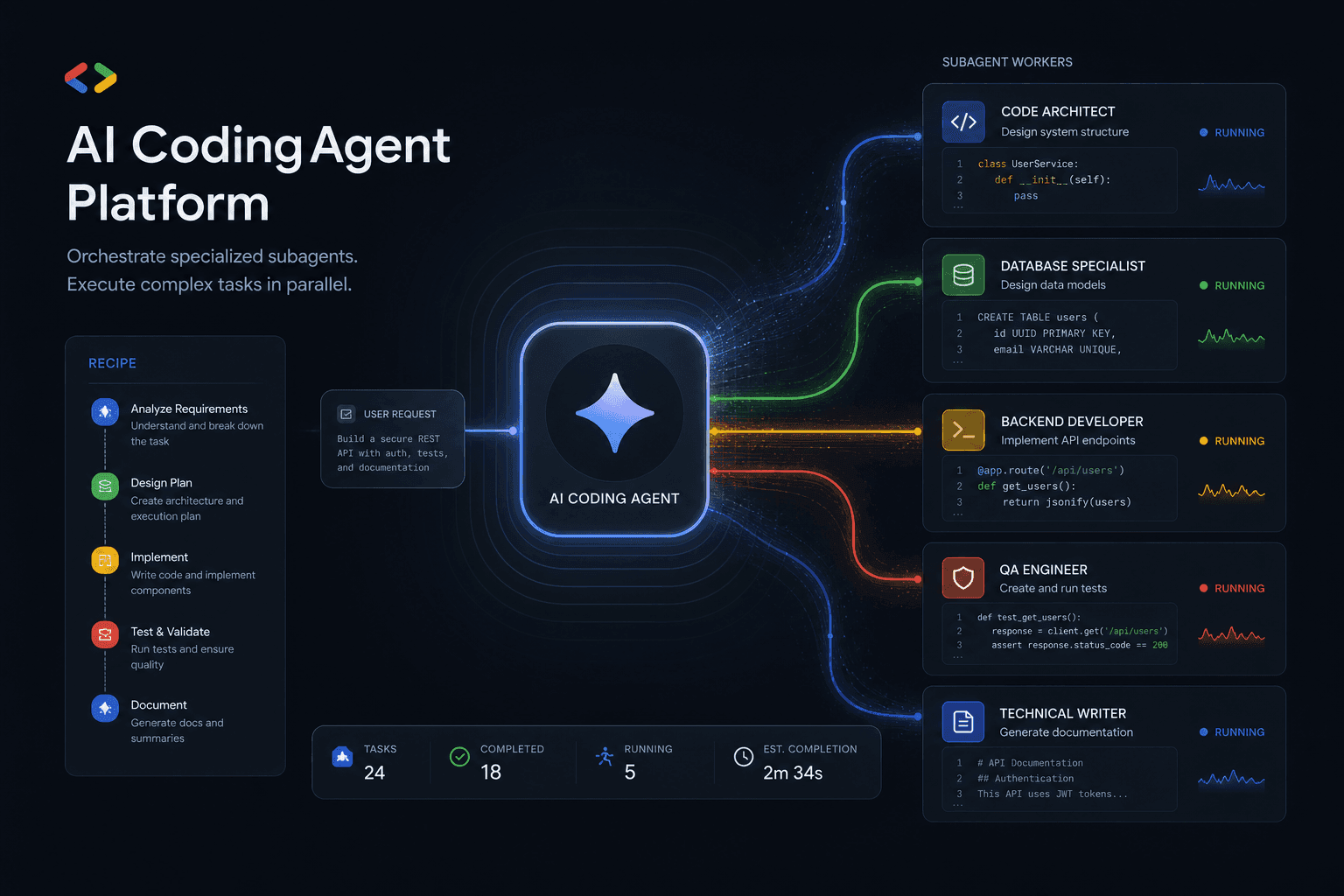
Antigravity 2.0 Subagent Recipes: How I Prompted Multi-Agent Workflows Day One
Five complete subagent recipes for Google Antigravity 2.0 that save 90+ minutes on Day One. From Friday audits to client onboarding, research briefs to migration assistants.
Claude Code Masterclass: Architecting Agentic Workflows, 1M Token Context, and The Death of Manual PR Reviews
Master Claude Code in this definitive 2026 guide. Discover how to use Opus 4.6, multi-agent teams, 1M token context, and automated PR reviews to radically scale your development workflows.

Google Antigravity Agents: The Complete Blueprint to Multi-Agent Orchestration and Enterprise Automation
The complete blueprint for deploying Google Antigravity multi-agent teams integrated with n8n. Build self-healing workflows, autonomous SEO pipelines, and lead gen systems that operate without human intervention.