Google Antigravity Masterclass: Building Autonomous AI Agents That Scale Your Entire Operation

Table of Contents
Google Antigravity Masterclass: Building Autonomous AI Agents That Scale Your Entire Operation #
Let's cut the delusion for a second.
You are an agency owner, an operator, or a technical founder. You have been told that AI is going to "do the heavy lifting for you." You bought into the hype. You loaded up Cursor, enabled GitHub Copilot, and maybe wired up a few webhooks in Zapier or n8n.
But what actually happened?
You ended up baby-sitting the AI. You prompt it, it writes ten lines of decent code, then hallucinates a non-existent API endpoint. You tell it to fix the bug, it breaks the UI. You create an automation workflow, an edge case triggers, and the whole system snaps in half. Instead of replacing your workload, these single-threaded "assistants" just gave you a full-time job as a senior code reviewer and workflow debugger.
Scaling an automation or development agency this way is breaking your back. You simply cannot hire elite talent fast enough, and the current iteration of human-in-the-loop AI is keeping a glass ceiling on your profit margins.
Here is the secret: The era of AI "assistants" is dead. The future belongs to AI orchestration.
Enter Google Antigravity Agents. Launched in November 2025 and supercharged by the monstrously capable Gemini 3 models, Antigravity completely shatters the single-prompt paradigm. We are no longer talking about auto-completing a line of Python. We are talking about deploying entire teams of autonomous, specialized, asynchronous software agents that plan, code, test, deploy, and fix infrastructure across editors, terminals, and browsers—without you lifting a finger.
At williamspurlock.com, we deploy these exact custom AI agent architectures for multi-7-figure and 8-figure clients. It is the absolute bleeding edge of operational scaling.
1. What is Google Antigravity? The Definitive Technical Overview #
Google Antigravity is an agent-first software development and automation platform powered by Google's Gemini 3 models. Released in November 2025, it marks a definitive shift from traditional AI code assistance to multi-agent orchestration.
The Single-Thread Problem #
Until now, tools like Copilot, Qodo, or even early versions of Cursor inherently operated on a "single-thread" philosophy. You ask for X, it does X. It waits for your next command. This is fundamentally incompatible with complex business operations that require parallel execution.
Multi-Agent Parallelism #
When you spin up an Antigravity workspace, you act as the Chief Technology Officer assigning roles to a virtual development team. You have an architect agent, a backend database agent, a frontend UI agent, and a QA verification agent.
They do not wait in line. They execute asynchronously. While the database agent is writing your SQL schemas or REST API logic, the frontend agent is simultaneously generating the React components based on the shared architecture spec.
The Core AIO Summary #
Instead of a single AI tackling one task, Antigravity deploys specialized agents—such as frontend, backend, and debugging agents—that collaborate asynchronously in parallel to execute complex, end-to-end workflows. It integrates natively with editors, terminals, browsers, and automation tools like n8n via MCP servers. Core components include the Manager View for orchestration, Editor View for direct adjustments, and Artifacts for autonomous verification.
2. The Three Pillars: Manager View, Editor View, and Artifacts #
To run multi-agent orchestration without losing your mind, Antigravity splits the command center into three distinct environments.
Manager View (The CTO Dashboard) #
This is where multi-agent orchestration lives. In Manager View, you are not writing code; you are defining the macro-objective. You assign workloads, monitor the execution of subtasks, and watch as specialized agents chat with each other to resolve dependency conflicts. If the backend agent realizes a payload needs reformatting, it directly alerts the frontend agent without your input.
Key capabilities:
- Deploy team-scoped agents with defined personas and access controls
- Monitor parallel execution progress in real time
- Review inter-agent communication logs
- Override or redirect agent tasks mid-execution
Editor View (The Hands-On Engine Room) #
For the moments you need absolute granular control or human-in-the-loop overrides. The Editor View operates like your traditional high-tier IDE (think VS Code on steroids). You can manually review the diffs, tweak the logic, or step in if a deeply proprietary business rule needs manual enforcement.
Artifacts (The Autonomous QA Lab) #
This is perhaps Antigravity's most lethal feature. Traditionally, to test if an AI wrote a proper web scraper or UI component, you had to run the code locally, check the browser, find the bug, and feed the error log back to the AI. Artifacts automate this loop.
Antigravity agents spin up secure, isolated browser instances to visually and functionally verify their own actions. If a button is misaligned or an API fails, the QA agent captures the browser artifact, diagnoses the failure, and kicks it back to the dev agent for immediate fixing.
The implications are massive: Zero-gap between code generation and visual verification. No human QA bottleneck. No waiting for staging environments.
3. Building the Brain: Skills, Workflows, and .md Configurations #
You might be asking: "How do these agents know my business logic? How do I stop them from overwriting my database or deploying untested garbage?"
Antigravity operates on a beautifully simple, highly extensible framework of modular .md (Markdown) files loaded dynamically via YAML frontmatter.
The agents.md File (Team Roster) #
You define your AI team inside an agents.md file. Here, you dictate an agent's persona, its access limits, and its core competency.
- Security protocols: You can explicitly define: "Never expose the .env file. Never run a DROP TABLE command."
- Context boundaries: You give frontend agents zero context on background server tasks to save token bandwidth and compute costs.
The skills.md Framework (Agent Superpowers) #
Think of skills as modular API tool belts. A vanilla AI model knows general coding. An Antigravity agent equipped with your custom skills.md knows exactly how your specific agency handles database migrations, error logging, or OAuth protocol.
You can use decision trees within these files. If error code 502 → trigger the restart script. If Git merge conflict → run the automatic branch reconciliation skill.
Workflows (.agent/workflows/*.md) #
This is where the magic happens. A workflow is a step-by-step master plan with slash commands and automation rules. When you type /deploy_lead_gen_pipeline, the workflow file springs to life.
An example of workflow logic:
- Initialize database schema (
/db_init) - Spin up API routes asynchronously (
/turbo_backend) - Test via Artifacts
- If pass, deploy via standard CLI pipeline
Turbo Modes #
Turbo modes allow agents to auto-execute safe commands (like running test suites, migrating local databases, or installing standard NPM packages) without pausing to ask permission. It removes friction and accelerates deployment by 10x.
4. Antigravity Meets n8n: The Ultimate AI Agency Stack #
If you follow williamspurlock.com, you know we are obsessed with n8n for enterprise process automation.
At first glance, you might think Antigravity replaces n8n. It does not. It supercharges it. Antigravity is the builder, while n8n is the execution fabric.
Bridging Code Generation with No-Code Execution #
Historically, if a complex n8n flow broke because an API payload changed, your entire operation froze until a human logged in, navigated to the faulty node, rewrote the JavaScript in the code node, and restarted the execution.
With Antigravity agents integrated via an MCP server, here is what happens instead:
- Workflow Creation via Prompt: You tell Manager View: "We need a new SEO pipeline. Monitor our email for guest post pitches, extract domains via OpenAI node in n8n, check their Ahrefs DR, and if DR > 50, add to Airtable and send a Slack alert to the sales team."
- Autonomous Node Assembly: Antigravity does not just conceptually plan it. It actually interacts with your n8n instance, generating the JSON canvas, scaffolding the nodes, securely attaching credentials from your vault, and drafting the custom JavaScript logic for the data transformation nodes.
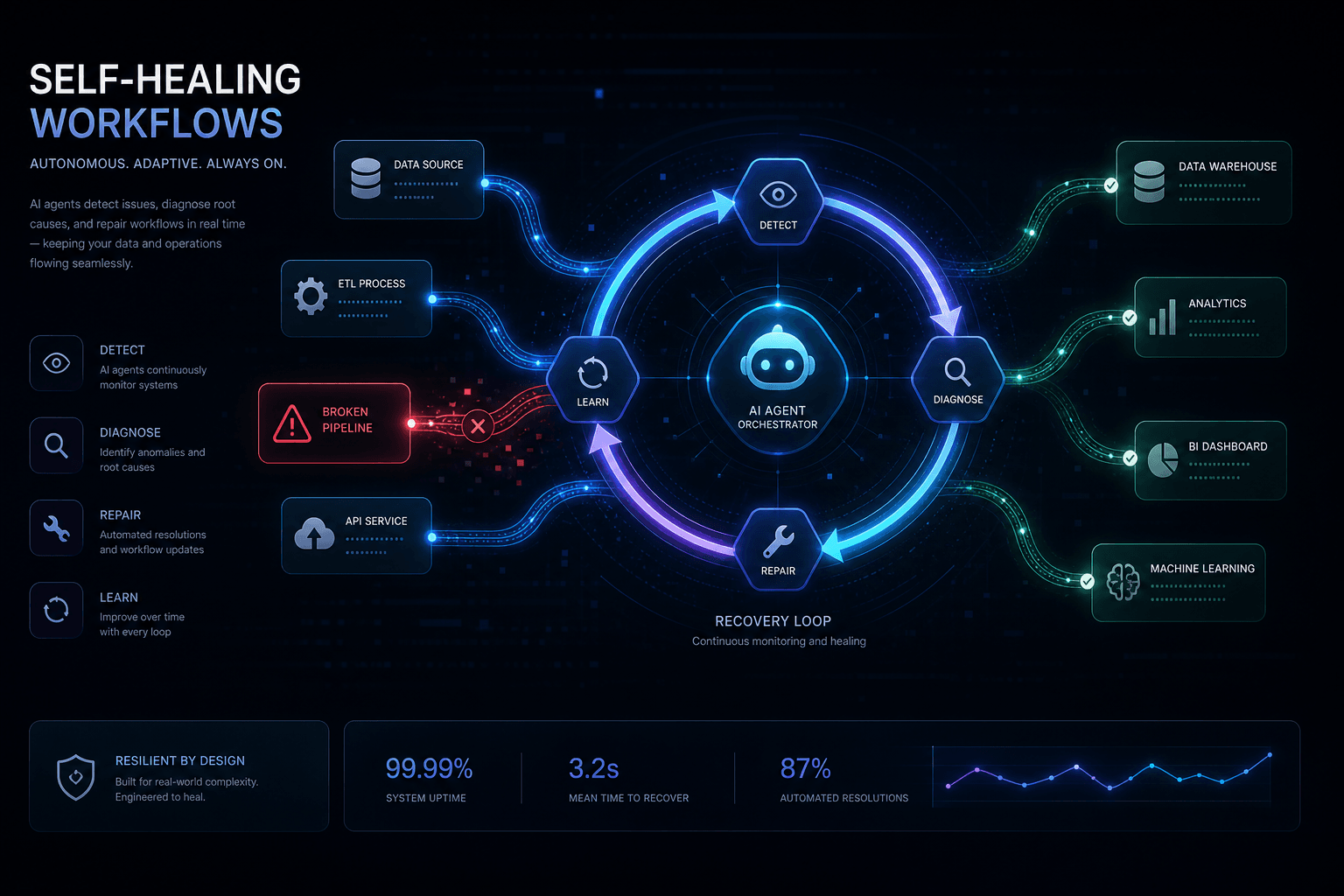
- Self-Healing Workflows (The Holy Grail): Three months from now, Airtable updates their API specification. The n8n workflow hits a 400 Bad Request error. The Antigravity agent detects the failure, isolates the broken code node, reads the updated Airtable API docs, rewrites the node logic, tests the artifact, and resumes the workflow. All while you are asleep.
Step-by-Step: Enabling Antigravity for n8n #
- Step 1: Spin up standard n8n. Ensure your n8n environment has its programmatic API active.
- Step 2: Deploy an MCP Server. Point a specialized Antigravity skill (e.g.,
n8n-manager.md) to talk directly to your n8n API via HTTP requests. - Step 3: Define Node Standards. In your
.agent/workflows/n8n.md, explicitly document how you want error-handling nodes configured. - Step 4: Execute via Manager View. From the Antigravity terminal, issue the command. The agents translate your natural language request into a valid JSON workflow object and POST it straight to your n8n server.
5. Real-World Agency Workflows You Can Deploy Today #
Stop thinking small. When you have Gemini 3 powered parallelism operating on your machines, you can orchestrate aggressive business systems.
Workflow 1: The Autonomous SEO Content Pipeline #
Instead of paying VA teams to outline, draft, format, and publish:
- Research Agent: Scrapes competitor domains and pulls keyword gap data.
- Structure Agent: Formats the intent into strict YAML outlines.
- Content Agent: Consumes the outline, checks brand voice guidelines via
skills.md, and drafts the piece. - n8n Deployment Agent: Receives the drafted Markdown, triggers an n8n webhook, transforms the structure, adds canonical tags, and deploys directly to Webflow or WordPress CMS.
Workflow 2: High-Ticket B2B Lead Gen and Enrichment System #
A system that scales your outbound predictably:
- A workflow monitors LinkedIn for specific trigger events (e.g., job changes).
- Via n8n, it grabs the raw profile data.
- The Antigravity backend agent rapidly parses the data against your ICP database, executes a custom script to predict enterprise needs, and drafts a hyper-personalized email payload.
- It automatically provisions the sending campaign in Instantly or Smartlead.
Workflow 3: The "Self-Fixing" Abandoned Cart Flow #
For e-commerce operations doing high volume:
- Your standard n8n flow triggers SMS and email on cart abandonment.
- If Twilio's API goes down and throws SMS errors, human teams would panic.
- An Antigravity agent connected to incident management detects the spike in failure rates, spins up an alternate node structure routing traffic to AWS SNS instead of Twilio, bypasses the outage, and logs the change to the agency dev team.
Zero lost revenue.
6. Google Antigravity vs. The Competition: The 2026 Breakdown #
The competitive landscape in AI development tools is brutal. Here is why Antigravity pulls ahead.
Antigravity vs. Cursor and GitHub Copilot #
Cursor and Copilot are incredible tools for individual contributors. They are inline code-completion engines. But they rely heavily on you driving the car. They lack native autonomous verification. If Cursor writes a bad React component, you have to find out by looking at your localhost.
Antigravity's Artifacts system nullifies this. It runs the browser, tests the component, and fixes it. It acts as the driver, not just the GPS.
Antigravity vs. Claude Code #
Claude Code is an elite agentic CLI tool—powerful for terminal-based development. But Antigravity offers multi-agent parallelism that Claude Code currently does not. Where Claude Code excels at deep, single-threaded reasoning tasks, Antigravity deploys entire agent teams working concurrently across frontend, backend, and QA.
Antigravity vs. n8n (The False Dichotomy) #
Remember, Antigravity does not replace robust operational engines like n8n. A single-threaded script execution engine like n8n is still required to handle low-latency API listening 24/7/365 at scale. Antigravity acts as your Head of Engineering—it builds the n8n logic required, tests it, and patches it during breakages. They are two halves of the ultimate AI automation coin.
7. Installation and Setup: Getting Antigravity Running #
Getting started with Antigravity is straightforward for developers familiar with modern tooling.
System Requirements #
- OS: macOS, Linux, or Windows with WSL2
- Node.js: v18+ required
- Authentication: Google account (Gmail/Workspace)
- Recommended: 16GB+ RAM, multi-core CPU
Installation Steps #
- Navigate to Google's agent-dev portal and download the OS-specific package.
- Authentication forces a Google sign-in via your Gmail/Workspace account.
- In the setup wizard, select the "Gemini 3 Pro" model for complex orchestration.
- Import your existing VS Code
.jsonsettings, extensions, and themes with the one-click migration tab. - Configure your
agents.md,skills.md, and workflow files in the.agent/directory.
First Run Checklist #
- Authenticate with Google account
- Select Gemini 3 Pro model
- Import IDE settings
- Create
.agent/agents.mdwith team definitions - Create
.agent/skills.mdwith custom capabilities - Test a simple multi-agent task via Manager View
8. Advanced Configuration: Turbo Modes, HITL Checkpoints, and Security #
For enterprise deployments, proper configuration separates a prototype from a production system.
Configuring Turbo Mode #
Turbo Mode allows agents to auto-execute predetermined "safe" commands without human approval. This dramatically accelerates development cycles but requires careful scoping.
Safe for Turbo:
- Running test suites (
npm test,pytest) - Installing standard packages (
npm install,pip install) - Database migrations on development environments
- Linting and formatting (
eslint --fix,prettier)
Never Turbo:
- Production deployments
- Database operations on production
- Financial transactions
- Data deletion commands
Human-in-the-Loop (HITL) Checkpoints #
While the magic lies in turbo modes for auto-execution, enterprise users can disable turbo mode for critical deployments, forcing the Manager View to alert the user for approval via the Artifact system before pushing to live production.
Security Best Practices #
- Environment Isolation: Run Antigravity agents in containerized environments with restricted network access.
- Credential Vaulting: Never store API keys in
.mdconfiguration files. Use environment variables or dedicated secret managers. - Audit Logging: Enable comprehensive logging of all agent actions, tool calls, and inter-agent communications.
- Access Boundaries: Define explicit file system and network boundaries per agent in
agents.md.
9. Token Economics and ROI Analysis #
Understanding the cost structure is critical for making the business case.
Compute Cost Breakdown #
Antigravity runs on Gemini 3 models, which have competitive pricing:
- Gemini 3 Pro (Manager tasks): Moderate cost per million tokens, ideal for orchestration and deep reasoning.
- Gemini 3 Flash (Agent tasks): Dramatically cheaper, ideal for high-volume routine tasks.
- Local Gemma models: Free inference for non-sensitive, high-frequency operations.
ROI Calculation Framework #
Consider a typical agency operation:
- Without Antigravity: 5 developers × $70/hour × 40 hours/week = $14,000/week in developer payroll.
- With Antigravity: 2 developers overseeing agent teams × $70/hour × 40 hours/week + $500/week in compute = $6,100/week.
- Weekly savings: $7,900.
- Annual ROI: $410,800 in saved operational costs.
This does not account for the velocity multiplier—shipping features 5–10x faster means capturing market share before competitors.
Cost Optimization Strategies #
- Use dynamic model routing: Gemini Flash for simple tasks, Gemini Pro for complex reasoning.
- Leverage local Gemma models for repetitive, non-sensitive operations.
- Monitor token usage per agent and optimize prompts to reduce waste.
- Use caching layers for frequently accessed data to minimize redundant API calls.
10. The Future: Where Antigravity Is Heading #
Google's roadmap for Antigravity signals an acceleration toward full autonomous enterprise operations.
Upcoming Developments #
- Native Cloud IDE Integration: Antigravity will integrate directly with cloud development environments (Cloud Shell, AWS Cloud9) for zero-local-dependency deployments.
- Cross-Platform Agent Mobility: Agents will persist across sessions, devices, and environments. Start a task on your desktop, continue on your phone, deploy from your tablet.
- Enterprise Fleet Management: CTOs will manage hundreds of Antigravity agent teams across departments from a centralized dashboard.
- Enhanced MCP Ecosystem: Deeper protocol-level integrations with n8n, Slack, Jira, GitHub, and custom enterprise APIs.
The AGI Trajectory #
Demis Hassabis and the DeepMind team have been explicit: the capabilities currently reserved for research labs will progressively filter into Antigravity as consumer-facing features. The agents you build today are the foundation for the truly autonomous business operations of 2027 and beyond.
FAQ Section #
Q: What exactly is Google Antigravity and when was it released? #
A: Google Antigravity is an agent-first software development and automation platform powered by Gemini 3 models. It was released in November 2025 and has received major updates throughout early 2026. Unlike traditional AI coding assistants, it deploys multi-agent teams that work in parallel.
Q: Is Google Antigravity an IDE, or does it work inside the terminal? #
A: It is an end-to-end multi-environment platform. You get a dedicated IDE (Editor View), a multi-agent orchestration dashboard (Manager View), and an autonomous QA system (Artifacts). It also hooks into your native terminals and external browsers for verification.
Q: What is the difference between agents.md and skills.md? #
A: agents.md defines who the AI is (persona, access restrictions, core competency), while skills.md defines how to execute a specific capability (exact programmatic steps for database rollbacks, API integrations, deployment procedures).
Q: Can Antigravity handle human-in-the-loop checkpoints? #
A: Absolutely. While turbo modes enable auto-execution for safe operations, enterprise users can disable turbo mode for critical deployments, forcing the Manager View to alert the user for approval before pushing to production.
Q: How does Antigravity integrate with n8n? #
A: Through the Model Context Protocol (MCP), Antigravity acts as a full-time AI developer for your n8n instances. It can create workflows programmatically, debug failing nodes, rewrite JavaScript in code nodes, and implement self-healing logic—all via natural language commands.
Q: What models does Antigravity use under the hood? #
A: Antigravity is powered by Google's Gemini 3 model family, including Gemini 3 Pro for deep reasoning and orchestration, Gemini 3 Flash for high-speed routine tasks, and optional local Gemma models for cost-free, private inference.
Q: How much does Google Antigravity cost? #
A: Antigravity uses usage-based pricing tied to Gemini 3 compute costs. For typical agency development work, compute costs range from $200 to $800/month depending on team size and task complexity. This replaces tens of thousands in developer payroll.
Q: Can I use Antigravity with non-Google AI models? #
A: Antigravity is optimized for the Gemini ecosystem, but via MCP and custom tool integrations, you can route specific tasks to Anthropic Claude, OpenAI GPT models, or local open-source models. The platform is model-aware but not model-locked.
Q: Is Antigravity suitable for solo developers or only enterprise teams? #
A: Both. Solo developers benefit from the parallel agent architecture—one person commanding a team of specialized AI agents. Enterprise teams benefit from the fleet management, security controls, and centralized orchestration dashboard.
Q: How do I prevent agents from making destructive changes to my codebase? #
A: Use agents.md to define explicit file system boundaries, enforce read-only access for certain directories, disable turbo mode for production environments, and implement mandatory HITL checkpoints for any deployment or database-modifying operations.
Conclusion #
The market shift is brutal and unforgiving. Development firms and automation agencies that rely on manual coding, clunky no-code wrestling, and copy-pasting code from ChatGPT will be utterly phased out by 2027.
Google Antigravity and the Gemini 3 ecosystem have decoupled the speed of software creation from human engineering limits. By orchestrating specialized agents to define architecture, write pristine backend code, test UI components autonomously, and actively manage an n8n multi-platform nervous system, you gain the output of a 50-person engineering department for a fraction of the operating cost.
But knowing it exists is fundamentally different from successfully implementing an agentic architecture in real-world business systems perfectly tailored to your revenue model.
Stop wasting time on manual tasks. Stop letting fragile workflows snap in the middle of the night.
At williamspurlock.com, we architect, build, and deploy elite custom AI infrastructure—ranging from hyper-advanced Voice Agents and Meta Ad Automations to deeply intricate, multi-agent AI ecosystems like the one you have just read about.
Are you ready to radicalize your operational scale? Book a consultation today and let's build your competitive advantage.
Related Posts
Claude Code Masterclass: Architecting Agentic Workflows, 1M Token Context, and The Death of Manual PR Reviews
Master Claude Code in this definitive 2026 guide. Discover how to leverage Opus 4.6, multi-agent teams, 1M token context, and automated PR reviews to radically scale your development workflows.
Google Antigravity Agents: The Complete Blueprint to Multi-Agent Orchestration and Enterprise Automation
The complete blueprint for deploying Google Antigravity multi-agent teams integrated with n8n. Build self-healing workflows, autonomous SEO pipelines, and lead gen systems that operate without human intervention.
Google Antigravity Skills: Mastering AI-Assisted IDEs and Agentic Orchestration
Master Google Antigravity Skills — the modular markdown-based system that turns AI agents into domain-specific experts. Learn to build, configure, and deploy custom skills for autonomous development.