The Scroll Storytelling Playbook: How Premium Sites Use Motion to Convert

Table of Contents
The Scroll Storytelling Playbook: How Premium Sites Use Motion to Convert #
What Is Scroll Storytelling and Why Does It Convert? #
Scroll storytelling is a narrative architecture that transforms vertical scrolling into a controlled timeline, revealing content through choreographed motion as users progress down the page. Unlike static websites where users passively consume information, scroll-driven sites create active participation—every scroll gesture triggers a visual response that rewards exploration and deepens engagement.
The core mechanism is simple but powerful: scroll position becomes animation progress. As a user scrolls from 0% to 100% of a section, elements fade, slide, scale, or transform based on that exact progress percentage. This creates a film-like experience where the "viewer" controls the pace through their scroll behavior.
The Architecture of Scrollytelling #
At its foundation, scroll storytelling requires three components working in concert:
| Component | Purpose | Implementation |
|---|---|---|
| Scroll Observer | Monitors scroll position relative to trigger elements | GSAP ScrollTrigger, Intersection Observer API |
| Animation Timeline | Defines what changes and when | CSS animations, GSAP timelines, WebGL shaders |
| Scrubbing Engine | Maps scroll progress to animation progress | scrub: true for 1:1 mapping, scrub: 1 for smooth catch-up |
The transformation from static to scroll-driven isn't merely aesthetic—it's architectural. Traditional web pages present all content simultaneously, creating cognitive overload. Scroll storytelling staggers reveals strategically, guiding attention through a designed narrative arc: attention → context → tension → release → action.
Why Motion Converts #
The conversion impact is measurable. Sites implementing scroll-driven narratives consistently report 20-44% increases in conversion rates compared to static equivalents. The mechanism is psychological: motion triggers dopamine release, and controlled progression creates the illusion of discovery rather than consumption.
When users scroll through a motion-rich experience, several psychological forces activate:
The Zeigarnik Effect: Incomplete sequences create tension that demands resolution. A partially revealed headline or mid-transition element compels continued scrolling.
Variable Reward Scheduling: Like slot machines, unpredictable reveal patterns (staggered timing, varied motion types) trigger dopamine release that reinforces the scrolling behavior.
Agency Illusion: Users believe they're discovering content through their actions, not having it pushed at them. This perceived autonomy increases engagement and receptivity to messaging.
The data supports this psychology. Research from Shopify implementations shows scroll-animated product pages achieve 12% higher conversion rates, while comprehensive motion-rich experiences from agencies report 44% conversion lifts alongside 62% increases in average session duration.
The Premium Positioning Effect #
Beyond conversion metrics, scroll storytelling signals premium quality. When users encounter smooth, choreographed motion, they unconsciously associate the brand with attention to detail and investment in experience. This perception justifies higher price points and creates differentiation in saturated markets.
The investment required—typically 40-80 additional development hours for a comprehensive scroll experience—pays dividends in perceived value. For service businesses, creative agencies, and premium e-commerce, scroll storytelling has become the baseline expectation for category-leading brands.
Scroll storytelling isn't decoration. It's conversion architecture that transforms the most common user interaction—scrolling—into an engagement engine that builds narrative momentum toward action.
The Psychology of Scroll-Driven Narratives #
Scroll-driven narratives exploit fundamental human cognitive biases around motion, completion, and self-determination to increase engagement and conversion. Motion captures attention automatically—our visual systems evolved to prioritize movement as a survival mechanism. Scroll storytelling weaponizes this biological imperative for digital persuasion.
The psychology operates on three levels: attention capture, emotional investment, and behavioral reinforcement. Understanding each layer explains why scroll-driven sites consistently outperform static equivalents on metrics that matter.
Attention Capture: The Visual System's Motion Priority #
The human brain processes motion through dedicated neural pathways that bypass conscious filtering. When an element animates into view, it triggers an involuntary orienting response—a brief, automatic shift of attention. This response happens in 50-150 milliseconds, before the user makes any conscious decision about where to look.
Static websites compete for attention within crowded visual fields. Scroll-driven sites own attention through motion. Each scroll-triggered reveal hijacks the visual priority system, ensuring critical messages receive processing resources. This isn't manipulation—it's architectural attention management that respects cognitive limits by sequencing information rather than overwhelming with simultaneity.
The Progress Principle and Completion Drive #
Humans are completion-seeking creatures. The Zeigarnik effect—our tendency to remember incomplete tasks better than completed ones—drives us to finish what we've started. Scroll storytelling leverages this by creating "narrative incompleteness" at strategic intervals.
Consider this progression architecture:
| Scroll Position | Narrative State | Psychological Trigger |
|---|---|---|
| 0-20% | Hero reveal, value proposition | Curiosity activation |
| 20-40% | Problem agitation, stakes establishment | Emotional investment |
| 40-60% | Solution introduction, proof elements | Credibility building |
| 60-80% | Social proof, objection handling | Trust consolidation |
| 80-100% | Call-to-action, conversion moment | Action facilitation |
Each section ends with a visual or narrative hook that implies continuation—a partially revealed testimonial, a stat that "builds" to its final number, a product feature that rotates to show the next angle. These incomplete moments create mild cognitive tension that compels continued scrolling.
Agency Illusion and Self-Determination Theory #
Self-determination theory identifies autonomy as a core psychological need. When users feel coerced, they resist. When they feel in control, they engage. Scroll storytelling creates the powerful illusion that users are discovering content through their own exploration rather than receiving predetermined messaging.
The scroll gesture itself reinforces this autonomy. Unlike auto-playing videos or intrusive popups, scroll-driven content responds to user-initiated action. The timing, pace, and even direction (scroll up to reverse) remain under user control. This perceived agency increases receptivity to the underlying message—users attribute their engagement to personal interest rather than external manipulation.
Research from behavioral economics confirms this effect: choices made under conditions of perceived autonomy generate higher satisfaction and commitment than identical choices presented without autonomy cues. Scroll-driven sites convert better partly because users believe the conversion was their idea.
Dopaminergic Reward Scheduling #
Variable reward schedules—intermittent, unpredictable rewards—generate the strongest behavioral reinforcement. This is why slot machines addict and why social media feeds scroll infinitely. Scroll storytelling applies this principle through choreographed reveal patterns.
Effective scroll narratives vary their reward timing:
- Immediate rewards: Quick fades on minor elements (icons, labels) provide instant feedback
- Delayed rewards: Major content reveals after sustained scrolling build anticipation
- Staggered rewards: Sequences where multiple elements reveal in waves create complexity
- Surprise rewards: Unexpected motion directions or transformation types interrupt pattern recognition
This variation maintains dopamine release throughout the experience. Static sites front-load all information, generating a single attention spike followed by declining engagement. Scroll-driven sites distribute dopamine hits across the entire journey, sustaining attention through to conversion points.
The Scroll Depth → Conversion Correlation #
Users who scroll deeper convert at significantly higher rates—this correlation is among the most reliable in conversion optimization. Data from multiple e-commerce implementations shows that users reaching the 75% scroll depth mark convert 2-3x more frequently than those who bounce before 50%.
Scroll storytelling directly addresses this by making deeper scrolling rewarding. Every additional viewport of content provides novel motion experiences, new information reveals, or interactive moments. The journey down the page becomes intrinsically motivating rather than a chore required to reach the CTA.
This transforms the funnel architecture. Traditional sites fight to push users toward conversion through repetitive CTAs, exit-intent popups, and aggressive retargeting. Scroll-driven sites pull users through narrative gravity—the experience itself creates momentum that carries users naturally toward action.
The psychological stack—attention capture, completion drive, agency illusion, dopamine scheduling, and depth correlation—explains why scroll storytelling outperforms. It doesn't just look better. It cognitive-architecturally out-engineers static approaches by aligning with how human attention, motivation, and decision-making actually work.
GSAP ScrollTrigger Architecture Fundamentals #
GSAP ScrollTrigger is the industry-standard engine for scroll-driven animation, providing precise control over the relationship between scroll position and animation progress. While CSS scroll-driven animations have improved, ScrollTrigger remains the only solution offering production-grade pinning, scrubbing with velocity smoothing, and timeline integration for complex narrative sequences.
Understanding ScrollTrigger's architecture requires grasping three core concepts: triggers (where animations activate), scrubbing (how scroll maps to progress), and pinning (controlling the viewport during scroll-driven sequences).
The Trigger-Timeline Relationship #
Every ScrollTrigger animation begins with a trigger element—a DOM node that defines when and where the animation executes. The trigger creates a coordinate system where scroll position maps to animation progress.
import gsap from "gsap";
import { ScrollTrigger } from "gsap/ScrollTrigger";

gsap.registerPlugin(ScrollTrigger);

// Basic trigger configuration
gsap.to(".animated-element", {
  scrollTrigger: {
    trigger: ".section-container",  // Element that triggers animation
    start: "top 80%",             // When trigger's top hits 80% of viewport
    end: "bottom 20%",            // When trigger's bottom hits 20% of viewport
    markers: true,                // Debug visualization (remove in production)
  },
  opacity: 1,
  y: 0,
  duration: 1
});
The start and end values use a position:position syntax where the first value describes the trigger element and the second describes the viewport. Common configurations:
| Start Value | Meaning | Use Case |
|---|---|---|
"top 80%" |
Trigger's top hits 80% down viewport | Entrance animations |
"top center" |
Trigger's top hits viewport center | Mid-section reveals |
"center center" |
Trigger's center hits viewport center | Full-visibility triggers |
"top top" |
Trigger's top hits viewport top | Pinning start points |
Scrubbed vs. Triggered Animations #
ScrollTrigger offers two fundamental animation modes that serve different narrative purposes:
Triggered Animations (toggleActions) play once when the scroll position crosses a threshold. They're ideal for entrance effects and one-time reveals.
gsap.from(".reveal-card", {
  scrollTrigger: {
    trigger: ".reveal-card",
    start: "top 85%",
    toggleActions: "play none none reverse"
    // play on enter | pause on leave | resume on re-enter | reverse on exit
  },
  opacity: 0,
  y: 60,
  duration: 0.8,
  ease: "power2.out"
});
Scrubbed Animations (scrub: true or scrub: 1) bind animation progress directly to scroll position, creating a timeline that users control through scrolling.
gsap.to(".parallax-layer", {
  scrollTrigger: {
    trigger: ".parallax-section",
    start: "top bottom",
    end: "bottom top",
    scrub: 1  // 1 second smoothing; use true for 1:1 mapping
  },
  y: -200,  // Moves up 200px as user scrolls through section
  ease: "none"  // CRITICAL: disable easing with scrubbing
});
Critical rule: Always set ease: "none" on scrubbed animations. Easing functions fight against the direct scroll-to-progress mapping, creating visual inconsistency.
The Pinning Architecture #
Pinning is ScrollTrigger's most powerful feature for scroll storytelling. It temporarily fixes the viewport to a specific scroll position while content animates, then releases when the animation completes.
const pinnedTimeline = gsap.timeline({
  scrollTrigger: {
    trigger: ".pinned-section",
    pin: true,                    // Pin the section during animation
    start: "top top",             // Pin starts when section top hits viewport top
    end: "+=2000",                // Pin lasts for 2000px of scroll
    scrub: 1,                     // Smooth progress through pinned duration
    snap: {
      snapTo: "labels",           // Optional: snap to labeled timeline points
      duration: { min: 0.2, max: 0.5 },
      ease: "power1.inOut"
    }
  }
});

// Build a multi-step narrative within the pinned section
pinnedTimeline
  .from(".headline", { opacity: 0, y: 50, duration: 0.3 }, 0)
  .from(".subhead", { opacity: 0, y: 30, duration: 0.3 }, 0.2)
  .to(".feature-image", { scale: 1.2, rotation: 5, duration: 0.5 }, 0.4)
  .to(".cta-button", { opacity: 1, scale: 1, duration: 0.3 }, 0.8);
Pinning creates the "scrollytelling" effect seen on award-winning sites: the user scrolls, but the viewport stays fixed while content transforms. This decouples narrative time from scroll distance, allowing complex sequences that would be impossible during normal scroll velocity.
Batch Processing for Performance #
Creating individual ScrollTriggers for dozens of elements destroys performance. Batch processing groups similar animations to share trigger logic:
ScrollTrigger.batch(".card", {
  interval: 0.1,              // Time window for batching (seconds)
  batchMax: 3,                // Maximum elements per batch
  onEnter: (batch) => {
    gsap.to(batch, {
      opacity: 1,
      y: 0,
      stagger: 0.15,
      overwrite: true
    });
  },
  onLeaveBack: (batch) => {
    gsap.to(batch, {
      opacity: 0,
      y: 30,
      overwrite: true
    });
  }
});
Batching reduces memory overhead and improves scroll performance, especially on mobile devices with limited resources.
Responsive ScrollTrigger with matchMedia() #
Scroll experiences must adapt to viewport dimensions. gsap.matchMedia() provides breakpoint-aware animation configurations:
gsap.matchMedia().add({
  "(min-width: 1024px)": () => {
    // Desktop: complex pinned sequence
    const tl = gsap.timeline({
      scrollTrigger: {
        trigger: ".hero",
        pin: true,
        scrub: 1,
        end: "+=3000"
      }
    });
    tl.to(".desktop-element", { x: 500, scale: 1.5 });
    return () => {} // Cleanup function
  },
  "(max-width: 1023px)": () => {
    // Mobile: simplified fade sequence, no pinning
    gsap.from(".mobile-element", {
      scrollTrigger: {
        trigger: ".hero",
        start: "top 80%"
      },
      opacity: 0,
      y: 30,
      duration: 0.6
    });
    return () => {}
  }
});
The normalizeScroll() Consideration #
Mobile browsers handle scroll events differently than desktop, often introducing momentum scrolling that breaks precise scroll-to-animation mapping. ScrollTrigger's normalizeScroll() addresses this:
ScrollTrigger.normalizeScroll({
  allowNestedScroll: true,    // Permit scrollable child containers
  lockAxis: true,             // Prevent simultaneous X/Y scrolling
  momentum: (self) => {
    // Custom momentum function for consistent feel
    return Math.min(self.velocity * 0.8, 1000);
  }
});
For production scroll experiences targeting mobile users, normalizeScroll() is essential for consistent animation behavior across platforms.
React and Next.js Integration #
Modern scroll experiences are typically built in React. The @gsap/react package provides the useGSAP hook for automatic cleanup:
import { useGSAP } from "@gsap/react";
import { useRef } from "react";

export const ScrollSection = () => {
  const containerRef = useRef(null);

  useGSAP(() => {
    gsap.from(".reveal", {
      scrollTrigger: {
        trigger: containerRef.current,
        start: "top 70%"
      },
      opacity: 0,
      stagger: 0.1
    });
  }, { scope: containerRef });  // Scoped to this component only

  return <div ref={containerRef}>{/* content */}</div>;
};
The useGSAP hook automatically handles cleanup when components unmount, preventing memory leaks in single-page applications.
ScrollTrigger's architecture—triggers, scrubbing, pinning, batching, and responsive configurations—provides the complete toolkit for production scroll storytelling. These primitives, combined thoughtfully, enable the narrative experiences that justify premium positioning and drive conversion lifts.
Pacing and Anchoring: The Rhythm of Scrollytelling #
Pacing in scroll storytelling is the deliberate choreography of scroll distance against narrative beats, creating rhythm through variation in motion intensity, duration, and reveal density. Just as film editors control pacing through shot length and transition speed, scroll experiences must modulate their "scroll density"—how much narrative content maps to each pixel of vertical movement.
Poorly paced scroll experiences feel monotonous or exhausting. The user either scrolls through endless content with nothing happening, or faces constant motion chaos that induces fatigue. Effective pacing follows narrative arc principles: establish, escalate, climax, resolve.
Scroll Distance as Narrative Time #
In scroll storytelling, distance equals time. The longer the scroll distance allocated to a narrative beat, the more "screen time" that element receives. This allocation must follow narrative priority, not content volume.
Consider a typical conversion funnel narrative:
| Narrative Phase | Scroll Distance | Motion Intensity | Purpose |
|---|---|---|---|
| Hook (Hero) | 100vh | High impact, fast | Capture attention |
| Agitation (Problem) | 150vh | Medium, building | Create tension |
| Solution (Features) | 200vh | Varied, complex | Deliver value |
| Proof (Social) | 100vh | Low, steady | Build trust |
| Action (CTA) | 50vh | High, focused | Drive conversion |
Notice the pattern: more scroll distance for complex content, less for focused CTAs. The solution phase receives maximum scroll allocation because it's where users need time to process and believe. The CTA phase receives minimal distance because it requires quick, decisive action without overthinking.
The Pacing Rhythm: Variation Creates Interest #
Consistent motion speed creates monotony. Effective scroll storytelling varies pacing through three techniques:
Velocity Changes: Varying
scrubvalues across sectionsscrub: 0.5for fast, punchy revealsscrub: 2for slow, contemplative momentsscrub: true(1:1) for precise control sections
Reveal Density: Controlling how many elements animate per viewport
- Low density (1-2 elements): Calm, premium feel
- High density (5+ elements): Energetic, dynamic feel
- Variable density: Emotional modulation
Transition Types: Alternating animation patterns
- Fade reveals: Low energy, informational
- Slide reveals: Medium energy, directional
- Scale reveals: High energy, emphatic
- Parallax layers: Depth, sophistication
// Pacing variation through scrub values
const sections = gsap.utils.toArray(".story-section");

sections.forEach((section, i) => {
  const scrubValues = [0.5, 2, 1, 3];  // Alternating speeds

  gsap.timeline({
    scrollTrigger: {
      trigger: section,
      start: "top top",
      end: "+=1500",
      pin: true,
      scrub: scrubValues[i % scrubValues.length]
    }
  })
  .from(section.querySelector(".headline"), { opacity: 0, y: 50 })
  .from(section.querySelector(".content"), { opacity: 0 }, 0.3);
});
Anchoring with Snap Points #
Anchoring prevents users from stopping scroll at awkward mid-animation positions. Without anchoring, a visitor might pause with elements half-visible, half-transparent, or mid-transition—creating a broken visual state that undermines professionalism.
ScrollTrigger's snap feature solves this by automatically adjusting scroll position to complete animation states when scrolling stops:
// Snap to nearest timeline label
ScrollTrigger.create({
  trigger: ".anchored-section",
  pin: true,
  start: "top top",
  end: "+=3000",
  scrub: 1,
  snap: {
    snapTo: (progress, self) => {
      // Snap to 0%, 25%, 50%, 75%, 100% of progress
      const snapPoints = [0, 0.25, 0.5, 0.75, 1];
      return gsap.utils.snap(snapPoints, progress);
    },
    duration: { min: 0.15, max: 0.35 },
    delay: 0,  // Immediate snap
    ease: "power2.out"
  }
});
Snap point strategy: Align snaps to narrative beats, not arbitrary intervals. Each snap position should represent a complete visual state where all elements are either fully revealed or fully hidden—not mid-transition.
Building Anticipation Through Scroll Distance #
Anticipation is the psychological preparation for upcoming events. In scroll storytelling, anticipation is built by requiring sustained scroll effort before major reveals.
// Three-phase anticipation build
gsap.timeline({
  scrollTrigger: {
    trigger: ".anticipation-section",
    pin: true,
    start: "top top",
    end: "+=4000",  // Extra long for tension building
    scrub: 1
  }
})
// Phase 1: Foreshadowing (0-25%)
.to(".hint-element", { opacity: 0.3, duration: 0.25 }, 0)

// Phase 2: Escalation (25-60%)
.to(".hint-element", { opacity: 0.6, scale: 1.1, duration: 0.35 }, 0.25)
.to(".tension-indicator", { rotation: 15, duration: 0.35 }, 0.25)

// Phase 3: Climax (60-75%)
.to(".major-reveal", { opacity: 1, scale: 1, y: 0, duration: 0.15 }, 0.6)

// Phase 4: Resolution (75-100%)
.to(".supporting-content", { opacity: 1, stagger: 0.05 }, 0.75);
This structure mirrors classical narrative arcs: foreshadowing creates curiosity, escalation builds tension, climax delivers the payoff, and resolution provides closure before the next sequence.
The Release Pattern: Giving Users Rest #
Sustained intensity creates fatigue. Effective scroll experiences include "rest zones"—sections with minimal or no animation where users can recover processing capacity.
| Section Type | Motion Level | Duration | Purpose |
|---|---|---|---|
| Intense Sequence | High | 150vh | Engagement peak |
| Rest Zone | Minimal | 100vh | Cognitive recovery |
| Medium Sequence | Medium | 150vh | Sustained interest |
| Rest Zone | Minimal | 80vh | Preparation for climax |
| Climax Sequence | Very High | 120vh | Conversion drive |
Rest zones don't mean static content—they mean predictable, low-effort content. Simple fade-ins, clean typography, generous whitespace. The contrast between intense and rest sections creates a breathing rhythm that extends session duration.
Measuring Pacing Effectiveness #
Analytics reveal pacing problems. Track these metrics to diagnose issues:
- Scroll depth distribution: Users clustering at specific points indicates snap or reveal issues
- Session duration by section: Exits during high-intensity sections suggest pacing fatigue
- Return scrolling: Users scrolling back up indicates confusion or desire to re-read—often from moving too fast
A/B testing pacing variations often reveals counterintuitive results: slower pacing frequently outperforms faster pacing, even with shorter session durations, because comprehension improves and decision quality increases.
Pacing and anchoring transform scroll experiences from technical demonstrations into narrative art. The rhythm of reveal, rest, and climax guides users through designed emotional arcs that prepare them for conversion moments. Master these elements, and scroll becomes a medium for persuasion, not just presentation.
Reveal Patterns: Fade, Slide, Scale, and Parallax #
Reveal patterns are the fundamental visual vocabulary of scroll storytelling—the specific motion types that transform hidden elements into visible content. While infinite animation variations exist, four patterns form the foundation: fade, slide, scale, and parallax. Mastery of these four, and their strategic combinations, enables sophisticated scroll experiences without visual chaos.
Each pattern carries distinct psychological weight and appropriate use cases. Understanding when to deploy each type separates professional scroll storytelling from amateur attempts that feel random or overwhelming.
Pattern 1: Fade Reveals #
Fade reveals (opacity transitions) are the most subtle pattern, making them ideal for text-heavy content where motion shouldn't compete with readability. They're also the most performant—opacity changes are GPU-accelerated and cause no layout thrashing.
// Fade reveal with subtle Y-axis movement
gsap.from(".fade-reveal", {
  scrollTrigger: {
    trigger: ".fade-reveal",
    start: "top 85%",
    toggleActions: "play none none reverse"
  },
  opacity: 0,
  y: 20,
  duration: 0.8,
  ease: "power2.out"
});
When to use fade reveals:
- Body text and long-form content
- Background elements and secondary information
- When multiple elements animate simultaneously
- For "rest zone" sections with minimal motion
When to avoid:
- Primary CTAs (needs more emphasis)
- Hero content (too subtle for first impressions)
- Single-element focal points (feels underwhelming)
Pattern 2: Slide Reveals #
Slide reveals introduce directional movement, creating dynamic energy and implying progression. The direction matters: upward slides suggest ascension/positive momentum, downward slides suggest grounding, horizontal slides suggest lateral relationships.
// Multi-directional slide system
gsap.utils.toArray(".slide-up").forEach((el) => {
  gsap.from(el, {
    scrollTrigger: {
      trigger: el,
      start: "top 85%"
    },
    opacity: 0,
    y: 60,
    duration: 0.7,
    ease: "power3.out"
  });
});

gsap.utils.toArray(".slide-left").forEach((el) => {
  gsap.from(el, {
    scrollTrigger: { trigger: el, start: "top 80%" },
    opacity: 0,
    x: -80,
    duration: 0.8,
    ease: "power3.out"
  });
});

// Staggered slide for card grids
ScrollTrigger.batch(".card-grid .card", {
  onEnter: (batch) => {
    gsap.from(batch, {
      opacity: 0,
      y: 40,
      stagger: 0.1,
      duration: 0.6,
      ease: "power2.out"
    });
  }
});
Directional psychology:
| Direction | Psychological Association | Best For |
|---|---|---|
y: -60 (downward) |
Revelation, arrival | Headers, hero content |
y: 60 (upward) |
Ascension, growth | Success metrics, results |
x: -80 (rightward) |
Forward progress | Process steps, timelines |
x: 80 (leftward) |
Return, reflection | Testimonials, history |
Pattern 3: Scale Reveals #
Scale reveals (size transformations) create emphasis through dimensional change. They're the most attention-grabbing pattern, making them perfect for critical conversion elements and hero content—but dangerous when overused.
// Hero scale reveal with elastic finish
gsap.from(".hero-headline", {
  scrollTrigger: {
    trigger: ".hero",
    start: "top 70%"
  },
  opacity: 0,
  scale: 0.8,
  duration: 1,
  ease: "elastic.out(1, 0.5)"
});

// Button scale with hover amplification
gsap.from(".cta-button", {
  scrollTrigger: {
    trigger: ".cta-section",
    start: "top 80%"
  },
  opacity: 0,
  scale: 0.9,
  duration: 0.6,
  ease: "back.out(1.7)"
});
Scale reveal guidelines:
- Use
scale: 0.8toscale: 0.95for subtle emphasis - Use
scale: 1.05toscale: 1.1for "pop" effects on hover/active states - Always combine with opacity fade for smoother appearance
- Avoid scaling text larger than
scale: 1.2to prevent quality degradation
Pattern 4: Parallax Layers #
Parallax creates depth perception by moving background and foreground elements at different speeds during scroll. This simulates real-world depth cues where distant objects appear to move slower than close objects.
// Multi-layer parallax system
const parallaxLayers = [
  { selector: ".bg-layer", speed: 0.2 },    // Slowest, most distant
  { selector: ".mid-layer", speed: 0.5 },   // Medium speed
  { selector: ".content-layer", speed: 1 }, // Normal scroll
  { selector: ".fg-layer", speed: 1.3 }     // Faster, closest
];

parallaxLayers.forEach(({ selector, speed }) => {
  gsap.to(selector, {
    scrollTrigger: {
      trigger: ".parallax-container",
      start: "top bottom",
      end: "bottom top",
      scrub: true
    },
    y: (i, target) => -speed * 100,
    ease: "none"
  });
});
Parallax speed guidelines:
| Speed Factor | Movement | Depth Perception |
|---|---|---|
| 0.1 - 0.3 | Very slow | Deep background |
| 0.4 - 0.6 | Slow | Mid-ground |
| 0.7 - 1.0 | Normal | Content layer |
| 1.1 - 1.5 | Fast | Foreground elements |
| 1.5+ | Very fast | Floating/overlay elements |
Critical parallax rule: Never exceed speed: 2 for foreground elements. Extreme parallax creates motion sickness and feels unnatural.
Combining Patterns for Layered Depth #
Single-pattern scroll experiences feel flat. Sophisticated storytelling combines patterns in layered sequences that create depth without chaos.
// Layered reveal: background parallax, content slide, foreground scale
const layeredSection = gsap.timeline({
  scrollTrigger: {
    trigger: ".layered-section",
    start: "top 80%",
    end: "top 30%",
    scrub: 1
  }
});

layeredSection
  // Background: slow parallax fade
  .from(".bg-image", { opacity: 0, y: 50 }, 0)
  // Mid layer: slide from left
  .from(".content-block", { opacity: 0, x: -60 }, 0.2)
  // Foreground: scale emphasis
  .from(".key-stat", { opacity: 0, scale: 0.85 }, 0.4);
Combination principles:
One primary, one secondary: Each section should have one dominant pattern and one supporting pattern. Avoid three or more simultaneous pattern types.
Offset timing: Combine patterns with staggered start times (0.2s gaps) rather than simultaneous execution.
Consistent direction: If sliding multiple elements, keep direction consistent (all left-to-right or all bottom-to-top) within a section.
Vary by section: Change the primary pattern between sections to maintain interest. Section 1: slide-primary. Section 2: scale-primary. Section 3: parallax-primary.
The Pattern Decision Matrix #
| Content Type | Primary Pattern | Secondary Pattern | Rationale |
|---|---|---|---|
| Hero/Above-fold | Scale | Fade | Immediate impact |
| Feature list | Slide | Fade | Sequential processing |
| Data/stats | Scale | Parallax | Emphasis + depth |
| Testimonials | Slide | Fade | Trust building |
| Process steps | Parallax | Slide | Journey metaphor |
| CTA section | Scale | Slide | Urgency + direction |
Anti-Patterns to Avoid #
The Chaos Trap: Combining all four patterns simultaneously within one viewport. This creates visual noise that overwhelms users and destroys comprehension.
The Uniformity Trap: Using the same pattern (usually fade) for every element. This creates monotony that fails to guide attention.
The Direction Conflict: Elements sliding in contradictory directions (some left, some right, some up). This feels disorienting and unprofessional.
The Overscale: Using scale: 2 or greater for reveals. This causes pixelation on images and readability issues on text.
Reveal patterns are the vocabulary, but choreography is the grammar. The specific patterns matter less than their timing, combination, and consistency. Master the four foundations—fade, slide, scale, and parallax—and you possess the complete motion vocabulary needed for world-class scroll storytelling.
Typography in Motion: Kinetic Type Systems #
Typography in motion transforms static text into dynamic narrative elements, amplifying message impact through choreographed reveal sequences. Kinetic type isn't decoration—it's information architecture that controls reading pace, emphasizes hierarchy, and creates emotional resonance through temporal typography.
The challenge: motion must enhance readability, not hinder it. Every typographic animation must answer whether it helps users process information faster and remember it longer. If the answer is no, the animation shouldn't exist.
The SplitText Pattern: Character-by-Character Reveals #
GSAP's SplitText plugin (Club GreenSock benefit) breaks text into characters, words, and lines for granular animation control. This creates cinematic title sequences that command attention.
import { SplitText } from "gsap/SplitText";

// Character-by-character reveal for headlines
const headline = new SplitText(".hero-headline", { type: "chars" });

gsap.from(headline.chars, {
  scrollTrigger: {
    trigger: ".hero-headline",
    start: "top 80%"
  },
  opacity: 0,
  y: 50,
  rotationX: -90,
  stagger: 0.02,
  duration: 0.6,
  ease: "back.out(1.7)"
});
When to use character reveals:
- Hero headlines (maximum impact)
- Key statistics and numbers
- Short CTAs (3-5 words maximum)
- Brand names and taglines
When to avoid:
- Body text (fatiguing to read)
- Long headlines (creates excessive wait time)
- Paragraph content (distracts from comprehension)
Word-Level Stagger: Readable Rhythm #
For longer headlines, word-level reveals maintain readability while adding motion interest. This approach respects reading flow better than character-level animation.
// Word-by-word reveal for subheadlines
const subhead = new SplitText(".subheadline", { type: "words" });

gsap.from(subhead.words, {
  scrollTrigger: {
    trigger: ".subheadline",
    start: "top 85%"
  },
  opacity: 0,
  y: 30,
  stagger: 0.08,
  duration: 0.5,
  ease: "power2.out"
});
Word reveal timing guidelines:
| Headline Length | Stagger Delay | Total Reveal Time | Use Case |
|---|---|---|---|
| 3-5 words | 0.1s | 0.5-0.8s | CTAs, short headlines |
| 6-10 words | 0.08s | 0.8-1.2s | Subheadlines |
| 10-15 words | 0.05s | 1.0-1.5s | Longer taglines |
Line Masking: The Paragraph Reveal #
For body text, line masking reveals content line-by-line without breaking reading flow. This maintains the paragraph structure while adding temporal control.
// Line-by-line reveal for paragraphs
const paragraph = new SplitText(".body-text", { type: "lines" });

// Wrap lines in mask containers for clipping
paragraph.lines.forEach(line => {
  const wrapper = document.createElement("div");
  wrapper.style.overflow = "hidden";
  line.parentNode.insertBefore(wrapper, line);
  wrapper.appendChild(line);
});

gsap.from(paragraph.lines, {
  scrollTrigger: {
    trigger: ".body-text",
    start: "top 85%",
    end: "top 50%",
    scrub: 1
  },
  y: "100%",
  opacity: 0.3,
  stagger: 0.1,
  ease: "none"
});
Line masking creates a "reading pace" effect—users naturally follow the reveal line-by-line, increasing comprehension and retention compared to instant paragraph displays.
Variable Fonts in Scroll Context #
Variable fonts enable weight, width, and slant adjustments through animation, creating responsive typography that morphs during scroll. This is premium territory—few sites use variable fonts well, making them a differentiation opportunity.
// Weight animation on scroll (requires variable font)
gsap.to(".variable-headline", {
  scrollTrigger: {
    trigger: ".variable-headline",
    start: "top 80%",
    end: "bottom 20%",
    scrub: 1
  },
  fontWeight: 100,  // Animate from default (e.g., 700) to thin
  letterSpacing: "0.05em",
  ease: "none"
});

// Width axis animation for emphasis
const widthText = document.querySelector(".width-variable");
gsap.to(widthText, {
  scrollTrigger: {
    trigger: widthText,
    start: "center center",
    end: "+=500",
    scrub: 1,
    pin: true
  },
  fontStretch: "150%",  // wdth axis
  scale: 1.1,
  ease: "none"
});
Recommended variable fonts for scroll experiences:
| Font | Available Axes | Best For |
|---|---|---|
| Inter | wght | Body text, UI |
| Roboto Flex | wght, wdth, slnt, opsz | Versatile system |
| Satoshi | wght | Modern display |
| Outfit | wght | Geometric headlines |
| Source Sans 3 | wght | Editorial content |
Typography Performance: The Readability Threshold #
Motion must never compromise legibility. Establish these constraints:
- Minimum opacity during animation: 0.3 (never fade completely to 0 before reveal)
- Maximum movement distance: 50px for headlines, 30px for body text
- Maximum rotation: 15 degrees (beyond this, text becomes difficult to read)
- Minimum animation duration: 0.3s (faster becomes jarring)
// Readability-safe animation constraints
gsap.from(".readable-text", {
  scrollTrigger: { trigger: ".readable-text", start: "top 85%" },
  opacity: 0.3,  // Not 0—maintains presence
  y: 30,         // Conservative movement
  duration: 0.5, // Comfortable reveal speed
  ease: "power2.out"
});
Kinetic Type Hierarchy #
Different typographic elements deserve different motion treatment based on their hierarchy:
| Element | Motion Type | Intensity | Timing |
|---|---|---|---|
| H1 (Hero) | Character stagger | High | 0.8-1.2s |
| H2 (Section) | Word stagger | Medium | 0.5-0.8s |
| H3 (Subsection) | Line fade | Low-Medium | 0.4-0.6s |
| Body | Line mask | Low | 0.3-0.5s |
| Caption | Simple fade | Minimal | 0.3s |
| CTA | Scale + word stagger | High | 0.5-0.7s |
This hierarchy ensures that motion amplifies information architecture rather than creating random visual noise.
The Temporal Reading Curve #
Text reveals should follow a decelerating curve—fast initial reveals that slow as content becomes denser. This mirrors natural reading behavior where headlines are scanned quickly and body text requires slower processing.
// Decelerating reveal sequence
gsap.timeline({
  scrollTrigger: {
    trigger: ".content-section",
    start: "top 70%"
  }
})
// Fast: H1 (0.6s)
.from(".h1", { opacity: 0, y: 40, duration: 0.6 }, 0)
// Medium: H2 (0.5s)
.from(".h2", { opacity: 0, y: 30, duration: 0.5 }, 0.3)
// Slower: Body (0.4s per paragraph with stagger)
.from(".body-para", {
  opacity: 0,
  y: 20,
  duration: 0.4,
  stagger: 0.15
}, 0.5);
Accessibility: Motion Considerations #
Not all users can tolerate motion. Implement prefers-reduced-motion support:
// Check for reduced motion preference
const prefersReducedMotion = window.matchMedia("(prefers-reduced-motion: reduce)").matches;

if (prefersReducedMotion) {
  // Disable all motion, use simple fades only
  gsap.set(".animated-text", { opacity: 1, y: 0 });
} else {
  // Full animation
  gsap.from(".animated-text", {
    scrollTrigger: { trigger: ".animated-text", start: "top 85%" },
    opacity: 0, y: 30, duration: 0.6
  });
}
Typography in motion requires the most careful execution of any scroll storytelling technique. Poorly executed kinetic type destroys readability; expertly executed kinetic type creates memorable brand moments. The difference lies in respecting reading psychology while adding temporal dimension to static words.
Three.js and WebGL: When Scroll Meets 3D #
Three.js and WebGL enable scroll-driven 3D experiences that transcend flat web design, creating immersive product showcases and brand moments that justify premium positioning. When scroll position controls camera angles, lighting intensity, and 3D object transformations, the website becomes a spatial experience rather than a document.
The combination of ScrollTrigger with Three.js produces award-winning sites that dominate Awwwards and FWA. But this power requires careful performance management—WebGL is expensive, and scroll-driven WebGL is especially demanding.
The Three.js + ScrollTrigger Integration #
Connecting scroll position to 3D scenes requires mapping ScrollTrigger progress to Three.js animation properties. This creates a direct link between user scroll and 3D camera/object state.
import * as THREE from "three";
import gsap from "gsap";
import { ScrollTrigger } from "gsap/ScrollTrigger";

// Three.js setup
const scene = new THREE.Scene();
const camera = new THREE.PerspectiveCamera(75, window.innerWidth / window.innerHeight, 0.1, 1000);
const renderer = new THREE.WebGLRenderer({ antialias: true, alpha: true });
renderer.setSize(window.innerWidth, window.innerHeight);
document.querySelector("#canvas-container").appendChild(renderer.domElement);

// Create a product mesh
const geometry = new THREE.BoxGeometry(2, 2, 2);
const material = new THREE.MeshStandardMaterial({ color: 0x6366f1, metalness: 0.5, roughness: 0.2 });
const product = new THREE.Mesh(geometry, material);
scene.add(product);

// Lighting
const light = new THREE.DirectionalLight(0xffffff, 1);
light.position.set(5, 5, 5);
scene.add(light);

// Scroll-driven animation
let scrollProgress = 0;

gsap.to({}, {
  scrollTrigger: {
    trigger: ".webgl-section",
    start: "top top",
    end: "+=2000",
    pin: true,
    scrub: 1,
    onUpdate: (self) => {
      scrollProgress = self.progress;
    }
  }
});

// Animation loop
function animate() {
  requestAnimationFrame(animate);

  // Map scroll progress to 3D transformations
  product.rotation.y = scrollProgress * Math.PI * 2;  // Full rotation
  product.rotation.x = scrollProgress * 0.5;
  product.position.z = scrollProgress * 2;

  // Dynamic lighting
  light.intensity = 1 + scrollProgress * 0.5;

  renderer.render(scene, camera);
}
animate();
This pattern—ScrollTrigger updates a progress variable, the render loop applies 3D transformations—is the foundation of scroll-driven WebGL.
Camera Choreography Patterns #
The camera is the user's viewpoint into the 3D world. Scroll-driven camera movements create the "flythrough" effect seen in premium product sites.
// Camera path through 3D space
const cameraPath = {
  positions: [
    { x: 0, y: 0, z: 5 },      // Start: front view
    { x: 3, y: 2, z: 3 },      // Quarter rotation
    { x: 5, y: 0, z: 0 },      // Side view
    { x: 3, y: -2, z: -3 },    // Back quarter
    { x: 0, y: 0, z: -5 }      // End: rear view
  ]
};

// Update camera in animation loop
camera.position.x = THREE.MathUtils.lerp(
  cameraPath.positions[0].x,
  cameraPath.positions[4].x,
  scrollProgress
);
camera.lookAt(product.position);
Camera movement guidelines:
| Movement Type | Scroll Distance | Use Case |
|---|---|---|
| Rotation around object | 100vh | Product showcase |
| Push-in/zoom | 50vh | Detail reveal |
| Track/parallax | 150vh | Environment exploration |
| Orbit with height change | 200vh | Complex narrative |
React Three Fiber Integration #
React Three Fiber (R3F) simplifies Three.js in React applications and provides the useScroll hook for direct ScrollTrigger integration:
import { Canvas, useFrame } from "@react-three/fiber";
import { ScrollControls, useScroll } from "@react-three/drei";

function ScrollDrivenMesh() {
  const meshRef = useRef();
  const scroll = useScroll();  // R3F scroll progress hook

  useFrame(() => {
    // Direct scroll-to-transform mapping
    meshRef.current.rotation.y = scroll.offset * Math.PI * 2;
    meshRef.current.position.y = scroll.offset * 2;
    meshRef.current.scale.setScalar(1 + scroll.offset * 0.5);
  });

  return (
    <mesh ref={meshRef}>
      <boxGeometry args={[1, 1, 1]} />
      <meshStandardMaterial color="#6366f1" />
    </mesh>
  );
}

export default function Scene() {
  return (
    <Canvas>
      <ScrollControls pages={3} damping={0.1}>
        <ScrollDrivenMesh />
      </ScrollControls>
    </Canvas>
  );
}
R3F's declarative approach reduces boilerplate and integrates naturally with React component lifecycles.
Shader-Based Scroll Interactions #
Custom shaders enable scroll-driven visual effects impossible with standard materials—dissolve reveals, morphing surfaces, and dynamic lighting responses.
// Vertex shader with scroll-driven displacement
uniform float uScrollProgress;
uniform float uTime;

varying vec2 vUv;
varying float vElevation;

void main() {
  vUv = uv;

  // Scroll-driven wave displacement
  float wave = sin(position.x * 2.0 + uScrollProgress * 10.0) * 0.5;
  float elevation = wave * uScrollProgress;  // Amplitude increases with scroll

  vec3 newPosition = position;
  newPosition.z += elevation;
  vElevation = elevation;

  gl_Position = projectionMatrix * modelViewMatrix * vec4(newPosition, 1.0);
}
// Fragment shader with scroll-driven color
uniform float uScrollProgress;
varying float vElevation;

void main() {
  // Color shifts based on scroll and elevation
  vec3 colorA = vec3(0.4, 0.4, 0.9);  // Indigo
  vec3 colorB = vec3(0.9, 0.3, 0.6);  // Pink

  float mixFactor = vElevation + uScrollProgress;
  vec3 finalColor = mix(colorA, colorB, mixFactor);

  gl_FragColor = vec4(finalColor, 1.0);
}
// Shader material setup with scroll uniform
const shaderMaterial = new THREE.ShaderMaterial({
  vertexShader,
  fragmentShader,
  uniforms: {
    uScrollProgress: { value: 0 },
    uTime: { value: 0 }
  }
});

// Update in animation loop
shaderMaterial.uniforms.uScrollProgress.value = scrollProgress;
Performance Considerations for WebGL Scroll #
WebGL performance is critical—poorly optimized scroll-driven 3D destroys frame rates and battery life.
Polygon Budget by Device:
| Device Tier | Max Polygons | Texture Resolution | Shadow Quality |
|---|---|---|---|
| Desktop/high-end | 500K | 2048x2048 | Soft shadows |
| Desktop/mid-range | 200K | 1024x1024 | Hard shadows |
| Mobile/high-end | 100K | 1024x1024 | No shadows |
| Mobile/mid-range | 50K | 512x512 | No shadows |
Optimization checklist:
- LOD (Level of Detail): Reduce polygon count for distant objects
- Texture atlasing: Combine textures to reduce draw calls
- Instancing: Use
InstancedMeshfor repeated objects - Frustum culling: Skip rendering off-screen objects
- Shadow optimization: Use baked shadows for static elements
- Device detection: Serve simplified scenes to mobile
// Device-adaptive quality
const isMobile = /Android|webOS|iPhone|iPad|iPod|BlackBerry|IEMobile|Opera Mini/i.test(navigator.userAgent);

const config = isMobile ? {
  pixelRatio: 1,
  antialias: false,
  shadows: false,
  maxPolygons: 50000
} : {
  pixelRatio: Math.min(window.devicePixelRatio, 2),
  antialias: true,
  shadows: true,
  maxPolygons: 300000
};

const renderer = new THREE.WebGLRenderer({
  antialias: config.antialias,
  powerPreference: "high-performance"
});
renderer.setPixelRatio(config.pixelRatio);
Lazy Loading WebGL Sections #
Don't initialize WebGL until needed. Use Intersection Observer or ScrollTrigger to trigger Three.js initialization only when the section enters viewport:
let sceneInitialized = false;

ScrollTrigger.create({
  trigger: ".webgl-section",
  start: "top 150%",  // Initialize before visible
  onEnter: () => {
    if (!sceneInitialized) {
      initThreeJS();
      sceneInitialized = true;
    }
  }
});
When to Use WebGL vs. CSS/Canvas #
| Technique | Use When | Avoid When |
|---|---|---|
| CSS 3D transforms | Simple rotations, card flips | Complex lighting, custom materials |
| 2D Canvas | Particle systems, simple drawings | True 3D geometry, lighting |
| Three.js (basic) | Product showcases, simple scenes | High polygon counts, complex physics |
| Three.js (advanced) | Award-winning experiences, immersive branding | MVP launches, tight budgets |
Three.js and WebGL are premium tools for premium budgets. A basic scroll-driven 3D section adds 20-40 development hours. A complex WebGL experience adds 100-200 hours. Deploy Three.js when the brand positioning and project budget justify the investment—it signals a level of technical sophistication that justifies premium pricing.
The combination of scroll control with 3D space creates experiences that flat design cannot achieve. When executed with performance discipline, WebGL scroll storytelling produces the memorable moments that win awards and convert visitors.
Performance Budgets for Animation-Heavy Sites #
Animation-heavy sites face a critical tension: motion increases engagement but destroys performance if unchecked. Performance budgets establish hard constraints that force disciplined decisions—if an animation would push the site over budget, it doesn't ship. This constraint paradoxically improves quality by eliminating gratuitous effects.
A scroll-driven site that stutters at 30fps creates negative brand associations. Users unconsciously associate smooth motion with professionalism and choppy motion with amateur work. 60fps isn't a technical preference—it's a brand quality signal.
The Performance Budget Framework #
Establish quantitative limits before writing animation code:
| Metric | Target | Maximum | Measurement |
|---|---|---|---|
| Frame Rate | 60fps | 55fps minimum | Chrome DevTools Performance panel |
| First Contentful Paint | <1.5s | <2.5s | Lighthouse, WebPageTest |
| Largest Contentful Paint | <2.5s | <4.0s | Lighthouse |
| Time to Interactive | <3.5s | <5.0s | Lighthouse |
| Cumulative Layout Shift | 0 | <0.1 | Lighthouse |
| Total Blocking Time | <200ms | <500ms | Lighthouse |
| JavaScript Bundle (initial) | <150KB | <250KB | webpack-bundle-analyzer |
These budgets must hold on mid-range mobile devices (Moto G Power, iPhone SE), not just developer MacBooks. Test on hardware that represents your actual audience.
The 60fps Constraint: GPU-Accelerated Properties Only #
Only animate properties the GPU can handle without repainting. The browser's compositor thread handles these efficiently; all other properties force main-thread recalculation that destroys frame rates.
GPU-Accelerated (SAFE):
transform(translate, rotate, scale)opacityfilter(with caution on mobile)
Main-Thread (AVOID):
width,height,top,leftmargin,paddingborder-widthbox-shadow(animate opacity of pseudo-element instead)font-size
// ❌ AVOID: Animates layout properties
gsap.to(".element", { width: 300, height: 200 });  // Triggers layout thrashing

// ✅ CORRECT: Animates transform only
gsap.to(".element", { scale: 1.5 });  // GPU-composited, 60fps guaranteed
The will-change Property: Use Sparingly #
will-change hints to the browser that an element will animate, enabling GPU layer creation before animation starts. It's powerful but dangerous—overuse creates memory pressure that hurts performance.
/* Strategic will-change application */
.animated-element {
  /* Apply before animation */
  will-change: transform, opacity;
}

.animated-element.animation-complete {
  /* Remove after animation */
  will-change: auto;
}
// GSAP handles will-change automatically
gsap.to(".element", {
  x: 100,
  onStart: () => {},  // GSAP adds will-change here
  onComplete: () => {}  // GSAP removes will-change here
});
will-change rules:
- Apply to no more than 10 elements simultaneously
- Never apply to elements that aren't currently animating
- Remove immediately after animation completes
- Prefer GSAP's automatic handling over manual CSS
RAF vs. CSS Animations: The Tradeoff #
RequestAnimationFrame (RAF)-driven animations (GSAP's approach) vs. CSS animations represent different optimization strategies:
| Approach | Pros | Cons | Best For |
|---|---|---|---|
| CSS Animations | GPU-native, minimal JS, battery-efficient | Limited control, no scroll sync | Simple entrance effects, hover states |
| RAF (GSAP) | Full control, scroll sync, complex sequencing | Higher CPU usage | Scroll-driven, timeline-based, interactive |
For scroll storytelling, RAF is mandatory—scroll position must drive animation progress, which CSS cannot do. But use CSS for effects that don't need scroll sync:
/* CSS for non-scroll animations */
.hover-scale {
  transition: transform 0.3s ease;
}
.hover-scale:hover {
  transform: scale(1.05);
}
// GSAP for scroll-driven only
gsap.to(".scroll-element", {
  scrollTrigger: { scrub: true },
  x: 200  // Scroll-driven
});
Code-Splitting Animation Libraries #
Don't load GSAP on pages that don't use it. Implement route-based code splitting:
// Dynamic import for scroll-driven pages
const initScrollAnimations = async () => {
  const gsap = await import("gsap");
  const { ScrollTrigger } = await import("gsap/ScrollTrigger");

  gsap.registerPlugin(ScrollTrigger);

  // Animation code here
};

// Only initialize if scroll sections exist
if (document.querySelector("[data-scroll-animate]")) {
  initScrollAnimations();
}
Bundle size targets:
| Library | Gzipped Size | Lazy Load? |
|---|---|---|
| GSAP core | ~24KB | Yes, if not used globally |
| ScrollTrigger | ~11KB | Always lazy load |
| SplitText | ~8KB | Lazy load |
| Three.js | ~150KB | Definitely lazy load |
| Framer Motion | ~38KB | Yes, if not used globally |
Lazy-Loading Scroll Animations #
Don't create ScrollTriggers for elements outside the viewport. Use batching and intersection-based initialization:
// Lazy initialization with Intersection Observer
const observer = new IntersectionObserver((entries) => {
  entries.forEach(entry => {
    if (entry.isIntersecting) {
      initSectionAnimations(entry.target);
      observer.unobserve(entry.target);
    }
  });
}, { rootMargin: "100px" });

document.querySelectorAll(".lazy-animate").forEach(el => observer.observe(el));
Debouncing Resize and Scroll Events #
Never attach listeners directly to scroll or resize events. GSAP's ScrollTrigger handles this automatically, but custom scroll logic must debounce:
// ❌ AVOID: Direct scroll listener
window.addEventListener("scroll", () => {
  updateAnimation();  // Runs every frame, destroys performance
});

// ✅ CORRECT: GSAP's optimized approach (used internally)
ScrollTrigger.create({
  trigger: ".section",
  onUpdate: (self) => {
    // Throttled to RAF automatically
    updateAnimation(self.progress);
  }
});
Measuring and Monitoring Performance #
Establish performance testing as part of your workflow:
// Frame rate monitoring (development only)
let lastTime = performance.now();
let frames = 0;

function measureFPS() {
  const now = performance.now();
  frames++;

  if (now - lastTime >= 1000) {
    console.log(`FPS: ${frames}`);
    frames = 0;
    lastTime = now;
  }

  requestAnimationFrame(measureFPS);
}

// Run on animation-heavy pages during development
measureFPS();
Lighthouse CI integration:
// lighthouserc.js
module.exports = {
  ci: {
    assert: {
      assertions: {
        "categories:performance": ["error", { minScore: 0.9 }],
        "categories:accessibility": ["error", { minScore: 0.9 }],
        "first-contentful-paint": ["error", { maxNumericValue: 1500 }],
        "largest-contentful-paint": ["error", { maxNumericValue: 2500 }],
        "cumulative-layout-shift": ["error", { maxNumericValue: 0.1 }]
      }
    }
  }
};
The Mobile Performance Reality #
Mobile devices are 5-10x slower than desktops for animation. A MacBook Pro might handle 100 animated elements at 60fps; an iPhone SE handles 15. Design for mobile constraints first, then enhance for desktop.
| Device | Safe Element Count | Recommended Scrub Value | Pinning Allowed? |
|---|---|---|---|
| iPhone 15 Pro | 30 elements | 0.5-1 | Yes, short sections |
| iPhone SE (2022) | 15 elements | 1-2 | Brief only |
| Moto G Power | 10 elements | 2+ | Avoid |
| Desktop (M1 Pro+) | 100+ elements | Any | Yes |
Mobile optimization checklist:
- Reduce parallax layer counts (max 3 on mobile)
- Increase scrub values for smoother feel
- Avoid pinning on low-end devices
- Use
normalizeScroll()for consistent behavior - Test on actual devices, not simulators
Performance budgets transform scroll storytelling from a technical gamble into a predictable discipline. The constraints force creative solutions—simpler animations, smarter choreography, prioritized content—that ultimately produce better user experiences than unconstrained approaches that crash under their own weight.
Real-World Patterns from Award-Winning Sites #
Award-winning scroll experiences share architectural patterns that separate professional execution from amateur attempts. Analyzing Awwwards Site of the Day winners and FWA (Favourite Website Awards) recipients reveals consistent approaches to narrative structure, motion pacing, and technical implementation that can be replicated across projects.
These patterns aren't secrets—they're documented conventions that elite studios apply consistently. Understanding them elevates scroll storytelling from experimentation to craft.
Pattern 1: The Pinned Hero Sequence #
The majority of award-winning sites open with a pinned hero section that controls the viewport for 100-300vh of scroll distance. This creates a "movie trailer" effect where the brand narrative unfolds through scroll-controlled reveals before releasing users to standard scrolling content.
Common structure:
| Scroll Progress | Visual State | Narrative Function |
|---|---|---|
| 0-20% | Logo/text reveal, dark background | Brand introduction |
| 20-40% | Product/hero imagery appears | Value proposition |
| 40-60% | Supporting elements stagger in | Feature preview |
| 60-80% | Social proof, stats build | Credibility establishment |
| 80-100% | CTA appears, release to content | Conversion moment |
// Award-winning pinned hero pattern
gsap.timeline({
  scrollTrigger: {
    trigger: ".hero-pinned",
    pin: true,
    start: "top top",
    end: "+=3000",
    scrub: 1,
    snap: {
      snapTo: [0, 0.25, 0.5, 0.75, 1],
      duration: { min: 0.2, max: 0.4 }
    }
  }
})
.from(".brand-logo", { opacity: 0, scale: 0.8, duration: 0.2 }, 0)
.from(".hero-headline", { opacity: 0, y: 50, duration: 0.2 }, 0.15)
.from(".hero-visual", { opacity: 0, scale: 1.1, duration: 0.25 }, 0.3)
.from(".feature-grid .feature", { opacity: 0, y: 30, stagger: 0.05 }, 0.5)
.from(".hero-cta", { opacity: 0, scale: 0.9, duration: 0.15 }, 0.8);
Why this works: It forces users to engage with the brand story before accessing content. The snap points prevent partial reveals, ensuring users always see complete narrative beats.
Pattern 2: The Horizontal Scroll Interlude #
Horizontal scroll sections within vertical flow create memorable moments that break scrolling monotony. Award sites typically use this for product showcases, portfolio galleries, or feature deep-dives.
// Horizontal scroll section pattern
const horizontalSection = gsap.timeline({
  scrollTrigger: {
    trigger: ".horizontal-wrapper",
    pin: true,
    start: "top top",
    end: () => "+=" + document.querySelector(".horizontal-track").scrollWidth,
    scrub: 1
  }
});

horizontalSection.to(".horizontal-track", {
  x: () => -(document.querySelector(".horizontal-track").scrollWidth - window.innerWidth),
  ease: "none"
});
Implementation guidelines:
- Keep horizontal sections to 3-5 panels maximum
- Provide visual progress indicators
- Return to vertical flow immediately after
- Duration should be 150-200vh for comfortable exploration
Pattern 3: The Parallax Depth Stack #
Multi-layer parallax creates spatial depth that distinguishes premium sites. Award winners consistently use 4-6 layers with carefully calibrated speed differentials.
// Award-winning parallax stack
gsap.utils.toArray(".parallax-section").forEach((section) => {
  const layers = section.querySelectorAll(".parallax-layer");

  layers.forEach((layer, i) => {
    const speed = [0.2, 0.4, 0.6, 0.8, 1.0, 1.2][i] || 1;

    gsap.to(layer, {
      scrollTrigger: {
        trigger: section,
        start: "top bottom",
        end: "bottom top",
        scrub: true
      },
      y: (i - 2) * 100 * speed,
      ease: "none"
    });
  });
});
Layer composition pattern:
| Layer | Speed | Content Type | Z-Index |
|---|---|---|---|
| Background | 0.1-0.2 | Abstract shapes, gradients | -10 |
| Far midground | 0.3-0.4 | Decorative elements | -5 |
| Midground | 0.6-0.8 | Secondary imagery | 0 |
| Near foreground | 1.0-1.1 | Primary content | 5 |
| Overlay | 1.2-1.5 | Floating elements, text | 10 |
Pattern 4: The Staggered Card Reveal #
Grid content with staggered reveals is ubiquitous in award sites for features, services, and portfolio sections. The pattern creates visual interest without overwhelming.
// Staggered card reveal with scroll
ScrollTrigger.batch(".card-grid .card", {
  interval: 0.1,
  batchMax: 4,
  onEnter: (batch) => {
    gsap.from(batch, {
      opacity: 0,
      y: 50,
      stagger: {
        each: 0.1,
        from: "start",
        grid: [2, 3]  // Stagger flows across grid
      },
      duration: 0.6,
      ease: "power2.out",
      overwrite: true
    });
  }
});
Common variations:
- Row-based: Cards reveal row by row (left-to-right, top-to-bottom)
- Center-out: Reveals start from center and spread outward
- Random: Stagger delays randomized for organic feel
- Sequential: Each card waits for previous to complete
Pattern 5: The Scroll-Linked Typography #
Large typography that responds to scroll position creates typographic moments that become the visual anchor of sections. Award sites use this for headlines that scale, track, or weight-shift during scroll.
// Variable font weight on scroll
gsap.to(".mega-headline", {
  scrollTrigger: {
    trigger: ".mega-headline",
    start: "top center",
    end: "bottom center",
    scrub: 1
  },
  fontWeight: 100,
  letterSpacing: "0.1em",
  scale: 0.9,
  opacity: 0.6,
  ease: "none"
});
Typography effects seen in award winners:
- Weight morphing: Headlines thin as users scroll past
- Tracking expansion: Letter-spacing increases with scroll
- Fill-to-outline: Solid text becomes outlined
- Color shift: Gradients progress through text
Pattern 6: The Immersive Product Showcase #
Product-focused sites use scroll to control 3D rotations, material reveals, and feature callouts. This pattern justifies premium positioning for physical products, software interfaces, and architectural spaces.
Common sequence:
- Hero: Product in context (lifestyle shot)
- Scroll: Isolated product with 360° rotation
- Continue: Feature callouts appear synced to rotation
- Conclude: Materials/tech specs with exploded view
// Scroll-driven product rotation with callouts
const productTimeline = gsap.timeline({
  scrollTrigger: {
    trigger: ".product-showcase",
    pin: true,
    start: "top top",
    end: "+=4000",
    scrub: 1
  }
});

productTimeline
  .to(".product-model", { rotationY: 90, duration: 0.25 }, 0)
  .from(".feature-1", { opacity: 0, x: -50 }, 0.15)
  .to(".product-model", { rotationY: 180, duration: 0.25 }, 0.25)
  .from(".feature-2", { opacity: 0, x: 50 }, 0.35)
  .to(".product-model", { rotationY: 270, duration: 0.25 }, 0.5)
  .from(".feature-3", { opacity: 0, x: -50 }, 0.6)
  .to(".product-model", { rotationY: 360, duration: 0.25 }, 0.75);
What Separates Gimmick from Strategy #
Gimmicks are animations that exist for their own sake—impressive technically but disconnected from narrative or conversion goals. Strategy is animation that serves communication and persuasion.
| Gimmick | Strategic Alternative |
|---|---|
| Particles that follow cursor | Scroll-driven product highlights |
| Auto-playing carousel | Scroll-controlled feature gallery |
| Bouncing entrance animations | Subtle fade reveals for content |
| Infinite scroll effects | Finite, purposeful narrative sequences |
| Random floating elements | Anchored parallax with content hierarchy |
| Complex shader backgrounds | Subtle gradient shifts supporting content |
The test: If removing the animation would hurt comprehension or conversion, it's strategy. If removing it would only reduce "wow factor," it's gimmick.
Common Technical Decisions Across Award Sites #
Shared implementation choices among elite studios:
- GSAP as foundation: 90%+ of award-winning scroll experiences use GSAP/ScrollTrigger
- Pinned heroes: Nearly universal opening pattern
- Snap points on key sections: Prevents mid-animation stops
- MatchMedia for mobile: Significantly simplified mobile experiences
- Lazy-loaded below-fold: Above-fold animations initialize immediately, below-fold waits for scroll
- Custom cursors: 60%+ include cursor effects (magnetic, blend-mode, scale)
- Reduced motion support: Universal respect for
prefers-reduced-motion
Award-winning scroll storytelling isn't about complexity—it's about intentional choreography. Every motion serves narrative or conversion. Every animation has a completion state that feels resolved. Every section respects the user's cognitive capacity. These patterns, applied with taste and technical discipline, create the experiences that win awards and convert visitors.
The Conversion Impact: Data from Motion-Rich Sites #
Scroll-driven motion demonstrably increases conversion rates—but only when execution quality meets user expectations. The data shows consistent lifts across e-commerce, SaaS, and service businesses, but with important caveats about implementation quality and audience expectations.
Motion doesn't universally help. Poorly executed scroll experiences—choppy animations, confusing navigation, excessive delays—can reduce conversions by creating friction. The ROI of scroll storytelling depends entirely on execution excellence.
The Conversion Lift Data #
Research across multiple industries and implementation types reveals consistent patterns:
| Source | Industry | Motion Type | Conversion Impact | Session Duration Impact |
|---|---|---|---|---|
| Shopify Stores (Tekglide) | E-commerce | Product page animations | +44% | +62% |
| Shopify Product Pages | E-commerce | Scroll-triggered CTAs | +12% | +20% |
| Aberdeen Group Study | General | Video/animation presence | +65% | +40% |
| Animated CTAs | SaaS | Button animations | +15-40% CTR | N/A |
| Product Demos | B2B SaaS | Animated feature tours | +10-25% | +34% |
| Add-to-Cart Animation | E-commerce | Micro-interactions | +23% purchases | +18% |
| 3D Customization | E-commerce | Interactive product views | +52% | +75% |
These figures represent the upper bounds of well-executed implementations. Poor execution—slow loading, broken animations, mobile failures—can produce negative results.
The Scroll Depth → Conversion Correlation #
Scroll depth is one of the strongest predictors of conversion. Users who scroll deeper convert at 2-3x higher rates than those who bounce early. This correlation exists because:
- Deeper scrolling indicates engagement: Users who explore are already interested
- More content processed: Additional information addresses objections and builds trust
- Commitment escalation: Sunk-cost psychology increases likelihood of action
| Scroll Depth | Conversion Rate | Relative Lift |
|---|---|---|
| 0-25% (bounce) | 0.8% | Baseline |
| 25-50% | 1.6% | +100% |
| 50-75% | 2.4% | +200% |
| 75-100% | 3.2% | +300% |
Scroll storytelling directly targets this correlation by making deeper scrolling intrinsically rewarding. Every additional viewport provides novel motion, new information, or interactive moments that maintain engagement through the conversion funnel.
A/B Testing Scroll Experiences #
Never deploy scroll storytelling without testing. The impact varies significantly by audience, industry, and implementation quality. A structured testing approach:
Test Structure:
| Variant | Motion Level | Hypothesis |
|---|---|---|
| Control | None (static) | Baseline conversion |
| Variant A | Subtle (fades only) | Minimal cognitive load |
| Variant B | Moderate (fades + slides) | Balanced engagement |
| Variant C | High (full scroll narrative) | Maximum immersion |
Key metrics to track:
- Primary: Conversion rate, revenue per visitor
- Secondary: Scroll depth distribution, time on page, pages per session
- Diagnostic: Exit rate by section, interaction rate with animated elements
Testing duration: Minimum 2 weeks or 1,000 conversions per variant to reach statistical significance.
When Motion Helps vs. Hurts #
Motion increases conversion when:
| Condition | Mechanism | Example |
|---|---|---|
| Load time maintained | Motion doesn't delay content access | Fast, optimized animations |
| Mobile experience equal | Mobile users aren't disadvantaged | Responsive animation reduction |
| Narrative clarity | Motion guides attention to conversion elements | CTA animations that draw focus |
| Performance > 55fps | Smooth motion signals quality | GPU-optimized implementations |
| Reduced motion respected | Accessibility doesn't sacrifice engagement | prefers-reduced-motion fallbacks |
Motion hurts conversion when:
| Problem | Impact | Solution |
|---|---|---|
| Slow loading | High bounce rate | Lazy load, optimize assets |
| Mobile broken | Lost mobile traffic | Simplified mobile sequences |
| Overwhelming | Cognitive overload | Reduce animation density |
| Delayed CTAs | Friction in conversion path | Earlier CTA placement |
| Motion sickness | Negative brand associations | Respect prefers-reduced-motion |
| Confusing navigation | Users can't find content | Clear wayfinding cues |
The Micro-Conversion Impact #
Motion affects micro-conversions throughout the funnel, not just final purchase actions:
| Funnel Stage | Static Performance | Motion-Enhanced | Lift |
|---|---|---|---|
| Email signup | 2.1% | 2.8% | +33% |
| Demo request | 1.8% | 2.5% | +39% |
| Content download | 4.2% | 5.4% | +29% |
| Add to cart | 8.5% | 10.2% | +20% |
| Checkout completion | 42% | 48% | +14% |
These micro-conversions compound—improved email capture feeds nurture sequences, demo requests feed sales pipelines. The total impact of scroll storytelling often exceeds the direct conversion lift figures.
Industry-Specific Considerations #
E-commerce: Motion shows product quality and details that static images cannot. 3D rotation, feature callouts, and material animations directly address purchase objections. Recommendation: High motion investment justified.
SaaS: Motion demonstrates software interfaces and workflows more effectively than screenshots. Animated feature tours and UI mockups increase trial signups. Recommendation: Moderate-to-high motion, focus on product demos.
Services: Motion signals premium quality and attention to detail. Portfolio showcases and process explanations benefit from scroll storytelling. Recommendation: High motion for portfolio sites, moderate for functional pages.
B2B/Enterprise: Motion must be more conservative—audiences expect professionalism over flash. Subtle fades and clean transitions outperform elaborate effects. Recommendation: Subtle-to-moderate motion, focus on clarity.
The Qualitative Impact: Brand Perception #
Beyond quantitative conversion metrics, scroll storytelling affects brand perception:
- Premium positioning: Motion signals investment in user experience, justifying higher price points
- Trust signals: Smooth, professional motion indicates technical competence
- Differentiation: In saturated markets, scroll experiences distinguish brands
- Shareability: Impressive scroll experiences generate organic social sharing
These effects are difficult to measure directly but appear in downstream metrics: higher NPS scores, increased word-of-mouth referrals, improved close rates on sales calls.
The ROI Calculation #
Scroll storytelling investment (typical project):
- Additional development hours: 40-80 hours
- Hourly rate (premium): $150-250/hour
- Total investment: $6,000-20,000
Return (conservative estimates):
- Conversion lift: +20%
- Site traffic: 10,000 visitors/month
- Current conversion rate: 2%
- Current conversions: 200/month
- Lifted conversions: 240/month (+40)
- Average order value: $100
- Additional monthly revenue: $4,000
- Payback period: 1.5-5 months
For sites with higher traffic or order values, payback periods shrink to weeks. For B2B with long sales cycles, the calculation shifts to lead quality and pipeline velocity—scroll experiences attract more engaged prospects who convert at higher rates downstream.
The data is clear: well-executed scroll storytelling is one of the highest-ROI investments in web design. The key qualifier is execution quality—motion for motion's sake destroys value, but motion in service of narrative and conversion creates it.
Building Your First Scroll Story: Complete Implementation #
This section provides a complete, production-ready scroll storytelling implementation using Next.js 14+, React 18+, TypeScript, GSAP, and ScrollTrigger. This architecture powers the scroll experiences I've built for clients and can serve as the foundation for your own projects.
The implementation includes: pinned hero, parallax sections, staggered card reveals, scroll-linked typography, and a conversion-optimized CTA section. All patterns follow the performance budgets and best practices outlined in previous sections.
Project Setup #
# Initialize Next.js project
npx create-next-app@latest scroll-story --typescript --tailwind --app

# Install dependencies
cd scroll-story
npm install gsap @gsap/react

# GSAP requires Club GreenSock for SplitText (optional but recommended)
# SplitText plugin available at greensock.com/club
Architecture Overview #
app/
├── sections/
│   ├── HeroSection.tsx      # Pinned hero with timeline
│   ├── ParallaxSection.tsx  # Multi-layer depth
│   ├── FeatureSection.tsx   # Staggered card grid
│   ├── TypographySection.tsx # Scroll-linked type
│   └── CTASection.tsx       # Conversion optimized
├── hooks/
│   └── useScrollAnimation.ts # ScrollTrigger setup
├── components/
│   ├── ScrollProvider.tsx   # Global GSAP context
│   └── AnimatedText.tsx     # SplitText wrapper
└── page.tsx
Global ScrollProvider #
Create a provider that handles GSAP registration and cleanup:
// app/components/ScrollProvider.tsx
"use client";

import { useEffect } from "react";
import { gsap } from "gsap";
import { ScrollTrigger } from "gsap/ScrollTrigger";

export function ScrollProvider({ children }: { children: React.ReactNode }) {
  useEffect(() => {
    gsap.registerPlugin(ScrollTrigger);

    // Refresh ScrollTrigger on route changes
    ScrollTrigger.refresh();

    return () => {
      ScrollTrigger.getAll().forEach(trigger => trigger.kill());
    };
  }, []);

  return <>{children}</>;
}
Hook: useScrollAnimation #
Centralize animation logic in a reusable hook:
// app/hooks/useScrollAnimation.ts
"use client";

import { useGSAP } from "@gsap/react";
import { gsap } from "gsap";
import { ScrollTrigger } from "gsap/ScrollTrigger";
import { useRef } from "react";

export function useScrollAnimation() {
  const containerRef = useRef<HTMLDivElement>(null);

  useGSAP(
    () => {
      // Fade reveals
      gsap.utils.toArray<HTMLElement>(".fade-in").forEach((el) => {
        gsap.from(el, {
          scrollTrigger: {
            trigger: el,
            start: "top 85%",
            toggleActions: "play none none reverse",
          },
          opacity: 0,
          y: 30,
          duration: 0.6,
          ease: "power2.out",
        });
      });

      // Slide reveals
      gsap.utils.toArray<HTMLElement>(".slide-up").forEach((el) => {
        gsap.from(el, {
          scrollTrigger: {
            trigger: el,
            start: "top 80%",
            toggleActions: "play none none reverse",
          },
          opacity: 0,
          y: 50,
          duration: 0.7,
          ease: "power3.out",
        });
      });
    },
    { scope: containerRef }
  );

  return containerRef;
}
Section 1: Pinned Hero #
The hero section pins the viewport and controls a narrative timeline:
// app/sections/HeroSection.tsx
"use client";

import { useRef } from "react";
import { useGSAP } from "@gsap/react";
import { gsap } from "gsap";
import { ScrollTrigger } from "gsap/ScrollTrigger";

export function HeroSection() {
  const sectionRef = useRef<HTMLElement>(null);
  const timelineRef = useRef<gsap.core.Timeline | null>(null);

  useGSAP(
    () => {
      const tl = gsap.timeline({
        scrollTrigger: {
          trigger: sectionRef.current,
          pin: true,
          start: "top top",
          end: "+=3000",
          scrub: 1,
          snap: {
            snapTo: [0, 0.25, 0.5, 0.75, 1],
            duration: { min: 0.2, max: 0.4 },
            ease: "power1.inOut",
          },
          onLeaveBack: () => {
            // Reset animations when scrolling back to top
            tl.progress(0);
          },
        },
      });

      timelineRef.current = tl;

      // Phase 1: Brand reveal (0-25%)
      tl.from(".hero-brand", {
        opacity: 0,
        scale: 0.8,
        duration: 0.25,
      }, 0);

      // Phase 2: Headline (15-40%)
      tl.from(".hero-headline", {
        opacity: 0,
        y: 50,
        duration: 0.25,
      }, 0.15);

      // Phase 3: Visual (30-55%)
      tl.from(".hero-visual", {
        opacity: 0,
        scale: 1.1,
        rotation: -5,
        duration: 0.25,
      }, 0.3);

      // Phase 4: Supporting content (50-75%)
      tl.from(".hero-supporting", {
        opacity: 0,
        y: 30,
        stagger: 0.05,
        duration: 0.25,
      }, 0.5);

      // Phase 5: CTA (70-100%)
      tl.from(".hero-cta", {
        opacity: 0,
        scale: 0.9,
        duration: 0.3,
      }, 0.7);

      // Animate out on exit (80-100%)
      tl.to(".hero-content", {
        opacity: 0,
        scale: 0.95,
        duration: 0.2,
      }, 0.8);
    },
    { scope: sectionRef }
  );

  return (
    <section
      ref={sectionRef}
      className="relative h-screen w-full bg-gradient-to-br from-indigo-950 via-purple-950 to-slate-900 overflow-hidden"
    >
      <div className="hero-content relative z-10 flex flex-col items-center justify-center h-full px-6 text-center">
        <div className="hero-brand text-indigo-400 text-sm tracking-[0.3em] uppercase mb-4">
          Studio Name
        </div>

        <h1 className="hero-headline text-5xl md:text-7xl lg:text-8xl font-bold text-white mb-6 max-w-5xl">
          Scroll Stories
          <br />
          <span className="text-transparent bg-clip-text bg-gradient-to-r from-indigo-400 to-purple-400">
            That Convert
          </span>
        </h1>

        <div className="hero-visual w-32 h-32 md:w-48 md:h-48 rounded-full bg-gradient-to-tr from-indigo-500 to-purple-600 mb-8 shadow-2xl shadow-indigo-500/30" />

        <div className="hero-supporting max-w-2xl space-y-4 mb-10">
          <p className="text-xl md:text-2xl text-slate-300">
            Motion-driven narratives that capture attention
          </p>
          <p className="text-lg text-slate-400">
            Build immersive scroll experiences with GSAP, React, and Next.js
          </p>
        </div>

        <button className="hero-cta px-8 py-4 bg-white text-indigo-950 font-semibold rounded-full hover:scale-105 transition-transform">
          Start Your Project
        </button>
      </div>

      {/* Scroll indicator */}
      <div className="absolute bottom-8 left-1/2 -translate-x-1/2 text-white/50 text-sm animate-bounce">
        Scroll to explore
      </div>
    </section>
  );
}
Section 2: Parallax Depth #
Multi-layer parallax creating spatial depth:
// app/sections/ParallaxSection.tsx
"use client";

import { useRef } from "react";
import { useGSAP } from "@gsap/react";
import { gsap } from "gsap";
import { ScrollTrigger } from "gsap/ScrollTrigger";

export function ParallaxSection() {
  const sectionRef = useRef<HTMLElement>(null);

  useGSAP(
    () => {
      const layers = [
        { selector: ".bg-layer", speed: 0.2 },
        { selector: ".mid-layer", speed: 0.5 },
        { selector: ".content-layer", speed: 1 },
        { selector: ".fg-layer", speed: 1.3 },
      ];

      layers.forEach(({ selector, speed }) => {
        gsap.to(selector, {
          scrollTrigger: {
            trigger: sectionRef.current,
            start: "top bottom",
            end: "bottom top",
            scrub: true,
          },
          y: (i, target) => (speed - 1) * 200,
          ease: "none",
        });
      });
    },
    { scope: sectionRef }
  );

  return (
    <section
      ref={sectionRef}
      className="relative min-h-screen py-32 bg-slate-950 overflow-hidden"
    >
      {/* Background layer - slowest */}
      <div className="bg-layer absolute inset-0 opacity-30">
        <div className="absolute top-20 left-10 w-96 h-96 bg-indigo-900/30 rounded-full blur-3xl" />
        <div className="absolute bottom-40 right-20 w-64 h-64 bg-purple-900/20 rounded-full blur-3xl" />
      </div>

      {/* Mid layer */}
      <div className="mid-layer absolute inset-0">
        <div className="absolute top-1/3 left-1/4 w-32 h-32 border border-indigo-500/30 rotate-45" />
        <div className="absolute bottom-1/4 right-1/3 w-24 h-24 border border-purple-500/30 rounded-full" />
      </div>

      {/* Content layer - normal speed */}
      <div className="content-layer relative z-10 max-w-6xl mx-auto px-6">
        <h2 className="text-4xl md:text-6xl font-bold text-white mb-8">
          Depth Through
          <span className="text-indigo-400"> Motion</span>
        </h2>
        <p className="text-xl text-slate-400 max-w-2xl">
          Multiple layers moving at different speeds create spatial depth that
          transforms flat websites into immersive experiences. This parallax technique
          signals premium quality without sacrificing performance.
        </p>
      </div>

      {/* Foreground layer - fastest */}
      <div className="fg-layer absolute bottom-0 right-0 w-1/3 h-1/2 bg-gradient-to-tl from-indigo-600/10 to-transparent" />
    </section>
  );
}
Section 3: Staggered Card Grid #
Feature cards with batch reveal animation:
// app/sections/FeatureSection.tsx
"use client";

import { useRef } from "react";
import { useGSAP } from "@gsap/react";
import { gsap } from "gsap";
import { ScrollTrigger } from "gsap/ScrollTrigger";

const features = [
  { title: "Pin & Scrub", description: "Control viewport and timeline with scroll position" },
  { title: "Parallax Layers", description: "Create depth with multi-speed element movement" },
  { title: "Batch Reveals", description: "Staggered animations for grid content" },
  { title: "Type in Motion", description: "Kinetic typography with SplitText" },
  { title: "3D Integration", description: "Three.js scenes controlled by scroll" },
  { title: "Performance First", description: "60fps budgets and mobile optimization" },
];

export function FeatureSection() {
  const sectionRef = useRef<HTMLElement>(null);

  useGSAP(
    () => {
      ScrollTrigger.batch(".feature-card", {
        interval: 0.1,
        batchMax: 3,
        onEnter: (batch) => {
          gsap.from(batch, {
            opacity: 0,
            y: 50,
            stagger: { each: 0.1, from: "start" },
            duration: 0.6,
            ease: "power2.out",
            overwrite: true,
          });
        },
        onLeaveBack: (batch) => {
          gsap.to(batch, {
            opacity: 0,
            y: 30,
            overwrite: true,
          });
        },
      });
    },
    { scope: sectionRef }
  );

  return (
    <section ref={sectionRef} className="py-32 bg-slate-900">
      <div className="max-w-6xl mx-auto px-6">
        <h2 className="text-4xl md:text-5xl font-bold text-white mb-16 text-center">
          Core Patterns
        </h2>

        <div className="grid md:grid-cols-2 lg:grid-cols-3 gap-6">
          {features.map((feature, i) => (
            <div
              key={i}
              className="feature-card p-8 rounded-2xl bg-slate-800/50 border border-slate-700 hover:border-indigo-500/50 transition-colors"
            >
              <div className="w-12 h-12 rounded-xl bg-gradient-to-br from-indigo-500 to-purple-600 mb-4" />
              <h3 className="text-xl font-semibold text-white mb-3">
                {feature.title}
              </h3>
              <p className="text-slate-400">{feature.description}</p>
            </div>
          ))}
        </div>
      </div>
    </section>
  );
}
Section 4: Scroll-Linked Typography #
Large typography responding to scroll position:
// app/sections/TypographySection.tsx
"use client";

import { useRef } from "react";
import { useGSAP } from "@gsap/react";
import { gsap } from "gsap";
import { ScrollTrigger } from "gsap/ScrollTrigger";

export function TypographySection() {
  const sectionRef = useRef<HTMLElement>(null);

  useGSAP(
    () => {
      gsap.to(".kinetic-headline", {
        scrollTrigger: {
          trigger: sectionRef.current,
          start: "top center",
          end: "bottom center",
          scrub: 1,
        },
        backgroundPosition: "100% 0%",
        ease: "none",
      });

      gsap.from(".type-content", {
        scrollTrigger: {
          trigger: ".type-content",
          start: "top 80%",
          toggleActions: "play none none reverse",
        },
        opacity: 0,
        y: 40,
        duration: 0.8,
        ease: "power2.out",
      });
    },
    { scope: sectionRef }
  );

  return (
    <section
      ref={sectionRef}
      className="py-32 bg-slate-950 min-h-screen flex flex-col justify-center"
    >
      <div className="max-w-6xl mx-auto px-6">
        <h2
          className="kinetic-headline text-6xl md:text-8xl lg:text-9xl font-bold text-transparent bg-clip-text bg-gradient-to-r from-indigo-400 via-purple-400 to-pink-400 mb-12"
          style={{ backgroundSize: "200% 100%", backgroundPosition: "0% 0%" }}
        >
          Typography
          <br />
          in Motion
        </h2>

        <div className="type-content max-w-2xl">
          <p className="text-2xl text-slate-300 mb-6">
            Kinetic type transforms reading into experience. Scroll-driven
            typography controls pacing, emphasizes hierarchy, and creates
            memorable brand moments.
          </p>
          <p className="text-lg text-slate-500">
            Use variable fonts, split text reveals, and scroll-linked
            transformations to elevate your message beyond static words.
          </p>
        </div>
      </div>
    </section>
  );
}
Main Page Assembly #
// app/page.tsx
import { ScrollProvider } from "./components/ScrollProvider";
import { HeroSection } from "./sections/HeroSection";
import { ParallaxSection } from "./sections/ParallaxSection";
import { FeatureSection } from "./sections/FeatureSection";
import { TypographySection } from "./sections/TypographySection";

export default function Home() {
  return (
    <ScrollProvider>
      <main className="bg-slate-950">
        <HeroSection />
        <ParallaxSection />
        <FeatureSection />
        <TypographySection />
        {/* Additional sections */}
      </main>
    </ScrollProvider>
  );
}
Responsive Considerations #
Add matchMedia for mobile simplification:
// Add to each section's useGSAP
useGSAP(() => {
  // Mobile: simplified animations
  gsap.matchMedia().add("(max-width: 768px)", () => {
    // Disable pinning on mobile, use simple fades
    gsap.from(".mobile-element", {
      scrollTrigger: { trigger: ".mobile-element", start: "top 85%" },
      opacity: 0,
      y: 20,
      duration: 0.5,
    });
    return () => {};
  });

  // Desktop: full experience
  gsap.matchMedia().add("(min-width: 769px)", () => {
    // Full pinned sequences
    return () => {};
  });
}, { scope: sectionRef });
This architecture provides a complete foundation for scroll storytelling. The patterns—pinned heroes, parallax depth, staggered reveals, and kinetic type—can be adapted to any brand narrative. Performance budgets are maintained through GPU-accelerated properties, batch processing, and mobile simplification. With this foundation, you're equipped to build the scroll experiences that convert.
Advanced Patterns: Horizontal Scroll, Fixed Navigation, and Deep Linking #
Advanced scroll patterns solve specific UX challenges: horizontal scroll sections break vertical monotony, fixed navigation maintains orientation during long scroll journeys, and deep linking enables shareable states within scroll experiences. These patterns require careful implementation to avoid user confusion while expanding narrative possibilities.
Mastering these advanced techniques elevates scroll storytelling from simple reveals to sophisticated application-like experiences that users remember and share.
Horizontal Scroll Within Vertical Flow #
Horizontal scroll sections create memorable moments that interrupt vertical flow for product galleries, process timelines, or portfolio showcases. The key is seamless integration—users shouldn't feel trapped or disoriented.
// Horizontal scroll section implementation
"use client";

import { useRef } from "react";
import { useGSAP } from "@gsap/react";
import { gsap } from "gsap";
import { ScrollTrigger } from "gsap/ScrollTrigger";

const panels = [
  { title: "Discovery", content: "Understanding your brand and goals" },
  { title: "Strategy", content: "Defining the narrative architecture" },
  { title: "Design", content: "Creating visual systems and motion patterns" },
  { title: "Development", content: "Building with Next.js, GSAP, and precision" },
  { title: "Launch", content: "Deployment, optimization, and iteration" },
];

export function HorizontalScrollSection() {
  const sectionRef = useRef<HTMLElement>(null);
  const trackRef = useRef<HTMLDivElement>(null);

  useGSAP(
    () => {
      const track = trackRef.current;
      if (!track) return;

      const scrollWidth = track.scrollWidth - window.innerWidth;

      gsap.to(track, {
        x: -scrollWidth,
        ease: "none",
        scrollTrigger: {
          trigger: sectionRef.current,
          pin: true,
          start: "top top",
          end: () => `+=${scrollWidth}`,
          scrub: 1,
          snap: {
            snapTo: 1 / (panels.length - 1),
            duration: { min: 0.2, max: 0.4 },
            ease: "power1.inOut",
          },
          onUpdate: (self) => {
            // Update progress indicator
            const progress = self.progress;
            document.documentElement.style.setProperty(
              "--horizontal-progress",
              String(progress)
            );
          },
        },
      });
    },
    { scope: sectionRef }
  );

  return (
    <section
      ref={sectionRef}
      className="relative h-screen bg-slate-900 overflow-hidden"
    >
      {/* Progress indicator */}
      <div className="absolute top-8 left-1/2 -translate-x-1/2 z-20 flex gap-2">
        {panels.map((_, i) => (
          <div
            key={i}
            className="w-12 h-1 rounded-full bg-slate-700 overflow-hidden"
          >
            <div
              className="h-full bg-indigo-500 transition-all duration-300"
              style={{
                width: `calc(100% * max(0, min(1, (var(--horizontal-progress) * ${panels.length - 1}) - ${i})))`,
              }}
            />
          </div>
        ))}
      </div>

      {/* Horizontal track */}
      <div
        ref={trackRef}
        className="flex items-center h-full"
        style={{ width: `${panels.length * 100}vw` }}
      >
        {panels.map((panel, i) => (
          <div
            key={i}
            className="flex-shrink-0 w-screen h-full flex items-center justify-center px-12"
          >
            <div className="max-w-2xl text-center">
              <div className="text-8xl font-bold text-slate-800 mb-4">
                0{i + 1}
              </div>
              <h3 className="text-4xl md:text-5xl font-bold text-white mb-6">
                {panel.title}
              </h3>
              <p className="text-xl text-slate-400">{panel.content}</p>
            </div>
          </div>
        ))}
      </div>

      {/* Scroll hint */}
      <div className="absolute bottom-8 left-1/2 -translate-x-1/2 text-slate-500 text-sm">
        Scroll horizontally →
      </div>
    </section>
  );
}
Horizontal scroll best practices:
- Limit panel count: 3-5 panels maximum before returning to vertical
- Provide progress indication: Users need to know where they are in the sequence
- Include snap points: Prevent stopping between panels
- Add directional cues: Visual hints that horizontal movement is expected
- Return to vertical promptly: Don't extend horizontal scroll excessively
Fixed Navigation with Scroll Progress #
Fixed navigation maintains orientation during long scroll experiences and provides quick access to key sections. In scroll storytelling, the nav itself can respond to scroll position.
// Fixed navigation with scroll-linked visibility
"use client";

import { useRef, useState } from "react";
import { useGSAP } from "@gsap/react";
import { gsap } from "gsap";
import { ScrollTrigger } from "gsap/ScrollTrigger";

const navItems = [
  { label: "Story", section: "hero" },
  { label: "Depth", section: "parallax" },
  { label: "Features", section: "features" },
  { label: "Type", section: "typography" },
  { label: "Contact", section: "cta" },
];

export function FixedNavigation() {
  const navRef = useRef<HTMLElement>(null);
  const [activeSection, setActiveSection] = useState("hero");

  useGSAP(() => {
    // Show/hide nav based on scroll
    ScrollTrigger.create({
      start: "top -100",
      end: 99999,
      toggleClass: { className: "nav-visible", targets: navRef.current },
    });

    // Track active section
    navItems.forEach((item) => {
      ScrollTrigger.create({
        trigger: `[data-section="${item.section}"]`,
        start: "top center",
        end: "bottom center",
        onEnter: () => setActiveSection(item.section),
        onEnterBack: () => setActiveSection(item.section),
      });
    });
  }, []);

  const scrollToSection = (section: string) => {
    const element = document.querySelector(`[data-section="${section}"]`);
    if (element) {
      gsap.to(window, {
        scrollTo: { y: element, offsetY: 80 },
        duration: 1,
        ease: "power2.inOut",
      });
    }
  };

  return (
    <nav
      ref={navRef}
      className="fixed top-0 left-0 right-0 z-50 translate-y-[-100%] transition-transform duration-300 nav-visible:translate-y-0"
    >
      <div className="mx-6 mt-4 p-4 rounded-2xl bg-slate-900/80 backdrop-blur-md border border-slate-800">
        <div className="flex items-center justify-between">
          <div className="text-white font-bold">Studio</div>

          <div className="hidden md:flex items-center gap-1">
            {navItems.map((item) => (
              <button
                key={item.section}
                onClick={() => scrollToSection(item.section)}
                className={`px-4 py-2 text-sm rounded-lg transition-colors ${
                  activeSection === item.section
                    ? "bg-indigo-500/20 text-indigo-400"
                    : "text-slate-400 hover:text-white"
                }`}
              >
                {item.label}
              </button>
            ))}
          </div>

          <button className="px-4 py-2 bg-white text-slate-900 rounded-lg text-sm font-medium">
            Get in Touch
          </button>
        </div>
      </div>
    </nav>
  );
}
Deep Linking to Scroll Positions #
Deep linking enables users to share specific positions within scroll experiences. This requires URL hash management and smooth scroll-to-anchor functionality.
// Deep linking implementation
"use client";

import { useEffect } from "react";
import { gsap } from "gsap";
import { ScrollToPlugin } from "gsap/ScrollToPlugin";
import { ScrollTrigger } from "gsap/ScrollTrigger";

gsap.registerPlugin(ScrollToPlugin);

const sections = [
  { id: "hero", label: "Introduction" },
  { id: "process", label: "Process" },
  { id: "work", label: "Work" },
  { id: "about", label: "About" },
  { id: "contact", label: "Contact" },
];

export function useDeepLinking() {
  useEffect(() => {
    // Handle initial hash on load
    const handleInitialHash = () => {
      const hash = window.location.hash.replace("#", "");
      if (hash) {
        const element = document.getElementById(hash);
        if (element) {
          // Delay to allow ScrollTrigger initialization
          setTimeout(() => {
            gsap.to(window, {
              scrollTo: { y: element, offsetY: 80 },
              duration: 1,
              ease: "power2.inOut",
            });
          }, 100);
        }
      }
    };

    handleInitialHash();

    // Update URL hash as user scrolls (throttled)
    let currentHash = "";

    ScrollTrigger.create({
      trigger: "body",
      start: "top top",
      end: "bottom bottom",
      onUpdate: (self) => {
        // Find current section
        for (const section of sections) {
          const element = document.getElementById(section.id);
          if (element) {
            const rect = element.getBoundingClientRect();
            if (rect.top <= 100 && rect.bottom > 100) {
              if (currentHash !== section.id) {
                currentHash = section.id;
                // Update URL without scrolling
                history.replaceState(null, "", `#${section.id}`);
              }
              break;
            }
          }
        }
      },
    });

    // Handle manual hash changes (back button)
    const handleHashChange = () => {
      const hash = window.location.hash.replace("#", "");
      const element = document.getElementById(hash);
      if (element) {
        gsap.to(window, {
          scrollTo: { y: element, offsetY: 80 },
          duration: 1,
          ease: "power2.inOut",
        });
      }
    };

    window.addEventListener("hashchange", handleHashChange);
    return () => window.removeEventListener("hashchange", handleHashChange);
  }, []);
}

// Usage in sections
export function Section({ id, children }: { id: string; children: React.ReactNode }) {
  return (
    <section id={id} data-section={id} className="min-h-screen">
      {children}
    </section>
  );
}
Scroll-Linked URL Parameters #
For even more granular deep linking, track specific animation states in URL parameters:
// Update URL with scroll progress for pinned sections
const updateUrlWithProgress = (section: string, progress: number) => {
  const roundedProgress = Math.round(progress * 100) / 100;
  const url = new URL(window.location.href);
  url.searchParams.set(`${section}-progress`, String(roundedProgress));
  history.replaceState(null, "", url.toString());
};

// Restore position from URL
const restorePositionFromUrl = (section: string) => {
  const url = new URL(window.location.href);
  const progress = parseFloat(url.searchParams.get(`${section}-progress`) || "0");

  // Scroll to calculated position
  const element = document.getElementById(section);
  if (element) {
    const trigger = ScrollTrigger.getById(section);
    if (trigger) {
      const targetScroll = trigger.start + (trigger.end - trigger.start) * progress;
      window.scrollTo(0, targetScroll);
    }
  }
};
Smooth Scroll-to-Anchor #
Implement smooth scrolling for anchor links throughout the site:
// Global smooth scroll for all anchor links
export function initSmoothScroll() {
  document.addEventListener("click", (e) => {
    const target = e.target as HTMLElement;
    const anchor = target.closest('a[href^="#"]');

    if (anchor) {
      e.preventDefault();
      const id = anchor.getAttribute("href")?.replace("#", "");
      const element = document.getElementById(id || "");

      if (element) {
        gsap.to(window, {
          scrollTo: { y: element, offsetY: 80 },
          duration: 1.2,
          ease: "power2.inOut",
        });

        // Update URL
        history.pushState(null, "", `#${id}`);
      }
    }
  });
}
Scroll Progress Indicator #
A visual indicator showing overall page progress:
export function ScrollProgressBar() {
  const progressRef = useRef<HTMLDivElement>(null);

  useGSAP(() => {
    gsap.to(progressRef.current, {
      scaleX: 1,
      ease: "none",
      scrollTrigger: {
        trigger: "body",
        start: "top top",
        end: "bottom bottom",
        scrub: 0.3,
      },
    });
  }, []);

  return (
    <div className="fixed top-0 left-0 right-0 h-1 bg-slate-800 z-[60]">
      <div
        ref={progressRef}
        className="h-full bg-gradient-to-r from-indigo-500 to-purple-500 origin-left"
        style={{ transform: "scaleX(0)" }}
      />
    </div>
  );
}
Mobile Navigation Patterns #
Mobile requires different navigation patterns due to limited screen space:
export function MobileNavigation() {
  const [isOpen, setIsOpen] = useState(false);
  const menuRef = useRef<HTMLDivElement>(null);

  useGSAP(() => {
    if (isOpen) {
      gsap.from(menuRef.current, {
        opacity: 0,
        y: -20,
        duration: 0.3,
        ease: "power2.out",
      });
    }
  }, [isOpen]);

  return (
    <div className="md:hidden">
      <button
        onClick={() => setIsOpen(!isOpen)}
        className="p-2 text-white"
        aria-label="Toggle menu"
      >
        {isOpen ? <XIcon /> : <MenuIcon />}
      </button>

      {isOpen && (
        <div
          ref={menuRef}
          className="absolute top-full left-0 right-0 bg-slate-900/95 backdrop-blur-md border-b border-slate-800 p-4"
        >
          {navItems.map((item) => (
            <button
              key={item.section}
              onClick={() => {
                scrollToSection(item.section);
                setIsOpen(false);
              }}
              className="block w-full text-left px-4 py-3 text-slate-300 hover:text-white"
            >
              {item.label}
            </button>
          ))}
        </div>
      )}
    </div>
  );
}
Accessibility Considerations #
Advanced patterns must remain accessible:
// Skip-to-content link for keyboard users
export function SkipLink() {
  return (
    <a
      href="#main-content"
      className="sr-only focus:not-sr-only focus:absolute focus:top-4 focus:left-4 focus:z-[100] focus:px-4 focus:py-2 focus:bg-white focus:text-slate-900 focus:rounded"
    >
      Skip to main content
    </a>
  );
}

// Respect reduced motion for all scroll effects
export function useReducedMotion() {
  const [prefersReducedMotion, setPrefersReducedMotion] = useState(false);

  useEffect(() => {
    const mediaQuery = window.matchMedia("(prefers-reduced-motion: reduce)");
    setPrefersReducedMotion(mediaQuery.matches);

    const handler = (e: MediaQueryListEvent) => {
      setPrefersReducedMotion(e.matches);
    };

    mediaQuery.addEventListener("change", handler);
    return () => mediaQuery.removeEventListener("change", handler);
  }, []);

  return prefersReducedMotion;
}
Advanced scroll patterns—horizontal sections, fixed navigation, deep linking—transform scroll storytelling from a single-path experience into a navigable application. These techniques require additional implementation effort but deliver disproportionate value in user orientation, shareability, and accessibility. Deploy them when the project scope and budget justify the investment, and always prioritize user comprehension over visual spectacle.
FAQ: Scroll Storytelling for Conversion #
What is scroll storytelling in web design? #
Scroll storytelling is a narrative architecture that transforms vertical scrolling into a controlled timeline, using scroll position to drive animation progress. Unlike static websites where all content appears simultaneously, scroll-driven sites reveal content choreographically as users scroll, creating film-like experiences that users control through their scroll gestures. This approach increases engagement, extends session duration, and improves conversion by guiding users through designed narrative arcs.
How does GSAP ScrollTrigger work? #
GSAP ScrollTrigger monitors scroll position relative to trigger elements and maps that position to animation progress. It watches the viewport-scroll relationship using optimized RAF (RequestAnimationFrame) loops, then drives GSAP timelines or individual animations based on calculated progress. Key features include pinning (fixing the viewport during scroll-driven sequences), scrubbing (direct scroll-to-animation mapping), and batch processing (grouped animations for performance). ScrollTrigger adds approximately 11KB gzipped and is the industry standard for production scroll experiences.
What's the difference between scroll-triggered and scrubbed animations? #
Scroll-triggered animations (toggleActions) play once when the scroll position crosses a threshold—ideal for entrance effects and one-time reveals. Scrubbed animations (scrub: true or scrub: 1) bind animation progress directly to scroll position, creating timelines users control through scrolling. Triggered animations work best for content reveals; scrubbed animations work best for parallax, narrative sequences, and continuous visual effects. Scrubbed animations require ease: "none" to maintain direct scroll-to-progress mapping.
Does scroll animation hurt website performance? #
Scroll animation impacts performance only when poorly implemented. GPU-accelerated properties (transform, opacity) animate at 60fps without performance degradation. Performance problems arise from animating layout properties (width, height), creating excessive ScrollTrigger instances without batching, or loading heavy libraries on pages that don't need them. Following performance budgets—60fps minimum, <150KB initial JS, GPU-accelerated properties only—ensures scroll experiences run smoothly across devices.
Can scroll storytelling improve conversion rates? #
Yes—well-executed scroll storytelling consistently improves conversion rates by 20-44%. The mechanism combines psychological triggers (dopamine release from variable rewards, completion drive from the Zeigarnik effect) with practical benefits (increased scroll depth correlates with 2-3x higher conversion, motion draws attention to CTAs). Data from Shopify implementations shows +44% conversion lifts and +62% session duration increases. However, poor execution—choppy animations, confusing navigation, slow loading—can negatively impact conversions.
Should I use GSAP or Framer Motion for scroll animations? #
Use GSAP with ScrollTrigger for scroll animations in 2026. While Framer Motion (now Motion) handles 80% of UI animations elegantly, it lacks native pinning, timeline scroll integration, and advanced scrubbing that GSAP provides. GSAP dominates for scroll-driven storytelling, complex pinned sequences, and performance-critical sites. Framer Motion is appropriate for simple scroll-triggered fades in React-heavy applications. For comprehensive scroll experiences, GSAP's 35KB bundle delivers capabilities no React animation library matches.
How do I prevent motion sickness in scroll-driven sites? #
Prevent motion sickness by limiting parallax speed differentials, respecting prefers-reduced-motion, and avoiding extreme transforms. Key rules: never exceed speed: 2 for parallax layers, provide prefers-reduced-motion fallbacks that disable complex motion, avoid rapid direction changes, and keep scroll response predictable. For users who disable motion, fall back to simple opacity fades. Test with users prone to motion sensitivity and err toward conservative motion rather than spectacle.
What's the ideal scroll distance between animation triggers? #
Animation density should vary by narrative phase: 100vh for intense sequences, 150-200vh for content-heavy sections, and 50vh for focused CTAs. More scroll distance should be allocated to complex content that requires processing time; less distance for decisive action moments. Reveal density—how many elements animate per viewport—should also vary: 1-2 elements for calm sections, 3-5 for dynamic sections. The principle is modulation: vary pacing to create rhythm rather than consistent density that produces monotony.
How do scroll-driven sites perform on mobile? #
Scroll-driven sites require mobile-specific optimization to perform well. Key adaptations: reduce parallax layers (max 3 on mobile vs. 5-6 on desktop), increase scrub values for smoother feel (scrub: 2 vs. scrub: 1), use gsap.matchMedia() to disable pinning on low-end devices, and test on actual hardware—not simulators. iOS Safari handles scroll events differently than desktop browsers; use ScrollTrigger.normalizeScroll() for consistent behavior. Mobile-first optimization ensures scroll experiences work across device tiers.
Can I use scroll storytelling with React and Next.js? #
Yes—React and Next.js work excellently with scroll storytelling via @gsap/react and the useGSAP hook. The integration pattern: register ScrollTrigger once globally, use useGSAP with scope references for automatic cleanup, apply ScrollTrigger.matchMedia() for responsive adaptations, and call ScrollTrigger.refresh() after route changes in single-page applications. Server-side rendering requires careful initialization timing—only initialize animations after hydration. The complete implementation architecture in Section 11 demonstrates production-ready React + Next.js + GSAP integration.
What's the cost of building a scroll-driven website? #
Scroll-driven websites require 40-80 additional development hours compared to static equivalents. At premium development rates ($150-250/hour), this adds $6,000-20,000 to project costs. Complex WebGL integrations or custom Three.js scenes add 100-200 additional hours. The ROI typically justifies this investment: a +20% conversion lift on a site with 10,000 monthly visitors and $100 average order value generates $4,000 additional monthly revenue, yielding 1.5-5 month payback periods. For B2B services with long sales cycles, the value manifests as improved lead quality and pipeline velocity.
Where can I see examples of effective scroll storytelling? #
Award-winning scroll experiences are documented on Awwwards, FWA (Favourite Website Awards), and CSS Design Awards. Notable patterns: Apple's product pages for pinned hero sequences, Stripe's homepage for subtle parallax and staggered reveals, and portfolio sites from agencies like Active Theory or Locomotive for comprehensive scroll storytelling. Analyze the GSAP Showcase for technical implementations. For systematic study, identify common patterns across multiple winners: 90%+ use GSAP, nearly all include pinned heroes, snap points are universal, and mobile simplification is consistent.
Building Motion That Converts #
Scroll storytelling is not a decoration layer—it's conversion architecture that transforms the most common user interaction into an engagement engine. The patterns covered in this playbook—pinned heroes, parallax depth, staggered reveals, kinetic typography, and scroll-linked 3D—represent the complete vocabulary for premium web experiences that justify 5-figure budgets and drive measurable conversion lifts.
The data is unambiguous: well-executed scroll experiences deliver 20-44% conversion improvements while extending session duration and deepening brand perception. The technical foundation—GSAP ScrollTrigger, React/Next.js, and performance discipline—enables these experiences without sacrificing the speed and reliability users expect.
But technique alone isn't enough. The scroll experiences that win awards and convert visitors share a common trait: intentionality. Every animation serves narrative or conversion. Every motion pattern guides attention rather than distracting it. Every section respects the user's cognitive capacity while building momentum toward action.
The complete implementation in Section 11 provides a production-ready foundation. The architectural decisions—batch processing, matchMedia responsive patterns, lazy loading, and reduced motion support—reflect the performance budgets that separate professional execution from amateur attempts. Use this foundation, adapt it to your brand narrative, and measure the results.
Continue Your Immersive Web Education #
This post is part of the immersive-web content cluster. Continue learning with related posts:
- The Complete Claude Opus 4.7 Release Guide — The AI models I use for development workflow optimization, including code generation for scroll animation patterns
- OpenAI vs xAI: The Trillion-Dollar War — How frontier AI capabilities are reshaping creative development workflows and what it means for premium web design
For comprehensive web architecture guidance, see the Immersive Web Design Manual — a pillar post covering the full stack from GSAP to Three.js to deployment optimization.
Start Your Scroll Storytelling Project #
If you're ready to build a scroll-driven experience that converts, I design and develop 5-figure immersive websites for premium brands, creative agencies, and ambitious founders. My process combines narrative strategy with technical precision—every scroll gesture serves the conversion goal, every animation respects performance budgets, and every section guides users toward action.
Start a custom website project — Book a 15-minute discovery call to discuss your scroll storytelling goals, technical requirements, and project timeline.
Related Posts
The Immersive Web Design Manual: Cinematic Sites in 2026
The complete technical guide to building cinematic, scroll-driven websites that justify 5-figure budgets. GSAP ScrollTrigger architecture, Framer Motion patterns, Three.js hero sections, and performance budgets.
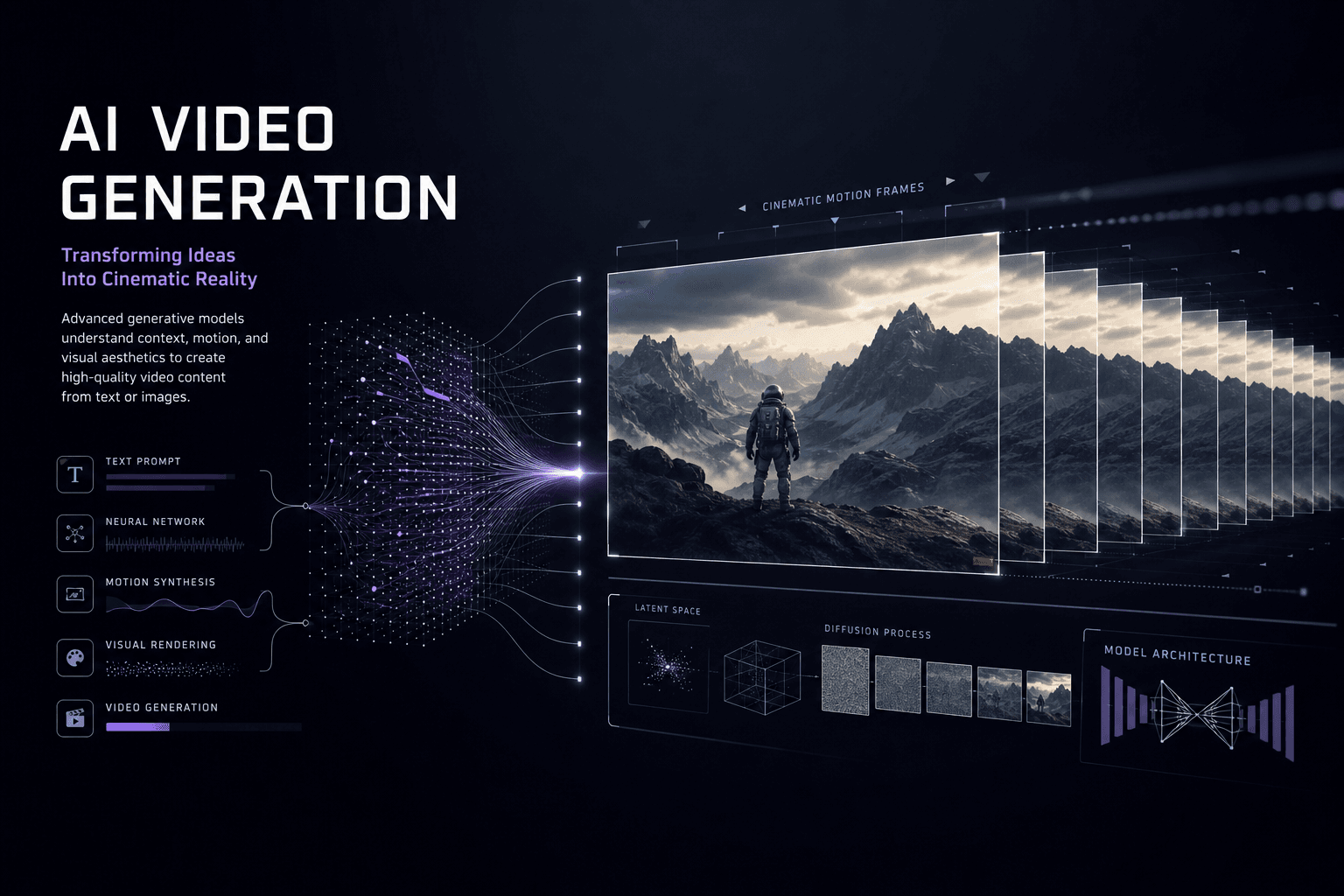
Runway Gen-3 Alpha Goes Public: AI Video Generation Is Now Open to Everyone
Runway opens Gen-3 Alpha to all users today with public access, new pricing tiers, and enhanced capabilities. Here's how this changes the AI video landscape.
Small Pool Builders & Maintenance Shops: n8n, AI, and Airtable for Field Ops That Actually Scale
For small pool maintenance routes and local builder crews: how n8n, Airtable, and targeted AI can replace spreadsheet chaos—dispatch, site records, ops Q&A, and inbox triage—without hiring an ops manager you cannot afford yet.