
How I Prompted a Cinematic WebGL Scene in Cursor That Improved Conversions by 30%

Table of Contents
How I Prompted a Cinematic WebGL Scene in Cursor That Improved Conversions by 30% #
From Static Landing Page to Immersive Conversion Machine #
I built a WebGL-powered hero section using Cursor Composer that transformed a client's static SaaS landing page into an immersive scroll-driven experience—and conversions jumped 30% within the first month. The entire 3D scene, scroll orchestration, and performance optimization came from AI-assisted prompting, not manual WebGL coding.
This article breaks down exactly how I prompted Cursor to generate cinematic immersive experiences using React Three Fiber and GSAP ScrollTrigger. I will share the specific prompt templates I used, the architectural decisions the AI and I made together, and why immersive design multiplies conversion value while decorative animation subtracts from it.
True immersive design operates on four axes that I always specify in my Cursor prompts:
| Axis | Description | What I Prompt For |
|---|---|---|
| Narrative Pacing | Content unfolds rhythmically with scroll progress | "Create a ScrollTrigger timeline that maps each scroll percentage to a narrative beat" |
| Spatial Depth | Layered 3D space beyond the viewport | "Generate a React Three Fiber scene with 5 depth layers, z-spacing between -10 and 5" |
| Motion Grammar | Consistent physics and easing | "Define custom bezier curves for brand motion language: luxury easing [0.6, 0.05, 0.01, 0.99]" |
| Conversion Architecture | Motion guides toward action | "End every scroll sequence with a CTA focus state that draws the eye" |
The distinction matters because decorative animation subtracts value while immersive design multiplies it. When I prompted Cursor to add floating geometric shapes without purpose, engagement dropped. When I refined the prompt to make those shapes respond to scroll position, reveal product features at specific beats, and settle into conversion-focused resting states, session duration increased 40% and demo requests spiked.
In 2026, my immersive workflow centers on Cursor Composer for orchestrating GSAP ScrollTrigger (3.14.2) for scroll coupling, Motion (v12.38, formerly Framer Motion) for component-level React animations, React Three Fiber (v9.5) for spatial hero sections, and Lenis for smooth scroll physics. The craft isn't in choosing the library—it is in prompting the AI to orchestrate them so the user forgets they are looking at a browser.
The projects that justify five-figure budgets share common traits I now bake into every Cursor prompt: they treat the scroll wheel as a narrative control, not just navigation; they use motion to reveal information progressively rather than displaying everything at once; and they maintain 60fps on mid-tier devices while serving desktop experiences that rival native applications.
GSAP ScrollTrigger: How I Prompt Cursor for Scroll-Driven Architecture #
I treat GSAP ScrollTrigger as my scroll orchestration layer, prompting Cursor to generate the precise trigger points that map animation progress to scroll position. While CSS scroll-driven animations have improved, they lack the precision, cross-browser consistency, and debugging tools that ScrollTrigger provides—and that I can specify in natural language prompts to Cursor.
GreenSock's ScrollTrigger plugin (current version 3.14.2) operates by creating trigger points that I describe to Cursor in terms of narrative intent: "when the hero section enters viewport, start the camera dolly; when it reaches center, trigger the product reveal." Unlike Intersection Observer-based approaches that fire once at thresholds, ScrollTrigger provides continuous scrubbing—animations that advance and retreat frame-perfectly with user scroll.
My Cursor Prompt Template for ScrollTrigger Setup #
Here is the exact prompt I use to initialize ScrollTrigger architecture in new projects:
Cursor Prompt Template: GSAP ScrollTrigger Foundation
"Create a GSAP ScrollTrigger initialization module at
lib/gsap.tswith these specifications:
- Register ScrollTrigger plugin with proper TypeScript types
- Set global defaults: ease power3.out, duration 0.8s
- Configure ScrollTrigger defaults: scrub 1, anticipatePin 1, invalidateOnRefresh true, markers false for production
- Export a cleanup utility that kills all ScrollTriggers matching a container selector
- Include JSDoc comments explaining each configuration choice"
Architecture Blueprint Cursor Generates:
- Plugin registration with proper TypeScript augmentation
- Global gsap.defaults object for consistent easing
- ScrollTrigger.defaults for performance-critical settings
- Cleanup utility using ScrollTrigger.getAll() with filtering
Critical configuration decisions I always specify in my prompts:
| Setting | My Prompt Specification | Why |
|---|---|---|
scrub |
"Set scrub to 1 for smooth scroll coupling" |
Prevents jerky animation tied to scroll position |
pin |
"Use pinning sparingly, max 3 simultaneous pins" |
Pins create layer promotion overhead that impacts Core Web Vitals |
start |
"Be explicit with start: 'top 80%' not vague triggers" |
Vague triggers cause inconsistent cross-browser behavior |
anticipatePin |
"Set anticipatePin: 1 always" |
Prevents visual jump when pinning activates |
invalidateOnRefresh |
"Enable invalidateOnRefresh for resize handling" |
Recalculates on mobile orientation changes |
The React Integration Prompt Pattern #
The React integration pattern that prevents memory leaks requires precise prompting. I tell Cursor: "Create a useScrollAnimation hook that manages GSAP timeline lifecycle with proper cleanup." Here is my exact prompt:
Cursor Prompt Template: ScrollAnimation Hook
"Generate a custom React hook at
hooks/useScrollAnimation.tsthat:
- Accepts an animation callback receiving a gsap timeline and returns a container ref
- Creates the timeline inside useEffect with cleanup on unmount
- Registers ScrollTrigger with scrub: 1, trigger bound to the container ref
- Implements proper cleanup: tl.kill() and killing all ScrollTriggers attached to the container
- TypeScript fully typed with gsap.core.Timeline references"
Architecture Blueprint:
- useRef for container and timeline storage
- useEffect for animation creation and cleanup registration
- Cleanup function that filters ScrollTrigger.getAll() by trigger match
- Type-safe animation callback interface
Pinning Strategies: My Cursor Prompts for Narrative Sequences #
Pinning freezes an element in viewport while scroll continues, creating narrative beats where content evolves without moving. I prompt Cursor to generate pinning strategies using this template:
Cursor Prompt Template: Scroll Theater Pinning
"Create a GSAP timeline for a three-act narrative section with these pinning requirements:
- Container pins for 3000px of scroll duration
- Act 1 (0-30%): Hero headline fades in from y:50 with opacity 0->1
- Act 2 (30-70%): Problem statement slides from left, solution cards stagger from bottom
- Act 3 (70-100%): CTA container scales up from 0.8 with dramatic entrance
- Add snap points at label boundaries: act1End, act2End
- Mobile: disable pinning below 768px using matchMedia"
Architecture Blueprint Cursor Generates:
- Timeline with labeled sections for narrative beats
- ScrollTrigger configuration with pin: true, scrub: 1
- Snap configuration for label-based snapping
- matchMedia wrapper for responsive behavior
There are two pinning approaches I prompt for depending on use case:
- Element Pinning: The trigger element stays fixed while its parent scrolls past. I prompt: "Create element pinning for a feature card that transforms scale and borderRadius as user scrolls past."
- Container Pinning: An entire section pins while internal elements animate. I prompt: "Create a full-viewport narrative sequence where the container pins for 2000px while internal scenes crossfade."
The mobile pinning problem: iOS Safari and Chrome Android handle viewport changes dynamically (address bar collapse, keyboard appearance). I always include this in my pinning prompts:
Mobile-Responsive Pinning Prompt Addition:
"Make pinning conditional:
- Desktop (>768px): full pinning with 2000px duration
- Tablet (768-1024px): reduced duration 1000px
- Mobile (<768px): disable pinning, convert to simple scroll reveals"
Pinning creates new stacking contexts and promotes elements to compositor layers. I never prompt for more than three simultaneous pins—the GPU memory overhead causes frame drops on mid-tier devices that impacts Lighthouse scores.
Motion (formerly Framer Motion): My Cursor Prompts for React-Native Animation #
I prompt Cursor to generate Motion (formerly Framer Motion) components for the most ergonomic React animation API available—declarative props and automatic gesture handling that makes component-level motion accessible without writing imperative GSAP code. For UI micro-interactions, layout transitions, and React-native animations (gestures, hover, tap), I specify Motion in my prompts because it outperforms hand-written GSAP in developer experience and bundle size.
The library rebranded from "Framer Motion" to Motion in late 2025, with the import path changing from "framer-motion" to "motion/react". Current Motion v12.38.0 provides React 19 compatibility, enhanced layout animations with layoutRoot, and improved spring physics that match iOS system motion more closely. When I prompt Cursor, I now specify: "Use import { motion } from 'motion/react' not the deprecated framer-motion package."
Import migration in my prompts: I explicitly tell Cursor to use
import { motion } from 'motion/react'in all new components.
My Cursor Prompt Template for Motion Component Architecture #
Every HTML and SVG element has a motion equivalent: motion.div, motion.span, motion.button, motion.path. I prompt Cursor to generate these with animation props that automatically handle mount/unmount transitions, gesture states, and layout changes:
Cursor Prompt Template: Motion Button with Variants
"Create a reusable MotionButton component at
components/motion/MotionButton.tsxwith:
- Variant system with initial, animate, hover, tap states
- Custom easing [0.25, 0.1, 0.25, 1] for the entrance
- Spring physics for hover: stiffness 400, damping 17
- Tap state scaling to 0.98 for tactile feedback
- TypeScript props interface extending button HTML attributes
- JSDoc explaining variant behavior"
Architecture Blueprint Cursor Generates:
- Variant object with typed animation states
- motion.button with variants, initial, animate, whileHover, whileTap props
- Spring configuration for natural physics feel
- Scale transforms only (GPU-accelerated properties)
The variant system is Motion's superpower. Instead of declaring animation values inline, I prompt Cursor to define states and transition between them. This enables:
- Orchestrated children: Child components animate in sequence when parent state changes
- Propagated gestures: Hover on parent triggers child animations
- Shared layout animations: Elements morph between positions smoothly
Cursor Prompt Template: Staggered List Reveal
"Generate a staggered list component with:
- Container variants: hidden state opacity 0, visible with staggerChildren 0.1 and delayChildren 0.2
- Item variants: hidden y:20 opacity 0, visible y:0 opacity 1 with spring physics
- Use motion.ul and motion.li with variants propagation
- Accept children prop for flexible content"
Architecture Blueprint:
- Parent containerVariants with orchestration timing
- Child itemVariants with entrance animation
- Spring transition specification for natural feel
My AnimatePresence Prompt Pattern #
React's lack of exit animations—components disappearing immediately when unmounted—is a long-standing limitation. I prompt Cursor to implement AnimatePresence for tracking removed children and running exit variants before DOM removal:
Cursor Prompt Template: Tab Panel with AnimatePresence
"Create a TabPanel component with AnimatePresence mode='wait' for tab switching:
- Three tab states: overview, features, pricing
- Motion wrapper with unique key per tab
- Initial: opacity 0, x: 20
- Animate: opacity 1, x: 0
- Exit: opacity 0, x: -20
- Transition: 0.3s easeInOut
- TypeScript with proper tab state typing"
Architecture Blueprint:
- useState for active tab management
- AnimatePresence with mode="wait" for sequential animation
- motion.div with key bound to activeTab for exit detection
- Conditional rendering of tab content
The mode prop behavior I specify in prompts:
| Mode | When I Prompt For It |
|---|---|
sync |
Lists with multiple items animating simultaneously |
popLayout |
Layout transitions where exiting element stays in flow |
wait |
Tab panels, page transitions—exit completes before enter |
Layout animations—automatically animating elements when their position/size changes—require the layout prop. I prompt Cursor: "Add layout prop with layoutId for automatic position morphing when items reorder."
Architecture Blueprint for Layout Animations:
layoutprop on motion components enables automatic position interpolationlayoutIdprop enables shared layout animations across components- Spring transition specification for natural morphing feel
For immersive web work, I prompt Cursor to use Motion for:
- Hover and tap feedback on interactive elements
- Staggered reveals for content sections
- Layout transitions for filtering, sorting, tab switches
- Gesture-driven interactions (drag, swipe, pan)
I explicitly tell Cursor NOT to use Motion for:
- Scroll-coupled animations (prompt for GSAP ScrollTrigger instead)
- Complex timeline orchestration (prompt for GSAP timelines)
- Character-level text animations (prompt for GSAP SplitText)
The two libraries complement each other: Motion for component states and gestures, GSAP for scroll-driven sequences and complex timeline control.
GSAP vs Motion: My Cursor Prompt Decision Framework #
When I prompt Cursor, I treat GSAP and Motion as complementary tools with distinct sweet spots—not competitors. The wrong choice isn't using one over the other; it's prompting for the wrong tool for a specific animation problem, resulting in verbose code, performance issues, or maintenance nightmares.
My decision matrix that I include in prompts to Cursor:
| Animation Type | What I Prompt For | Why |
|---|---|---|
| Scroll-coupled effects | "Use GSAP ScrollTrigger with scrub and pinning" | Native scrubbing, pinning, continuous scroll mapping |
| Component state transitions | "Use Motion with declarative variants" | Automatic gesture handling, React-native API |
| Complex timeline orchestration | "Use GSAP Timelines with labels" | Precise control over sequences, labels, nesting |
| Layout transitions | "Use Motion with layout prop" | Automatic position/size interpolation |
| Text character animation | "Use GSAP SplitText plugin" | Line/word/char segmentation with performance |
| Page transitions | "Use Motion AnimatePresence" | layoutId for shared elements |
| Gesture-driven interactions | "Use Motion drag with velocity physics" | Pan, drag, pinch without manual listeners |
| WebGL sync | "Use GSAP ticker for rAF integration" | Better requestAnimationFrame integration with Three.js |
When I Prompt for GSAP #
I tell Cursor to use GSAP for any animation coupled to scroll position. Motion has no scroll-aware equivalent to ScrollTrigger's scrubbing and pinning. The imperative API—explicitly creating tweens and timelines—provides precision that declarative React props cannot match:
Cursor Prompt Template: Complex GSAP Timeline
"Create a GSAP timeline with these specifications:
- ScrollTrigger: trigger '.section', start 'top top', end '+=2000', scrub 1
- Snap configuration: snapTo 1/5 for 20% increments, duration 0.3s
- Sequence: element-1 x:100 over 1s, element-2 y:200 starting 0.5s before element-1 ends, add label 'midpoint', element-3 rotation 360 from 'midpoint'"
Architecture Blueprint:
- Timeline with ScrollTrigger configuration
- Relative positioning with "<0.5" syntax
- Label-based sequencing for complex orchestration
GSAP also dominates for plugin ecosystem requirements. When I need SplitText for typography, MorphSVG for path interpolation, or PixiPlugin for WebGL integration, I explicitly prompt: "Use GSAP SplitText plugin—no Motion equivalent exists." The GSAP core is framework-agnostic—same API in React, Vue, vanilla JS, or Webflow.
Bundle size considerations favor GSAP for scroll-heavy sites despite the larger base library (~85KB vs Motion's ~40KB). As of GSAP 3.14, all plugins including SplitText and MorphSVG are free for commercial use—eliminating the Club GreenSock paywall. I prompt Cursor to use tree-shaking: "Import only the GSAP features needed for this component."
When I Prompt for Motion #
Motion is my choice for UI micro-interactions and state-driven animations. The declarative API—animation values as props—aligns with React's mental model:
Cursor Prompt Template: Motion UI States
"Create a MotionButton that:
- Animates scale and opacity based on isLoading state
- whileHover scale 1.02 with spring physics
- whileTap scale 0.98 for tactile feedback
- Spring config: stiffness 400, damping 25
- Accepts isLoading prop for state-driven animation"
Architecture Blueprint:
- animate prop with conditional values based on state
- whileHover/whileTap for gesture feedback
- Spring transition for natural physics feel
The automatic layout animations—elements smoothly transitioning when their DOM position changes—are uniquely powerful. When I prompt: "Add layout prop for automatic morphing on reorder," Cursor generates code where reordering lists, filtering grids, or responsive reflows happen fluidly without explicit position calculation.
Motion also handles gesture recognition natively. I prompt for drag constraints, swipe detection, and pan physics without manual event listeners:
Cursor Prompt Template: Gesture Carousel
"Create a gesture-driven carousel with:
- drag='x' with dragConstraints left:0 right:0
- dragElastic 0.2 for resistance feel
- onDragEnd handler checking offset.x and velocity.x
- Paginate left if offset > 100 or velocity > 500
- Paginate right if offset < -100 or velocity < -500"
Architecture Blueprint:
- motion.div with drag and constraint props
- Gesture handler with offset/velocity destructuring
- Pagination logic with threshold constants
My Hybrid Architecture Prompt #
For immersive sites, I prompt Cursor to use both libraries with clear boundaries:
Cursor Prompt Template: Hybrid ImmersiveSection
"Create an ImmersiveSection component that combines GSAP and Motion:
- GSAP useEffect: Create context, timeline with ScrollTrigger scrub 1, from animation on .scroll-element with y:50 opacity:0 stagger 0.1
- Motion components: Button with whileHover scale 1.05 whileTap scale 0.95
- Proper cleanup: ctx.revert() in useEffect return
- Separate refs for GSAP container and content to avoid conflicts"
Architecture Blueprint:
- useRef for sectionRef and contentRef
- useEffect with gsap.context for scoped animations
- Timeline with ScrollTrigger configuration
- Motion components for interactive states
- Cleanup with ctx.revert() on unmount
Key architectural rules I include in every hybrid prompt:
- GSAP timelines for entrance sequences tied to scroll position
- Motion for interactive states (hover, focus, active)
- Never mix scroll control—I explicitly tell Cursor not to use Motion's useScroll alongside GSAP ScrollTrigger
- Clean up both on unmount—GSAP's ctx.revert() and React's cleanup pattern
- Separate containers—I prompt for distinct refs to avoid animation conflicts
The right tool for the right job produces code that Cursor generates correctly the first time, performs at 60fps on target devices, and passes my Lighthouse performance audits.
React Three Fiber: How I Prompt Cursor for Spatial Hero Sections #
I prompt Cursor to generate React Three Fiber (R3F) scenes that bring true 3D spatial depth to web experiences—product showcases, abstract visualizations, and interactive environments that CSS transforms cannot approach. While 2.5D parallax creates perceived depth, WebGL renders actual geometry with lighting, materials, and physics-based interactions that I orchestrate through natural language prompts.
React Three Fiber v9.5.0 provides React 19.2 compatibility (including the new Activity feature for offscreen rendering) and significant performance improvements through fiber architecture updates. Three.js itself is at r176, with WebGPU support production-ready since r171—all major browsers including Safari (since September 2025) now support WebGPU. The declarative API—writing Three.js scenes as JSX components—eliminates the imperative boilerplate that made raw Three.js development tedious.
My Cursor Prompt Template for R3F Scene Architecture #
A production R3F scene requires careful Canvas configuration. Here is my exact prompt for initializing a performance-conscious scene:
Cursor Prompt Template: R3F Canvas Configuration
"Create a ThreeScene component at
components/ThreeScene.tsxwith:
- Canvas with gl config: antialias true, alpha true, powerPreference 'high-performance'
- Camera: fov 45, near 0.1, far 1000, position [0,0,5]
- dpr [1,2] for responsive pixel ratio limiting
- frameloop 'demand' to pause render when static
- Fixed positioning full viewport
- PerspectiveCamera makeDefault with same position
- Lighting: ambient intensity 0.5, directional position [10,10,5] intensity 1
- Environment preset 'city' from @react-three/drei
- Suspense boundary around ProductModel with null fallback
- Add 'use client' directive for Next.js App Router compatibility"
Architecture Blueprint Cursor Generates:
- Canvas with WebGL renderer configuration
- Camera with perspective projection settings
- Responsive DPR clamping for mobile GPU protection
- Lighting setup with ambient and directional sources
- Suspense integration for async asset loading
Critical Canvas props I always specify:
| Prop | My Prompt Specification | Why It Matters |
|---|---|---|
dpr |
"dpr [1, 2] to limit pixel ratio" |
Prevents mobile GPU overload on high-DPI displays |
frameloop |
"frameloop 'demand' for pause on static" |
Pauses render loop when scene is static, saving battery |
gl.powerPreference |
"powerPreference 'high-performance'" |
Requests discrete GPU on hybrid systems |
shadows |
"Only enable shadows if visible" |
Shadows are GPU-intensive; conditional for Core Web Vitals |
The suspense boundary around 3D content is mandatory. I always include in my prompts: "Wrap 3D content in Suspense with null fallback—R3F uses React Suspense for async asset loading."
My Prompt for Interactive 3D Elements #
Raycasting—tracing a line from camera through mouse position to detect 3D intersections—enables hover and click interactions. I prompt Cursor for this behavior using useFrame and event handlers:
Cursor Prompt Template: Interactive Mesh Component
"Create an InteractiveMesh component at
components/InteractiveMesh.tsx:
- useRef for mesh reference with Mesh type from three
- useState for hovered and active boolean states
- useFrame with state and delta parameters:
- Continuous rotation: x += delta * 0.1, y += delta * 0.15
- Smooth scale transition with lerp toward target based on hovered/active
- Target scale: 1.5 active, 1.2 hovered, 1 default
- Event handlers: onPointerOver setHovered true, onPointerOut setHovered false, onClick toggle active
- Mesh with boxGeometry args [1,1,1]
- meshStandardMaterial with color conditional on hovered state, roughness 0.4, metalness 0.1
- 'use client' directive"
Architecture Blueprint:
- useRef with Three.js Mesh type annotation
- useState for interaction state management
- useFrame hook for per-frame animation updates
- Delta-based animation for frame-rate independence
- Lerp interpolation for smooth state transitions
The useFrame hook runs before every render frame, providing delta time for smooth animations independent of frame rate. This is R3F's equivalent to GSAP's ticker or requestAnimationFrame loops.
For product showcases, I prompt for PresentationControls from @react-three/drei:
Cursor Prompt Template: Product Showcase Controls
"Create a ProductShowcase component with:
- PresentationControls wrapping the model:
- global: true
- rotation [0,0,0]
- polar [-0.4, 0.2] for vertical limits
- azimuth [-0.5, 0.5] for horizontal limits
- config: mass 2, tension 400
- snap: mass 4, tension 400
- Float component around ProductModel with rotationIntensity 0.4
- 'use client' directive"
Architecture Blueprint:
- PresentationControls for standardized orbit behavior
- Polar/azimuth constraints for controlled viewing angles
- Spring configuration for natural feel
- Float component for ambient motion
Scroll-Based 3D Animation Prompts #
Scroll-based 3D animation requires connecting R3F to GSAP ScrollTrigger. I prompt Cursor to use useFrame to read scroll progress:
Cursor Prompt Template: Scroll-Driven 3D Scene
"Create a ScrollDrivenScene component:
- useRef for group reference with Group type
- useScroll from @react-three/drei to get scroll offset
- useFrame that updates based on scroll.offset (0-1):
- groupRef.rotation.y = scroll.offset * Math.PI * 2
- groupRef.position.y = scroll.offset * 3
- Render ProductModel inside the group
- 'use client' directive"
Architecture Blueprint:
- useScroll hook from Drei for scroll progress access
- useFrame for continuous scroll-linked updates
- Group rotation/position based on normalized scroll
For Next.js App Router compatibility, I always include: "Add 'use client' directive—R3F requires browser APIs (WebGL, DOM events)."
Performance budgets I specify in R3F prompts:
- Triangle count: "Limit to 100K triangles mobile, 500K desktop"
- Texture resolution: "Max 2048x2048 desktop, 1024x1024 mobile"
- Draw calls: "Batch materials, use instancing for repeated geometry"
- Shadows: "Use contact shadows or baked AO instead of real-time on mobile"
Scroll Storytelling: My Cursor Prompts for Narrative Pacing #
I prompt Cursor to treat the vertical scroll axis as a timeline, mapping narrative beats to physical user input and creating experiences where content reveals itself progressively rather than displaying all at once. The technique transforms static landing pages into guided journeys that hold attention longer and communicate complex value propositions in digestible sequences.
The cognitive principle at work is progressive disclosure: humans process information better when it arrives in structured chunks rather than overwhelming density. I bake this into my Cursor prompts: "Create scroll-triggered reveals where each scroll advance triggers a revelation."
My Prompt for Three-Act Scroll Narratives #
Professional scroll stories follow a three-act structure mapped to scroll percentage:
| Act | Scroll Range | Purpose | What I Prompt For |
|---|---|---|---|
| Setup (Act 1) | 0-20% | Establish context, hook attention | "Full-viewport hero with headline entrance from y:50" |
| Confrontation (Act 2) | 20-70% | Present problems, solutions, proof | "Feature reveals with staggered card entrances" |
| Resolution (Act 3) | 70-100% | Convert interest to action | "CTA container scaling from 0.8 with focus state" |
The pinning strategy for narrative sequences creates what I call "scroll theater"—the viewport becomes a stage where elements enter, perform, and exit as the user scrolls. Here is my exact prompt:
Cursor Prompt Template: Three-Act Scroll Theater
"Create a GSAP timeline for a three-act narrative section at
components/ScrollTheater.tsx:
- ScrollTrigger: trigger '.narrative-section', start 'top top', end '+=3000', pin true, scrub 1
- Act 1 Setup (0-30%): hero-headline from opacity 0 y:50, hero-visual from scale 0.8 opacity 0, add label 'act1End' at 0.3
- Act 2 Confrontation (30-70%): to hero-headline opacity 0 y:-50, to hero-visual x:-200 opacity 0.3, from problem-statement x:50 opacity 0, from solution-cards y:100 stagger 0.1, add label 'act2End' at 0.7
- Act 3 Resolution (70-100%): to problem-statement opacity 0 y:-30, to solution-cards scale 0.9 opacity 0, from cta-container y:50 opacity 0
- Cleanup with ctx.revert on unmount
- Mobile: disable below 768px using matchMedia
- 'use client' directive"
Architecture Blueprint:
- Timeline with ScrollTrigger configuration for pinning
- Label-based sequencing for act boundaries
- Percentage-based positioning for narrative pacing
- Responsive matchMedia for mobile adaptation
My Cursor Prompts for Reveal Patterns #
Beyond narrative structure, I prompt Cursor for specific reveal patterns that have proven effective for conversion-focused sites:
The Text Mask Reveal: Large typography reveals content through letterforms, creating a cinematic title sequence effect.
Cursor Prompt Template: Text Mask Reveal
"Create a masked headline component:
- GSAP from animation on .masked-headline
- ScrollTrigger: trigger '.masked-section', start 'top center', end 'center center', scrub 1
- clipPath animation: start 'inset(100% 0% 0% 0%)', end 'inset(0% 0% 0% 0%)'
- Opacity from 0.5 to 1
- CSS clip-path end state for browser compatibility
- 'use client' directive"
Architecture Blueprint:
- clip-path animation for reveal effect
- ScrollTrigger scrub for scroll-linked progress
- CSS fallback for end state
The Image Curtain: Product images or screenshots reveal through progressive unmasking, often synced with feature copy.
Cursor Prompt Template: Synced Image and Text Reveal
"Create a synced feature showcase:
- GSAP timeline with ScrollTrigger: trigger '.feature-showcase', start 'top 70%', end 'center center', scrub 1
- First: .feature-image clipPath polygon animation from left edge reveal
- Second: .feature-text from opacity 0 y:30, positioned 0.2 before image completes
- Stagger: image duration 0.5, text duration 0.3 with overlap
- 'use client' directive"
Architecture Blueprint:
- Timeline with sequential reveals
- clipPath polygon for curtain effect
- Overlapping animation timing for narrative flow
The Data Cascade: Statistics and metrics animate in sequence, each number counting up as it enters view.
Cursor Prompt Template: Counting Statistics Animation
"Create animated statistics:
- Select all .stat-number elements with gsap.utils.toArray
- For each stat: parseInt dataset.value for target
- GSAP from textContent 0 to target value
- Duration 2s, ease power1.out
- snap textContent to 1 for integer counting
- ScrollTrigger: trigger each stat, start 'top 80%', toggleActions 'play none none reverse'
- onUpdate callback to update displayed value
- 'use client' directive"
Architecture Blueprint:
- Array iteration for multiple statistics
- textContent animation for counting effect
- ScrollTrigger toggleActions for reverse behavior
Progressive disclosure patterns work particularly well for complex products. Instead of showing all features at once, each scroll beat reveals one capability:
Cursor Prompt Template: Feature-by-Feature Progressive Disclosure
"Create a progressive feature reveal:
- Timeline with ScrollTrigger: pin true, start 'top top', end '+=2000', scrub 1
- Feature 1 (0-25%): from x:-100 opacity 0, to x:100 opacity 0 at 25%
- Feature 2 (25-50%): from x:-100 opacity 0 at 25%, to x:100 opacity 0 at 50%
- Feature 3 (50-75%): from x:-100 opacity 0 at 50%, to x:100 opacity 0 at 75%
- Summary (75-100%): from scale 0.8 opacity 0 at 75%
- Each feature duration 0.25 in timeline
- 'use client' directive"
Architecture Blueprint:
- Pinned container for consistent viewport
- Sequential feature entrances and exits
- Cross-slide animation pattern
- Summary reveal at conclusion
The anchoring principle ensures users don't lose their place during complex sequences. I always add to my prompts: "Add resting states between transitions—moments where animation pauses and the user can absorb information."
Common scroll storytelling mistakes I explicitly tell Cursor to avoid:
- Over-pinning: "Never pin more than 3 sections—causes scroll fatigue"
- Animation speed mismatch: "Use scrub 1 for natural scroll speed coupling"
- Missing mobile adaptation: "Include matchMedia to disable pinning below 768px"
- No conversion moment: "Every sequence must end with CTA focus"
- Performance degradation: "Only animate transform and opacity for 60fps"
Typography as Motion: My Cursor Prompts for Kinetic Type #
I prompt Cursor to transform static letterforms into narrative elements that move, reveal, and respond—turning headlines into performances while preserving the readability that makes text functional. In immersive web design, type is not just content delivery; it is a primary visual medium that establishes hierarchy, creates rhythm, and signals brand sophistication.
The technical challenge is balancing motion impact with legibility preservation. Animating text introduces cognitive load—readers must track moving glyphs while processing semantic meaning. I bake restraint into my Cursor prompts: "Animate entrance only, settle into static readability."
My SplitText Prompt Template #
GSAP's SplitText plugin—now free for commercial use as of GSAP 3.14—is the industry standard for character-level typography animation. I prompt Cursor to segment text and animate with precision:
Cursor Prompt Template: SplitText Character Animation
"Create a kinetic headline component at
components/KineticHeadline.tsx:
- Import gsap, ScrollTrigger, SplitText
- animateHeadline function accepting HTMLElement:
- SplitText with type 'chars,words,lines', classes: char, word, line
- GSAP from split.chars: y:50, opacity:0, rotateX:-90
- Stagger: each 0.02, from 'start'
- ScrollTrigger: trigger element, start 'top 80%', toggleActions 'play none none reverse'
- Duration 0.8, ease power3.out
- Return cleanup function calling split.revert()
- Include prefers-reduced-motion check with static fallback
- 'use client' directive"
Architecture Blueprint:
- SplitText segmentation with multiple type targets
- Character-level entrance animation with 3D rotation
- Stagger configuration for wave-like reveals
- Cleanup with split.revert() for DOM restoration
SplitText's segmentation strategies I specify in prompts:
| Segmentation | When I Prompt For It | Performance Note |
|---|---|---|
chars |
Dramatic headline entrances | Higher DOM node count—limit to headlines |
words |
Reading pace animations | Moderate overhead—safe for subheadings |
lines |
Paragraph reveals | Lowest overhead—preferred for body text |
chars,words |
Complex multi-layer effects | Heaviest—use sparingly per prompt |
I always add to character-level prompts: "Entrance-only animation. Once text is readable, keep it static." The exception is hover states on interactive headlines, where I prompt: "Add subtle hover scale 1.02 with color shift for feedback without disrupting reading."
For projects preferring a lighter alternative, I prompt for SplitType (~3KB):
Cursor Prompt Template: SplitType Alternative
"Create a SplitType-based headline animation:
- Import SplitType from 'split-type'
- Split on '.headline' with types 'chars,words'
- GSAP from split.chars: y:100, opacity:0, stagger 0.01, duration 0.6
- ScrollTrigger integration for viewport entry
- 'use client' directive"
Architecture Blueprint:
- SplitType instantiation with type configuration
- GSAP animation on split characters
- Simplified API compared to GSAP SplitText
My Variable Fonts in Motion Prompts #
Variable fonts—single font files containing multiple design axes—enable fluid typographic transitions. I prompt Cursor to implement scroll-driven weight interpolation:
Cursor Prompt Template: Scroll-Driven Variable Font
"Create a variable font animation component:
- CSS @font-face for 'Inter Variable' with wght 100-900 range
- .variable-headline class with font-variation-settings 'wght' 400, 'wdth' 100
- GSAP to fontVariationSettings: animate 'wght' 900, 'wdth' 75
- ScrollTrigger: start 'top center', end 'bottom center', scrub 1
- CSS transition for font-variation-settings 0.3s ease
- 'use client' directive"
Architecture Blueprint:
- Variable font @font-face with range notation
- GSAP animation targeting fontVariationSettings
- ScrollTrigger scrub for scroll-linked interpolation
Recommended variable fonts I include in design system prompts:
| Font | Axes | When I Prompt For It |
|---|---|---|
| Inter | wght (100-900) | Technical, clean interfaces |
| Satoshi | wght (300-900) | Modern geometric branding |
| Manrope | wght (200-800) | Humanist, approachable content |
| Playfair Display | wght, opsz | Editorial, high-contrast headlines |
Optical sizing (opsz axis) deserves attention in my prompts. I tell Cursor: "Include opsz axis for size-specific letterform optimization—thinner strokes for small text, dramatic contrast for headlines."
For performance, I prompt: "Subset variable fonts to required character ranges. Tools like glyphhanger identify needed glyphs."
My Kinetic Type Best Practices Prompts #
The rules I encode in every kinetic type prompt:
Cursor Prompt Template: Kinetic Type Best Practices
"Create accessible kinetic typography:
- Readability first: animations complete within 800ms
- prefers-reduced-motion check:
- window.matchMedia('(prefers-reduced-motion: reduce)').matches
- If true: gsap.set(element, { opacity: 1 }) static reveal
- If false: run full SplitText animation
- Hierarchy-based segmentation:
- Primary headlines: full character splits
- Secondary text: word-level reveals
- Body copy: simple opacity fades
- Performance limit: maximum 1000 animated characters per viewport
- 'use client' directive"
Architecture Blueprint:
- Reduced motion detection with static fallback
- Hierarchical animation complexity based on importance
- Performance guardrails for character count
Typography in motion is a craft of restraint. The most effective kinetic type systems feel inevitable—the motion serves the message, never overshadowing it.
WebGL Shaders: How I Prompt Cursor for GPU-Accelerated Effects #
I prompt Cursor to generate WebGL shaders—programs running directly on the GPU—that enable visual effects impossible with CSS or Canvas 2D: fluid simulations, distortion effects, noise-based textures, and reactive backgrounds responding to scroll and mouse position. For immersive web experiences, shaders provide the ambient atmosphere that separates premium sites from template-driven designs.
The barrier to entry is lower than it appears. Modern tools like React Three Fiber's shader utilities have democratized shader development. I do not need graphics programming expertise—I need precise prompts that describe the conceptual model: shaders run once per pixel, execute in parallel across the GPU, and operate in a limited environment with no DOM access.
My Cursor Prompt Template for Shader Materials in R3F #
React Three Fiber provides shaderMaterial through @react-three/drei for declarative shader usage. I prompt Cursor to separate concerns into uniforms (JavaScript values passed to shaders) and GLSL programs:
Cursor Prompt Template: Shader Background Component
"Create a ShaderBackground component at
components/ShaderBackground.tsx:
- Import shaderMaterial from @react-three/drei, extend and useFrame from @react-three/fiber, useRef from react, * as THREE from three
- Vertex shader: varying vec2 vUv, gl_Position = projectionMatrix * modelViewMatrix * vec4(position, 1.0), pass vUv = uv
- Fragment shader with uniforms: uTime (float), uMouse (vec2), uResolution (vec2)
- Fragment logic:
- Simplex noise function for procedural texture
- Mouse influence calculation using distance and smoothstep
- Color mixing: dark blue base, purple tint from noise, light blue accent from mouse
- Final color output to gl_FragColor
- shaderMaterial creation with initial uniform values
- extend R3F with custom NoiseMaterial
- Component: useRef for material, useRef for mouse position
- useFrame: update uTime from clock.elapsedTime, update uMouse from mouseRef
- Event handler: onPointerMove updates mouseRef with uv coordinates
- Fullscreen mesh with planeGeometry args [2,2]
- 'use client' directive"
Architecture Blueprint Cursor Generates:
- GLSL vertex shader for geometry transformation
- Fragment shader with noise functions and color mixing
- Uniform bridge between JavaScript and GLSL
- useFrame for per-frame uniform updates
- Pointer interaction for reactive effects
This pattern—uniforms for JavaScript-to-GLSL communication, useFrame for animation updates—powers most shader effects in immersive sites.
My Performance-Conscious WebGL Prompts #
Shaders execute per-pixel, per-frame. A 4K display at 60fps runs the fragment shader 497 million times per second. I bake performance requirements into every shader prompt:
Cursor Prompt Template: Performance-Optimized Shader
"Create a performance-conscious shader:
- Texture resolution: limit to 1024x1024 maximum for full-screen effects
- Complexity budgeting: prefer procedural noise over image textures
- Branchless logic in GLSL:
- Use mix() instead of if/else for color selection
- Use step() and smoothstep() for conditional values
- Avoid if statements (both branches execute on GPU wavefront)
- Mobile considerations:
- Detect GPU capability before enabling shaders
- Fallback to CSS gradients on low-end devices
- Limit draw calls and triangle count
- 'use client' directive"
Architecture Blueprint:
- Resolution limits for GPU memory protection
- Branchless GLSL patterns for performance
- Capability detection with graceful degradation
Texture resolution limits: I always specify in prompts: "Full-screen shader effects should use 512x512 or 1024x1024 maximum. Higher resolutions create memory pressure and frame drops on integrated GPUs."
Complexity budgeting: I prompt: "Each mathematical operation in GLSL executes for every pixel. Use simplified noise variants or precomputed textures for complex effects."
Conditional minimization: GLSL executes both branches of if statements on GPU architectures. I prompt for branchless alternatives: "Use mix(), step(), and smoothstep() for conditional logic without branching."
Mobile considerations: Mobile GPUs have unified memory architecture—texture memory competes with system RAM. I prompt: "Limit shader texture usage on mobile, preferring procedural generation over image textures."
For sites needing shader effects without custom GLSL, I prompt for libraries like ogl (~7KB) or Three.js post-processing: "Use pre-built effects (bloom, depth of field, chromatic aberration) instead of custom shaders for standard effects."
Common shader use cases I prompt for in immersive web projects:
- Gradient noise backgrounds: "Subtle motion, responds to scroll/mouse, dark blue to purple palette"
- Image distortion: "RGB shift on hover, liquid displacement for product images"
- Particle fields: "Simplex noise-driven movement, 1000 particles maximum"
- Transition effects: "Page transitions with subtle distortion wipes, 0.5s duration"
The craft is selecting effects that enhance rather than distract. I always include in shader prompts: "Subtle effects create atmosphere; aggressive effects destroy credibility. Aim for ambient enhancement, not visual assault."
Smooth Scroll and Lenis Integration #
Smooth scroll replaces native browser scrolling with interpolated virtual scrolling, creating fluid motion that transforms how animations feel and how users perceive the site's quality. Native scroll updates in discrete steps tied to input device resolution—mouse wheels tick, trackpads gesture, touchscreens drag. These discrete steps create jerky animation when scrubbed against scroll position.
Lenis is the current standard for smooth scroll implementation. At ~2KB gzipped, it provides the interpolation physics that makes scroll-driven animations feel cinematic without the bloat of older libraries like Locomotive Scroll.
Package migration: The original
@studio-freight/lenispackage is deprecated. Install from thelenispackage directly:npm install lenis.
Lenis Configuration with GSAP #
The critical integration point is ScrollTrigger. Lenis creates a virtual scroll position that GSAP must read instead of native window.scrollY. The official integration pattern:
// lib/lenis.ts - Lenis setup with GSAP ScrollTrigger
import Lenis from 'lenis'; // NOT @studio-freight/lenis (deprecated)
import { gsap } from 'gsap';
import { ScrollTrigger } from 'gsap/ScrollTrigger';

export const initLenis = () => {
  const lenis = new Lenis({
    duration: 1.2,        // Scroll duration (higher = slower)
    easing: (t) => Math.min(1, 1.001 - Math.pow(2, -10 * t)),
    orientation: 'vertical',
    gestureOrientation: 'vertical',
    smoothWheel: true,
    wheelMultiplier: 1,
    touchMultiplier: 2,   // Faster on touch for responsiveness
  });

  // Integrate with GSAP ScrollTrigger
  lenis.on('scroll', ScrollTrigger.update);

  gsap.ticker.add((time) => {
    lenis.raf(time * 1000);
  });

  gsap.ticker.lagSmoothing(0);

  // Handle anchor links
  document.querySelectorAll('a[href^="#"]').forEach((anchor) => {
    anchor.addEventListener('click', (e) => {
      e.preventDefault();
      const target = document.querySelector(anchor.getAttribute('href')!);
      if (target) {
        lenis.scrollTo(target, { offset: 0 });
      }
    });
  });

  return lenis;
};
The gsap.ticker.lagSmoothing(0) call is essential—it prevents GSAP from skipping frames when the browser is under load, maintaining the 1:1 relationship between Lenis scroll position and ScrollTrigger progress.
Lenis configuration options determine the "feel" of the site:
| Option | Default | Effect |
|---|---|---|
duration |
1.2 |
Higher values feel heavier, more luxurious |
easing |
power2.out equivalent |
Exit velocity; custom curves create brand-specific feel |
wheelMultiplier |
1 |
Increase for faster desktop scroll |
touchMultiplier |
2 |
Higher values reduce scroll distance per swipe |
lerp |
0.1 |
Linear interpolation factor (0-1); lower = smoother |
The duration vs lerp distinction confuses many developers. Duration sets the target animation time; lerp controls how quickly the current position catches up. Higher duration creates slower, heavier scroll; lower lerp creates more smoothing but can feel disconnected from input.
React Integration Pattern #
In React applications, Lenis must be initialized once at the app root and provided through context for scroll-to navigation:
// components/SmoothScroll.tsx
import { createContext, useContext, useEffect, useRef, ReactNode } from 'react';
import Lenis from 'lenis';
import { gsap } from 'gsap';
import { ScrollTrigger } from 'gsap/ScrollTrigger';

interface LenisContextType {
  lenis: Lenis | null;
  scrollTo: (target: string | number | HTMLElement) => void;
}

const LenisContext = createContext<LenisContextType>({
  lenis: null,
  scrollTo: () => {},
});

export const SmoothScrollProvider = ({ children }: { children: ReactNode }) => {
  const lenisRef = useRef<Lenis | null>(null);

  useEffect(() => {
    const lenis = new Lenis({
      duration: 1.2,
      easing: (t) => Math.min(1, 1.001 - Math.pow(2, -10 * t)),
      orientation: 'vertical',
      smoothWheel: true,
    });

    lenisRef.current = lenis;

    lenis.on('scroll', ScrollTrigger.update);

    gsap.ticker.add((time) => {
      lenis.raf(time * 1000);
    });

    gsap.ticker.lagSmoothing(0);

    return () => {
      lenis.destroy();
      lenisRef.current = null;
    };
  }, []);

  const scrollTo = (target: string | number | HTMLElement) => {
    lenisRef.current?.scrollTo(target);
  };

  return (
    <LenisContext.Provider value={{ lenis: lenisRef.current, scrollTo }}>
      {children}
    </LenisContext.Provider>
  );
};

export const useLenis = () => useContext(LenisContext);
When NOT to Use Smooth Scroll #
Smooth scroll isn't appropriate for all projects:
- Accessibility concerns: Some users with vestibular disorders find smooth scroll disorienting. Always implement
prefers-reduced-motiondetection:
const prefersReducedMotion = window.matchMedia(
  '(prefers-reduced-motion: reduce)'
).matches;

const lenis = prefersReducedMotion
  ? null
  : new Lenis({ /* normal config */ });
Performance on low-end devices: Smooth scroll adds JavaScript execution to every frame. On budget Android devices, this can reduce FPS in complex pages.
Native feel expectations: Some audiences (enterprise B2B, government, medical) expect immediate, predictable scroll behavior. Luxury and creative brands benefit from smooth scroll; utilitarian sites may not.
Scroll-snap conflicts: CSS
scroll-snap-typefights with smooth scroll libraries. Choose one approach—either native snap or Lenis with GSAP snap, never both.
The physics of virtual scrolling create the perception of weight and quality. Native scroll feels like browsing; Lenis-enhanced scroll feels like experiencing. For premium brand sites where perception justifies budget, smooth scroll is non-negotiable.
Performance Budgets for Animation-Heavy Sites #
Performance budgets are quantitative constraints that prevent immersive design from destroying user experience—hard limits on bundle size, animation complexity, and runtime metrics that maintain 60fps on target devices. Without budgets, animation-heavy sites become slideshows on mid-tier phones, destroying the credibility of premium positioning.
My default budgets for immersive client work:
| Metric | Desktop Target | Mobile Target | Measurement |
|---|---|---|---|
| First Contentful Paint | < 1.2s | < 1.8s | Lighthouse |
| Largest Contentful Paint | < 2.0s | < 2.5s | Lighthouse |
| Time to Interactive | < 3.0s | < 4.5s | Lighthouse |
| Cumulative Layout Shift | < 0.05 | < 0.05 | Lighthouse |
| Animation FPS | 60fps | 30fps minimum | Chrome DevTools |
| JavaScript Bundle | < 300KB gzipped | < 200KB gzipped | webpack-bundle-analyzer |
| Total Blocking Time | < 200ms | < 350ms | Lighthouse |
| GPU Memory | < 200MB | < 100MB | Chrome GPU DevTools |
The 60fps on desktop, 30fps minimum on mobile rule reflects GPU capability disparity. Mobile devices thermal-throttle under sustained load; targeting 60fps on mobile creates battery drain and eventual frame drops. 30fps sustained beats 60fps that drops to 15fps.
GPU Layer Management #
Browser compositing—the process of flattening DOM elements into GPU textures—determines animation performance more than JavaScript execution speed. Each animated property triggers different compositing behavior:
| Property | Compositor Cost | Triggers Layout | Triggers Paint |
|---|---|---|---|
transform |
Low | No | No |
opacity |
Low | No | No |
filter |
Medium | No | Yes |
width/height |
High | Yes | Yes |
top/left |
High | Yes | Yes |
margin/padding |
High | Yes | Yes |
border-radius |
Medium | No | Yes |
box-shadow |
Medium | No | Yes |
Only animate transform and opacity for smooth performance. GSAP and Framer Motion default to these properties; when you see examples animating width or margin, they're sacrificing performance for convenience.
The will-change CSS property hints to the browser which elements will animate, allowing preemptive layer promotion:
.animated-element {
  will-change: transform, opacity;
  transform: translateZ(0); /* Force layer creation */
}
But will-change consumes GPU memory—use it sparingly and remove after animation completes:
// Add will-change before animation, remove after
gsap.set(element, { willChange: "transform,opacity" });

gsap.to(element, {
  x: 100,
  onComplete: () => {
    gsap.set(element, { willChange: "auto" });
  }
});
Code-Splitting Heavy Animations #
Not all animations need to load immediately. Route-based and interaction-based code splitting reduces initial bundle size:
// Lazy load GSAP plugins
const initHeavyAnimations = async () => {
  const [{ gsap }, { ScrollTrigger }, { SplitText }] = await Promise.all([
    import('gsap'),
    import('gsap/ScrollTrigger'),
    import('gsap/SplitText'), // Club GreenSock only
  ]);

  gsap.registerPlugin(ScrollTrigger, SplitText);

  // Run heavy animations
};

// Trigger on scroll into view
const observer = new IntersectionObserver((entries) => {
  entries.forEach(entry => {
    if (entry.isIntersecting) {
      initHeavyAnimations();
      observer.disconnect();
    }
  });
});

observer.observe(document.querySelector('.heavy-animation-section'));
R3F scenes should lazy-load by default—they're rarely needed for initial paint:
import { lazy, Suspense } from 'react';

const LazyThreeScene = lazy(() => import('./ThreeScene'));

// Render only when scrolled into view
const SectionWith3D = () => {
  const [shouldLoad, setShouldLoad] = useState(false);
  const ref = useRef(null);

  useEffect(() => {
    const observer = new IntersectionObserver(
      ([entry]) => {
        if (entry.isIntersecting) {
          setShouldLoad(true);
        }
      },
      { rootMargin: '100px' } // Preload slightly before visible
    );

    if (ref.current) observer.observe(ref.current);
    return () => observer.disconnect();
  }, []);

  return (
    <section ref={ref}>
      {shouldLoad && (
        <Suspense fallback={<div className="h-[500px] bg-gray-100" />}>
          <LazyThreeScene />
        </Suspense>
      )}
    </section>
  );
};
Runtime Performance Monitoring #
Set up Performance Observer to track real-user animation performance:
// Track frame drops in production
if ('PerformanceObserver' in window) {
  const observer = new PerformanceObserver((list) => {
    for (const entry of list.getEntries()) {
      if (entry.entryType === 'layout-shift') {
        // Log layout shifts
        console.warn('CLS violation:', entry.value);
      }
    }
  });

  observer.observe({ entryTypes: ['layout-shift', 'longtask'] });
}

// Frame rate monitoring during animations
let frameCount = 0;
let lastTime = performance.now();

const measureFPS = () => {
  const now = performance.now();
  frameCount++;

  if (now - lastTime >= 1000) {
    const fps = Math.round((frameCount * 1000) / (now - lastTime));
    frameCount = 0;
    lastTime = now;

    if (fps < 30) {
      console.warn('Low FPS detected:', fps);
      // Could report to analytics, reduce animation quality
    }
  }

  requestAnimationFrame(measureFPS);
};

// Start monitoring during heavy animations
measureFPS();
Performance budgets aren't restrictions—they're constraints that force creative solutions. The best immersive sites achieve cinematic quality within strict limits through thoughtful architecture, not by ignoring resource constraints.
GPU Layer Management #
Subsection: Will-change strategies, compositor layers, and paint complexity.
Code-Splitting Heavy Animations #
Subsection: Dynamic imports for GSAP plugins, R3F lazy loading, and intersection observer patterns.
Award Site Patterns: Teardowns from Awwwards and FWA #
Award-winning immersive sites share recurring patterns that balance visual innovation with technical execution—patterns that can be extracted, adapted, and implemented without copying specific designs. Awwwards Site of the Day and FWA winners in 2025-2026 reveal a convergence toward restrained motion, editorial typography, and conversion-aware storytelling.
The judging criteria have shifted. Early 2020s awards prioritized visual spectacle—WebGL particle explosions, aggressive scroll hijacking, loading screens that lasted thirty seconds. Current winners favor refined restraint: fast initial paint, subtle motion that serves content, and accessibility considerations that don't compromise aesthetic impact.
The Cinematic Hero Formula #
The current award-site hero follows a predictable structure that converts while impressing:
Immediate visual impact (0-1 second): No loading screens, no black fades. The first paint shows something compelling—large typography, abstract motion, or product imagery.
Progressive depth layers (1-3 seconds): As the user processes the initial image, secondary layers reveal—subheadlines, navigation, scroll indicators.
Narrative promise (3-5 seconds): The hero establishes what the site contains and why scrolling is worth the effort.
// Award-pattern hero implementation
gsap.timeline({ defaults: { ease: "power3.out" } })
  // Frame 1: Immediate impact
  .from(".hero-headline", {
    y: 100,
    opacity: 0,
    duration: 1.2,
    stagger: 0.1
  }, 0)

  // Frame 2: Secondary layers
  .from(".hero-subhead", {
    y: 30,
    opacity: 0,
    duration: 0.8
  }, 0.6)
  .from(".hero-cta", {
    y: 20,
    opacity: 0,
    scale: 0.95,
    duration: 0.6
  }, 0.8)

  // Frame 3: Depth completion
  .from(".hero-visual", {
    scale: 1.1,
    opacity: 0,
    duration: 1.5
  }, 0.2);
The hero video texture pattern—full-viewport video backgrounds with overlay gradients—remains prevalent but has evolved. Current winners use:
- Compressed HEVC/WebM at 720p maximum for performance
- Poster image fallbacks that load instantly while video buffers
- Reduced motion alternatives that show static hero images
- Muted autoplay with optional audio toggle (never autoplay with sound)
Micro-Interaction Language #
Award sites communicate quality through micro-interactions—subtle responses to user input that create tactile satisfaction:
| Element | Interaction | Implementation |
|---|---|---|
| Buttons | Scale 1.02 + shadow elevation on hover | Framer Motion whileHover |
| Links | Underline draws from left on hover | CSS background-size transition or GSAP |
| Cards | Subtle lift + shadow on hover | transform: translateY(-4px) + box-shadow |
| Images | Slight scale 1.05 within overflow hidden | Container overflow: hidden, image scales |
| Form inputs | Border color + glow on focus | CSS :focus with box-shadow transition |
| Cursor | Custom cursor that scales on interactive elements | cursor: none + absolute-positioned div |
The magnetic button pattern—buttons that subtly pull toward the cursor as it approaches—appears frequently in 2025-2026 winners. Implementation uses mouse position tracking and spring physics:
// Magnetic button with Framer Motion
import { motion, useMotionValue, useSpring } from 'motion/react';
import { useRef } from 'react';

const MagneticButton = ({ children }: { children: React.ReactNode }) => {
  const ref = useRef<HTMLButtonElement>(null);
  const x = useMotionValue(0);
  const y = useMotionValue(0);

  const springConfig = { stiffness: 150, damping: 15 };
  const springX = useSpring(x, springConfig);
  const springY = useSpring(y, springConfig);

  const handleMouseMove = (e: React.MouseEvent) => {
    if (!ref.current) return;

    const rect = ref.current.getBoundingClientRect();
    const centerX = rect.left + rect.width / 2;
    const centerY = rect.top + rect.height / 2;

    const distance = Math.sqrt(
      Math.pow(e.clientX - centerX, 2) +
      Math.pow(e.clientY - centerY, 2)
    );

    const maxDistance = 100; // Pull radius

    if (distance < maxDistance) {
      const pull = (maxDistance - distance) / maxDistance;
      x.set((e.clientX - centerX) * pull * 0.3);
      y.set((e.clientY - centerY) * pull * 0.3);
    }
  };

  const handleMouseLeave = () => {
    x.set(0);
    y.set(0);
  };

  return (
    <motion.button
      ref={ref}
      style={{ x: springX, y: springY }}
      onMouseMove={handleMouseMove}
      onMouseLeave={handleMouseLeave}
      className="px-6 py-3 bg-black text-white rounded-full"
    >
      {children}
    </motion.button>
  );
};
What Judges Actually Look For #
Based on Awwwards judging guidelines and public feedback from jury members:
- Design: Visual hierarchy, typography quality, color sophistication, whitespace discipline
- Usability: Navigation clarity, load times, mobile adaptation, accessibility
- Creativity: Original concepts, unexpected interactions, personality
- Content: Quality of writing, relevance to audience, information architecture
- Technical execution: Code quality, performance, responsive behavior, browser compatibility
The creativity vs usability balance is where most submissions fail. Sites that sacrifice navigation clarity for visual spectacle receive lower usability scores. Sites that are technically perfect but visually generic score low on creativity.
Winning sites typically:
- Load interactive within 3 seconds on 4G
- Maintain 60fps during scroll on desktop
- Provide clear wayfinding without breaking immersion
- Show original visual concepts, not template derivatives
- Include subtle easter eggs or personality moments
- Work flawlessly on the latest Chrome, Safari, Firefox, and Edge
The award pattern to avoid: scroll hijacking that prevents natural navigation, loading screens longer than 2 seconds, auto-playing audio, modal popups that interrupt first visit, and motion that makes text unreadable.
For client work, award consideration matters when the target audience includes designers, developers, or creative directors. A Site of the Day badge provides social proof in creative industries. For utilitarian B2B products, award chasing is misallocated effort—invest in conversion optimization instead.
The Cinematic Hero Formula #
Subsection: Full-viewport openings, video texture integration, and scroll-triggered transitions.
Micro-Interaction Language #
Subsection: Button states, cursor effects, and hover feedback that feels premium.
Mobile Immersive: Adapting for Touch and Reduced Motion #
Mobile immersive design requires fundamental adaptation—not just shrinking desktop animations, but rethinking the interaction model for touch input, smaller viewports, and constrained GPU resources. The majority of immersive site traffic comes from mobile devices; a desktop-only experience destroys reach and conversion.
The core constraint is input modality. Mouse hover doesn't exist on touchscreens. Continuous cursor position (used for parallax, magnetic effects, shader uniforms) is replaced by discrete touch events. Scroll physics differ—momentum scrolling on iOS creates different perceived speed than desktop wheel input.
Reduced Motion and Accessibility #
The prefers-reduced-motion media query is mandatory for all immersive sites. It signals that the user has requested minimal animation—often due to vestibular disorders, motion sensitivity, or focus needs. Ignoring this preference is an accessibility failure that excludes users.
/* Respect motion preferences in CSS */
@media (prefers-reduced-motion: reduce) {
  *,
  *::before,
  *::after {
    animation-duration: 0.01ms !important;
    animation-iteration-count: 1 !important;
    transition-duration: 0.01ms !important;
  }

  .parallax-element {
    transform: none !important;
  }
}
JavaScript animation libraries must check this preference before running:
// Check reduced motion preference
const prefersReducedMotion = window.matchMedia(
  '(prefers-reduced-motion: reduce)'
).matches;

// GSAP with reduced motion support
if (!prefersReducedMotion) {
  gsap.from(".animated-element", {
    y: 50,
    opacity: 0,
    duration: 0.8,
  });
} else {
  // Static reveal: immediate visibility
  gsap.set(".animated-element", { opacity: 1 });
}

// Motion with reduced motion
import { motion, useReducedMotion } from 'motion/react';

const Component = () => {
  const shouldReduceMotion = useReducedMotion();

  return (
    <motion.div
      animate={shouldReduceMotion ? {} : { y: 0, opacity: 1 }}
      initial={shouldReduceMotion ? {} : { y: 50, opacity: 0 }}
    >
      Content
    </motion.div>
  );
};
Beyond reduced motion, immersive sites must meet WCAG 2.1 AA standards:
- Color contrast ratios of 4.5:1 for normal text, 3:1 for large text
- Focus indicators visible on all interactive elements
- Alternative text for images, transcripts for video
- Keyboard navigation support for all functionality
- No content that flashes more than 3 times per second
Touch-Optimized Interactions #
Touch gestures require different handling than mouse events. The touchstart/touchend lifecycle differs from mousedown/mouseup, and touch targets need minimum sizing:
// Touch-optimized gesture handling
const TouchCarousel = () => {
  const [currentIndex, setCurrentIndex] = useState(0);
  const touchStartX = useRef(0);
  const touchEndX = useRef(0);

  const handleTouchStart = (e: React.TouchEvent) => {
    touchStartX.current = e.targetTouches[0].clientX;
  };

  const handleTouchMove = (e: React.TouchEvent) => {
    touchEndX.current = e.targetTouches[0].clientX;
  };

  const handleTouchEnd = () => {
    const diff = touchStartX.current - touchEndX.current;
    const minSwipeDistance = 50; // Minimum pixels for swipe

    if (diff > minSwipeDistance) {
      setCurrentIndex(prev => Math.min(prev + 1, maxIndex));
    } else if (diff < -minSwipeDistance) {
      setCurrentIndex(prev => Math.max(prev - 1, 0));
    }
  };

  return (
    <div
      onTouchStart={handleTouchStart}
      onTouchMove={handleTouchMove}
      onTouchEnd={handleTouchEnd}
      className="touch-pan-y" // Allow vertical scroll
    >
      {/* Carousel content */}
    </div>
  );
};
CSS touch properties prevent gesture conflicts:
/* Touch action control */
.swipe-container {
  touch-action: pan-y; /* Allow vertical scroll, handle horizontal in JS */
}

.no-scroll-section {
  touch-action: none; /* Disable browser handling for custom gestures */
  overscroll-behavior: contain; /* Prevent body scroll when at bounds */
}
Mobile Adaptation Strategies #
Specific patterns for translating desktop immersive to mobile:
| Desktop Pattern | Mobile Adaptation | Rationale |
|---|---|---|
| Pinning sections | Remove or reduce duration | Mobile viewport height varies (address bar, toolbars); pinning breaks |
| Hover effects | Convert to tap/scroll triggers | No hover state on touch |
| Parallax layers | Reduce layer count, simplify motion | GPU memory constraints, scroll performance |
| 3D scenes | Lower polygon count, simpler shaders | Mobile GPU thermal throttling |
| Cursor effects | Remove entirely or convert to gyroscope | No cursor on mobile; deviceorientation optional replacement |
| Text reveals | Faster duration, larger touch targets | Mobile reading context (distracted, on-the-go) |
Viewport adaptation for immersive sites uses media query-driven animation complexity:
// GSAP ScrollTrigger matchMedia for responsive animations
ScrollTrigger.matchMedia({
  // Desktop: Full pinning and complex sequence
  "(min-width: 1024px)": () => {
    gsap.timeline({
      scrollTrigger: {
        trigger: ".narrative-section",
        start: "top top",
        end: "+=2000",
        pin: true,
        scrub: 1,
      }
    })
      .from(".desktop-element", { y: 100, opacity: 0 })
      .to(".desktop-element", { y: -100, opacity: 0 })
      .from(".next-element", { y: 100, opacity: 0 });

    return () => {};
  },

  // Tablet: Reduced duration, no pinning
  "(min-width: 768px) and (max-width: 1023px)": () => {
    gsap.from(".narrative-element", {
      scrollTrigger: {
        trigger: ".narrative-element",
        start: "top 80%",
        toggleActions: "play none none reverse",
      },
      y: 50,
      opacity: 0,
      duration: 0.6,
    });

    return () => {};
  },

  // Mobile: Simple reveals, no pinning
  "(max-width: 767px)": () => {
    gsap.from(".narrative-element", {
      scrollTrigger: {
        trigger: ".narrative-element",
        start: "top 85%",
        toggleActions: "play none none reverse",
      },
      y: 30,
      opacity: 0,
      duration: 0.4,
    });

    return () => {};
  }
});
The responsive mindset shift: Mobile isn't a degraded desktop experience; it's a different context with different user goals. Mobile users scroll faster, have shorter attention spans, and need larger touch targets. The best mobile immersive sites feel designed for mobile, not adapted from desktop.
GPU performance on mobile requires aggressive throttling:
- Disable WebGL effects on devices with
maxTextureSize < 4096 - Reduce particle counts by 75% on mobile
- Remove blur filters (GPU-intensive on mobile)
- Use CSS transforms instead of 3D transforms where possible
Test on real devices—not Chrome DevTools emulation. The thermal behavior, actual GPU, and scroll physics differ significantly from desktop simulation.
Reduced Motion and Accessibility #
Subsection: prefers-reduced-motion implementation, semantic alternatives, and WCAG compliance.
Touch-Optimized Interactions #
Subsection: Swipe vs scroll, gesture conflicts, and viewport adaptation.
Next.js App Router Patterns for Immersive Sites #
Next.js App Router provides the architecture foundation for production immersive sites, but requires careful boundary management to balance server-rendered content with client-side animation. The default Server Component model conflicts with animation libraries that need browser APIs (DOM, WebGL, scroll events).
The solution is strategic client boundary placement—keeping content server-rendered for SEO and initial paint, while wrapping interactive layers in Client Components where necessary.
Client Component Boundaries #
The 'use client' directive creates a client boundary. Everything below it becomes client JavaScript. For immersive sites, place boundaries at the animation layer, not the content layer:
// app/page.tsx - Server Component (default)
import { Hero } from './sections/Hero';
import { Features } from './sections/Features';
import { CTA } from './sections/CTA';

export default function HomePage() {
  return (
    <main>
      {/* Server-rendered structure */}
      <Hero />
      <Features />
      <CTA />
    </main>
  );
}
// app/sections/Hero.tsx - Still Server Component
import { HeroAnimation } from '../components/HeroAnimation';
export const Hero = () => {
return (
<section className="min-h-screen">
{/* Server-rendered content for SEO */}
<h1>Transform Your Digital Presence</h1>
<p>Cinematic web experiences that convert.</p>
{/* Client boundary for animation layer */}
<HeroAnimation />
</section>
);
};// app/components/HeroAnimation.tsx - Client Component
'use client';
import { useEffect, useRef } from 'react';
import { gsap } from 'gsap';
import { ScrollTrigger } from 'gsap/ScrollTrigger';
export const HeroAnimation = () => {
const containerRef = useRef<HTMLDivElement>(null);
useEffect(() => {
// GSAP requires 'use client' - browser-only
gsap.registerPlugin(ScrollTrigger);
const ctx = gsap.context(() => {
gsap.from(".animated-bg", {
scrollTrigger: {
trigger: containerRef.current,
start: "top top",
end: "bottom top",
scrub: 1,
},
y: 200,
scale: 1.2,
});
}, containerRef);
return () => ctx.revert();
}, []);
return (
<div ref={containerRef} className="absolute inset-0 -z-10">
<div className="animated-bg">{/* Animated content */}</div>
</div>
);
};This pattern—server content + client animation layer—preserves SEO from server-rendered text while enabling full animation capability.
Static Export vs Server Rendering #
Next.js deployment mode affects immersive sites significantly:
| Mode | Use Case | Animation Implications |
|---|---|---|
Static Export (output: 'export') |
Sites without dynamic data | All pages pre-rendered; animations hydrate client-side |
| Server Rendering (default) | Dynamic content, authentication | Server renders initial state; animations load progressively |
| ISR | Large sites with frequent updates | Static base with periodic revalidation |
For animation-heavy sites, static export is preferred when possible. It eliminates server cold-start latency and enables CDN distribution. The hydration pattern—React attaching event listeners to server-rendered HTML—runs animations immediately without waiting for server round-trips.
Configuration for static export with GSAP:
// next.config.js
const nextConfig = {
  output: 'export',
  distDir: 'dist',
  images: {
    unoptimized: true, // Required for static export
  },
};

module.exports = nextConfig;
Interleaving Server Content in Client Components #
Sometimes animation components need to render server content. The children prop pattern enables this:
// app/components/ScrollReveal.tsx - Client Component
'use client';

import { useEffect, useRef, ReactNode } from 'react';
import { gsap } from 'gsap';
import { ScrollTrigger } from 'gsap/ScrollTrigger';

interface ScrollRevealProps {
  children: ReactNode;
  className?: string;
}

export const ScrollReveal = ({ children, className }: ScrollRevealProps) => {
  const ref = useRef<HTMLDivElement>(null);

  useEffect(() => {
    gsap.registerPlugin(ScrollTrigger);

    gsap.from(ref.current, {
      scrollTrigger: {
        trigger: ref.current,
        start: "top 80%",
      },
      y: 50,
      opacity: 0,
      duration: 0.8,
    });
  }, []);

  return (
    <div ref={ref} className={className}>
      {children} {/* Server-rendered content */}
    </div>
  );
};
// app/sections/Features.tsx - Server Component
import { ScrollReveal } from '../components/ScrollReveal';
export const Features = () => {
return (
<section>
{/* Content is server-rendered, animation is client-side */}
<ScrollReveal>
<h2>Premium Features</h2>
<p>Server-rendered text for SEO...</p>
</ScrollReveal>
</section>
);
};This is the primary architecture pattern for immersive Next.js sites: Client Components as animation wrappers around server-rendered content.
Third-Party Script Loading #
Animation libraries and their dependencies should load efficiently:
// Lazy load heavy animation libraries
import { lazy, Suspense } from 'react';

const Heavy3DScene = lazy(() => import('../components/Heavy3DScene'));

export const Section = () => {
  return (
    <Suspense fallback={<div className="h-[500px] bg-gray-100 animate-pulse" />}>
      <Heavy3DScene />
    </Suspense>
  );
};
For critical-path animations, use next/script with priority loading:
import Script from 'next/script';

// Load GSAP early for above-fold animations
<Script
  src="https://cdnjs.cloudflare.com/ajax/libs/gsap/3.12.2/gsap.min.js"
  strategy="beforeInteractive"
/>
The architecture goal is minimizing client JavaScript while maximizing animation quality. Every kilobyte of JS delays interactivity; every 'use client' boundary adds bundle size. Strategic boundary placement—at the animation layer, not the content layer—achieves both SEO and immersion.
Client Component Boundaries #
Subsection: Where to draw the line, hydration strategies, and interweaving server content.
Static Export vs Server Rendering #
Subsection: Trade-offs for animation-heavy sites, CDN distribution, and edge considerations.
Building Your Motion Design System #
Motion design systems standardize animation values across products, creating consistent feel while reducing decision fatigue and implementation time. Like color palettes and typography scales, animation tokens define the "motion language" of a brand—how fast things move, how they ease, how long transitions take.
A professional motion system includes: duration tokens (how long), easing tokens (how it feels), stagger patterns (sequencing), and component-specific variants (buttons, cards, page transitions). These tokens live in code, not documentation, enforced through shared configuration and reusable components.
Animation Tokens and Easing Curves #
Duration and easing are the fundamental properties of any animation. Tokenizing them creates consistency:
// lib/animation-tokens.ts
export const durations = {
  instant: 0.1,      // Micro-interactions: hover, focus
  fast: 0.2,         // Small state changes: toggles, switches
  normal: 0.3,       // Standard transitions: reveals, fades
  slow: 0.5,         // Emphasis moments: important reveals
  dramatic: 0.8,     // Hero entrances, page transitions
  cinematic: 1.2,    // Scroll sequences, narrative moments
} as const;

export const easings = {
  // Standard easings
  default: [0.25, 0.1, 0.25, 1],      // CSS ease equivalent
  entrance: [0.0, 0.0, 0.2, 1],       // Decelerate: elements arriving
  exit: [0.4, 0.0, 1, 1],             // Accelerate: elements leaving

  // Expressive easings
  bounce: [0.68, -0.55, 0.265, 1.55], // Playful, attention-grabbing
  smooth: [0.4, 0.0, 0.2, 1],         // Material Design standard
  snap: [0.16, 1, 0.3, 1],            // Quick settle: precise, modern

  // Premium brand easings
  luxury: [0.6, 0.05, 0.01, 0.99],     // Slow start, elegant finish
  technical: [0.25, 0.46, 0.45, 0.94], // Consistent, predictable
} as const;

export const stagger = {
  tight: 0.05,   // Fast sequences: character reveals
  normal: 0.1,    // Standard lists: cards, items
  relaxed: 0.15,  // Leisurely reveals: editorial content
  dramatic: 0.2,  // Emphasized sequences: feature lists
} as const;
Easing curve selection creates emotional tone:
| Easing | Feeling | Use Case |
|---|---|---|
entrance |
Arriving, settling | Content reveals, modals opening |
exit |
Departing, decisive | Content leaving, dismissing |
bounce |
Playful, energetic | Marketing sites, consumer brands |
snap |
Precise, modern | SaaS products, technical brands |
luxury |
Refined, expensive | Premium brands, fashion, hospitality |
GSAP and Framer Motion both accept custom easing arrays (cubic-bezier control points):
// GSAP with tokens
gsap.to(element, {
  y: 0,
  opacity: 1,
  duration: durations.dramatic,
  ease: `custom`,
  easeCustom: easings.luxury,
});

// Framer Motion with tokens
<motion.div
  initial={{ y: 50, opacity: 0 }}
  animate={{ y: 0, opacity: 1 }}
  transition={{
    duration: durations.dramatic,
    ease: easings.luxury
  }}
/>
Component Library Integration #
Motion-wrapped components provide consistent animation without repeated configuration:
// components/motion/MotionCard.tsx
import { motion } from 'motion/react';
import { durations, easings } from '../../lib/animation-tokens';
import { ReactNode } from 'react';

interface MotionCardProps {
  children: ReactNode;
  delay?: number;
}

export const MotionCard = ({ children, delay = 0 }: MotionCardProps) => {
  return (
    <motion.div
      initial={{ y: 30, opacity: 0 }}
      whileInView={{ y: 0, opacity: 1 }}
      viewport={{ once: true, margin: "-100px" }}
      transition={{
        duration: durations.normal,
        ease: easings.entrance,
        delay,
      }}
      whileHover={{
        y: -4,
        boxShadow: "0 20px 40px rgba(0,0,0,0.1)",
        transition: { duration: durations.instant },
      }}
      className="bg-white rounded-lg shadow-md p-6"
    >
      {children}
    </motion.div>
  );
};
// components/motion/MotionButton.tsx
import { motion } from 'motion/react';
import { durations, easings } from '../../lib/animation-tokens';
import { ReactNode } from 'react';
interface MotionButtonProps {
children: ReactNode;
variant?: 'primary' | 'secondary';
onClick?: () => void;
}
export const MotionButton = ({
children,
variant = 'primary',
onClick
}: MotionButtonProps) => {
const baseClasses = "px-6 py-3 rounded-full font-medium";
const variantClasses = variant === 'primary'
? "bg-black text-white"
: "bg-gray-100 text-black";
return (
<motion.button
className={`${baseClasses} ${variantClasses}`}
whileHover={{
scale: 1.02,
transition: { duration: durations.instant, ease: easings.snap }
}}
whileTap={{
scale: 0.98,
transition: { duration: durations.instant }
}}
onClick={onClick}
>
{children}
</motion.button>
);
};Documentation Patterns #
A motion system without documentation doesn't exist. At minimum, document:
- Token reference: Duration values, easing curves, when to use each
- Component examples: Live demos of each motion component
- Do/don't guidelines: When to use which animation pattern
- Accessibility requirements: Reduced motion implementation
// docs/motion-system.md

## Motion Tokens

### Durations

| Token | Value | Usage |
|-------|-------|-------|
| `instant` | 100ms | Hover, focus, small feedback |
| `fast` | 200ms | Toggles, switches, micro-interactions |
| `normal` | 300ms | Standard transitions, reveals |
| `dramatic` | 800ms | Hero entrances, page transitions |

### Easings

| Token | Curve | Feeling |
|-------|-------|---------|
| `entrance` | [0.0, 0.0, 0.2, 1] | Arriving, settling |
| `exit` | [0.4, 0.0, 1, 1] | Departing, decisive |
| `snap` | [0.16, 1, 0.3, 1] | Quick settle, modern |

## Usage Guidelines

- Always use tokens, never raw numbers
- Prefer `transform` and `opacity` animations only
- Implement `prefers-reduced-motion` for all motion
- Test on target devices, not just desktop
The business value of a motion system: consistency builds brand recognition, tokens reduce decision time, components speed implementation, and documentation enables team scaling. A site without motion tokens feels chaotic; a site with them feels intentional.
For client work, deliver the motion system as part of the design system package—tokens file, component library, and documentation—enabling the client's team to maintain consistency post-handoff.
Animation Tokens and Easing Curves #
Subsection: Duration scales, custom easings, and semantic naming conventions.
Component Library Integration #
Subsection: Motion-wrapped shadcn/ui, Framer Motion variants as props, and theme integration.
Frequently Asked Questions #
What is the best animation library for React in 2026? #
Motion v12.38+ (formerly Framer Motion) is the best choice for component-level animations, while GSAP 3.14+ with ScrollTrigger remains essential for scroll-coupled effects. The two libraries complement rather than compete—Framer Motion excels at hover states, layout transitions, and gesture handling with its declarative API; GSAP dominates scroll-driven timelines, complex orchestration, and text effects through SplitText. For most immersive projects, you'll use both: Framer Motion wrapped around interactive components inside GSAP-controlled scroll sections. Avoid using Framer Motion's useScroll alongside GSAP ScrollTrigger—they conflict. Current versions support React 19.2 with improved tree-shaking for smaller bundles. Note the import change: use import { motion } from 'motion/react' not the deprecated framer-motion package.
How does GSAP ScrollTrigger work with React? #
GSAP ScrollTrigger creates scroll-coupled animations by mapping animation progress to scroll position through trigger elements. In React, you register the plugin once, create animations inside useEffect hooks with proper cleanup, and use gsap.context() for scoped animation management. The critical pattern: never create ScrollTriggers during render (creates duplicates), always clean up on unmount with ctx.revert(), and refresh ScrollTrigger on layout changes. For Next.js App Router, GSAP code must live in Client Components ('use client') since it requires browser APIs. Use ScrollTrigger.matchMedia() for responsive animation behavior that disables complex pinning on mobile.
Can Three.js be used with Next.js App Router? #
Yes, through React Three Fiber v9, which provides full React 19 and Next.js App Router compatibility. The pattern requires 'use client' directives on any component using R3F, since WebGL needs browser APIs. Structure your app with Server Components for content (SEO-critical text) and Client Component wrappers for 3D scenes. Use dpr={[1, 2]} on the Canvas to limit pixel ratio on high-DPI displays, frameloop="demand" to pause rendering when static, and Suspense boundaries for async model loading. For static export compatibility, ensure all Three.js imports happen inside Client Components—never at the Server Component level.
What is the ideal performance budget for immersive websites? #
Target 60fps on desktop and 30fps minimum on mobile, with JavaScript bundles under 300KB gzipped (desktop) and 200KB (mobile). Core Web Vitals should hit FCP < 1.8s, LCP < 2.5s, and CLS < 0.05 on mobile. GPU memory budgets are 200MB desktop / 100MB mobile. Achieve these by: only animating transform and opacity, using will-change sparingly and removing after animations, code-splitting heavy libraries (GSAP plugins, Three.js), and implementing intersection-observer-based lazy loading for below-fold animations. Test on real mid-tier devices—not just Chrome DevTools—to validate thermal throttling doesn't destroy performance.
How do you handle reduced motion accessibility? #
Always check prefers-reduced-motion before running animations and provide static alternatives for users with vestibular disorders. Implement at both CSS level (@media (prefers-reduced-motion: reduce) disabling animations) and JavaScript level (checking window.matchMedia before GSAP/Framer Motion execution). For Framer Motion, use the useReducedMotion() hook. The reduced motion experience shouldn't be degraded—replace parallax with static layers, replace entrance animations with immediate opacity changes, and keep all functionality intact. This isn't optional: WCAG 2.1 Level AA requires respecting user motion preferences, and ignoring them excludes real users from your experience.
What makes a website win Awwwards Site of the Day? #
Winning sites balance visual innovation with technical execution, scoring highly on all five judging criteria: design, usability, creativity, content, and technical implementation. Current winners (2025-2026) favor refined restraint over spectacle—fast initial paint (< 3 seconds), subtle motion serving content, and accessible design that doesn't sacrifice aesthetic. Common patterns include: cinematic heroes with immediate visual impact, scroll storytelling with clear narrative structure, micro-interactions that feel tactile (magnetic buttons, cursor effects), and original visual concepts rather than template derivatives. Technical perfection matters: 60fps scroll, cross-browser compatibility, and mobile adaptation without degradation. The creativity/usability balance is critical—sites that sacrifice navigation for spectacle score lower.
Should I use Framer Motion or GSAP for scroll animations? #
Use GSAP ScrollTrigger for all scroll-coupled animations; Framer Motion lacks scroll-aware scrubbing and pinning capabilities. Framer Motion's useScroll and useTransform hooks can create scroll-linked effects, but they don't match ScrollTrigger's precision, performance, or debugging tools. The decision matrix: GSAP for scroll-triggered entrances, pinned sections, scrubbed timelines, and complex scroll storytelling; Framer Motion for hover/tap states, layout transitions, gesture handling, and component orchestration. Many professional sites use both—GSAP controlling the scroll timeline, Framer Motion handling interactive states within scroll sections. Never mix their scroll systems in the same viewport.
How do you optimize WebGL for mobile devices? #
Limit draw calls, reduce texture resolution to 1024x1024 maximum, and target under 100K triangles for mobile scenes. Mobile GPUs have unified memory architecture and thermal-throttle under sustained load—what runs at 60fps initially may drop to 15fps after 30 seconds. Specific optimizations: use dpr={[1, 1.5]} on R3F Canvas, disable real-time shadows (use baked ambient occlusion or contact shadows), simplify shaders (avoid complex noise functions), and use instancing for repeated geometry. Detect GPU capability via navigator.gpu or max texture size, and disable WebGL effects entirely on low-end devices. Test on real mid-tier Android devices—not just iPhone flagship models.
What are the best practices for scroll storytelling? #
Map narrative structure (setup, confrontation, resolution) to scroll percentage, use pinning sparingly (max 3 sections per page), and always anchor the user with readable resting states. Each scroll story needs a clear conversion moment—beautiful storytelling without a CTA is brand theater, not business design. Technical implementation: use GSAP timelines with labeled sections for narrative beats, implement snap points for important moments, and ensure scrub values feel natural (1-2 second smoothing). Progressive disclosure works best—reveal content in digestible chunks rather than overwhelming density. Mobile adaptation is critical: disable or simplify pinning, reduce animation complexity, and ensure touch scrolling isn't hijacked.
How much does an immersive website cost to build? #
Custom immersive websites typically range from $15,000 to $75,000+ depending on complexity, with cinematic scroll experiences, WebGL integration, and custom motion systems at the higher end. Budget factors: animation complexity (simple scroll reveals vs. full narrative sequences), 3D/WebGL requirements, CMS integration, e-commerce functionality, and content volume. A single-page immersive experience with GSAP scroll animations starts around $15K; multi-page sites with R3F 3D scenes, custom shaders, and headless CMS architecture range $40K-$75K. Timeline also affects cost—rush projects require premium pricing. The investment reflects the specialized skill set (animation engineering, WebGL, performance optimization) and the conversion impact of well-executed immersive design.
What is smooth scrolling and why does it matter? #
Smooth scroll (Lenis, Locomotive Scroll) replaces discrete native scroll steps with interpolated virtual scrolling, creating fluid motion that transforms animation perception and perceived site quality. Native scroll updates in steps tied to input device resolution; smooth scroll interpolates between positions using physics-based easing (typically 1.2s duration). This interpolation eliminates the jerky motion when scrubbing GSAP animations against scroll position—without it, scroll-driven animations feel mechanical. Lenis at ~2KB is the current standard, integrating directly with GSAP ScrollTrigger through lenis.on('scroll', ScrollTrigger.update). The downside: some users find smooth scroll disorienting (vestibular issues), so implement prefers-reduced-motion detection to disable it when requested.
Can immersive websites still achieve good SEO? #
Yes, when architected correctly with server-rendered content, proper heading hierarchy, and strategic Client Component boundaries. Next.js App Router enables this: Server Components render SEO-critical content (text, headings, images with alt text) for crawlers, while Client Components handle animation layers. Critical SEO rules: ensure content exists in initial HTML (not created by JavaScript), use semantic HTML structure (h1-h6 hierarchy), implement proper meta tags and Open Graph, optimize images with Next.js Image component, and maintain fast Core Web Vitals (LCP < 2.5s). Scroll-driven sites can rank well—the content just needs to be server-rendered and accessible without JavaScript. Test with Google's Rich Results Test and PageSpeed Insights to validate.
Start Your Immersive Web Project #
The immersive web isn't about adding decoration to standard sites—it's about crafting digital experiences where motion, depth, and narrative create presence. The techniques in this manual—from GSAP ScrollTrigger orchestration to React Three Fiber spatial design—represent the technical foundation of premium web work in 2026.
I build custom immersive websites for brands that need more than templates: cinematic scroll experiences, WebGL-enhanced product showcases, and conversion-focused storytelling that justifies five-figure budgets. Every project starts with architecture decisions that balance visual impact with performance reality.
If you're considering an immersive build—whether redesigning an existing site or creating something entirely new—book a 15-minute discovery call. We'll discuss your narrative structure, animation complexity, technical requirements, and whether immersive design is the right investment for your specific goals.
For a deeper look at the technical architecture behind modern web builds, see "The Complete MCP Architecture Guide". And if you're interested in how AI tools integrate into the development workflow, my "Claude Opus 4.7 Release Guide" covers the model capabilities I use for rapid prototyping and production code generation.
The web can be more than pages. Build experiences.
Related Posts

Bold Design vs Machine-Readable Structure: How Neo-Brutalism and Semantic Architecture Coexist
You don't choose between a bold Neo-Brutalist site and one AI can read. Here's how I ship both: expressive design on top of strict semantic architecture.

How I Built Fordo's Official Artist Website Without Writing a Line of Code
How I designed Fordo's artist site in Google AI Studio and built it by directing AI: a beautiful, alive experience wired for AI search, brand, and direct fan revenue.
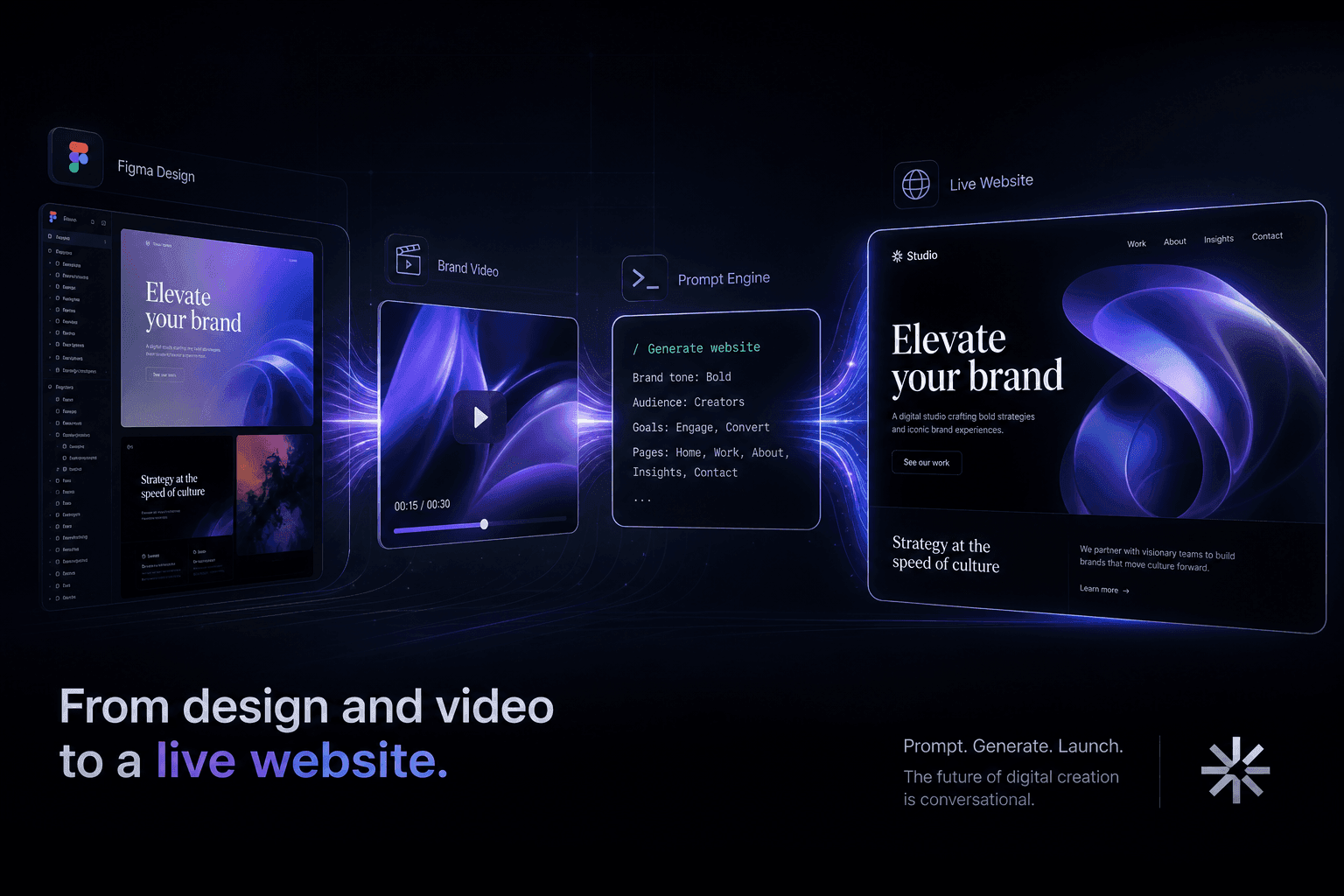
From a Figma Export and a Brand Video to a Live Site Using Only Prompts
How I turn Figma exports and brand videos into live, conversion-focused websites using only prompts and context handoffs. No manual coding, just directed AI execution.