Cursor Raises $60M Series A at $400M Valuation: The AI-Native Code Editor Just Changed Everything

Table of Contents
Cursor Raises $60M Series A at $400M Valuation: The AI-Native Code Editor Just Changed Everything #
Today marks a significant milestone in the AI coding assistant landscape. Anysphere, the company behind the increasingly ubiquitous Cursor editor, announces a $60 million Series A funding round at a $400 million valuation — led by Andreessen Horowitz (a16z) and Thrive Capital, with participation from OpenAI, Stripe co-founder Patrick Collison, Google's Jeff Dean, and AI researcher Noam Brown.
This isn't just another funding announcement. Cursor has quietly become the editor of choice for developers who treat AI as a genuine pair programmer rather than an autocomplete gimmick. Today's funding validates a radical hypothesis: that the future of software development isn't about bolting AI onto existing tools — it's about rebuilding the entire editing experience around AI from the ground up.
The Funding Breakdown: Who's Betting on Cursor #
Anysphere closes a $60 million Series A at a $400 million valuation, with a16z and Thrive Capital leading the round alongside strategic investors from OpenAI, Stripe, and Google. This represents one of the largest Series A rounds in the AI developer tools space this year — and signals serious conviction that AI-native editors will fundamentally reshape software engineering.
The round brings Cursor's total raised to over $80 million, following an $8 million seed and unannounced follow-on capital. Here's how the cap table breaks down:
| Investor | Role | Strategic Significance |
|---|---|---|
| Andreessen Horowitz (a16z) | Co-lead | Deep expertise in developer tools; portfolio includes GitHub, Figma, Vercel |
| Thrive Capital | Co-lead | Growth-stage focus; signals Cursor is scaling beyond early adoption |
| OpenAI | Strategic | Technical partnership; model access and potential API integration |
| Patrick Collison | Angel | Stripe co-founder's stamp of approval on developer experience |
| Jeff Dean | Angel | Google Senior Fellow; validates technical approach to AI-assisted coding |
| Noam Brown | Angel | OpenAI researcher known for reasoning systems; bullish on AI-native interfaces |
This investor mix tells a clear story: Cursor isn't just attracting venture capital — it's drawing the attention of the people who built the infrastructure layer of modern software. The presence of OpenAI as a strategic investor is particularly noteworthy, suggesting potential technical integrations that could give Cursor preferential access to new models and capabilities before they reach the broader market.
The $400 million valuation places Cursor in rarefied air for a company that's barely two years old. But given the exponential growth in adoption — particularly among high-performance engineering teams at startups and tech-forward enterprises — the math starts to make sense. Cursor is capturing the exact segment of the market that drove GitHub's explosive early growth: developers who influence tooling decisions across their organizations.
What Is Cursor? The AI-Native Code Editor Explained #
Cursor is a VS Code fork rebuilt from the ground up to treat AI as a first-class citizen, not a bolt-on extension. While GitHub Copilot operates as a plugin that sits alongside traditional editing workflows, Cursor fundamentally reimagines what an editor does when every keystroke can be informed by a large language model.
At its core, Cursor maintains the familiar VS Code interface — the extensions marketplace works, keybindings transfer over, and the command palette behaves exactly as you'd expect. But beneath the surface, the architecture diverges dramatically:
| Traditional IDE + Copilot | Cursor (AI-Native) |
|---|---|
| AI as autocomplete plugin | AI as the primary interface layer |
| Extension API limitations | Deep editor integration with full context access |
| Reactive suggestions (wait, then see) | Predictive completions (anticipate as you type) |
| Single-file context awareness | Multi-file reasoning with project-wide understanding |
| Chat in a sidebar panel | Composer for natural language to code transformation |
| Generic model responses | Precise context control via @-mentions |
The key architectural decision is this: Cursor owns the entire editing surface. This means the AI has access to your AST (abstract syntax tree), your cursor position history, your recent edits, and your terminal output — not just the text buffer that happens to be visible. When Cursor's tab model suggests code, it's not guessing based on file content alone; it's reasoning about what you're building, where you've been, and what comes next in your specific codebase.
Anysphere, founded by Michael Truell, Sualeh Asif, and Arvid Lunnemark while still students, started with a simple observation: existing AI coding tools were constrained by their plugin architecture. They couldn't access the full context developers use when reasoning about code. By forking VS Code and building AI into the foundation, Cursor can implement features that would be impossible as an extension — like predictive tab completion that suggests entire blocks of code before you finish typing the first line.
The Tab Model: Predictive Intelligence at the Speed of Thought #
Cursor's tab-based autocomplete is the feature that converts skeptics into evangelists. Unlike traditional autocomplete that reacts to what you've typed, Cursor's model predicts what you're about to type — often suggesting entire functions, error handlers, or API calls before you finish articulating the thought.
The mechanism works through a combination of low-latency model inference and contextual prediction. When you pause typing — even for milliseconds — Cursor's model evaluates:
- Recent context: The last 50+ lines you've written, including imports and type definitions
- Cursor trajectory: Where you're moving in the codebase and what patterns you've been establishing
- Semantic understanding: The intent implied by your partial input, not just the literal characters
- Codebase patterns: Common idioms and structures found elsewhere in your project
What arrives on screen is a ghostly gray suggestion that you can accept with a single Tab press. The psychological effect is uncanny: Cursor often completes your thoughts before you've fully formed them, creating a pair-programming dynamic where the AI feels genuinely collaborative rather than merely assistive.
Latency Engineering: The 300ms Barrier #
The technical achievement here isn't just model quality — it's speed. Cursor has invested heavily in inference optimization, achieving suggestion latency under 300ms even for complex multi-line completions. This matters because:
- Suggestions slower than 500ms break flow state and feel interruptive
- Sub-300ms latency creates a "thought continuation" sensation
- Predictive caching (generating likely completions before you need them) hides model latency entirely
The tab model particularly shines during mechanical coding — the repetitive, pattern-heavy work that consumes so much development time. Writing React components, API route handlers, database schema definitions, or test boilerplate becomes nearly conversational. You express intent; Cursor materializes implementation.
But the feature also demonstrates sophistication during creative coding. When you're architecting something novel, Cursor's suggestions often expose useful patterns from your project's existing code, surfacing relevant internal APIs or error-handling conventions you might have forgotten. It's not just completing code — it's reminding you how your own system works.
Composer: Multi-File Editing That Actually Understands Your Codebase #
Composer is Cursor's answer to the hardest problem in AI-assisted development: making changes that span multiple files without breaking everything. While autocomplete helps you write faster, Composer helps you refactor, restructure, and reason about your codebase at a higher level of abstraction.
Accessed via Cmd/Ctrl + I, Composer opens a chat interface that accepts natural language instructions and translates them into coordinated multi-file edits. The difference from a standard LLM chat is stark: Composer doesn't just suggest code snippets you must manually integrate. It proposes concrete file modifications, shows you a diff of exactly what will change, and applies edits across your project with a single confirmation.
Consider a typical workflow:
You: "Add user authentication to the API routes. I need JWT validation
      middleware, login/logout endpoints, and password hashing with bcrypt."

Composer analyzes:
- Existing route structure in /routes/
- Current database schema in /models/
- Existing middleware patterns
- Available dependencies in package.json

Composer responds with:
- New auth.middleware.ts file (JWT validation)
- Modifications to 3 existing route files (protected routes)
- New auth.routes.ts (login/logout endpoints)
- Updates to user.model.ts (password field, hash methods)
- Environment variable additions for JWT_SECRET
Each proposed change is previewable before application. You can review, modify, or reject individual edits. The experience feels less like "asking an AI for help" and more like "delegating to a senior engineer who knows your codebase."
The Architecture Behind Composer #
Composer's capabilities emerge from three technical decisions:
- Project-wide indexing: Cursor maintains a searchable index of your entire codebase — not just open files — enabling references to any symbol, type, or function you've defined
- Edit planning: Before generating code, Composer creates an execution plan determining which files need modification and in what order
- Idempotent application: Changes are applied transactionally; if something fails mid-edit, you're not left with a half-broken codebase
This architecture enables workflows that would be tedious or error-prone manually: renaming a widely-used type across 15 files, extracting a shared utility from duplicated code, upgrading a library and updating all call sites, or implementing a new feature that touches frontend, backend, and database layers simultaneously.
The @-Mention System: Precision Context Engineering #
Cursor's @-mention system solves the fundamental limitation of large language models in coding: context management. LLMs have limited context windows, and filling them with irrelevant code produces confused, generic suggestions. The @-system lets you curate exactly what the AI considers, transforming vague assistance into precise collaboration.
The syntax is intuitive for anyone who's used modern communication tools:
| @-Type | Usage | Effect |
|---|---|---|
@filename |
@auth.service.ts |
Includes entire file in context |
@symbol |
@validateToken |
Includes specific function/class definition |
@folder |
@utils/ |
Includes all files in directory |
@docs |
@docs React.useEffect |
Includes official documentation |
@web |
@web Express middleware patterns |
Searches web, includes relevant results |
@git |
@git recent changes |
Includes recent git history as context |
In practice, this changes how you interact with AI assistance. Instead of hoping the model happens to know about your internal validateToken function, you explicitly reference it. Instead of pasting error messages into chat, you reference the terminal output. Instead of explaining your database schema, you reference the schema definition file.
Context Engineering as a Skill #
Effective Cursor usage increasingly resembles context engineering — the deliberate curation of relevant information to maximize AI output quality. Skilled Cursor users develop intuitions about:
- What to include: Type definitions, API contracts, and examples of correct patterns
- What to exclude: Implementation details the AI should generate fresh, not copy
- How to sequence: Ordering context by relevance (most important definitions first)
- When to reference vs. when to explain: Sometimes natural language intent is clearer than code examples
This precision matters because it addresses the "garbage in, garbage out" problem of AI coding assistants. A model given 50 random files from your project will generate mediocre code. The same model given your authentication middleware, type definitions, and two examples of similar endpoints will generate production-ready implementations.
The @-system also enables reproducible AI interactions. Once you discover a context combination that produces excellent results for a particular task (say, generating API tests), you can document and reuse that pattern. Teams can establish "Cursor recipes" — standardized context bundles for common development tasks.
Cursor vs GitHub Copilot vs Claude Code: The 2024 Comparison #
Choosing between Cursor, GitHub Copilot, and Claude Code depends on your workflow patterns, team constraints, and what "AI-assisted development" means to you. Each tool occupies a distinct position in the current landscape, with meaningful trade-offs between integration depth, model quality, and workflow philosophy.
Here's how the three leading AI coding assistants compare across dimensions that actually matter for daily development:
| Dimension | Cursor | GitHub Copilot | Claude Code |
|---|---|---|---|
| Editor Integration | Forked VS Code (native) | Extension for VS Code/JetBrains | Terminal/CLI application |
| Autocomplete Quality | Predictive tab model | Reactive inline suggestions | N/A (no autocomplete) |
| Multi-File Editing | Composer with diffs | Limited (chat only) | Strong (file editing via CLI) |
| Context Control | @-mentions (surgical) | Implicit context detection | File references via commands |
| Primary Model | GPT-4, Claude, custom | OpenAI Codex | Claude (direct Anthropic) |
| Pricing (Individual) | $20/month Pro | $10/month ($19 Copilot Pro) | Free (usage-based API) |
| Pricing (Team) | $40/user/month | $19/user/month | Enterprise pricing |
| Best For | Daily coding, refactoring | Quick autocomplete, GitHub ecosystem | Complex reasoning, research |
| Learning Curve | Moderate | Low | Moderate-High |
When to Choose Each Tool #
Choose Cursor when:
- You spend most of your day in a code editor
- You want AI assistance integrated into every keystroke
- Multi-file refactoring is a regular part of your workflow
- You're building new features, not just maintaining existing code
- You value precise context control and predictable model behavior
Choose GitHub Copilot when:
- You're already deep in the GitHub ecosystem (Codespaces, Actions, etc.)
- You want the simplest possible AI setup — install and go
- Your work is primarily single-file editing
- Budget constraints favor the lower price point
- You prefer a well-established vendor with enterprise support
Choose Claude Code when:
- You need deep reasoning about architecture and design decisions
- You're doing exploratory work or research-heavy development
- Terminal-driven workflows are your preference
- You want the most direct access to Claude's capabilities
- Natural language interaction matters more than editor integration
The Emerging Pattern: Tool Stacking #
Increasingly, developers aren't choosing just one tool. The sophisticated workflow uses Cursor for daily coding, Claude Code for complex research and architectural planning, and treats Copilot as a fallback when working in non-VS Code environments. Today's funding announcement suggests Cursor is well-positioned to expand its territory — but the multi-tool reality will likely persist as each approach serves genuinely different needs.
Why This Funding Matters: The "Cursor Playbook" for AI-Native Tools #
Cursor's $60M Series A validates a thesis that's becoming the playbook for AI-native tool building: don't retrofit AI into existing interfaces — rebuild the interface around AI capabilities. This approach, increasingly called the "Cursor Playbook," represents a fundamental shift in how we should think about AI product development.
The pattern Cursor demonstrates has implications far beyond code editors:
1. Vertical Integration Beats Horizontal Plugins #
Cursor's success comes from owning the entire stack: the editor surface, the AI integration layer, the context management system, and the model interface. Compare this to GitHub Copilot, which operates within constraints imposed by VS Code's extension API. Cursor can implement features — like predictive tab completion with full AST awareness — that would be impossible for a plugin architecture.
2. Latency Is a Feature Category #
The 300ms suggestion latency isn't an implementation detail — it's a core product differentiator. Cursor's engineering team has prioritized inference speed as aggressively as model quality, recognizing that in interactive tools, perceived responsiveness often matters more than raw capability. This lesson applies to any AI product with real-time user interaction.
3. Context Control Is the UI Problem #
The @-mention system represents a genuine UI innovation for AI interfaces. The problem of "what should the AI know?" is now solved through a familiar, learnable syntax. Other AI-native tools are adopting similar patterns: Notion's AI blocks, Linear's issue context, and even emerging standards in AI chat interfaces all echo Cursor's approach to context curation.
4. Natural Language as a First-Class Interface #
Composer treats natural language not as a fallback for when you don't know the syntax, but as a legitimate primary interface for certain operations. The implication: future software will have multiple interface layers — traditional GUIs for precision, natural language for high-level intent, and AI-mediated transformations bridging between them.
What This Means for Founders and Product Teams #
If you're building AI-native tools today, the Cursor funding sends a clear signal: investors are willing to fund deep vertical integration. The era of "ChatGPT wrapper" dismissals is ending. What matters now is whether you've built genuine workflow integration that couldn't exist as a generic chat interface.
Questions to ask about your own AI product:
- Does your AI have access to context that generic chat cannot access?
- Is your latency optimized for the interaction pattern, not just the model?
- Have you invented UI patterns for context control that users can learn?
- Does your interface treat natural language as a primary input, not a fallback?
Cursor's $400M valuation suggests the market is rewarding teams who answer yes to these questions.
What This Means for Developers and Engineering Teams #
The practical impact of Cursor's growth — now accelerated by $60M in fresh capital — extends across individual productivity, team dynamics, and organizational capability. Developers using Cursor report workflow changes that compound over time, creating leverage that traditional tooling cannot match.
Individual Developer Productivity #
For the individual developer, Cursor primarily reduces the friction between intent and implementation. The tab model eliminates the mechanical typing that fills so much of a coding session. Composer removes the context-switching overhead of searching documentation, finding examples, and manually coordinating multi-file changes.
Anecdotal reports from Cursor power users suggest:
- 30-50% reduction in time spent on boilerplate and repetitive coding tasks
- Faster onboarding to unfamiliar codebases via natural language exploration
- Reduced cognitive load when context-switching between projects
- Improved confidence in refactoring, knowing AI assistance can catch edge cases
These gains are particularly pronounced for developers working across the full stack — the context-switching between frontend, backend, database, and infrastructure layers is where Cursor's @-mention system and multi-file Composer capabilities shine.
Team and Organizational Impact #
At the team level, Cursor creates interesting dynamics:
Code review shifts from catching mechanical errors to evaluating architectural decisions. When the AI handles syntax, formatting, and basic error handling, human reviewers can focus on design patterns, performance implications, and maintainability.
Documentation becomes executable. Teams using Cursor effectively often find their documentation evolving toward natural language specifications that Composer can implement. A well-written ticket or PR description, properly referenced, becomes the foundation for generated code.
Senior developer leverage increases. Experienced engineers can express architectural patterns once, reference them via @-mentions, and see junior team members produce code that adheres to established conventions. The knowledge transfer accelerates without requiring constant pairing.
The Hiring and Training Implication #
Organizations adopting Cursor aggressively may find they can onboard junior developers faster and reduce the experience requirements for certain roles. When the editor itself provides senior-level guidance — suggesting idiomatic patterns, catching common mistakes, explaining unfamiliar code — the ramp-up time compresses.
This doesn't mean experience becomes irrelevant. Rather, the nature of valuable engineering experience shifts toward system design, architecture, and product judgment — the high-level capabilities that remain firmly human even as implementation accelerates.
Looking Ahead: Cursor's Roadmap and the Future of AI Coding #
With $60 million in new capital, Cursor enters a phase of accelerated expansion that will likely reshape the competitive landscape within months. While Anysphere hasn't published a detailed public roadmap, the funding announcement and recent feature velocity suggest several strategic directions:
Infrastructure at Scale #
First, Cursor will invest heavily in inference infrastructure. The tab model's sub-300ms latency is already impressive, but maintaining that performance at scale — as the user base grows 10x or 100x — requires significant backend investment. Expect Cursor to build out custom inference clusters, optimize model serving, and potentially develop proprietary model variants fine-tuned specifically for code completion.
Enterprise Features and Team Workflows #
The jump to a $400M valuation suggests enterprise expansion is a priority. Cursor's current Pro tier ($20/month individual, $40/month team) is priced for individual developers and small teams. A true enterprise tier would include:
- Admin controls for AI usage policies and model selection
- Team-wide context — shared @-mentions for internal libraries and patterns
- Audit logging and compliance features for regulated industries
- SSO/SAML integration and centralized billing
- On-premise or VPC deployment options for security-conscious organizations
The presence of Thrive Capital — known for growth-stage B2B SaaS investments — signals confidence that Cursor can execute this enterprise transition successfully.
Model Strategy and Partnerships #
OpenAI's participation as a strategic investor suggests deepening technical partnerships. Cursor currently uses a mix of models — GPT-4 for some features, Claude for others, with a smart routing layer selecting the right model for each task. With strategic backing, Cursor may gain:
- Early access to new OpenAI models before general availability
- Custom model fine-tuning on code-specific tasks
- Preferential pricing that enables more generous free tiers
- Joint research on editor-specific AI capabilities
The multi-model approach is a strategic advantage — Cursor isn't tied to a single provider's roadmap or pricing, and can route tasks to whichever model performs best for that specific operation.
The Category: AI-First Development Environments #
Beyond Cursor's specific roadmap, today's funding validates an emerging category: AI-first development environments. Just as VS Code defined the modern code editor and GitHub defined collaborative coding, Cursor is defining what it means to build software with AI as a true partner.
Expect competitors to respond. GitHub will likely accelerate Copilot's roadmap. JetBrains will push AI features harder. New entrants will emerge. But Cursor's head start — and now its war chest — position it to define the category standards before competition fully materializes.
For developers, the next 12-18 months promise rapid advancement in AI-assisted tooling. The baseline expectation for what a code editor does is about to change dramatically.
FAQ: Cursor Series A and the AI-Native Editor #
What is Cursor and how is it different from VS Code?
Cursor is a VS Code fork with native AI integration, not just an extension. While it maintains VS Code's familiar interface and extension compatibility, Cursor fundamentally rearchitects the editor to treat AI as a primary interface layer. Features like predictive tab completion, multi-file Composer editing, and the @-mention context system require deep integration that extensions cannot achieve.
Who invested in Cursor's $60M Series A?
Andreessen Horowitz (a16z) and Thrive Capital co-led the $60 million Series A. Strategic and angel investors include OpenAI, Stripe co-founder Patrick Collison, Google Senior Fellow Jeff Dean, and AI researcher Noam Brown. This investor mix combines venture expertise in developer tools with deep technical credibility from the organizations that built modern software infrastructure.
What is Cursor's valuation after this funding round?
Cursor (Anysphere) is now valued at $400 million following this Series A. The company has raised over $80 million total, including an $8 million seed round and unannounced follow-on capital. The $400M valuation reflects explosive user growth and the emerging consensus that AI-native editors represent a category as significant as the original IDE revolution.
How does Cursor's tab-based autocomplete compare to GitHub Copilot?
Cursor's tab model is predictive; Copilot's autocomplete is reactive. Cursor anticipates what you're about to type — often suggesting entire blocks before you finish a thought — while Copilot responds to what you've already typed. Cursor also achieves sub-300ms latency for suggestions and has access to full AST and project context that Copilot's extension architecture cannot reach.
What is Cursor Composer and how does multi-file editing work?
Composer is Cursor's natural language interface for multi-file editing, accessed via Cmd/Ctrl + I. You describe changes in plain English; Composer analyzes your entire codebase, proposes specific file modifications across multiple files, and shows you a diff before applying. It's particularly powerful for refactoring, feature implementation that touches frontend/backend/database layers, and architectural changes.
What are @-mentions in Cursor and why do they matter?
@-mentions are Cursor's context control system, allowing surgical precision over what the AI considers. You can reference files (@auth.service.ts), symbols (@validateToken), documentation (@docs React.useEffect), web search (@web Express patterns), or git history (@git recent). This solves the "context window" problem, ensuring the AI reasons about relevant code rather than generating confused suggestions from irrelevant files.
Is Cursor free to use? What are the pricing tiers?
Cursor offers a generous free tier with 2,000 completions and 50 slow premium requests per month. The Pro tier ($20/month individual, $40/month team) removes limits, provides faster premium model access, and includes advanced features. The free tier is fully functional for evaluation and light usage; the Pro tier targets professional developers using Cursor as their primary editor.
Can Cursor replace my existing IDE entirely?
For most developers, yes — Cursor is a complete IDE replacement, not an add-on. It supports the full VS Code extension marketplace, maintains compatible keybindings, and handles all major programming languages. The migration friction is minimal: open a project in Cursor, and it behaves like VS Code with superpowers. Some specialized workflows (embedded development, certain proprietary toolchains) may still require specific IDEs.
How does Cursor handle code privacy and security?
Cursor offers zero-data-retention mode for enterprise users and does not train on user code without explicit consent. The company has published detailed privacy policies explaining data handling: by default, code snippets are sent to AI models for completion but are not retained or used for model training. For security-conscious organizations, Cursor provides options to disable cloud processing entirely or route through VPCs.
What models does Cursor use under the hood?
Cursor uses a mix of models including GPT-4, Claude (Anthropic), and custom-tuned variants, with smart routing based on task type. The tab completion model is specifically optimized for low-latency code prediction. Composer typically uses GPT-4 or Claude depending on the complexity of the request. Cursor's model-agnostic architecture allows them to integrate new models quickly without user-facing changes.
Is Cursor better than Claude Code for AI-assisted development?
Cursor and Claude Code serve different workflows — many developers use both. Cursor wins for integrated daily coding, refactoring, and multi-file editing within an editor environment. Claude Code excels at deep reasoning, research-heavy tasks, and architectural discussions via terminal interface. If you primarily code in an editor, start with Cursor. If you want AI assistance for design decisions and exploration, Claude Code complements Cursor well.
What does this funding mean for the future of AI coding tools?
This funding validates the "AI-native" approach over retrofitting AI into existing tools. The $400M valuation signals market confidence that Cursor's architecture — rebuilding the editor around AI rather than adding AI as a plugin — represents the future. Expect accelerated feature development, enterprise expansion, and increased competitive pressure that will benefit developers through rapidly improving tooling across the entire ecosystem.
Ready to Transform Your Development Workflow? #
Cursor's $60M Series A isn't just a validation of their product — it's a signal that AI-assisted development has crossed from experimental to essential. The developers and teams who master these tools now will operate at a velocity that traditional workflows simply cannot match.
But Cursor is just one piece of the modern AI development stack. The real leverage comes from orchestrating multiple AI systems — coding assistants, automation platforms, and intelligent agents — into a cohesive workflow that handles everything from implementation to deployment to monitoring.
That's where I come in.
I help engineering teams and technical founders build custom AI automation systems that extend far beyond the editor. Whether you need:
- n8n workflows that connect Cursor-generated code to your CI/CD, testing suites, and deployment pipelines
- AI agents that handle code review, documentation generation, and release note drafting
- MCP-integrated systems that expose your internal APIs and tools directly within Cursor's @-mention system
- Growth engineering pipelines that leverage AI to ship features faster and capture market opportunities
...I build the infrastructure that turns AI coding assistants from productivity tools into competitive advantages.
Book an AI automation strategy call — we'll audit your current development workflow, identify where AI automation can create the highest leverage, and map out a custom implementation plan. Whether you're a solo founder looking to ship like a team, or an engineering leader scaling AI adoption across your organization, I can help you build systems that multiply your output.
The future of software development isn't human vs. AI — it's human augmented by AI, orchestrated through thoughtful automation. Let's build that future for your team.
Related posts:
- Claude Code Masterclass: Building Custom Skills and Hooks — Deep dive into Claude's agent system for complex reasoning tasks
- MCP Model Context Protocol: The New Standard for AI Tools — How the Model Context Protocol enables tool use across AI systems
- n8n vs Make: Choosing Your Workflow Automation Platform — Complete comparison of the leading AI workflow platforms
Related Posts
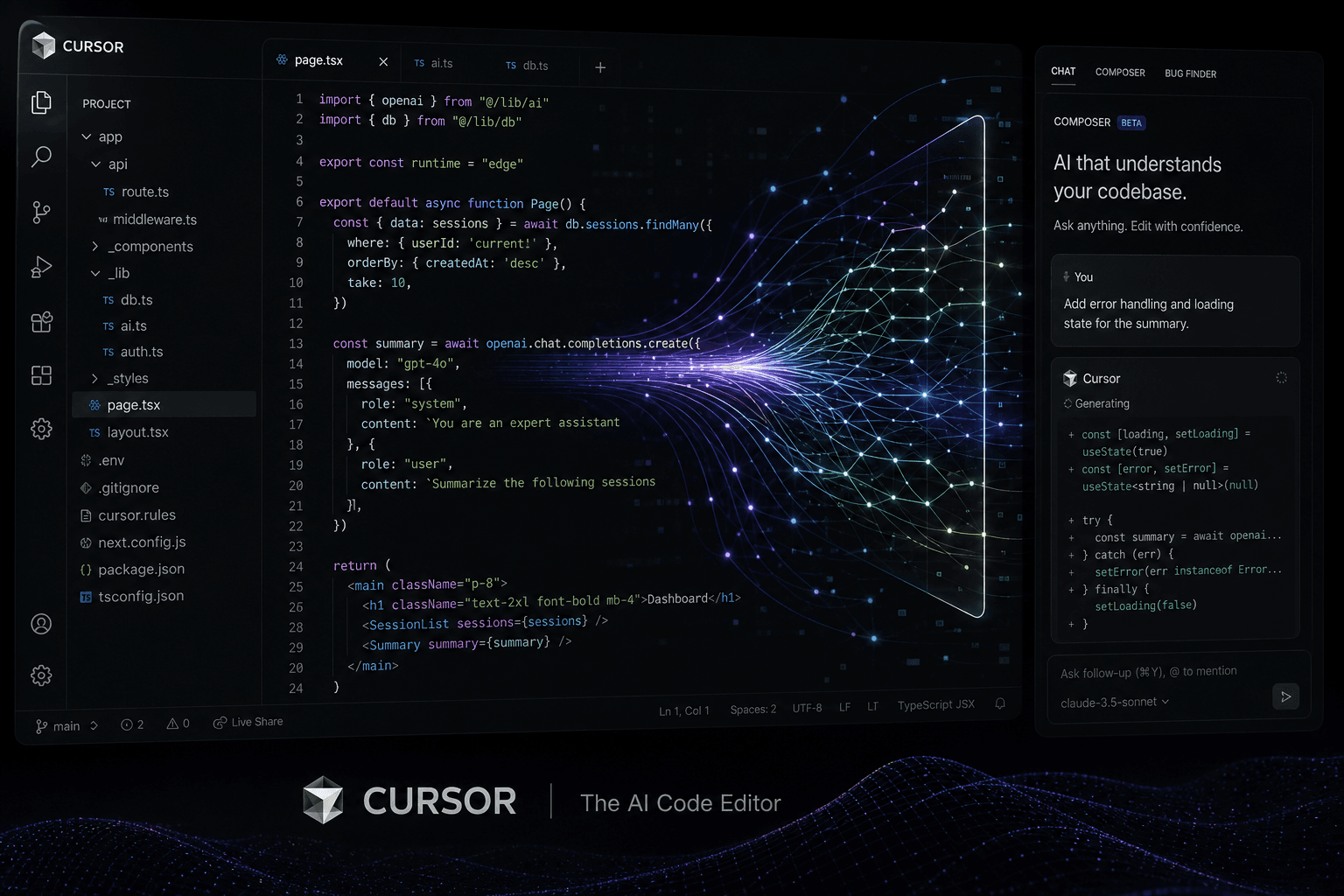
Cursor Year-End Recap: The IDE That Defined 2024
Cursor's 2024 was extraordinary: from indie dev darling to $400M valuation, viral Composer tutorials, and defining the AI-native editor category. Here's the complete year in review.

GitHub Models Public Preview: OpenAI, Anthropic, and Mistral Inside GitHub
GitHub opens a limited public beta for GitHub Models: a playground, CLI path, and Azure glide path for GPT-4o, Mistral Large 2, Llama 3.1, and Phi-3—right beside your repos.
Mistral Codestral 22B: Europe's First Dedicated Coding Model Lands
Mistral AI just dropped Codestral 22B — a purpose-built coding model with 32K context, FIM support, and 80+ language coverage that runs locally or via API.