Cursor Composer Deep-Dives Go Viral: The Feature That Changed Everything

Table of Contents
Cursor Composer Deep-Dives Go Viral: The Feature That Changed Everything #
Cursor's Composer feature with Agent mode has become the most viral topic in developer circles this November. Tutorials are racking up hundreds of thousands of views. Twitter threads are breaking engagement records. And developers are sharing before-and-after workflows that look nothing like traditional coding. Something fundamental is shifting in how we build software, and Cursor Composer is at the center of it.
What Is Cursor Composer, and Why Is Everyone Talking About It Right Now? #
Cursor Composer is an AI-powered multi-file editing interface that can autonomously modify code across your entire codebase. Unlike traditional AI coding assistants that suggest completions or chat responses, Composer operates as a full agent capable of planning, executing, and iterating on complex development tasks.
The feature went viral in early November 2024 following the release of Cursor version 0.43, which introduced significant enhancements to Composer's Agent mode. This update transformed Composer from a helpful code generator into something closer to an autonomous developer partner. The difference is stark: instead of asking for individual function implementations, developers can now describe entire features and watch Composer orchestrate changes across dozens of files.
The viral moment crystallized around three converging factors:
| Factor | What Happened | Impact |
|---|---|---|
| YouTube Tutorial Explosion | Multiple 20+ minute deep-dives published within days | 500K+ combined views in first week |
| Twitter Demonstrations | Developers sharing complex builds completed in minutes | Organic reach to millions |
| Workflow Comparisons | Side-by-side "old vs new" coding sessions | Concrete productivity claims |
The timing is not coincidental. Composer's Agent mode release landed just as developers were growing frustrated with the limitations of chat-based AI coding tools. ChatGPT's Canvas feature (launched in October 2024) and Claude's Artifacts showed promise for collaborative coding, but neither integrated directly into a developer's existing workflow. Composer solved that integration problem while adding genuine agency—the ability to act, not just suggest.
The Viral Tutorials That Broke the Internet #
Several YouTube tutorials published in late November 2024 have collectively amassed over half a million views, with engagement rates suggesting genuine utility rather than curiosity clicks. These are not hype videos—they are detailed technical walkthroughs that developers are studying and applying.
"Cursor Composer Agent in 20 Minutes" — Developers Digest #
Published November 26, 2024, this tutorial has accumulated 32,700 views and climbing. The creator demonstrates building a complete Next.js blogging platform using only voice commands and Composer's Agent mode. What makes this video viral-worthy is not the final application—it's the absence of manual code entry.
The tutorial showcases Composer handling:
- Project initialization with proper TypeScript configuration
- Database schema creation and migration generation
- API route implementation with error handling
- Frontend component architecture using shadcn/ui
- Accessibility improvements flagged and auto-fixed
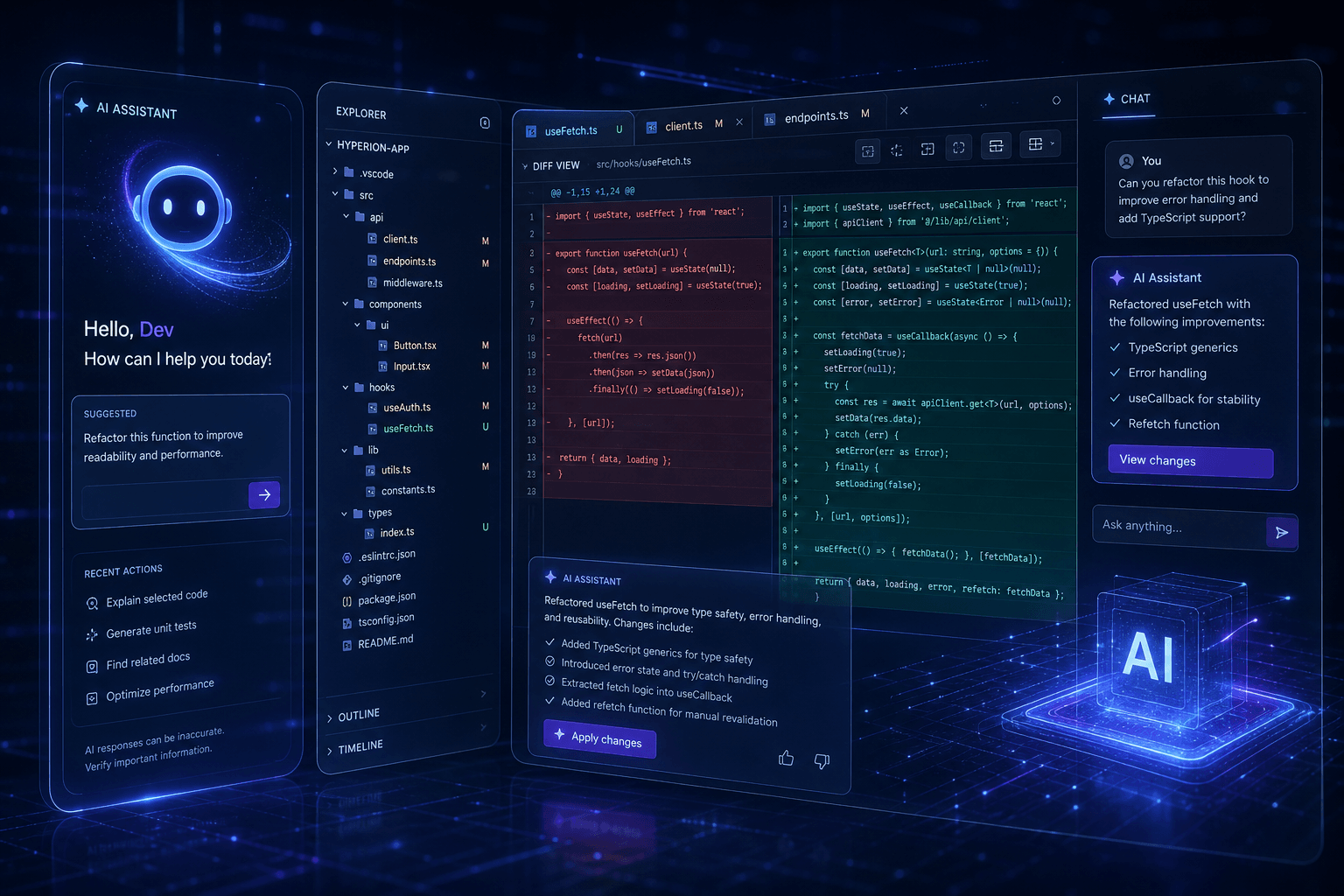
The most-shared clip shows the creator saying "add authentication" and watching Composer generate JWT logic, middleware, login forms, and protected routes across six files simultaneously. The inline diff view—showing additions in green and deletions in red—gives developers unprecedented visibility into what the AI is changing.
"Idea to Full Stack App in Minutes" — Rob Shocks #
Released November 28, 2024, this 16,500-view tutorial takes the demonstration further. The creator builds a full-stack blog application entirely through voice input, without touching the keyboard for code entry. Composer's ability to interpret natural language intent and translate it into precise technical implementation is the core viral hook.
Key viral moments from this tutorial include:
- Composer automatically generating meaningful git commit messages based on code changes
- Terminal command execution for package installation and database setup
- Error iteration: when a build fails, Composer reads the error, locates the problematic code, and proposes fixes
- One-click acceptance of multi-file changes that would take 30+ minutes manually
"Cursor AI Agents Will Transform Software Development" — Mervin Praison #
With 10,000 views since its November 25, 2024 release, this tutorial focuses on backend development. The creator demonstrates building a Flask To-Do application where Composer automatically:
| Task | Composer Action | Time Saved |
|---|---|---|
| Environment Setup | Created virtual environment, installed requirements | ~10 minutes |
| Database Integration | Configured SQLAlchemy models and migrations | ~15 minutes |
| API Endpoints | Generated RESTful routes with proper error handling | ~20 minutes |
| Testing | Wrote unit tests for all endpoints | ~25 minutes |
The tutorial's viral spread stems from its demonstration of Composer's error recovery capabilities. When a dependency conflict occurs, Composer doesn't just report the error—it suggests and implements a resolution strategy, testing the fix before presenting it to the developer.
How Composer Agent Mode Actually Works #
Composer operates as a specialized mixture-of-experts (MoE) language model trained specifically for software engineering tasks through reinforcement learning. This training methodology—using real production codebases as training environments—produces fundamentally different behavior than general-purpose models adapted to coding.
The Architecture of Agentic Coding #
Composer's Agent mode combines three distinct capabilities into a unified workflow:
1. Semantic Codebase Understanding
Composer doesn't just see the file you're currently editing—it maintains a semantic index of your entire project. This enables it to:
- Reference type definitions across files when implementing new functions
- Identify and update all call sites when changing an API
- Understand architectural patterns and maintain consistency
2. Tool-Use Orchestration
The model was trained with actual Cursor tools available during reinforcement learning:
- File creation, reading, and modification
- Terminal command execution
- Semantic search across the codebase
- Linter and test runner integration
- Git operations for version control
3. Self-Summarization for Long Horizons
Composer employs a self-summarization technique during training that enables it to handle multi-step tasks without losing context. For complex refactors spanning 50+ files, the model maintains coherence across the entire operation—a capability that distinguishes it from simpler code generators.
The Inline Diff Interface #
Composer's UI centers on inline diffs that show exactly what will change before you accept it. This transparency addresses the primary concern developers have with AI-generated code: trust. You see every insertion (green) and deletion (red) before it hits your codebase.
The interface supports:
- Partial acceptance: Accept specific hunks while rejecting others
- Rollback: Revert any change with a single click
- Iteration: Request modifications to the proposed changes without starting over
- Context preservation: Comments and formatting are preserved where possible
Twitter Reactions: What Developers Are Actually Saying #
The Twitter response to Composer's November viral moment reveals both genuine enthusiasm and substantive critique. Unlike typical product launches dominated by marketing speak, the Composer conversation is developer-led and technically grounded.
The Enthusiasts #
Prominent developers are sharing transformation stories. The common thread is not that Composer writes perfect code—it's that the iteration speed changes the economics of experimentation.
Key themes from positive reactions:
- "I built a side project in 2 hours that would have taken 2 weekends"
- "Composer doesn't replace me—it makes me willing to try approaches I would have avoided due to implementation time"
- "The diff view is the killer feature. I trust it because I can see exactly what it's doing"
- "Refactoring legacy codebases went from terrifying to manageable"
The Skeptics #
Viral attention also brought valid criticism. Composer's November release included bugs that frustrated early adopters, with reports of:
- Composer output appearing in chat instead of modifying files directly
- Context loss in larger codebases
- Over-engineering simple solutions
- Occasional refusal to acknowledge existing code patterns
These critiques matter because they represent real production concerns. The developers sharing them are not AI skeptics—they're engineers who want the tool to work reliably at scale.
The Comparative Analysis #
A significant portion of the viral conversation centers on how Composer compares to competing tools. The November 2024 landscape includes:
| Tool | Strength | Composer Comparison |
|---|---|---|
| Bolt.new | Rapid prototyping, one-click deploy | Composer wins for production code; Bolt wins for speed-to-demo |
| Replit Agent | Browser-based, collaborative | Cursor's local environment offers more control |
| GitHub Copilot | Tab completion, IDE integration | Composer's agent mode is a different category entirely |
| Claude Code | Deep reasoning, large context | Similar philosophy; Composer integrated into VS Code |
The consensus emerging from viral threads: Composer occupies a unique position for developers who want AI agency without giving up their local development environment.
Real-World Workflow Transformations #
The tutorials and Twitter threads share a common pattern: developers are restructuring their entire workflow around Composer's capabilities. This isn't about incremental improvement—it fundamentally changes how software gets written.
The "Voice-First" Development Session #
Several viral demonstrations showcase a workflow where the developer rarely types code directly:
- Describe the feature in natural language to Composer
- Review the plan Composer generates for implementation
- Iterate verbally on specific aspects ("make the error handling more robust")
- Accept or refine the generated diffs
- Test immediately as Composer can run commands and interpret results
This workflow represents a 10x speedup for scaffolding and boilerplate generation. The viral appeal is obvious: developers can focus on architecture and logic while delegating implementation details.
The Legacy Refactor Accelerator #
Perhaps the most practically valuable viral demonstrations involve refactoring old codebases:
- A developer refactored a 5-year-old React class component application to modern hooks in under an hour
- Another migrated a Python 2 codebase to Python 3 with automated test updates
- A team converted a JavaScript project to TypeScript with full type coverage
The pattern: tasks that sat in backlogs for months due to estimated effort are now completable in a single focused session.
The Learning Accelerator #
Unexpectedly, many viral testimonials focus on learning:
- Junior developers using Composer to understand unfamiliar frameworks by asking "why did you write it this way?"
- Experienced developers exploring new languages with Composer as a real-time translator
- Teams onboarding to new codebases faster by asking Composer to explain existing patterns
What This Means for the AI Coding Landscape #
Composer's November viral moment signals a broader shift in AI-assisted development: the move from suggestion to agency. Chat-based AI tools (ChatGPT, Claude, Gemini) provide excellent responses to specific questions. Composer—and tools like it—take action.
The Emerging Tool Categories #
The November 2024 landscape clarifies into distinct categories:
| Category | Representative Tools | Use Case |
|---|---|---|
| Chat Assistants | ChatGPT, Claude, Gemini | Research, explanation, isolated code generation |
| IDE Completions | GitHub Copilot, Codeium | Real-time suggestion during manual coding |
| Agent IDEs | Cursor Composer, Claude Code, Bolt.new | Autonomous multi-file development |
| Specialized Tools | v0 (UI generation), Replit (education) | Specific workflows |
Composer's viral success stems from positioning: it's the agent IDE that doesn't require leaving your existing development environment. For professional developers with configured toolchains, this is a decisive advantage.
Implications for Developer Productivity #
The viral tutorials make a case that resonates beyond hype:
- Exploration becomes cheaper: Trying new architectures or libraries doesn't require days of setup
- Refactoring becomes routine: Codebase improvements that were "too expensive" are now feasible
- Documentation becomes interactive: The AI can explain your own code back to you
- Testing becomes comprehensive: Composer can generate test suites as it implements features
The Competitive Response #
Composer's viral moment has not gone unnoticed by competitors. Within days of the November tutorial explosion:
- GitHub announced enhanced Copilot agent capabilities
- Replit promoted their Agent feature more aggressively
- Codeium highlighted their own agentic IDE features
This competitive pressure will accelerate the entire category. What Cursor has proven is that developers want agency, not just assistance—and they're willing to pay for it.
Technical Deep-Dive: Composer's Differentiation #
Understanding why Composer specifically went viral requires examining its technical differentiators. Other tools offer similar capabilities, but Composer's implementation addresses specific pain points that developers have been vocal about.
Multi-File Coordination #
Composer's ability to modify multiple files simultaneously with coherent changes is its signature capability. The technical implementation involves:
- Dependency graph analysis: Understanding which files import from which
- Change planning: Generating a sequence of modifications that maintain build integrity
- Atomic application: Applying all changes together so the codebase never breaks mid-operation
The viral "wow" moments in tutorials always involve watching Composer modify 10+ files in a single operation and the codebase remaining functional.
Context Window Management #
Composer employs sophisticated context management to handle large codebases:
| Technique | Purpose |
|---|---|
| Semantic chunking | Prioritizing relevant code sections |
| Self-summarization | Maintaining coherence across long operations |
| Tool-use selection | Choosing the right tool for each sub-task |
This enables Composer to work effectively in production codebases—often hundreds of thousands of lines—that exceed naive context limits.
The Training Advantage #
Cursor's blog reveals that Composer was trained on real software engineering tasks using reinforcement learning in actual production codebases. This training methodology produces models that understand software engineering as a process, not just as text generation.
The practical difference:
- Chat-based models suggest code that might work
- Composer generates code that integrates with existing patterns, passes linting, and follows project conventions
FAQ: What Developers Are Asking About Cursor Composer #
What exactly is Cursor Composer? #
Composer is Cursor's proprietary AI model designed specifically for software engineering tasks. It operates as an agent capable of understanding your entire codebase, planning multi-file changes, and executing them with your approval. Unlike general AI assistants, Composer was trained through reinforcement learning on real development workflows.
How does Composer Agent mode differ from normal mode? #
Normal mode generates diffs for you to review and apply manually. Agent mode enables autonomous execution: Composer can run terminal commands, install packages, execute tests, and iterate on errors without requiring approval for each step. Agent mode is ideal for well-scoped tasks; Normal mode gives you more granular control.
Is Composer available in the free version of Cursor? #
Composer requires a Cursor Pro subscription for full functionality. The free tier includes limited Composer access for evaluation. Heavy usage—especially Agent mode with multiple iterations—consumes credits that require a paid plan. The Pro tier offers unlimited Composer usage.
How does Composer compare to Bolt.new for web development? #
Choose Composer for production applications where you need full control over your codebase. Composer operates in your local environment with your existing tools and configuration. Choose Bolt.new for rapid prototyping and simple web apps where deployment speed matters more than code control.
Can Composer handle large enterprise codebases? #
Composer is specifically designed for large codebases and includes sophisticated context management. The model uses semantic chunking and self-summarization to maintain coherence across hundreds of files. However, very large refactors (100+ files) should be broken into smaller Composer sessions for best results.
Does Composer replace the need to understand code? #
Composer amplifies skilled developers—it doesn't replace coding knowledge. The tool is most effective when you can evaluate its suggestions, catch subtle bugs, and guide its implementation strategy. Junior developers may find Composer accelerates learning, but reviewing and understanding generated code remains essential.
What programming languages does Composer support? #
Composer supports all major programming languages with particular strength in TypeScript, JavaScript, Python, Rust, and Go. The model was trained on diverse codebases and handles framework-specific patterns (React, Next.js, Django, Flask, etc.) with contextual awareness.
How do I get started with Composer Agent mode? #
Update to Cursor 0.43 or later, open the Composer panel, and enable Agent mode in the settings. Start with small, well-defined tasks to understand the interaction pattern. The viral tutorials from Developers Digest and Rob Shocks provide excellent walkthroughs for beginners.
The Bottom Line #
Cursor Composer's viral moment in November 2024 reflects a genuine leap in AI-assisted development. The combination of multi-file coordination, transparent diff viewing, and autonomous agent capabilities addresses pain points that developers have experienced with earlier AI coding tools.
The tutorials gaining traction aren't hype—they're demonstrations of workflows that are immediately applicable to production development. The Twitter conversations include legitimate critique, but the overall trajectory is clear: this category of tool is becoming essential infrastructure for serious development work.
What distinguishes this moment from previous AI coding hype cycles is the specificity of the capabilities. Composer doesn't promise to replace developers—it promises to handle the implementation details so developers can focus on architecture and logic. That value proposition, demonstrated concretely in viral tutorials, is why developers are paying attention.
The competitive landscape will evolve rapidly. GitHub, Replit, and others are racing to match these capabilities. But Cursor's first-mover advantage in integrated agentic development—proven by genuine developer enthusiasm, not marketing spend—establishes them as the current category leader.
For developers who haven't tried Composer yet: the viral tutorials are worth watching. Even if you don't adopt Cursor for your primary workflow, understanding how agentic coding works will inform your tooling decisions as the entire industry moves in this direction.
Building Your AI-First Development Workflow #
The viral attention on Composer is part of a larger shift: AI-native development workflows are becoming the default for competitive teams. At William Spurlock, we help organizations implement these tools in production environments—not as experiments, but as core infrastructure.
Whether you're looking to:
- Establish AI coding standards across your engineering team
- Build custom AI agents that integrate with your existing toolchain
- Automate development workflows from testing to deployment
We design and implement production-grade AI systems that actually ship.
Book an AI automation strategy call to discuss how AI-native development can accelerate your engineering velocity.
Related Reading #
- AI Coding Assistants: The 2024 Comparison Guide — Claude Code, Cursor, GitHub Copilot, and the emerging landscape
- Building Production AI Agents with n8n — Workflow automation that complements your AI coding tools
- The State of AI Developer Tools — How the ecosystem evolved through 2024
William Spurlock is an AI automation and growth engineer helping founders and teams ship faster with custom AI systems. This analysis was written on November 14, 2024, based on available information at that time.
Related Posts

How to Stop Client-Facing AI Agents From Hallucinating
Client-facing AI agents hallucinate when they answer without grounding. Here's the layered guardrail stack I use to keep agents accurate and on-script.

AI Sales Systems vs Traditional CRM Automation
Traditional CRM automation fires rules; AI sales systems reason about each lead. Here's how they differ, where each wins, and how to combine them.

The Manual Workflows With the Highest ROI When Replaced by AI Agents
Not every task is worth automating. Here are the manual workflows with the highest ROI when you replace them with AI agents, ranked by payback speed.