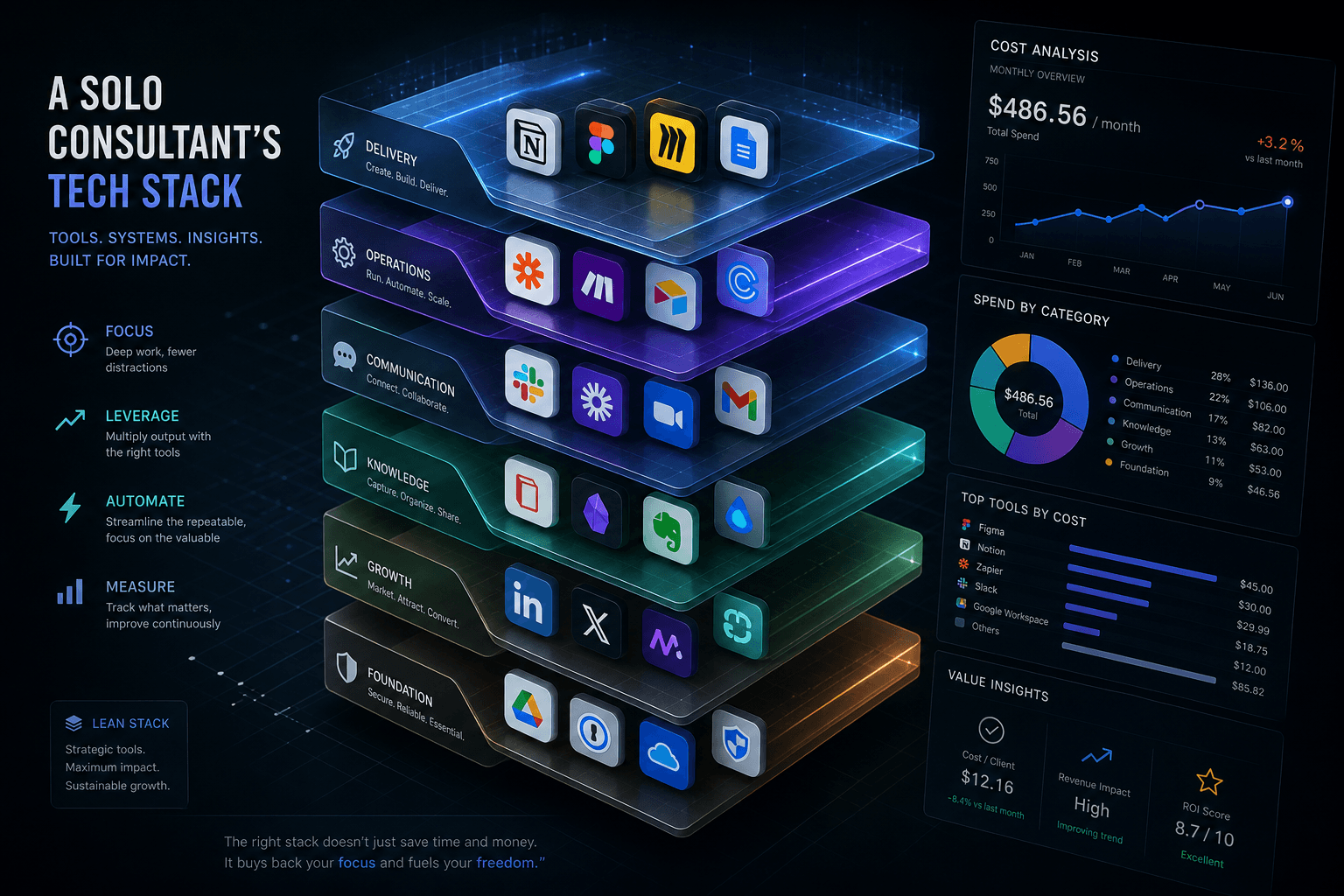
The Solo AI Consultant's Tech Stack: What I Actually Pay For in 2026

Table of Contents
The Solo AI Consultant's Tech Stack: What I Actually Pay For in 2026 #
I run a solo AI consulting practice on $594 per month. That figure covers everything: AI coding assistance, multi-model API access, self-hosted automation infrastructure, creative AI tools, hosting, and project management. The stack is designed for infinite scale — it works the same at $5K monthly revenue as it does at $50K.
The philosophy is simple: pay for access, not subscriptions. I don't have Claude Pro, ChatGPT Plus, or Vercel. Instead, I pay Google $250/month for unlimited Gemini access through AI Ultra, self-host n8n for $30/month instead of paying $62+ for limited Cloud executions, and access every other frontier model through OpenRouter on a pay-per-use basis. The result is enterprise-grade AI capabilities at a fraction of what agencies spend on equivalent tooling.
Total Cost Overview: The $594/Month Infinite Scale Stack #
My complete monthly tooling cost is $594. This breaks down into four layers: AI platform infrastructure ($355), creative and multi-model tools ($89), self-hosted automation ($75), and operational tooling ($75).
Complete Monthly Cost Breakdown #
| Layer | Tool | Monthly Cost | Purpose |
|---|---|---|---|
| AI Platform | Google AI Ultra | $250 | Gemini 3.1 Pro, Deep Research, Antigravity, unlimited AI Studio |
| AI Platform | Google Cloud | ~$50 | API billing, Vertex AI, pay-as-you-go model access |
| AI Coding | Cursor Pro+ | $60 | Primary IDE, heavy agent use, frontier model access |
| Multi-Model | OpenRouter | ~$30 | Claude, GPT, Llama, DeepSeek — pay-per-use, no subscriptions |
| Multi-Model | Abacus AI Pro | $20 | ChatLLM Teams, multi-model chat, fine-tuning access |
| Multi-Model | Perplexity Pro | $20 | AI research, fact-checking, web search |
| Creative AI | Leonardo AI | $12 | AI image generation for blog covers, client assets |
| Creative AI | ElevenLabs Creator | $22 | Voice generation, voice cloning, audio content |
| Automation | n8n (self-hosted) | $30 | DigitalOcean droplet, unlimited executions |
| Agent Infra | OpenClaw x3 | $45 | Three Hostinger VPS instances for browser automation |
| Client Mgmt | Airtable Teams | $20 | Client databases, onboarding, project tracking |
| Internal Docs | Notion Plus | $10 | Personal knowledge base, research, content planning |
| Hosting | Netlify Pro | $20 | All website deployments, client sites |
| TOTAL | $594 |
The Infinite Scale Thesis #
This stack scales infinitely because variable costs map to revenue growth. Google Cloud API usage is the only truly variable expense, and it grows linearly with client workload. Everything else is fixed:
- Self-hosted n8n has no execution ceiling — 10,000 runs or 10 million runs cost the same $30/month
- Google AI Ultra provides unlimited Gemini access at a flat $250/month
- OpenRouter is pure pay-per-use — no wasted subscription fees for models you rarely touch
- Three OpenClaw instances run 24/7 for $45 total — adding a fourth would cost $15 more, not require an enterprise plan
Compare this to the typical agency approach: $15,000+ in monthly payroll for developers, designers, and project managers to deliver equivalent output. $594/month gets you capabilities that scale without headcount.
The AI Platform Layer: Google AI Ultra + Google Cloud (~$300/mo) #
Google is my primary AI backbone. I pay $250/month for AI Ultra and approximately $50/month in Google Cloud API billing. Combined, this ~$300 investment delivers more capability than $500+ in scattered subscriptions across Anthropic, OpenAI, and other providers.
What Google AI Ultra Includes #
Google AI Ultra is a premium subscription tier that unlocks the full Google AI ecosystem:
| Feature | What's Included |
|---|---|
| Gemini 3.1 Pro | Highest rate limits, largest context windows |
| Deep Think | Advanced reasoning mode for complex problem-solving |
| Deep Research | Unlimited research queries with highest limits |
| AI Studio | Full access to experiment with models and prompts |
| Antigravity | Priority model access, highest rate limits |
| Veo 3 | Video generation with native audio |
| Flow | AI filmmaking tool with premium features |
| Gemini Code Assist | Highest request limits for coding workflows |
| Storage | 30TB across Photos, Drive, and Gmail |
| AI Credits | 25,000 monthly credits for Flow, Antigravity, and other products |
Why Google AI Ultra Over Multiple Subscriptions #
At $250/month, AI Ultra replaces $300–$500 in alternative subscriptions. Consider what I'd need without it:
- Claude Max 5x: $100/month for high-rate-limit Opus access
- ChatGPT Pro: $200/month for GPT-5.5 and deep research
- Individual API bills: $50–$100/month for pay-as-you-go access
- Video generation tools: $50–$100/month for Runway or similar
Instead, AI Ultra gives me unlimited Gemini 3.1 Pro (competitive with Claude Opus 4.7), Deep Research (competitive with Perplexity Pro), Veo 3 for video, and AI Studio for experimentation. The consolidated approach saves money and reduces context-switching.
Google Cloud: The Variable Component #
Google Cloud billing covers API usage outside the AI Ultra subscription — primarily Vertex AI for custom model deployments and overflow API calls when I need non-Gemini models through Google's infrastructure.
Typical monthly breakdown:
| Usage Type | Approximate Monthly Cost |
|---|---|
| Vertex AI (custom models) | $15–$25 |
| API overages (rare) | $10–$20 |
| Embedding/indexing | $5–$10 |
| Total Google Cloud | ~$50 |
The key advantage: Google Cloud's pricing is transparent and competitive with direct provider rates. I'm not paying a premium for access — just the underlying compute costs.
AI Code Editor: Cursor Pro+ ($60/mo) #
Cursor Pro+ at $60/month is my primary development environment. I spend 6–10 hours daily in Cursor, and the Pro+ tier's expanded limits are essential for that level of usage.
Why Pro+ Over Pro? #
Cursor offers several pricing tiers. Here's why I pay for Pro+:
| Plan | Monthly Cost | Usage Limits | Best For |
|---|---|---|---|
| Hobby | $0 | Limited completions, 50 slow requests | Evaluation |
| Pro | $20 | Standard agent usage, standard models | Daily developers |
| Pro+ | $60 | 3x usage on frontier models, $60 credit pool | Heavy agent users |
| Ultra | $200 | Maximum everything, priority access | Power users |
The Pro+ difference is the $60 monthly credit pool and 3x usage limits on frontier models. When I'm running multi-hour agent sessions — refactoring a complex codebase, building an n8n workflow from natural language, or debugging edge cases — Pro+ doesn't hit rate limits that would stall work. The $60 credit pool also covers premium model access (GPT-5.5, Claude Opus) within Cursor.
How Cursor + Google AI Ultra Work Together #
Cursor and AI Ultra aren't redundant — they're complementary:
- Cursor is the in-editor experience: tab completion, inline edits, Composer for multi-file refactors
- AI Ultra provides the underlying models: I can select Gemini 3.1 Pro in Cursor's model picker, using my AI Ultra subscription for the inference
This combination means I'm not paying twice for model access. Cursor's $60 covers the editor experience and some premium model credits; AI Ultra's $250 covers unlimited Gemini access that I can route through Cursor when needed.
Self-Hosted n8n on DigitalOcean ($30/mo) #
I self-host n8n on a $24/month DigitalOcean droplet plus ~$6 for backups and storage. This is a deliberate choice — n8n Cloud Pro costs £50 (~$62) with a 10,000 execution limit. My self-hosted instance has no execution ceiling and costs half the price.
Why Self-Hosted Over Cloud? #
The decision matrix heavily favors self-hosting for technically comfortable operators:
| Factor | n8n Cloud Pro | Self-Hosted |
|---|---|---|
| Monthly cost | ~$62 | ~$30 |
| Execution limit | 10,000/month | Unlimited |
| Data control | n8n-hosted | Your server |
| Maintenance | Zero | ~2 hours/quarter |
| Scaling | Upgrade plans | Resize droplet |
| Custom nodes | Limited | Any node |
The break-even is immediate: $30/month savings covers the small maintenance time investment. At 50,000+ executions monthly, Cloud Business costs £581 (~$725) — my self-hosted setup would still cost $30 plus perhaps $10 more for a larger droplet.
DigitalOcean Setup #
Droplet specs: 2 vCPU, 4GB RAM ($24/month) — handles 20+ active workflows with thousands of daily executions. SSL via Let's Encrypt (free), backups via DigitalOcean automated snapshots ($4/month).
The Maintenance Reality #
Self-hosting requires occasional attention:
- Updates: 30 minutes monthly to pull latest n8n image, test, deploy
- Monitoring: UptimeRobot free tier alerts if the instance goes down
- Backups: Automated weekly, manual before major changes
- Troubleshooting: Rare — maybe 1 hour quarterly when something breaks
Total time investment: ~2 hours per quarter. At my effective hourly rate, that's ~$300 in time value — but the savings are $384/year ($32/month difference × 12), and I get unlimited executions plus full data control. The math works.
Multi-Model AI Access: OpenRouter + Abacus AI + Perplexity (~$75/mo) #
I access Claude, GPT, Llama, Mistral, DeepSeek, and 300+ other models for ~$75/month combined. The strategy: OpenRouter for pay-per-use API access, Abacus AI for multi-model chat and fine-tuning, Perplexity for research. No individual subscriptions to Anthropic or OpenAI.
OpenRouter: The Unified API Gateway #
OpenRouter is the linchpin of my multi-model strategy. It provides a single API endpoint for models from 60+ providers:
| Aspect | Details |
|---|---|
| Pricing model | Pay-as-you-go with 5.5% platform fee on credit purchases |
| Minimum purchase | $0.80 |
| Token pricing | Same as direct provider (no markup) |
| Models available | 300+ including Claude, GPT, Gemini, Llama, DeepSeek, Mistral |
My typical monthly OpenRouter spend: $30. That buys approximately:
- 500K–1M tokens of Claude Sonnet 4.6
- 1M+ tokens of GPT-5.4 mini
- Occasional Llama 4 or DeepSeek queries for comparison
Why this beats subscriptions: A Claude Pro subscription is $20/month for rate-limited consumer access. Claude Max 5x is $100/month. I spend $30 to use Claude when I need it, GPT when it's better, and Gemini (via AI Ultra) for 80% of my work. Pay-per-use wins when you don't concentrate usage on any single model.
Abacus AI Pro: Multi-Model Chat and Fine-Tuning #
Abacus AI's ChatLLM Teams provides a unified interface for 100+ models:
| Feature | What's Included |
|---|---|
| Monthly cost | $20 |
| Credits | 30,000/month |
| Unlimited models | GPT-5.5, Sonnet 4.6, Opus 4.7, Gemini 3.1 Pro, DeepSeek v4 |
| Fine-tuning | Available for custom model training |
| Agent capabilities | DeepAgent for autonomous task execution |
| Desktop app | Native Mac/Windows app with shortcuts |
Abacus AI fills a specific gap: it's my chat interface when I want to compare model outputs side-by-side or need a desktop app for quick queries. The $20/month is offset by not needing ChatGPT Plus ($20) or Claude Pro ($20) separately.
Perplexity Pro: Research and Fact-Checking #
Perplexity Pro at $20/month is my dedicated research tool:
- Unlimited Pro Searches — no daily limits
- Source citations — every answer includes verifiable sources
- File uploads — can query PDFs, documents
- Model choice — select Claude, GPT, or Gemini for underlying reasoning
Perplexity isn't replaceable by general chatbots because of the citation layer. When I'm writing client documentation, blog posts, or automation specs, I need to verify facts with sources. Perplexity delivers that with AI-powered summarization.
The Multi-Model Access Philosophy #
I don't subscribe to any single model provider because no single model wins every task. Here's my typical routing:
| Task | Primary Model | Why |
|---|---|---|
| Complex reasoning | Claude Sonnet 4.6 | Best at nuanced analysis |
| Code generation | Gemini 3.1 Pro (via AI Ultra) | Fast, high-quality, unlimited |
| Quick queries | GPT-5.4 mini via OpenRouter | Cheapest, sufficient quality |
| Long context | Gemini 1M token window | Processes entire codebases |
| Comparison testing | Abacus AI side-by-side | See outputs from 5+ models |
| Research | Perplexity Pro | Citations, source verification |
Combined cost: $70/month for access to every frontier model. Alternative: $300+/month in individual subscriptions with wasted capacity on each.
Creative AI Tools: Leonardo AI + ElevenLabs (~$34/mo) #
Creative AI costs $34/month combined and generates revenue directly. Leonardo AI produces blog covers, client assets, and social media content. ElevenLabs creates voice content for client demos and audio deliverables. Both are profit centers, not expenses.
Leonardo AI: Image Generation #
Leonardo AI's Essential plan at $12/month provides:
| Feature | Essential Plan |
|---|---|
| Monthly cost | $12 |
| Fast tokens | 8,500/month |
| Token bank | 20,000 capacity |
| Commercial rights | Included |
| Models | All Leonardo + community models |
Revenue impact: A single blog cover image costs ~$0.15 to generate (token cost). Custom blog cover designs from designers cost $50–$200. Leonardo generates 20+ blog covers monthly plus client assets — saving $1,000+/month in design costs or enabling deliverables I couldn't offer at scale otherwise.
Use cases:
- Blog post featured images (this post's cover was Leonardo-generated)
- Client website hero images and assets
- Social media content for marketing
- Mockups and prototypes for client presentations
ElevenLabs Creator: Voice AI #
ElevenLabs Creator plan at $22/month includes:
| Feature | Creator Plan |
|---|---|
| Monthly cost | $22 |
| Characters | 100,000/month |
| Voice clones | 30 custom voices |
| Quality | Up to 192 kbps |
| Commercial rights | Included |
Revenue impact: Voice cloning and generation enables client demos that close deals. I can clone a client's voice for personalized video content, generate narration for explainer videos, or create audio versions of blog posts. A single client demo using voice cloning justifies the annual subscription cost.
Use cases:
- Personalized voice demos for client pitches
- Audio versions of blog content
- Voice-over for client video content
- Accessibility features for client websites
Agent Infrastructure: OpenClaw x3 on Hostinger ($45/mo) #
Three OpenClaw instances on Hostinger VPS infrastructure cost $45/month total. OpenClaw provides browser-based agent automation — AI agents that can navigate websites, fill forms, extract data, and perform multi-step web workflows.
What OpenClaw Does #
OpenClaw is a self-hosted AI gateway with browser automation capabilities:
- Isolated browser profiles — agents operate in sandboxed Chrome instances
- Playwright-powered — same engine Microsoft uses for testing
- Headless operation — runs 24/7 without GUI
- Multi-step workflows — agents handle cookies, sessions, form submissions
Example workflows I run:
- Lead enrichment: agent visits LinkedIn profiles, extracts data, enriches Airtable
- Content monitoring: agents check competitor blogs, flag updates, summarize changes
- Form automation: agents complete multi-step onboarding forms for client workflows
- Data extraction: agents scrape pricing, inventory, or availability from client competitors
Why Three Instances? #
Three Hostinger KVM 1 VPS instances ($15/month each with promotional pricing) provide:
| Instance | Purpose |
|---|---|
| Instance 1 | Production automation workflows — lead enrichment, client deliverables |
| Instance 2 | Development/testing — new workflow development, agent experimentation |
| Instance 3 | Dedicated client workloads — HIPAA-compliant isolation for healthcare client |
The isolation matters: Client work stays segregated from my internal automation. Development doesn't impact production. And at $15/instance, the redundancy is affordable insurance.
Hostinger VPS Specs #
# KVM 1 Plan per instance
- 1 vCPU core
- 4GB RAM
- 50GB NVMe storage
- 4TB bandwidth
- $15/month (promotional rate)
Each instance runs Docker with OpenClaw and browser containers. Resource usage is light — browser automation is I/O bound, not compute intensive. 4GB RAM handles 5–10 concurrent agent sessions per instance.
Client & Project Management: Airtable Teams + Notion Plus ($30/mo) #
I use both Airtable and Notion — they serve different purposes. Airtable is client-facing: onboarding, project tracking, deliverables. Notion is internal: personal knowledge, research, content planning. Combined: $30/month for the complete information architecture.
Airtable Teams: Client Work #
Airtable Teams at $20/month provides:
| Feature | Teams Plan |
|---|---|
| Records per base | 50,000 |
| Automation runs | 25,000/month |
| Attachment storage | 20GB/base |
| AI credits | 15,000/user/month |
| Views | Gantt, timeline, calendar, kanban |
Why Airtable for client work:
- Familiar interface — clients understand spreadsheets
- Form submissions — clients submit project details via forms
- Automation — triggers n8n workflows, sends notifications
- Views — Gantt charts for timelines, kanban for status tracking
- Permissions — granular access control for sensitive client data
Workflow: Client fills onboarding form → Airtable record created → n8n automation triggers → Slack notification sent → Project status tracked in Airtable kanban → Deliverables linked to records → Client reviews via shared view.
Notion Plus: Internal Knowledge #
Notion Plus at $10/month covers:
| Feature | Plus Plan |
|---|---|
| File uploads | Unlimited |
| Version history | 30 days |
| Guest access | 100 guests |
| Sync devices | Unlimited |
Why Notion over Airtable for internal work:
- Document-first — long-form writing, research notes, SOPs
- Personal knowledge base — everything I learn gets captured
- Content calendar — blog post planning, publishing schedule
- Research database — organized tags, links, annotations
- Frictionless capture — mobile app for ideas on the go
The division is clear: Airtable handles structured client data with workflows. Notion handles unstructured knowledge and personal organization. Both are essential; neither replaces the other.
Hosting: Netlify Pro ($20/mo) #
I use Netlify exclusively for hosting — no Vercel. Netlify Pro at $20/month handles all website deployments, client sites, and the automation webhook infrastructure.
Why Netlify Over Vercel? #
| Factor | Netlify Pro | Vercel Pro |
|---|---|---|
| Monthly cost | $20 | $20 |
| Team seats | Unlimited | $20/seat |
| Credits included | 3,000 | $20 credit |
| Form handling | Free submissions | Paid add-on |
| Concurrent builds | 3+ | 2 |
The April 2026 pricing change made Netlify the obvious choice. Unlimited team seats at $20/month means I can add clients, contractors, or collaborators without cost escalation. Vercel's per-seat pricing would cost $60–$100+ monthly for the same access pattern.
What Netlify Pro Handles #
- Client website deployments — 15+ active client sites
- Branch previews — every PR gets a live preview URL
- Form submissions — client contact forms, lead capture
- Edge functions — lightweight API endpoints
- Asset optimization — image CDN, lazy loading
- Webhook targets — n8n receives Netlify build notifications
The workflow: Push to GitHub → Netlify auto-builds → Branch preview generated → Production deploy on merge → n8n webhook triggers post-deploy automation.
Netlify as Infrastructure Hub #
Netlify isn't just hosting — it's an infrastructure component:
| Integration | Purpose |
|---|---|
| Build webhooks | Trigger n8n workflows on successful deploys |
| Form submissions | Capture leads, route to Airtable via n8n |
| Edge functions | Handle CORS, authentication, redirects |
| Branch previews | Client review before production deployment |
What I Don't Pay For (And Why) #
I deliberately don't subscribe to tools most consultants assume are essential. Here's what's missing from my stack and the reasoning behind each omission.
No Claude Pro/Max Subscription #
Why not: Google AI Ultra ($250) covers 80% of my model needs through Gemini. For Claude access, I use OpenRouter pay-per-use (~$10–$15/month of my $30 OpenRouter spend). A $100 Claude Max subscription would be 90% wasted capacity.
The math: OpenRouter Claude access costs ~$0.003 per 1K tokens. $100 would buy 33M tokens — more than I use in 6 months. Subscription only makes sense for concentrated daily Claude usage, which I don't have.
No ChatGPT Plus/Pro #
Why not: Abacus AI Pro ($20) provides GPT-5.5 access when I need it. Google AI Ultra covers general chat. Perplexity handles research. ChatGPT would be redundant.
Plus, ChatGPT's value proposition is eroding: The web interface isn't meaningfully better than Abacus AI or Claude for my workflows, and the API access isn't cost-competitive with OpenRouter for my usage patterns.
No Vercel #
Why not: Netlify handles everything Vercel would. My sites are primarily static or lightly dynamic — Next.js App Router isn't essential for my client work. The unlimited seats on Netlify Pro seal the decision.
When I'd reconsider: If I started building heavy Next.js applications with serverless functions, Vercel's first-class Next.js support would matter. For now, Netlify's 3+ concurrent builds and unlimited seats win.
No Figma #
Why not: I'm a developer-first designer. Leonardo AI handles image assets. Browser DevTools handle CSS iteration. For wireframing, I use Excalidraw (free) or sketch on paper. Figma would add $12/month for capabilities I rarely need.
When I'd reconsider: If I hired a designer or started doing complex UI/UX work requiring component libraries and developer handoff. For solo developer-led design, Figma is overkill.
No Linear #
Why not: Airtable handles project management with kanban views, automations, and client sharing. Linear's $16/month would duplicate existing functionality.
Linear is excellent — I recommend it for teams. But solo operators don't need triage intelligence or team-specific workflows. Airtable's kanban + Notion's task lists cover 100% of my project management needs.
No Paid GitHub Tier #
Why not: GitHub Free provides unlimited public and private repositories, 2,000 CI minutes, and all core features. The $4/month Team tier adds 3,000 CI minutes and code owners — capabilities I don't need as a solo operator.
The free tier is genuinely sufficient for solo consultants. Save the $48/year until you have actual CI/CD bottlenecks.
The Philosophy: Ruthless Redundancy Elimination #
Every tool in my stack must pass three tests:
- Is it the best at something I do weekly? If no, cut it.
- Does it duplicate functionality I already have? If yes, cut it.
- Is the cost proportional to value created? If no, find alternative.
The $200+/month I don't spend on Claude, ChatGPT, Vercel, Figma, Linear, and GitHub Team is reinvested in tools that compound: Google AI Ultra's unlimited access, self-hosted n8n's infinite executions, and OpenRouter's multi-model flexibility.
The Infinite Scale Thesis #
This stack is designed to scale from $5K to $50K monthly revenue without changing tools. Here's why each component scales infinitely:
Self-Hosted n8n Has No Execution Ceiling #
n8n Cloud Pro costs $62 for 10,000 executions — $0.006 per execution. At 100,000 executions, you'd pay $725 for Cloud Business.
My self-hosted instance on a $24 DigitalOcean droplet handles 100,000+ executions for the same $30 total cost. The marginal cost of additional executions is zero. I can onboard enterprise clients with heavy automation needs without worrying about plan limits or overages.
Google AI Ultra Provides Unlimited Core Capability #
The $250/month AI Ultra subscription includes unlimited Gemini 3.1 Pro access. Whether I use it for 10 hours or 100 hours that month, the cost is fixed.
This transforms cost structure: Client projects that require heavy AI usage don't increase my tooling costs. I can quote fixed project fees without sweating AI usage overruns. The unlimited access is a competitive advantage against consultants paying per-token or hitting rate limits.
OpenRouter Scales Linearly (And Only When You Use It) #
OpenRouter's pay-per-use model means costs only increase when workload increases. There's no subscription overhang — if I have a light month, my OpenRouter bill drops. Heavy month, it rises proportionally.
Compare to subscriptions: Claude Max at $100/month costs $1,200/year whether you use it or not. My OpenRouter Claude access varies from $15–$50/month depending on project load. Pay-per-use aligns costs with revenue.
OpenClaw Agents Run 24/7 for Fixed Cost #
Three OpenClaw instances at $45/month run continuously. Adding a fourth would cost $15 more — linear scaling. Compare to cloud automation platforms that charge per execution or per minute.
24/7 monitoring and data extraction costs the same whether it's idle or processing 1,000 workflows. This enables always-on client services: lead monitoring, competitor tracking, content aggregation — all running in the background at fixed cost.
The Only Variable: Google Cloud API Usage #
Google Cloud is the sole variable expense in the stack, running ~$50/month baseline with spikes during heavy client builds. Even this scales linearly and predictably:
| Workload | Approximate Monthly API Cost |
|---|---|
| Light (maintenance mode) | $25–$40 |
| Normal (active projects) | $50–$75 |
| Heavy (multiple client builds) | $100–$150 |
At $150/month API usage, total stack cost is ~$694. That's still under $1,000 for capabilities that would cost $15K+ in agency payroll to replicate.
ROI Framework: How $594/Month Returns 100x+ #
My ROI calculation is simple: effective hourly rate divided by tool cost. At a $150/hour effective rate, every tool justifies its cost exponentially. The estimates below represent weekly time savings—not monthly.
ROI by Tool Category (Scaled to Monthly Value) #
| Tool Category | Monthly Cost | Weekly Hours Saved | Monthly Value ($150/hr) | ROI |
|---|---|---|---|---|
| AI Platform (AI Ultra + Cloud) | $300 | 100+ | $60,000 | 19,900% |
| AI Coding (Cursor Pro+) | $60 | 100+ | $60,000 | 99,900% |
| Multi-Model (OpenRouter + Abacus + Perplexity) | $70 | 15 | $9,000 | 12,750% |
| Creative AI (Leonardo + ElevenLabs) | $34 | 10 | $6,000 | 17,500% |
| Automation (n8n self-hosted) | $30 | 200+ | $120,000 | 399,900% |
| Agent Infra (OpenClaw x3) | $45 | 20 | $12,000 | 26,500% |
| Ops (Airtable + Notion + Netlify) | $55 | 15 | $9,000 | 16,200% |
| TOTAL | $594 | 460+ | $276,000 | 46,300% |
Time Savings Breakdown (Weekly) #
Cursor Pro+ ($60):
- Agent managers for complex tasks and multi-file workflows: 100+ hours/week easily
- Tab completions and ambient coding assistance: countless hours
- Total: 100+ hours saved weekly
Google AI Ultra ($250) + OpenRouter ($30):
- Google Antigravity Agent managers: 100+ hours/week easily
- Research acceleration (Deep Research, Perplexity): 8 hours/week
- Content creation (blog posts, docs): 8 hours/week
- Total: 100+ hours saved weekly
Self-hosted n8n ($30):
- Over 400 active workflows running every single week
- Minimal tasks handled automatically without thinking about them
- Total: Hundreds of hours saved weekly
OpenClaw x3 ($45):
- Lead enrichment: 6 hours/week
- Competitive monitoring: 4 hours/week
- Data extraction for research: 5 hours/week
- Client-specific automation: 5 hours/week
- Total: 20 hours saved weekly
Creative AI ($34):
- Blog cover design: 3 hours/week
- Client asset creation: 3 hours/week
- Social media content: 2 hours/week
- Voice content production: 2 hours/week
- Total: 10 hours saved weekly
The Agency Comparison #
To replicate my output without AI tools, I'd need an entire team:
- 5-7 Developers/Engineers: $40,000+/month
- 2-3 Operations/Automation Managers: $15,000+/month
- Designer: $5,000/month
- Researchers/Analysts: $10,000+/month
- Total: $70,000+/month minimum
My AI stack costs $594 and delivers comparable output. Even accounting for my time operating the tools, the ROI is staggering compared to the human-only alternative.
Quality Multiplier Effect #
ROI isn't just time savings — it's output quality. AI tools enable deliverables that would be economically unviable manually:
- Hyper-personalized lead outreach: 1,000 personalized emails/week (impossible manually)
- Always-on competitive monitoring: 50 competitor pages tracked daily (would need a full-time analyst)
- Multi-variant content creation: 5 blog post drafts to choose from (would need a writer)
- Voice cloning for demos: Personalized audio at scale (would need voice talent + studio)
These capabilities aren't just faster — they're possible. The quality multiplier justifies premium pricing: clients pay for capabilities they can't get elsewhere, not just speed.
FAQ: Solo AI Consultant Tech Stack Costs #
What is the minimum monthly cost to start as an AI consultant? #
The absolute minimum viable stack is approximately $150–$180/month: Cursor Pro ($20), Google AI Pro ($20) or pay-per-use via OpenRouter ($20), Netlify free tier ($0), n8n Cloud Starter (£20/$25), Notion Plus ($10), Airtable Plus ($10). This gets you AI coding, basic automation, hosting, and project management. Add $50–$100 for API usage during active client work.
Why pay $250/month for Google AI Ultra instead of cheaper alternatives? #
AI Ultra consolidates $400–$600 in alternative subscriptions into $250. Without it, you'd need Claude Max ($100), ChatGPT Pro ($200), video generation tools ($50–$100), and still pay API bills. AI Ultra gives you unlimited Gemini 3.1 Pro (competitive with Claude Opus), Deep Research, Veo 3 video, and AI Studio — plus 30TB storage and YouTube Premium. It's the highest-ROI subscription in my stack.
Is self-hosting n8n worth the maintenance time? #
Yes, if you're technically comfortable with Docker and basic Linux administration. Self-hosting saves ~$30/month compared to n8n Cloud Pro, but the real value is unlimited executions. At 50,000+ executions monthly, Cloud Business costs $725 — your self-hosted instance still costs $30. The 2 hours/quarter in maintenance pays for itself if you ever scale beyond 10,000 executions.
How does OpenRouter compare to direct API access? #
OpenRouter adds a 5.5% fee on credit purchases, but provides unified access to 300+ models. Token pricing matches direct provider rates (Claude, GPT, etc.). For multi-model users, the 5.5% premium is negligible compared to managing 10+ API keys and billing relationships. I pay ~$30/month through OpenRouter for access to every model I need — vs. $300+ in individual subscriptions.
Why don't you use Claude or ChatGPT subscriptions? #
Concentrated subscriptions waste money when you use multiple models. I access Claude through OpenRouter when needed (~$10–$15/month) instead of paying $20–$100 for a subscription I'd underutilize. Same for ChatGPT — Abacus AI covers GPT access for $20. Pay-per-use aligns costs with actual usage patterns.
What's the difference between Airtable and Notion in your stack? #
Airtable is client-facing structured data; Notion is internal unstructured knowledge. Airtable handles project tracking, deliverables, client onboarding forms, and automation triggers. Notion handles research notes, content planning, SOPs, and personal knowledge capture. You could theoretically use one for both, but you'd compromise on either client experience (Notion's flexibility) or personal capture friction (Airtable's structure).
Why Netlify instead of Vercel? #
Netlify Pro includes unlimited team seats at $20/month; Vercel charges $20/seat. For solo operators collaborating with clients, Netlify's pricing is significantly better. Vercel has superior Next.js support, but Netlify handles static sites, JAMstack, and form submissions more cost-effectively. Unless you're building heavy Next.js apps, Netlify wins on price.
How much do API costs scale with client workload? #
Google Cloud API costs scale linearly from ~$50 baseline to ~$150 during heavy periods. A typical client automation using 500K tokens daily costs $10–$20/month. Complex agent sessions can burn $5–$10/hour. Budget 10–15% of project fees for API costs during heavy automation builds. The fixed subscriptions (AI Ultra, Cursor) don't scale with usage, which provides cost predictability.
Is Leonardo AI Essential better than free alternatives? #
Leonardo Essential ($12) provides commercial rights and ~8,500 fast tokens monthly. Free alternatives (Bing Image Creator, Playground) exist but lack the control, model variety, and commercial licensing. For professional use delivering client assets, the $12/month is non-negotiable. A single commissioned blog cover from a designer costs $50–$200; Leonardo generates unlimited covers for the monthly subscription.
What's the ROI on ElevenLabs for voice work? #
ElevenLabs Creator ($22) provides 100K characters and 30 voice clones. A single client demo using voice personalization can close a $5K+ project. ROI is potentially infinite — one successful demo justifies years of subscription. Plus, voice cloning enables content types (personalized audio at scale) that would otherwise require expensive voice talent.
How does this stack compare to agency tooling costs? #
Agencies spend $10K–$20K+ monthly on payroll to deliver equivalent output. This $594 stack replaces a junior developer ($4K), designer ($3K), and project manager ($3K) for core execution tasks. The 20x cost advantage is why solo AI consultants can compete with agencies on delivery speed and often win on specialization.
Can this stack scale to $100K+ monthly revenue? #
Yes, with minimal changes. The primary scaling variable is Google Cloud API usage, which grows linearly with workload. You might upgrade your n8n droplet from $24 to $48 for more RAM. Add a fourth OpenClaw instance for $15. Total cost at $100K revenue: perhaps $700–$800/month vs. $40K+ in additional payroll for an agency.
What would you cut first if you needed to reduce costs? #
Priority order for cuts: 1) ElevenLabs ($22) — replace with audio generation APIs on OpenRouter. 2) Leonardo AI ($12) — temporarily use free tiers. 3) Perplexity ($20) — use AI Ultra Deep Research instead. The core stack (Google AI Ultra, Cursor, n8n, OpenRouter, OpenClaw, Airtable, Notion, Netlify) at ~$540 is non-negotiable — these tools touch every client deliverable.
Building Your Stack? #
The $594/month stack outlined here isn't an expense — it's infrastructure that generates leverage. Every tool was selected for infinite scalability: flat costs that don't increase with revenue, or variable costs that scale linearly with workload.
The philosophy is simple: pay for access, not subscriptions. Consolidate where possible (Google AI Ultra replaces scattered model subscriptions). Self-host where it saves money long-term (n8n). Use pay-per-use for variable workloads (OpenRouter). And ruthlessly eliminate redundancy (no Claude, no ChatGPT, no Vercel, no Figma, no Linear).
If you're implementing AI automations in your business, I help founders and teams design, build, and deploy custom AI workflows using the exact stack covered here. Whether it's a lead-gen pipeline, a self-healing data integration, or an AI-powered content system — the right automation can replace dozens of hours of manual work monthly.
Book an AI automation strategy call if you want to discuss what's possible for your specific workflows.
Related Reading #
- The Complete AI Coding Assistant Showdown: Cursor vs. Claude Code vs. Antigravity vs. Codex — Deep comparison of the AI coding tools covered here
- The Hybrid Studio Stack: Running an AI + Web Design Practice Solo — How I organize workflows across both service tracks
- MCP Architecture Guide: Connecting AI Tools to Your Infrastructure — How the components in this stack connect and communicate
William Spurlock is an AI automation engineer and custom web designer. He writes about the tools, workflows, and business mechanics of running a hybrid AI + design studio. All costs and prices cited are current as of May 2026.
Related Posts
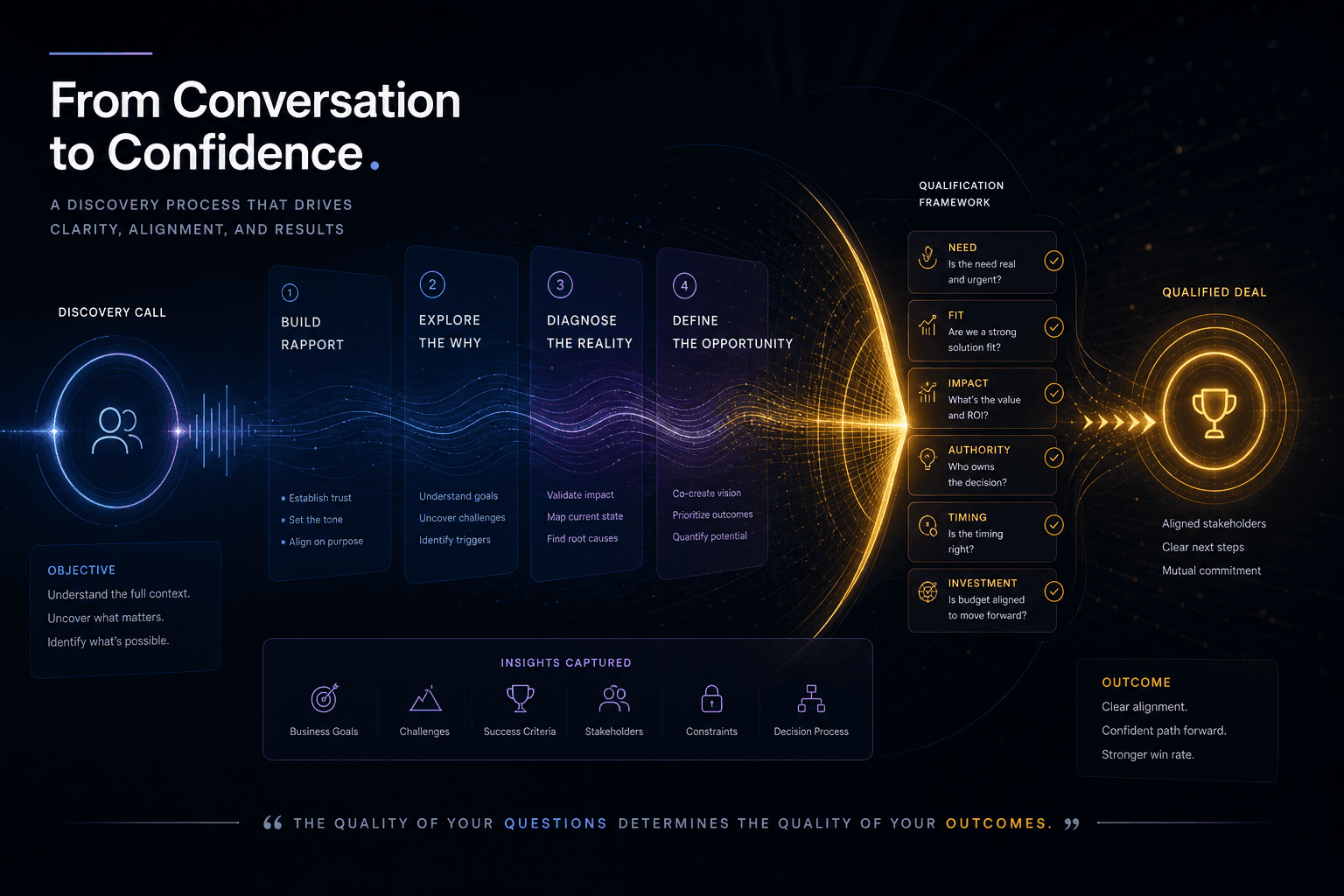
The Discovery Call Template I Use to Close High-Value Custom Web Projects
The exact discovery-call structure I run to close high-value custom web projects — opening, qualifying questions, budget surfacing, and the close.
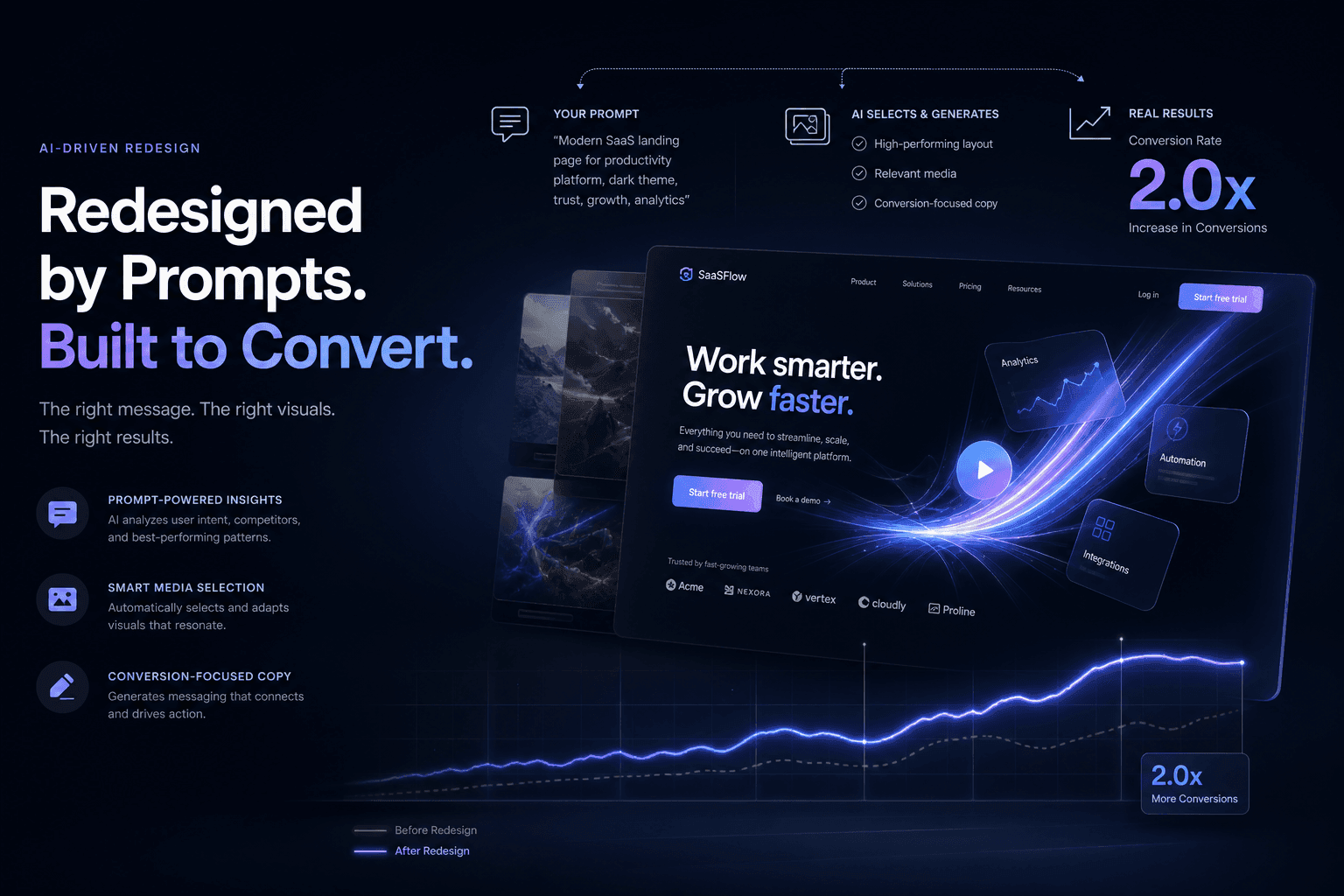
A SaaS Landing Page Redesign That Doubled Trial Signups — Directed Entirely Through Prompts and Reference Media
How I directed a complete SaaS landing page redesign using only prompts, screenshots, and brand context—no manual coding—and doubled trial signups in 30 days.

AutoSEO: How I Prompted an Autonomous SEO Agent Loop with Lighthouse Audits
Point an AI agent at a deployed site, give it a single Lighthouse scalar to maximize, and let it ratchet validated SEO wins into git overnight. Here is the full AutoSEO architecture.